
 CasePulse
Staff are answering the same status calls several times a day, chasing missing medical forms, and searching through email threads to find the latest client message. Meanwhile, clients are waiting for a clear answer about what happens next. That pattern isn’t usually caused by a lack of effort. It comes from a communication workflow spread across too many places.
The most effective client engagement best practices connect access, status updates, messages, files, forms, reminders, and staff responsibilities into one operating process. The ten practices below follow that workflow from the first client interaction through continuous improvement. They also identify the metrics law firm leaders should monitor, including response time, portal adoption, form completion, message activity, and satisfaction.
CasePulse can support this approach by giving clients a single place to view case information, send messages, share files, and complete forms while staff continue working in their existing case management systems. The objective isn’t to automate every conversation. It’s to remove avoidable friction, make routine information easier to access, and preserve human attention for legal judgment and sensitive client needs.
1. Implement a Centralized Client Communication Hub
A client shouldn’t have to decide whether a status question belongs in an email, phone call, text message, or separate document exchange. A centralized communication hub gives every matter a consistent access point for messages, case updates, files, and forms. For staff, it creates a clearer record of what the client asked, what the firm provided, and what still needs attention.
This matters particularly in plaintiff personal-injury practices. Clients may be dealing with treatment, financial pressure, and uncertainty while case developments occur gradually. A scattered communication process makes that uncertainty worse because each staff member may hold only part of the context.
Learn how a centralized client portal can improve communication by giving clients a structured place to return for information. CasePulse supports client messaging, case status access, file sharing, and fillable forms within that experience.
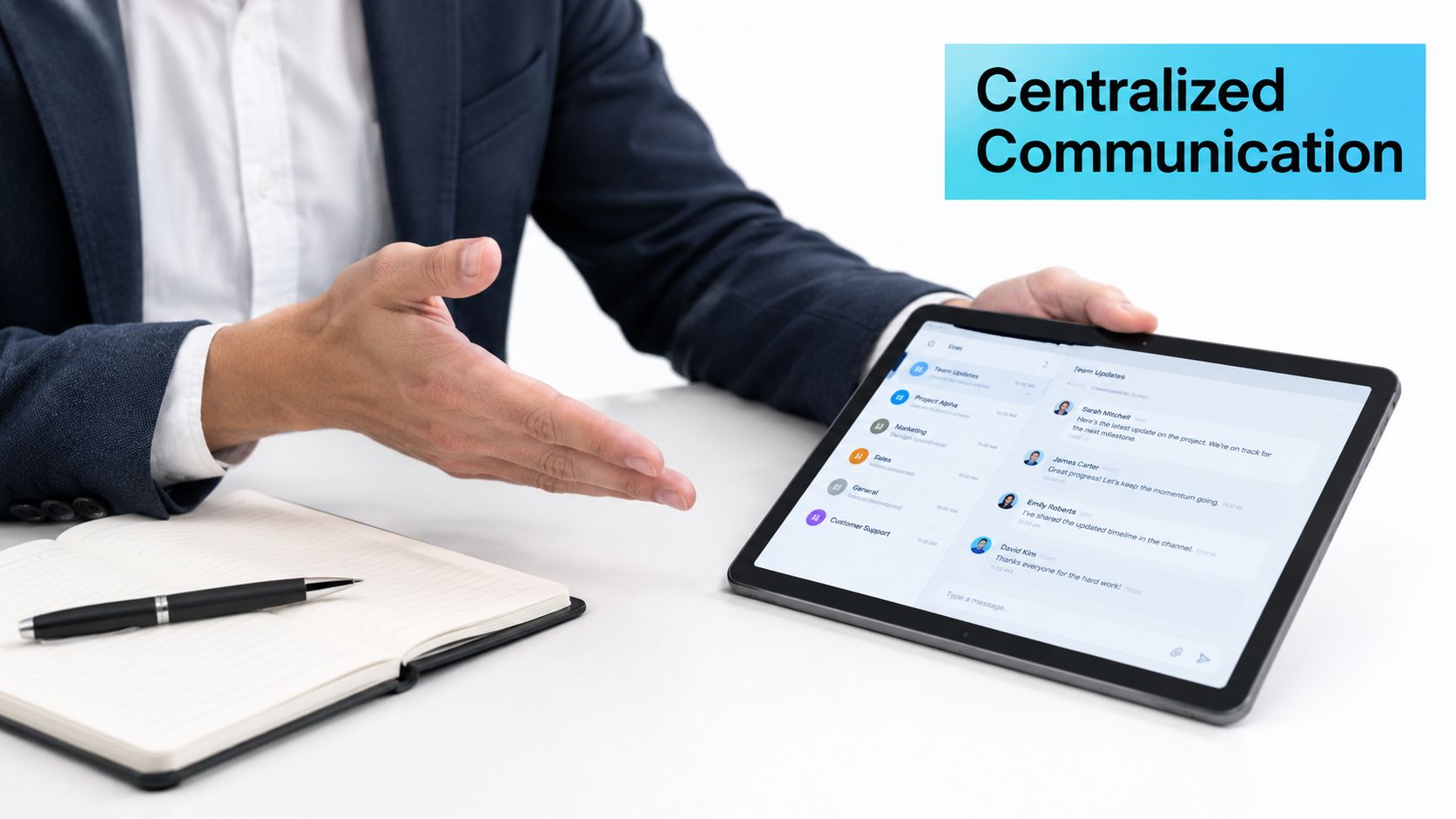
A useful starting point is to define what belongs in the hub and what still requires a phone call. Routine questions, requested documents, appointment reminders, and standard updates can move into the structured workflow. Complaints, distress, settlement uncertainty, and complex legal explanations should have a visible route to a person.
The case for actively requesting feedback is strong. Inavero’s 2018 Legal Industry Benchmark Study found that 95% of legal clients considered an open feedback channel important. The same study found that 86% viewed a firm more positively when it asked for feedback, while 66% were more likely to provide feedback through a survey than in person. A central hub makes that feedback easier to collect and easier to connect to the relevant matter.
2. Enable 24/7 Self-Service Case Status Access
A client checking whether records arrived should not have to wait for a case manager to return a call. A self-service status view provides approved information on demand, including current milestones, outstanding actions, document requests, and the next expected step. It gives staff a reliable way to handle routine status questions within the broader case workflow.
Accuracy determines whether clients trust the feature. An outdated status page creates more frustration than no status page at all. Assign responsibility for updating milestones, define which events clients may see, and explain terms such as treatment, demand, litigation, and settlement review in plain language.

Practical rule: Self-service should answer “what has happened” and “what happens next.” It should not replace a conversation about legal strategy.
CasePulse provides 24/7 case status access for clients while staff maintain the underlying workflow. A personal-injury firm could show that a medical record request is pending, a demand package is being prepared, or a response is expected from another party. Each status should include a clear explanation or client action when needed. For context on the ROI of self-service for SMBs, review how self-service can reduce avoidable contact without removing access to staff.
Response expectations still require a firm standard. The 2024 Legal Consumer Report found that 85% of surveyed consumers expected a response within 48 hours or less, while 40% would wait less than 24 hours before contacting another attorney. A status view cannot replace staff replies, but it can reduce routine uncertainty and help distinguish urgent questions from requests for information already available in the portal.
Introduce the status view during intake, demonstrate where clients can find the next step, and include its link in relevant updates. Track repeated status questions by matter. A decline in those questions may show that self-service is working, but it may also signal confusion or disengagement. Pair call-volume data with satisfaction results and measures of proactive updates.
3. Automate Routine Follow-Ups and Reminders
Automation works best when it handles predictable events, not when it tries to imitate a lawyer in a sensitive conversation. A firm can automate reminders for appointments, medical records, unsigned forms, requested files, and agreed follow-up dates. Each message should tell the client what action is needed, why it matters, and how to get help.
Start with a small set of workflows. For example, after a staff member requests a medical authorization, the system can acknowledge the request, remind the client if the form remains incomplete, and alert staff when the reminder sequence needs human intervention. That approach is more reliable than asking a case manager to remember every follow-up manually.
CasePulse supports automated follow-ups and reminders tied to client and case activity. The firm still controls the message content, timing, and escalation path. That distinction matters because a reminder can be efficient without being impersonal.
Build each automation around a clear trigger and stop condition:
- Trigger: A form, file, appointment, or status event creates the need for communication.
- Message: The client receives a concise explanation and a specific next action.
- Stop condition: The workflow stops when the client completes the action or staff resolve the issue.
- Escalation: Repeated nonresponse, distress, or confusion creates a task for a staff member.
FindLaw’s 2024 U.S. Consumer Legal Needs Survey found that 56% of respondents took action within one week or sooner after experiencing a legal need. A separate summary of that survey found that 60% of people who initially contacted a firm by email, online form, or text expected a response within the same business day. That makes prompt acknowledgment and clear next steps valuable at intake, not only after a matter is opened.
Review automated messages regularly. Remove sequences that create noise, revise instructions that generate repeated questions, and route emotionally sensitive situations to a person.
4. Streamline Digital Form and Document Collection
Paper forms and email attachments create avoidable delays. Clients print documents, scan them, send incomplete pages, and then wait while staff identify what needs correction. Digital forms give the client a guided way to provide information from a phone or computer while giving the firm a clearer submission record.
Use the highest-volume forms first. New-client intake, medical authorizations, treatment updates, settlement questionnaires, and recurring information requests often provide the quickest operational improvement. Keep each form focused. A long form that asks for information unrelated to the matter can create abandonment and more support work.
A practical form workflow includes:
- Plain-language prompts: Explain what the firm needs and why.
- Mobile usability: Test fields, signatures, uploads, and navigation on a small screen.
- Conditional questions: Show only the fields relevant to the client’s situation.
- Submission confirmation: Tell the client that the firm received the form.
- Exception handling: Alert staff when a required field is incomplete or contradictory.
A client completing an authorization from a phone may still need help understanding what they’re signing. Digital collection should reduce mechanical friction, not remove the opportunity for a human explanation. Give clients a message route and identify forms that require staff review before submission.
The Legal Services Consumer Panel’s 2025 research found that people expected clear, jargon-free explanations, regular updates, reassurance, and timely answers. It also found that 18% of users would have preferred to speak with a legal professional more often. That finding is a useful warning against treating form completion as a purely technical task.
Measure completion rate, time from request to submission, correction requests, and the point where clients stop. If clients regularly abandon one section, simplify the wording or split the form into smaller stages. CasePulse’s fillable forms can sit alongside messages and files, giving staff a connected view of the requested action.
5. Leverage Custom Branding for Professional Identity
Clients should recognize the communication environment as an extension of the firm. Consistent logo use, colors, welcome messaging, and plain-language guidance can make a portal feel familiar rather than disconnected from the engagement letter, website, and office experience.
Branding isn’t a substitute for good service. A polished interface won’t compensate for unanswered messages or stale case information. Its value is more practical. It reinforces where the client should go for updates and reduces uncertainty about whether a notification or document request belongs to the firm.
A personal-injury firm might welcome a new client with a short explanation of how updates work, which notifications to expect, and how to contact staff for urgent concerns. That message can carry the firm’s tone without making unsupported promises about response speed or case outcomes.
Keep the client-facing experience clear
Use established brand guidelines, but don’t treat the portal as a brochure. A clean layout, readable contrast, and clear labels matter more than decorative graphics. Test the experience on phones, tablets, and desktop screens. Check whether a client can identify the current status, open a document, and send a message without staff assistance.
Professional identity comes from consistency between what the firm promises, what the client sees, and what staff actually do.
Review branded messaging when the firm changes its name, practice focus, office details, or communication policy. Also review it when client feedback shows confusion. If clients continue sending documents by email because they don’t understand the portal, the problem is probably onboarding or workflow design, not the absence of more visual branding.
CasePulse supports custom branding for the client-facing experience. Used carefully, that branding helps the firm establish one recognizable access point while staff continue handling legal work in their existing systems.
6. Integrate the Portal With Existing Case Management Systems
A portal should remove administrative work, not create another queue. Staff should not update a matter status in one system, copy it into another, download a client file, and reattach it to the record. Effective integrations help firms unify tools and data sources while keeping client-facing information aligned with the workflow staff already follow.
Start by mapping what must move between systems. Include the matter identifier, client contact details, status events, requested forms, shared files, messages, reminders, and staff tasks. Assign one authoritative system for each field. Without that decision, synchronization can preserve conflicting information instead of resolving it.
CasePulse connects portal activity with established case management workflows. Clients can use one access point for messages, files, forms, status information, and reminders, while staff continue working in the system that holds the matter record. Branding remains part of the client-facing experience, but operational ownership stays clear for the team handling the case.
Test the workflow, not just the connection
Use sample matters to test invitations, status changes, file sharing, form submissions, notifications, and staff replies. Confirm that each client action reaches the correct matter and that staff can identify the next action without checking multiple queues. Test exceptions as well, including duplicate contacts, closed matters, changed email addresses, and failed file transfers.
Test the handoff in both directions. A status update should reach the portal when the case record changes, and a submitted form or client message should return to the right matter with enough context for staff to act. Decide which events create tasks, which only update the record, and which require review before the client sees them.
Assign an owner for troubleshooting, document field mappings, and include connection health in regular system administration. A portal that works in a demonstration but causes uncertainty during live intake can weaken trust rather than improve it.
A Thomson Reuters Institute report analyzing more than 400 law firms found that 83% of respondents identified client-satisfaction ratings as a definition of success, while only 36% said their firms tracked client satisfaction. Integration should support that measurement by connecting workflow activity with the client experience.
7. Establish Clear Communication Protocols and Response Standards
Clients can tolerate a waiting period more easily when they know what it means. “We respond quickly” is too vague to guide staff or reassure clients. A stronger policy defines the expected acknowledgment time, the channels for different requests, and the point at which an unanswered issue must be escalated.
Separate acknowledgment from resolution. A staff member may confirm receipt of a question quickly even when a substantive legal answer requires research or attorney review. The acknowledgment should state who owns the next step and when the client should expect an update.
The 2024 secret shopper assessment of 500 U.S. law firms found that only 33% of firms responded to email inquiries and only 40% answered initial phone calls. After callbacks were included, 48% of firms remained effectively unreachable by phone. Those figures concern prospective-client contact rather than existing case satisfaction, but they show why firms need an accountable intake and follow-up process.
Create a simple service policy for common situations:
- New inquiries: Acknowledge receipt, capture the preferred channel, and assign an owner.
- Routine status questions: Direct clients to the current status view and provide a written explanation when needed.
- Urgent concerns: Define what qualifies as urgent and identify the escalation route.
- Complex legal questions: Route the matter to the appropriate attorney or trained staff member.
- Complaints: Record the issue, confirm receipt, and assign a resolution owner.
Review adherence in staff meetings without turning the metric into a punishment exercise. If the firm can’t meet a stated standard during a high-volume period, revise the promise transparently and add temporary coverage.
8. Implement Intelligent Notification and Alert Systems
Notifications should help clients act, not make them monitor an endless stream of messages. An effective alert identifies a meaningful event, explains its relevance, and gives the client a clear next step. It also respects the client’s preferred channel and frequency.
Consider a client waiting for a medical record update. A useful notification might confirm that a request was sent, explain that the firm is waiting for records, and identify whether the client needs to do anything. Sending separate alerts for every internal task would create noise without improving understanding.
Salesforce’s Connected Customer research reports that 64% of consumers expect companies to respond and interact in real time, 84% consider timely issue resolution critical or very important, and 71% say service available on any day and at any time influences loyalty. For law firms, these expectations translate into practical requirements for timely acknowledgment, consistent information, and access outside office hours.
Design alerts around client decisions
Give clients control over notification preferences during onboarding. Let them choose appropriate channels where available, provide a way to change those choices, and avoid sending late-night messages unless the client specifically requests them. Keep the event history available in the portal so clients can find an earlier notification without searching an inbox.
Every alert should answer three questions:
- What changed?
- Does the client need to act?
- Who should the client contact if the situation is unclear?
CasePulse can support notifications and reminders connected to case activity. Staff should still review templates, test timing, and investigate repeated client questions. A notification that triggers at the wrong stage can create more calls, not fewer.
9. Develop Segmented Communication Strategies
The right communication method depends on the case stage, the client’s preference, and the significance of the information. A routine status update can work well as a written message. A discussion about settlement authority, a serious setback, or an emotionally difficult development may require a phone or in-person conversation.
Consider a channel policy rather than a single-channel ideology. Segment clients by matter type, case stage, communication preference, accessibility needs, and urgency. Then define what each segment receives and when.
A plaintiff personal-injury workflow might use milestone-focused written updates during treatment, document requests when records are needed, and live conversations for demand decisions or settlement discussions. Another matter may require a different rhythm. The important point is to make the variation intentional rather than leaving it to whichever staff member happens to respond.
Don’t confuse segmentation with impersonal templates. A template should provide structure, while the staff member adds the relevant context. Review messages that generate repeated questions. They may be technically accurate but poorly matched to the client’s stage or understanding.
10. Monitor and Measure Client Engagement Metrics
A firm can answer messages quickly and still leave clients unsure about their case. Measure the full communication workflow, from portal access and document requests to reminders, status updates, and resolution.
Review results by case stage and practice group. Fast intake responses may coexist with poor litigation updates. Frequent portal logins may coexist with unfinished forms. Fewer calls may indicate effective self-service, or clients may have stopped trying to reach the firm. Pair activity data with feedback before changing a workflow.
A practical dashboard can track:
- Portal adoption: Which clients activate access, return to the portal, and view case updates?
- Response time: How long does the firm take to acknowledge and substantively answer messages?
- Form completion: Which forms are completed, delayed, or abandoned?
- Message activity: Which matters generate repeated questions or unanswered messages?
- Proactive updates: Did the firm share a relevant status change before the client asked?
- Client satisfaction: What do clients report after intake, major milestones, and resolution?
The measurement gap remains substantial. A recent analysis summarized in a survey of law firm clients found that only 35% of surveyed law firms measured response time and only 25% tracked total case-resolution time. It also reported that 72% of attorneys viewed their firms as caring, compared with 40% of clients. Internal confidence cannot replace client-level evidence. For an example of how firms collect feedback, see what clients say about F1Group.
Review the dashboard monthly. Assign an owner to each problem, record the workflow change, and check whether the measure improves. CasePulse can connect portal activity, messaging, files, forms, reminders, branding, and case management workflows, while the firm defines the measures that reflect a better client experience.
10-Point Client Engagement Best Practices Comparison
| Item | Implementation complexity | Resource requirements | Expected outcomes | Ideal use cases | Key advantages |
|---|---|---|---|---|---|
| Implement a Centralized Client Communication Hub | Medium–High (platform selection, integrations, onboarding) | Platform cost, integration effort, staff + client training | Reduced inbound calls, consistent responses, auditable interaction history | Firms with fragmented channels, high call volume, compliance needs | Single point of contact, consolidated files, improved response consistency |
| Enable 24/7 Self-Service Case Status Access | Medium (data mapping, UI and notifications) | Data cleanup, integration, notification setup, client education | Fewer status inquiries, greater client empowerment, improved satisfaction | High-volume status inquiries, clients who prefer self-service access | On‑demand information, reduced routine calls, better client retention |
| Automate Routine Follow-ups and Reminders | Low–Medium (workflow configuration, template design) | Automation tooling, configuration time, ongoing monitoring | Fewer manual tasks, improved compliance, reduced no‑shows | Appointment-heavy practices, frequent document requests, recurring deadlines | Consistent cadence, reduced staff workload, higher response rates |
| Streamline Digital Form and Document Collection | Medium (form building, conditional logic, integrations) | Time to build/customize forms, integration work, client guidance materials | Faster intake, fewer transcription errors, searchable digital records | New client intake, authorizations, repetitive information collection | Eliminates paper, reduces data entry errors, speeds onboarding |
| Leverage Custom Branding for Professional Identity | Low (design application, minor configuration) | Design resources or vendor support, QA across devices | Increased perceived professionalism and trust, consistent client experience | Firms prioritizing brand perception and client-facing polish | Reinforces brand, improves client confidence, differentiates portal |
| Integrate Portal Seamlessly with Existing Case Management Systems | High (API work, field mapping, testing) | Significant IT/dev effort, vendor coordination, testing resources | Eliminated duplicate entry, real-time data consistency, minimal workflow disruption | Firms with established case systems requiring data sync | Bi‑directional sync, preserved workflows, higher staff productivity |
| Establish Clear Communication Protocols and Response Standards | Low–Medium (policy development, training) | Time to document standards, staff training, monitoring processes | Aligned client expectations, improved consistency, fewer complaints | Firms with inconsistent response behavior or escalation issues | Sets expectations, enables accountability, reduces miscommunication |
| Implement Intelligent Notification and Alert Systems | Medium (rule design, preference controls) | Notification platform, configuration, tuning and monitoring | Proactive client updates, fewer missed actions, improved engagement | Deadline-driven matters, clients needing timely reminders | Targeted alerts, multi-channel delivery, client preference controls |
| Develop Segmented Communication Strategies Based on Case Type and Client Preferences | Medium–High (analysis, templates, profiling) | Data analysis, template creation, staff training, maintenance | More relevant communications, higher engagement, less overload | Mixed-practice firms with diverse case types and client demographics | Personalization by segment, efficient resource allocation, better relevance |
| Monitor and Measure Client Engagement Metrics to Drive Continuous Improvement | Medium (analytics setup, reporting) | Analytics tools, dashboard configuration, analyst time | Actionable insights, increased adoption, measurable ROI from initiatives | Firms implementing portals/automation that need performance tracking | Objective metrics, identifies friction points, guides continuous improvement |
Make Engagement Measurable and Easier to Maintain
The strongest client engagement program doesn't begin with every available feature. It begins with the points where clients and staff lose time or context. For one firm, that may be repeated status calls. For another, it may be incomplete intake forms or unanswered digital inquiries. Start with the friction that appears most often in daily work.
A phased rollout is easier to manage than a firm-wide change with no clear owner. First, connect CasePulse with the firm's existing case management workflow and establish the central client access point. Give clients a reliable place to find messages, approved case status information, files, and forms. Make sure staff understand where incoming actions appear and who owns the response.
Next, add high-value self-service access and a small number of automated reminders. Status visibility can address routine uncertainty, while reminders can support appointments, document requests, and outstanding forms. Keep the first workflows narrow enough to test. A reminder that asks for one clear action is more useful than a complicated sequence that clients don't understand.
After the foundation works, refine the service layer. Document response standards, distinguish acknowledgment from resolution, and define when automation must give way to human contact. Segment communication by case stage and client preference. Use notifications for meaningful events, not every internal change. Review the language with client-facing staff because they know which explanations create confusion.
Measurement should begin before major changes so the firm has a baseline. Track portal adoption, response times, form completion, message activity, proactive updates, and client satisfaction. Review the results by case stage rather than treating every matter as identical. A reduction in calls is only positive when clients also receive timely answers and understand their next step.
The operational lesson is simple. Good engagement reduces friction for both sides. Clients get clearer access to information and more dependable follow-up. Staff spend less time reconstructing conversations and repeating routine updates, leaving more attention for judgment, reassurance, and exceptions.
CasePulse supports this workflow with client messaging, 24/7 case status access, file sharing, fillable forms, reminders, custom branding, and integrations with Needles, Neos, LawBase, and Litify. The firm can improve client access without requiring staff to abandon the case management systems they already use.
Review your current client communication workflow and identify the first point where clients repeatedly wait, call, or resend information. Then visit CasePulse to see how a connected portal can support case status access, messaging, files, forms, reminders, and branded client communication within your existing law firm workflow.