
The client portal that works like a native part of Litify
Extend the power of your Litify legal management platform. CasePulse adds a secure, firm-branded client portal that automates routine updates and messaging, freeing your team to focus on high-value work—all from the comfort of your Litify workspace.
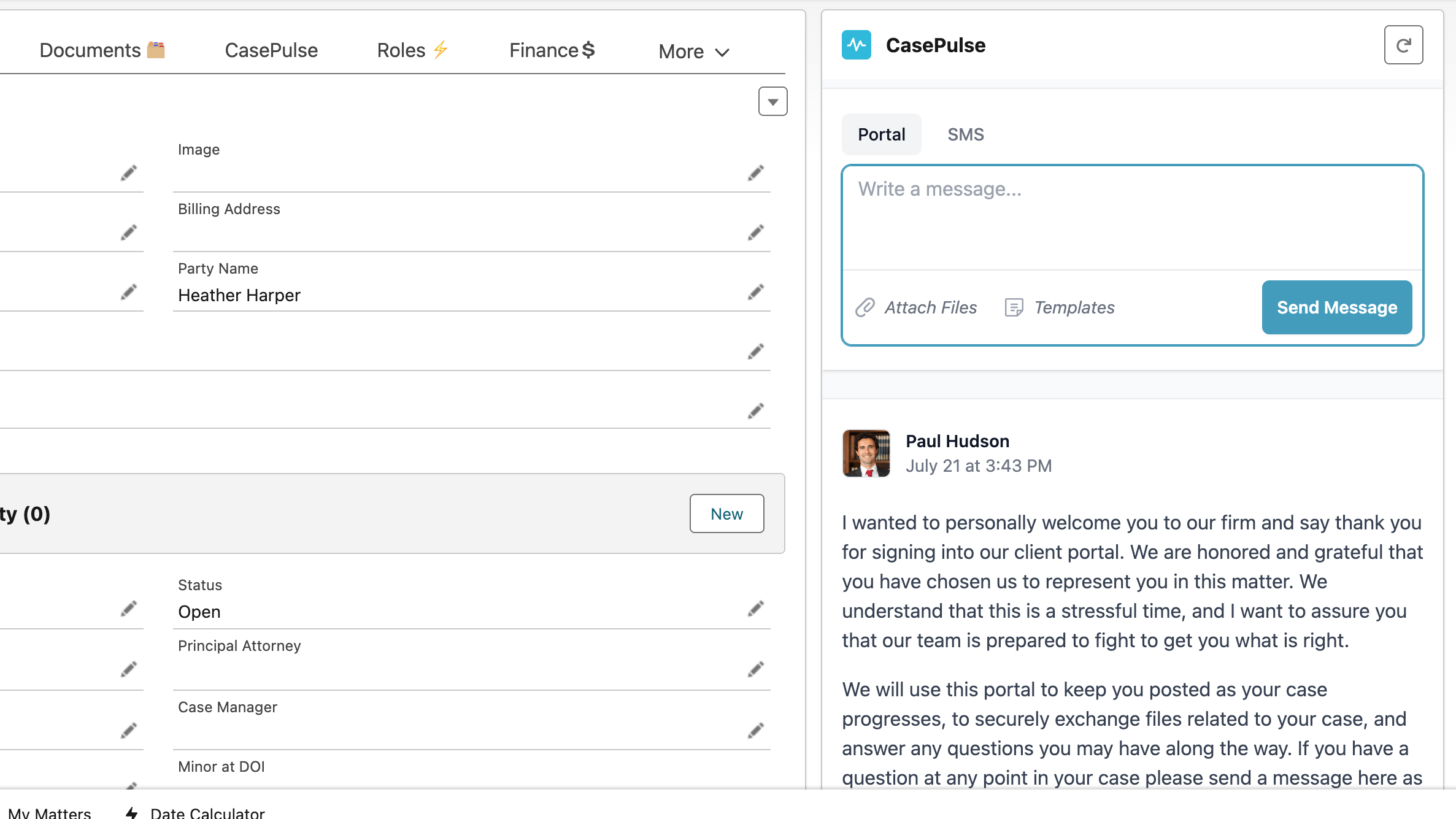
Embedded Litify Messaging
Communicate with clients without ever leaving your Litify workspace
No more toggling between tabs. Our Litify integration embeds a secure messaging component directly into your cases and intakes. Send portal messages or texts from a single, familiar interface, keeping your focus where it needs to be.
- Stay in Context.
- Message clients directly from the Litify case screen. Every conversation is always in context, making your communication faster and more precise.
- Instant Notifications.
- Receive alerts in your standard Litify notification center. A single click takes you straight to the relevant case, streamlining your entire workflow.
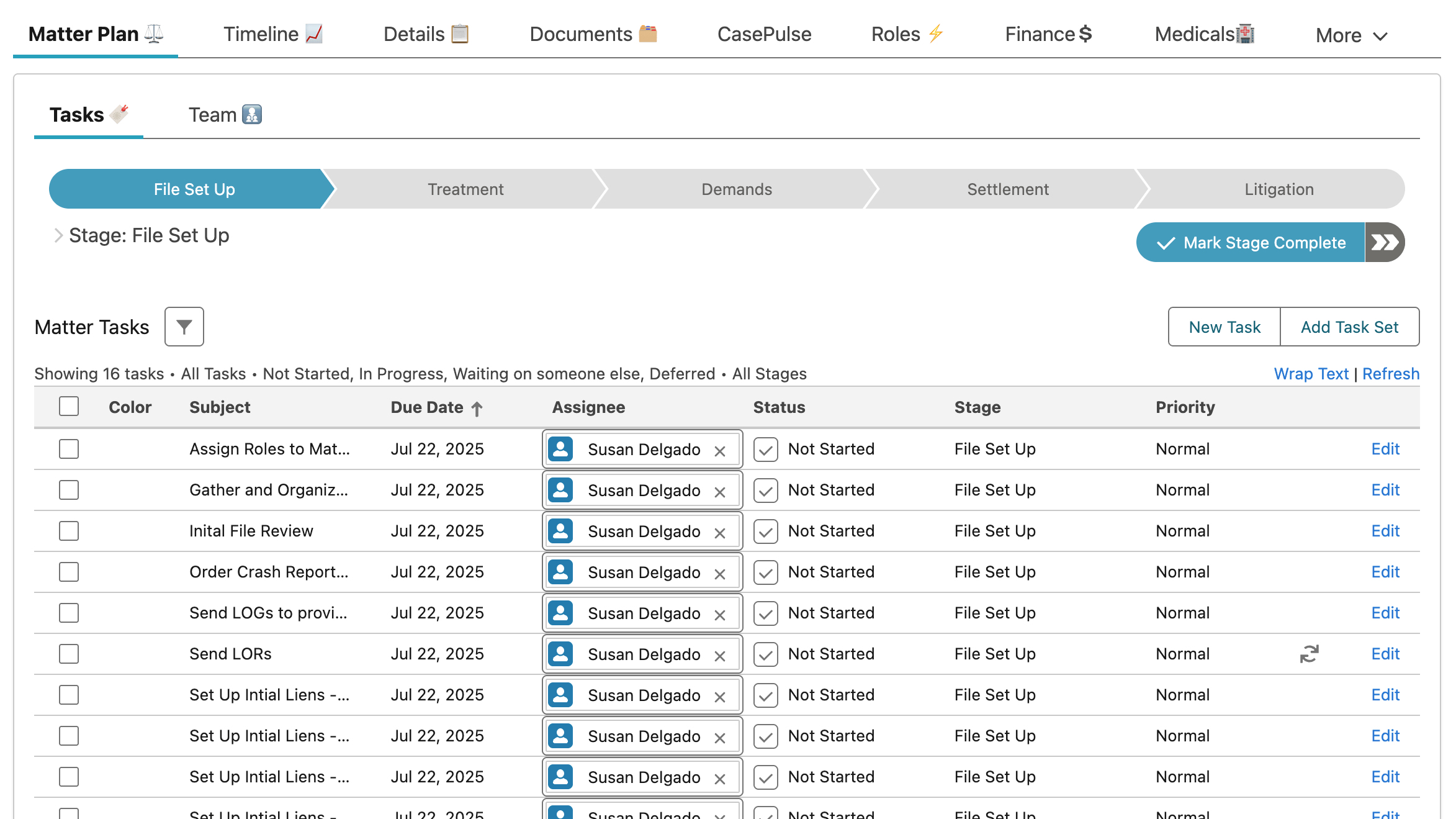
Automated Matter Plan Communication
Turn your Litify matter plans into a client communication engine
Let your case management workflow do the heavy lifting. As you complete tasks in your Litify matter plan, CasePulse can send automated updates and requests to your clients. This powerful Litify integration saves time and ensures clients are always informed.
- Automated Updates.
- Configure key matter plan stages to trigger progress updates, keeping clients engaged and reducing inbound phone calls.
- Data Requests.
- Link a matter plan task to automatically send a message asking the client to fill out a custom form with the specific data you need.
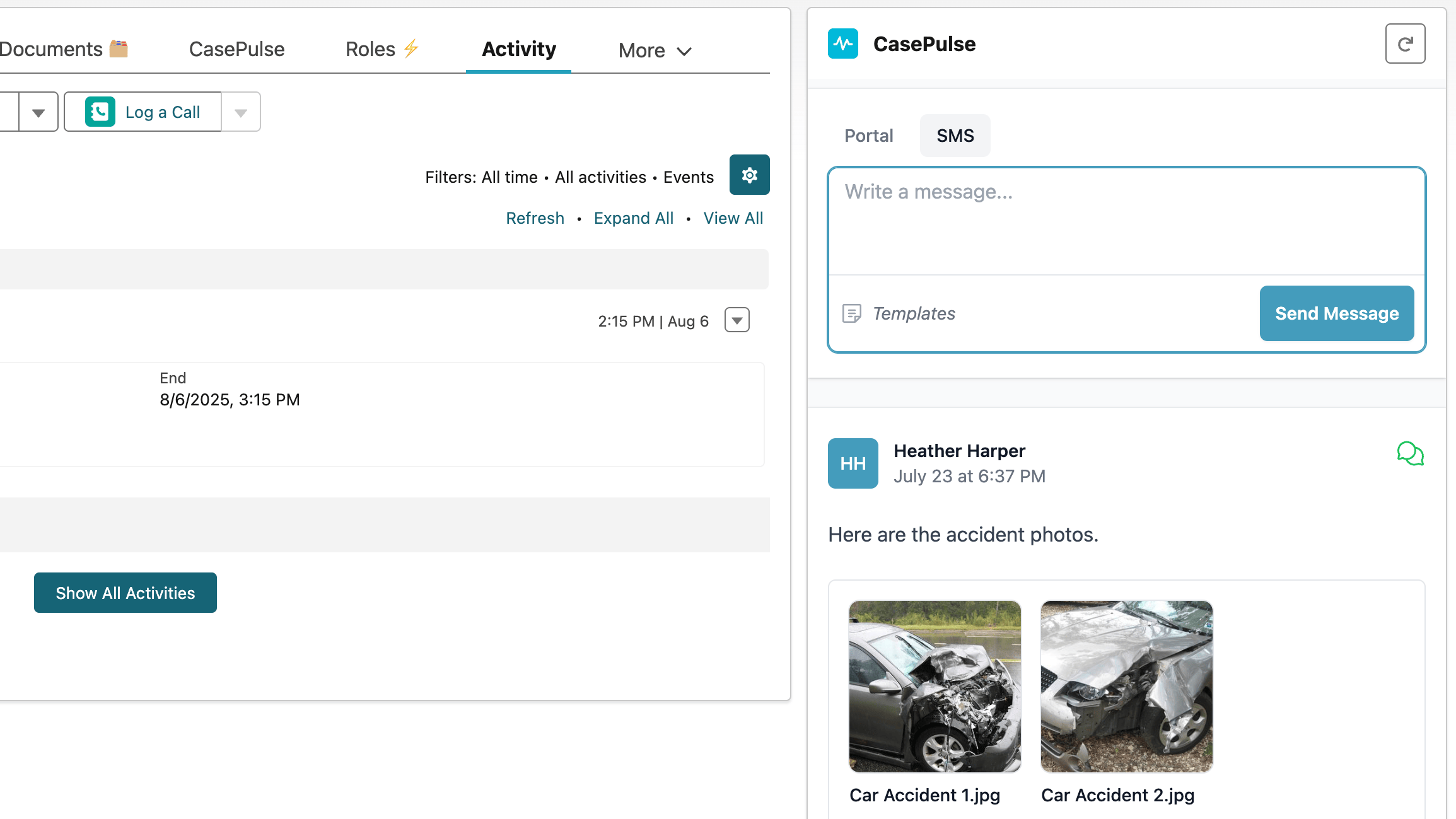
Two-Way Text Messaging
Text with clients from your main office number, right inside Litify
Stop giving out personal cell numbers. Our Litify integration lets you send and receive text messages using your firm’s official phone number. Every conversation is logged in the case file, keeping your communications professional and organized.
- Professional Identity.
- Use your firm’s primary phone number for all client texting, ensuring a consistent and professional appearance in every interaction.
- Automatic Logging.
- Every text conversation is automatically saved to the case in Litify, so you always have a complete communication record.
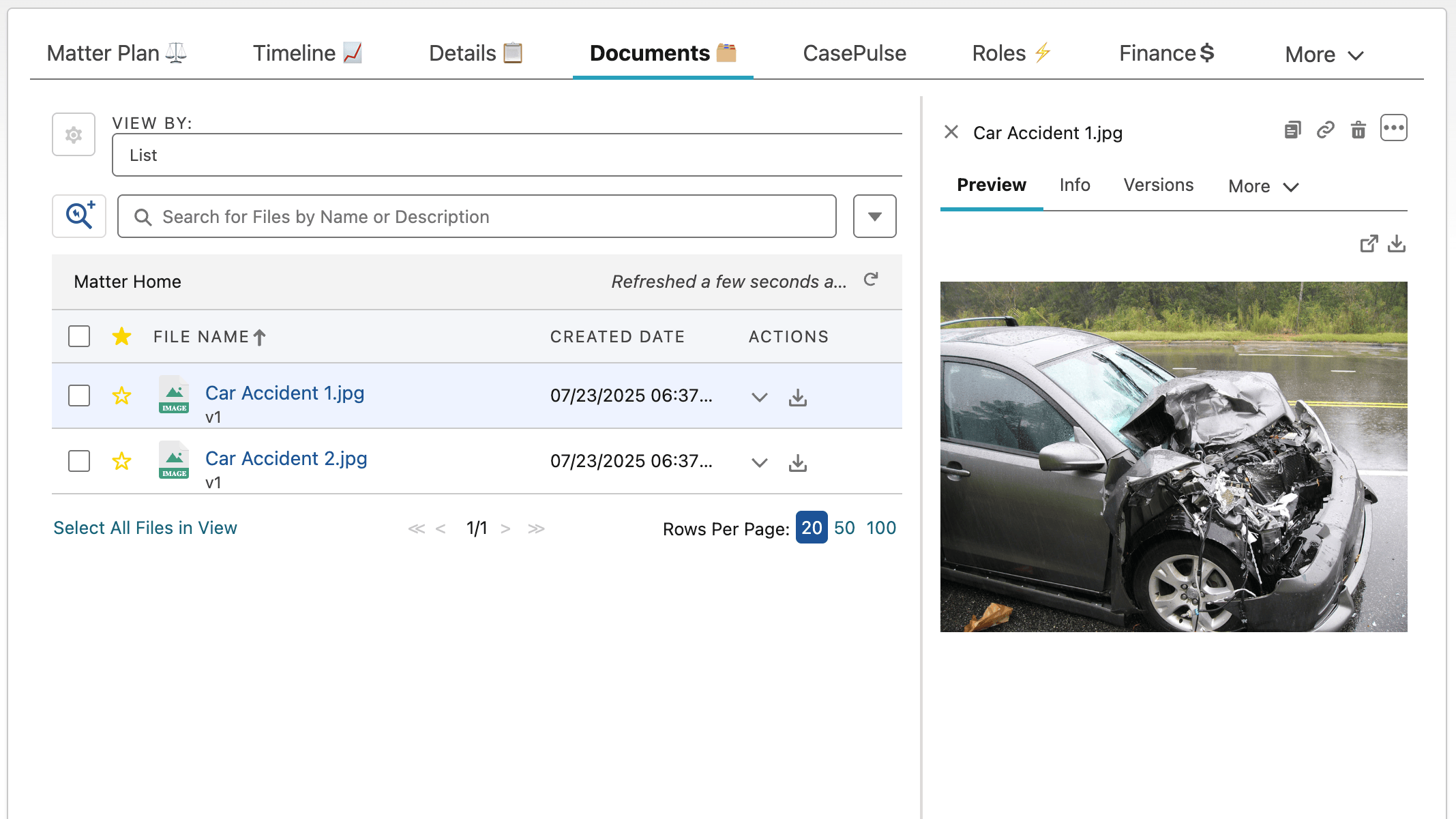
Direct-to-Docrio File Sync
Client files appear automatically where they belong
Stop the download-and-upload dance. With our law firm client portal, files from clients are automatically and securely pushed to the Documents section of the corresponding case in your Litify case management software. It’s simple, secure, and seamless.
- Effortless for Clients.
- Clients can upload documents or photos from any device through the portal, making it easy to gather necessary case files.
- Direct to Docrio.
- All uploaded files land directly in Litify’s Docrio file system, perfectly organized and attached to the correct case.
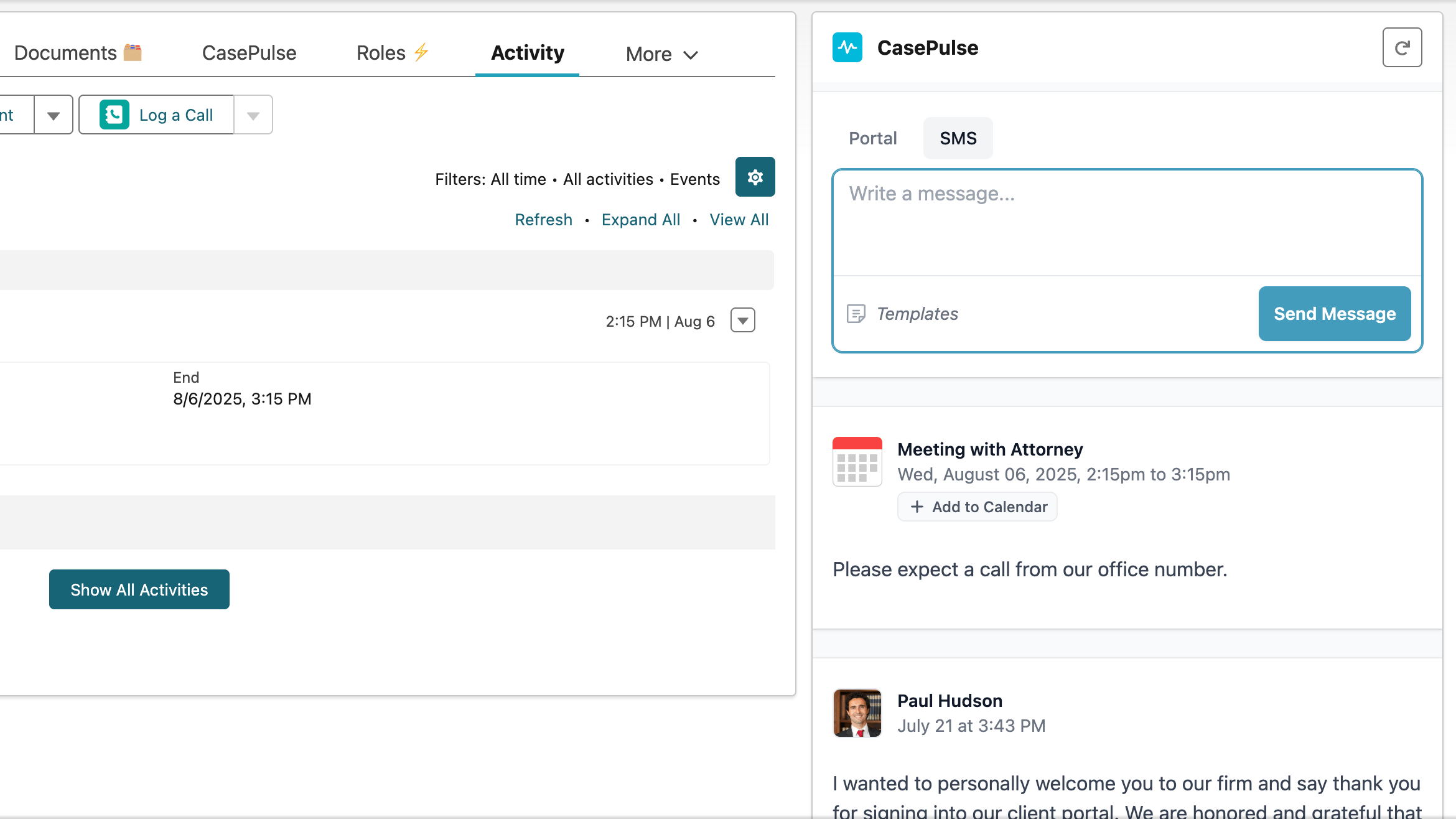
Synced Case Calendars
Keep your clients and your team perfectly in sync
Eliminate missed appointments and confusion. Key case dates from your Litify calendar automatically appear in the client’s portal, giving them a clear view of upcoming events like appointments, deadlines, and court dates.
- Automatic Sync.
- Case events created in Litify are automatically shared to the client portal, keeping everyone on the same page.
- Reduce No-Shows.
- With a shared, up-to-date view of important dates, clients are better prepared for depositions, meetings, and other critical case events.
Airtight Case Record
Every client interaction is logged automatically in Litify
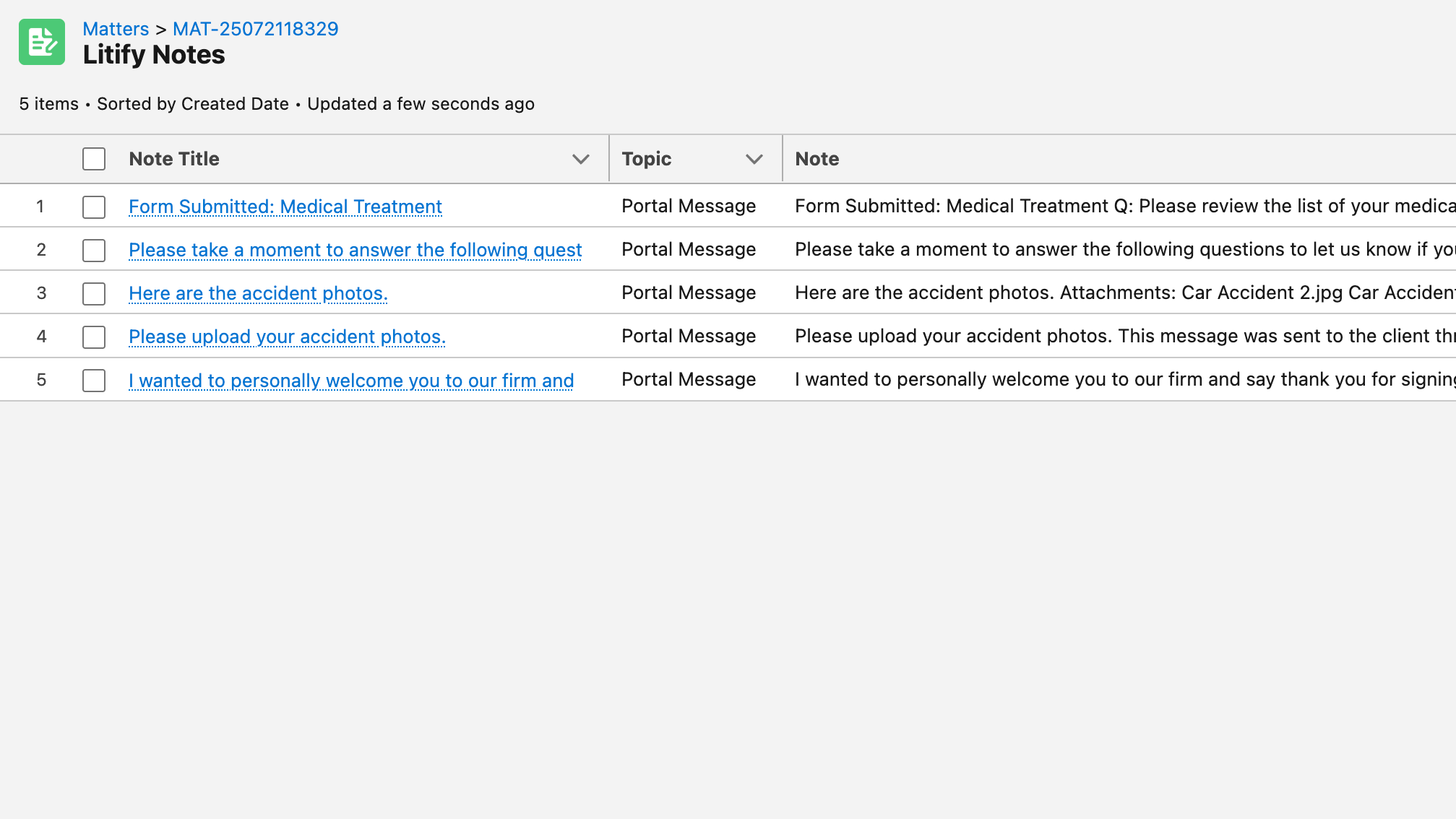
Build a complete, defensible case history without lifting a finger. Every message sent through the portal is automatically written to Litify Notes, creating a comprehensive record of communication for compliance and case strategy.
- Worry-Free Archiving.
- All portal messages are chronicled in Litify Notes, creating a searchable and permanent record of every client interaction.
- Own Your Data.
- Your firm retains full ownership of its data. All communications are stored securely within your own Litify instance.
Litify is Your Source of Truth
Eliminate data entry and keep your legal management platform central
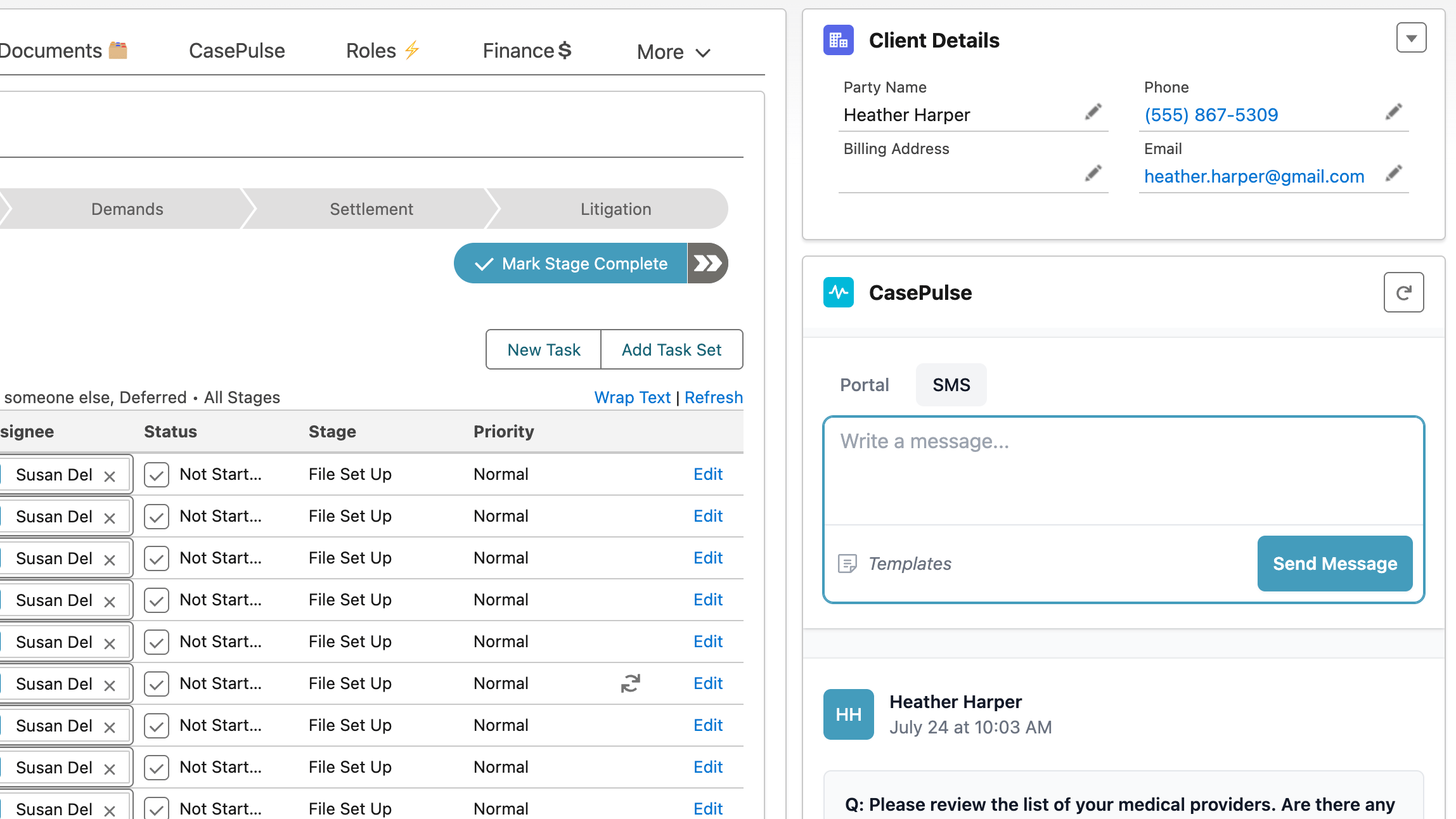
Update a client’s information in one place: Litify. Any changes to a client’s name, phone, or email in Litify are automatically synced to the client portal. This simple data integrity saves your staff from administrative headaches and reduces the risk of errors.
- Smart Sync.
- Keep Litify as the central hub. Data flows from Litify to the portal, ensuring your case management software is always the ultimate source of truth.
- Reduce Double Work.
- Free your team from updating multiple systems. Enter data once in your legal case management software and get back to more important work.
Frequently asked questions
Have a different question about the Litify integration? Contact us and we’ll be happy to help.
- Does Litify have its own client portal?
- While Litify is a powerful legal management platform, CasePulse offers a dedicated, white-labeled law firm client portal designed to enhance it. Our deep Litify integration focuses on streamlining client communication and automating workflows directly from your existing case management software.
- How much does the Litify integration cost?
- Our pricing is based on your firm’s size, not case volume. You can find more details on our Litify integration pricing page and book a demo for a personalized quote.
- Will clients be able to see all of our case data from Litify?
- Absolutely not. Your firm retains complete control. You decide exactly what information is shared with clients through the portal. All sensitive case data in your Litify case management software remains confidential.
- How long does it take to set up the Litify integration?
- Setup is fast. Most law firms can be up and running in under a week. Because CasePulse works within your existing Litify environment, there is minimal disruption, and our team guides you through the entire process.
- How does the Matter Plan automation work?
- You can link key tasks in your Litify Matter Plans to trigger automated actions in the client portal. For instance, completing a task can automatically send a case update or a request for documents.
- How are client files managed with the Litify integration?
- Seamlessly and securely. When a client uploads a file through their portal, it is automatically sent to the Docrio section of the correct case within Litify. This eliminates manual downloads and keeps your legal case management system organized.
- How will my team be notified of new client messages?
- Your team will receive notifications for new messages directly within the standard Litify notification center they already use. Clicking a notification takes them straight to the case, ensuring they never miss an update.
- Does our staff need to learn a whole new software?
- Not at all. CasePulse is designed to be an extension of Litify, not another tool to learn. Since your team will work from within the familiar Litify interface, the learning curve is minimal. Our goal is to enhance your existing legal management platform, not replace it.
Ready to see the Litify portal integration in action?
Schedule a no-obligation demo with our team to see how CasePulse simplifies client communication within Litify.