
 Brandon Burke
No. Neos, Assembly Software’s case management system for personal injury firms, doesn’t include a Neos client portal for clients to check their own case status. It handles intake, case workflow, document management, and AI-assisted drafting for your staff — but there’s no client login, no self-serve status page, and no built-in way for clients to check on their case without calling or emailing your office.
If you’re on Neos and fielding a steady stream of “what’s happening with my case” calls, that’s not a setup problem. It’s a feature Neos was never built to include. Here’s what Neos does cover, what it leaves out, and what to look for if you want to close that gap.
What Neos Actually Covers
Neos is built to run a personal injury case from intake to settlement, on the firm side. Based on Assembly Software’s own product pages, that includes:
- Intake workflows and forms
- Statute of limitations tracking and deadline alerts
- Case timelines with task assignment
- Document management and firm-wide search
- Lien tracking and settlement disbursement
- Real-time dashboards and custom reporting
Neos also bakes AI into the case record through what Assembly calls NeosAI — drafting demand letters from case files, building medical chronologies, and summarizing records without manual re-entry. It’s a genuinely deep tool for the work your staff does behind the scenes.
All of that is internal. Every feature above is about running the case, not about letting the client see any of it.
What’s Missing for Client Communication
Neos has no client login. There’s no portal where a client can check case status, see upcoming deadlines, or view documents without going through a staff member first.
That means the client side of the relationship still runs on phone calls, emails, and manual updates — the same way it would with any case management system that wasn’t designed with client access in mind. Assembly Software does list integrations with a few third-party client-communication tools, which tells you the company recognizes the gap. It just isn’t something Neos solves natively.
For a firm evaluating Neos, or already running on it, this is worth knowing before it becomes a problem: adding client-facing communication is a separate decision, not a Neos setting you flip on later.
What That Looks Like Day to Day for Firms and Clients
In practice, the gap shows up as routine, low-value work that eats staff time.
A paralegal fields a call asking whether a demand letter went out. A case manager emails a client back with a settlement timeline that’s already sitting in Neos. Someone spends part of the afternoon manually texting three clients that their depositions moved. None of this is complicated work — it’s just work that a client-facing status page would otherwise handle on its own.
For clients, the experience is the mirror image: no way to check in without waiting for a callback, no visibility into where things stand between updates. On a personal injury case that can run for months, that uncertainty is a common source of frustration, even when the underlying casework is going fine.
What to Look For in a Neos Client Portal
If you’re adding a portal layer on top of Neos, a few things matter more than others:
Two-way sync, not a one-way export. A portal that only pulls data out of Neos will drift out of date. Look for a sync that keeps changes moving in both directions, so an update in Neos shows up for the client and information the client submits makes it back into the case record.
A clear landing spot for messages and files. When a client uploads a document or sends a message through the portal, know exactly where it ends up in Neos — ideally without a staff member manually re-filing it.
Checklist-triggered automation. Neos already tracks case milestones through checklists. A portal that can act on those milestones (sending an invitation, triggering a status update) saves a manual step your team would otherwise own.
Your firm’s branding, not the vendor’s. Clients should experience the portal as part of your firm, not as a third-party tool bolted on top of your case management system.
Reasonable rollout effort. Adding a portal shouldn’t mean a second implementation project on the scale of adopting Neos itself. Ask any vendor how long a typical firm takes to get live.
If you’re also untangling internal login or permission issues inside Neos itself, that’s a separate topic from client-facing access — our Neos login and access guide covers staff-side login, roles, and access controls specifically.
How CasePulse’s Neos Integration Works
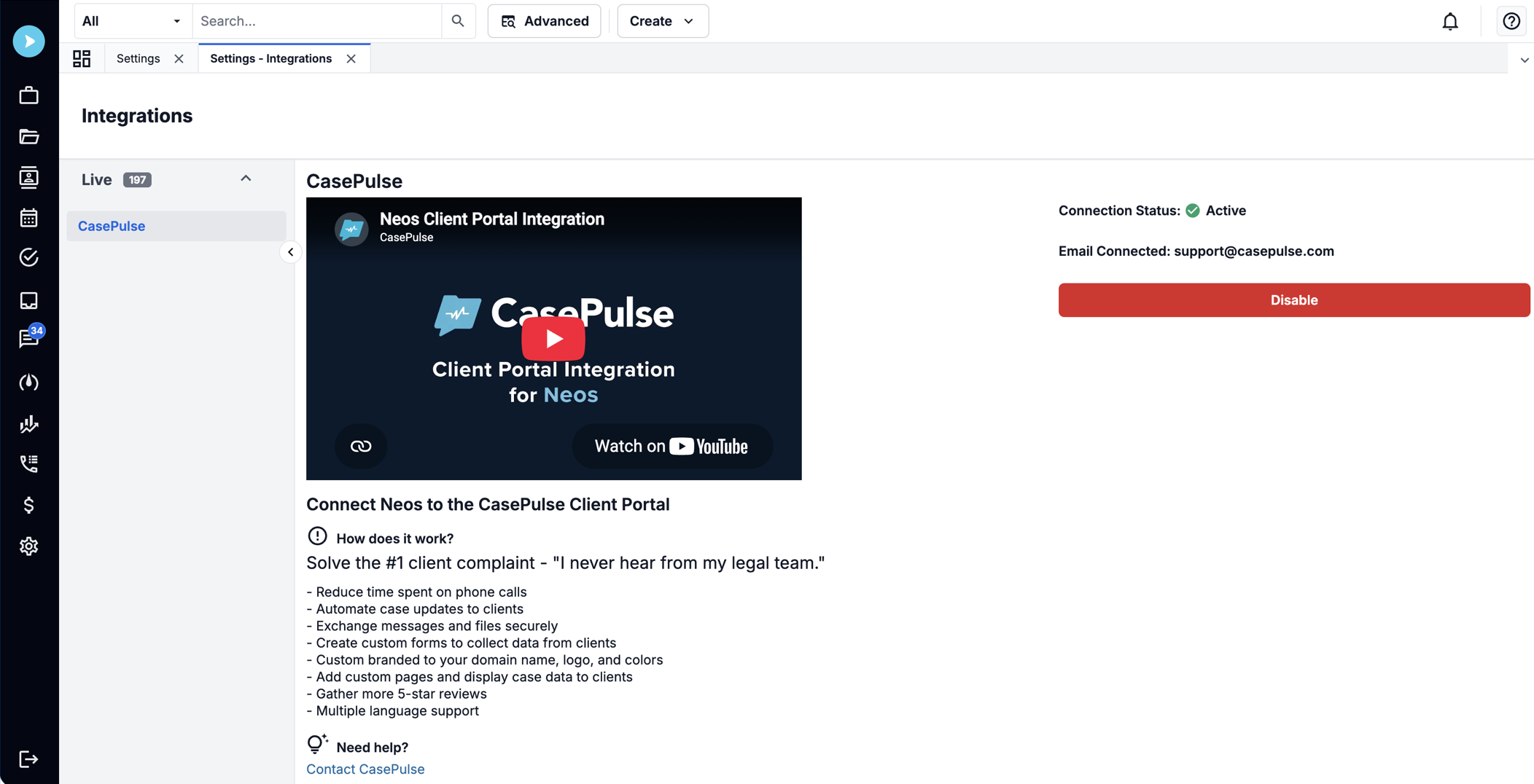
CasePulse’s Neos integration is one example of a Neos client portal, built around the two-way sync and automation points above:
- Checklist-triggered invitations. When your team completes a specific checklist item in Neos, CasePulse can automatically send the client a portal invitation, instead of a staff member remembering to do it.
- File sync to Case Docs. Files a client uploads through the portal land in the Case Docs section of the matching Neos case automatically.
- In-Neos messaging. Client portal messages show up inside your Neos workspace, and staff replies go back to the client through the portal, so there’s no separate inbox to check.
- Two-way data sync. Update a client’s phone number in Neos and it updates in the portal, and information a client submits through the portal can sync back into Neos.
This is one way to close the gap, not the only one. If you’re evaluating options, use the checklist above regardless of which portal you end up with — the point is making sure whatever you add actually talks to Neos in both directions, rather than sitting next to it as a separate system your staff has to maintain by hand.
If you want to see how this looks against your own Neos setup, book a demo and we’ll walk through it with your actual workflow.