
 CasePulse
 At its heart, attorney time tracking software is a specialized tool built to help legal professionals meticulously log every minute they spend on client matters. Its entire purpose is to make sure that every billable moment is captured, taking the guesswork and lost income out of old-school methods like spreadsheets or piles of sticky notes.
Moving Beyond Manual Time Logs
Think about trying to piece together your entire workday from memory alone. You would be digging through scribbled notes, sifting through your calendar, and trying to recall every single phone call. For a long time, this chaotic and wildly inaccurate scramble was just how things were done in the legal world.
This manual system was a recipe for lost revenue. A quick five minute call, a ten minute email exchange, a brief document review, these small but crucial bits of work were constantly forgotten by the end of a busy day. It was a process that created constant friction, forcing attorneys to waste non billable time on administrative cleanup instead of focusing on what matters: their clients and their cases. The result? Conservative time estimates that left a lot of money on the table.
The Shift to Intelligent Tracking
This is the exact problem modern attorney time tracking software was built to solve. These platforms are much more than just digital stopwatches. They are intelligent systems designed to capture every billable moment with near perfect precision. For a busy personal injury firm juggling dozens or even hundreds of cases at once, this is a game changer.
The industry has certainly taken notice. A staggering 67% of firms now use dedicated attorney time tracking software. It is a clear move away from the manual mess that led to an estimated 20-30% in lost billable hours for some practices. You can get more details on this shift from the full legal industry report from LawPay.
This transition from manual guesswork to smart tracking is the difference between hoping your firm is profitable and actually knowing it. It provides a level of clarity and accuracy that was simply out of reach before.
Embracing Efficiency and Automation
Bringing this kind of software into your firm is a powerful step toward workflow automation, a key strategy for boosting efficiency by replacing tedious, repetitive tasks. Instead of attorneys having to chase down their own time entries at the end of the week, the system works quietly in the background, capturing everything as it happens.
This automated approach unlocks several huge advantages:
- Improved Accuracy: The software logs time as it happens, drastically cutting down on the errors and forgotten entries that plague manual billing records.
- Increased Revenue: By finally capturing all those small, previously unbilled tasks, firms see a direct and immediate impact on their bottom line.
- Better Data Insights: Detailed reports give you a crystal clear view of where time is actually going, helping partners understand case profitability and team performance.
Ultimately, adopting this technology frees up your team to focus on higher value work. For more on this, check out our guide on https://casepulse.com/how-can-lawyers-be-more-productive/ for other powerful strategies. It is a foundational shift in how a modern law firm operates, turning a chaotic administrative chore into a streamlined, data driven engine for growth.
2. Essential Features for Personal Injury Firms
When you start looking for attorney time tracking software, you will quickly realize they are not all created equal. A tool that works perfectly for a corporate law practice often falls flat in the dynamic, fast paced world of a plaintiff personal injury firm. Your team needs specific features built to handle high case volumes and capture every billable moment without bogging everyone down in administrative quicksand.
The right tools solve the real, everyday headaches your firm faces. We are talking about more than just a simple stopwatch. From tracking a five minute client call to logging the cost of an expert witness, the software has to be a core part of your firm’s operational engine. It is all about ensuring accuracy and boosting profitability on every single case.
The image below really drives home the shift from old school, leaky manual methods to a modern, contained solution.
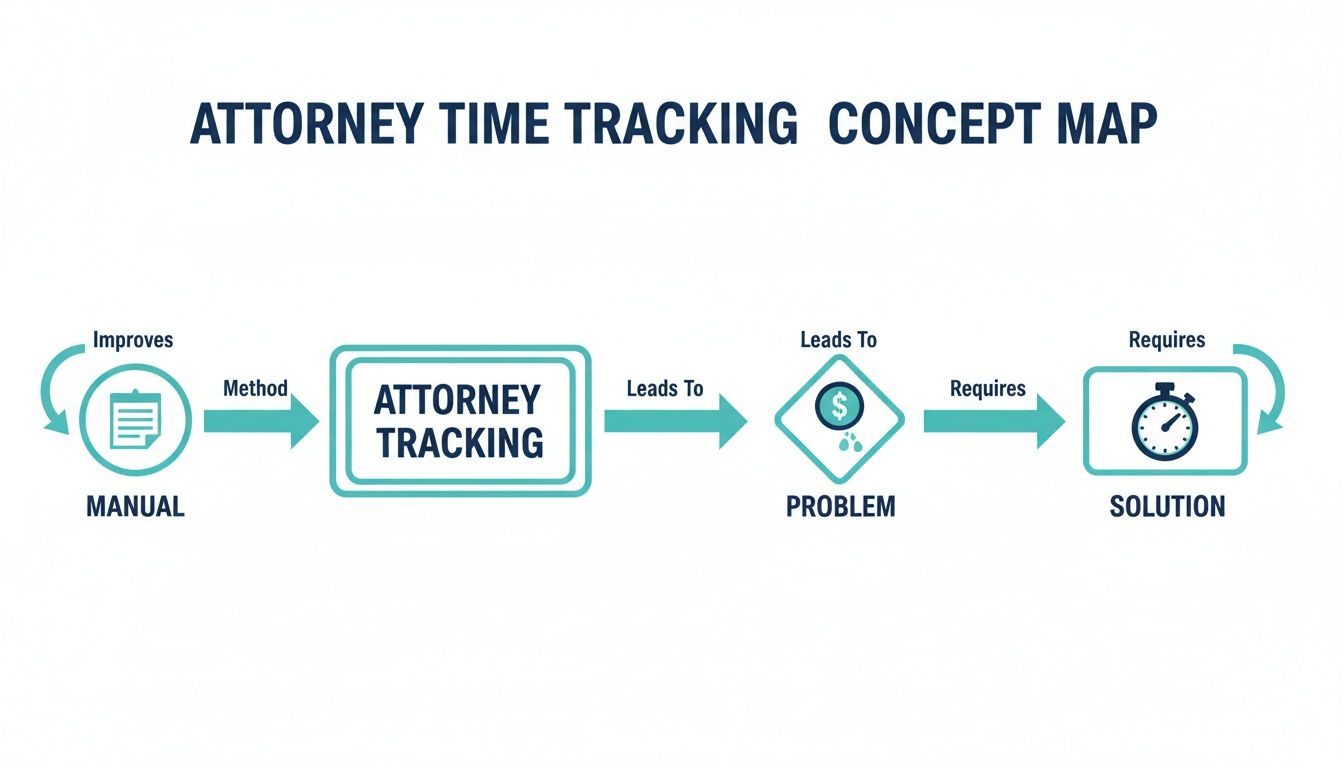
This map shows how manual tracking almost guarantees financial leaks, and how the right software acts as a direct plug for those gaps. So, let's break down the specific features that make this kind of solution so effective.
H3: Automated and Passive Time Capture
If there is one feature that is a complete game changer for a busy PI attorney, it is automated time capture. This is the stuff that works quietly in the background, passively logging your activity across all your different applications, think email, document editors, and even your web browser. You no longer have to frantically remember to start or stop a timer every time you switch tasks.
Imagine finishing a flurry of activity, from drafting a motion to firing off an email to opposing counsel, and seeing all that time already logged and just waiting for your approval. This completely eliminates that dreaded end of day scramble to reconstruct your work from memory. We all know that process leads to forgotten entries and, ultimately, lost revenue.
Passive time tracking is where the industry is heading. In fact, recent data shows 24% of firms have already adopted these background tools that automatically capture billable time. The days of fumbling with timers in the middle of a meeting are over. Modern software uses AI to monitor your activities, spot case references, and even suggest descriptions for your time entries. This leap forward alone can save lawyers 5 to 10 hours every single week on data entry. You can see the full picture of these legal market trends to understand just how significant this shift is.
H3: Mobile Access for Work on the Go
Personal injury work does not happen neatly between nine and five at a desk. Attorneys are constantly in court, at depositions, or meeting clients out of the office. A time tracking solution without a solid mobile app is, frankly, incomplete.
Your team absolutely needs the ability to:
- Log time entries instantly from a smartphone right after a client call or court appearance.
- Track case related expenses by simply snapping a photo of a receipt for a filing fee or travel cost.
- Review case details and timers while away from the office, making sure nothing falls through the cracks.
This kind of flexibility is non negotiable. It ensures that valuable time spent working on a case is captured the moment it happens, not hours or even days later when the details have gone fuzzy.
H3: Integrated Expense Tracking
A PI case is about more than just billable hours. It is a marathon of associated costs. We are talking about medical record fees, expert witness retainers, court filing charges, the list goes on. These expenses have to be meticulously tracked and tied to the correct client matter.
The best attorney time tracking software includes built in expense tracking. This feature allows your team to log costs directly within the same system they use for time, creating a single, unified financial record for each case.
This integration is absolutely crucial. It prevents the kind of errors and delays that are almost inevitable when you are juggling separate spreadsheets or accounting tools. When everything lives in one place, you get a clear, immediate view of the total investment in a case, which is vital for settlement negotiations and final accounting.
H3: Detailed Reporting and Analytics
Finally, any software worth its salt must provide detailed reporting that gives you real insights into your firm's performance. Generic, cookie cutter reports just do not cut it. You need the power to analyze profitability on a per case, per attorney, or even per case type basis.
Look for a platform that can answer these critical questions:
- Which of our cases are the most profitable?
- How much time are we sinking into cases that do not end up settling?
- Are our attorneys actually meeting their billable targets?
This data is not just nice to have. It is essential for making smart business decisions. It helps you understand where your firm is winning and where you need to adjust your strategy, turning your time tracking data from a simple record into a powerful tool for growth.
To help you distinguish between the must haves and the nice to haves, we have broken down the key features below. This should give you a clear roadmap for what to prioritize as you evaluate different platforms for your firm.
Essential vs. Advanced Time Tracking Features
| Feature | Description | Why It's Critical for PI Firms |
|---|---|---|
| Automated Time Capture | Passively records activity across applications (email, docs) and suggests time entries. | Reduces missed billable time from multi-tasking and eliminates manual data entry, saving hours per week. |
| Mobile App (iOS/Android) | Full-featured mobile access for logging time, capturing expenses, and viewing case data on the go. | Captures billable moments as they happen in court, at depositions, or during client meetings, ensuring accuracy. |
| Integrated Expense Tracking | Allows users to log case-related costs (e.g., filing fees, expert retainers) within the time tracking platform. | Provides a complete financial picture of each case in one place, crucial for settlement negotiations and client billing. |
| Customizable Invoicing | Generates detailed, professional invoices directly from tracked time and expenses. | Streamlines the billing process, reduces errors, and ensures faster payments from clients or settlement funds. |
| Advanced Reporting | In-depth analytics on profitability by case, attorney performance, and resource allocation. | Offers data-driven insights to make strategic decisions about case selection, staffing, and firm growth. |
| Case Management Integration | Seamlessly syncs time, expenses, and client data with your existing case management software. | Creates a single source of truth, eliminates double entry, and ensures all case information is up-to-date across systems. |
Having a clear understanding of these features will help you zero in on a solution that not only meets your needs today but can also scale with your firm as you continue to grow and take on more complex cases.
Why Integration with Your Case Management System Matters
Think of your attorney time tracking software as a vital organ in your firm's body. If it is not connected to the central nervous system, your case management software, it simply cannot function effectively. A disconnected time tracker creates a frustrating cycle of double data entry and digital chaos.
Imagine your paralegal meticulously logs three hours of deposition prep, then has to jump over to a completely different program to manually re-enter that same information into the client's case file. It is not just inefficient. It is a process practically begging for errors.

The only real solution is a seamless, direct integration between your time tracker and your firm’s primary legal case management software. When these two systems talk to each other, they become a single, powerful tool.
Creating a Single Source of Truth
When your time tracking software plugs directly into platforms like Litify, Neos, or Needles, you establish a single source of truth. This means every critical piece of case information, from documents and deadlines to every billable minute, is stored in one central, unified place. No more hunting through spreadsheets or wondering which system has the right data.
This connection ensures that every time entry is automatically linked to the correct client and matter. When a partner logs time for a client call, that entry instantly appears within the main case file, giving everyone on the team a complete, real time picture of the work being done.
Just as a system like CasePulse brings all client communications and updates under one roof, an integrated time tracker does the same for your firm's financial and billing data. It gets everyone on the same page.
Eliminating Redundant Administrative Work
The most obvious win from integration is killing off duplicate data entry. Without it, your staff is literally doing the same job twice: once in the time tracker, and again when they manually update the case management system.
This is not just a minor annoyance. It is a massive productivity killer. It pulls your talented paralegals and legal assistants away from substantive, client facing work and mires them in administrative quicksand.
A solid integration automates this entire flow. Time and expenses are captured once and then synced across both systems automatically. This simple shift can reclaim dozens of hours for your firm every single month, freeing up your team to focus on what actually matters, winning cases.
This automation also slashes the risk of billing errors. When data is transferred by the system, not a person, you eliminate the typos, transpositions, and misplaced entries that lead to inaccurate invoices and, worse, client disputes.
Streamlining Workflows for Maximum Efficiency
At the end of the day, integration is about building a smarter, more fluid workflow for your entire firm. It directly connects the legal work being performed with the financial reality of each case.
Here is what that looks like in practice:
- Real Time Case Costing: As soon as time and expenses are logged, they show up in the case file. This gives you a live, up to the minute view of how much you have invested in a particular matter.
- Faster, More Accurate Billing: When it's time to send invoices, all the billable entries are already organized and verified within your case management platform. The whole billing cycle gets faster and cleaner.
- Improved Data Integrity: With automated syncing, you can trust that the information in both systems is identical and reliable. This is absolutely critical for accurate reporting and making sound business decisions.
This kind of connected ecosystem is no longer a luxury. It is a cornerstone of any modern, successful law firm. To get a deeper understanding of how centralizing your firm's data can drive growth, check out our comprehensive guide on legal case management software. It is all about making your technology do the heavy lifting for you.
Meeting Ethical and Compliance Standards
In the legal world, tracking your time is more than just good business. It is an ethical mandate. The American Bar Association's Model Rules of Professional Conduct are crystal clear: lawyers must charge reasonable fees. Without a precise, transparent, and defensible record of the hours poured into a case, a firm leaves itself wide open to fee disputes and even ethical violations.
Think of modern time tracking software as your firm's ethical backstop. It helps you get away from those vague, block billed entries that clients and courts love to question. Instead, you build a detailed, real time log of every single action taken for a client. Each entry becomes a piece of evidence that justifies the work and the fee.
This is not just a minor detail. When a fee is disputed, the burden of proof falls squarely on the attorney to justify the charge. A system that captures every six minute increment with a clear description builds a powerful, almost unchallengeable record that protects your firm and builds client trust.
Adhering to ABA Billing Rules
The right software is built from the ground up with these ethical rules in mind. It naturally guides attorneys to create the kind of detailed entries that satisfy professional standards. This goes way beyond just starting and stopping a timer. It is about building a clear story of the work you performed.
The software should make it simple to create entries that are:
- Contemporaneous: Time needs to be logged as the work happens, not pieced together from memory days or weeks later.
- Detailed: Entries should describe the specific task, avoiding generic phrases like "legal research" or "case review."
- Accurate: The time logged must be a true reflection of the time spent.
By making it effortless for attorneys to log time from their desktop or phone the moment a task is finished, the software directly supports the creation of records that will stand up to scrutiny. This meticulous approach turns every invoice into a transparent account of your firm's hard work.
Supporting Trust Accounting Requirements
Beyond billable hours, one of the most critical compliance areas for any law firm is handling client funds held in trust. While your time tracker is not a full accounting suite, the right features can play a vital role in maintaining proper trust accounting records, a frequent source of ethical headaches.
Integrated expense tracking is a perfect example. When your team pays a filing fee or an expert witness retainer from the client's trust account, that expense has to be recorded immediately and accurately against the correct matter. Good software lets you log these expenses on the spot, often just by snapping a photo of a receipt with your phone.
This creates an instant digital paper trail tying the disbursement to the specific case. This simple function helps prevent dangerous mistakes like commingling funds or failing to account for every dollar. It makes life much easier for your accounting team during reconciliation and ensures your firm stays compliant.
For an even deeper dive into safeguarding your firm's sensitive information, learn more about the best practices for cybersecurity for law firms in our detailed guide.
How to Choose the Right Software for Your Firm
Picking the right time tracking software for your law firm can feel overwhelming, but breaking it down into a structured process makes it completely manageable. The goal is to find a system that actually fits how your team works. Think of it like buying a vehicle: a solo practitioner might just need a reliable sedan, but a large personal injury firm needs something more like a heavy duty truck to handle the workload.
You are looking for the perfect fit, not just the one with the most bells and whistles. A thoughtful evaluation ensures you invest in a tool your attorneys will actually use, one that delivers a clear, measurable return. It all starts with taking an honest look at your firm’s biggest headaches and where you want to go.
And you are not alone in this search. The global time tracking market, which includes legal software, is expected to explode from USD 24.11 billion to a staggering USD 149.92 billion by 2034. A huge chunk of that growth is coming from professional services like law firms right here in North America. You can discover more insights about these market trends in this detailed analysis. This boom means you have more options than ever, which makes having a clear evaluation plan absolutely critical.
Nail Down Your Firm's Unique Needs
Before you even think about watching a single demo, you have to map out what you actually need. Start by looking at your current timekeeping process and pinpointing the biggest frustrations. Are attorneys constantly forgetting to log those quick phone calls and emails? Is your billing department drowning in manual data entry?
Get practical and make a checklist of your non negotiables. Think about these key areas:
- Integration: Does this new software need to play nicely with your existing case management system, like Needles or Litify? For most PI firms, this is a deal breaker.
- Automation: How much do you value passive time capture? For a high volume firm, this feature alone can reclaim dozens of hours every single week.
- Mobility: Do your attorneys need a solid mobile app to log time and snap photos of receipts while they are at court or in a deposition?
- Reporting: What data do you really need to see? Go beyond basic billing and think about profitability reports by case type or individual attorney performance metrics.
This initial homework keeps you from getting distracted by flashy features that do not solve your real problems. It gives you a clear scorecard to measure every potential vendor against.
Schedule Demos and Ask the Tough Questions
With your needs clearly defined, it is time to line up demos with your top contenders. This is your opportunity to see the software in action and grill the sales team with targeted questions. Do not let them just run through their standard canned presentation. You need to guide the conversation back to your specific checklist.
A demo should feel less like a sales pitch and more like a consultation. The vendor should be focused on understanding your firm's workflow and showing you exactly how their tool can solve your specific problems. If they cannot, that is a huge red flag.
Show up prepared with a list of pointed questions. Here are a few to get you started:
- Can you show me, step by step, how your software integrates with our exact case management system?
- What does the implementation and training process look like for a firm of our size? Who leads it?
- Where is your customer support team located, and what are their actual hours of operation?
- Walk me through your pricing model. Are there any hidden fees for support, data storage, or critical integrations?
These kinds of questions cut right through the marketing fluff and get to the practical reality of what it will be like to use their software every day.
Create an Evaluation Checklist
To keep your decision making process organized and objective, use a checklist to compare each option side by side. This ensures you are evaluating every contender on the same core criteria, from critical features to the quality of their support.
Evaluation Checklist for Attorney Time Tracking Software
| Evaluation Criteria | Key Questions to Ask | Importance Level (High/Medium/Low) |
|---|---|---|
| Core Functionality | Does it excel at billable hour tracking? Is the interface intuitive? | High |
| Case Management Integration | Does it offer a deep, two-way sync with our current PMS (e.g., Litify, Needles)? | High |
| Automation & AI | Does it offer passive time capture or AI-assisted entry suggestions? | High |
| Mobile Accessibility | Is there a fully-featured, user-friendly mobile app for iOS and Android? | High |
| Trust Accounting | Does it have robust, ABA-compliant trust accounting features? | Medium |
| Reporting & Analytics | Can we generate profitability reports by case, client, or attorney? | Medium |
| Ease of Use | How steep is the learning curve? Will our team realistically adopt it? | High |
| Customer Support | Is support US-based? What are the response times? Are they experts? | High |
| Pricing & Scalability | Is the pricing transparent? Are there long-term contracts? Can it grow with us? | High |
| Security & Compliance | How is our data protected? Is the vendor compliant with industry standards? | Medium |
By filling this out for each vendor, you can move confidently toward a decision that will not only boost your firm's accuracy and profitability but also make life a whole lot easier for your entire team.
Driving Adoption Across Your Firm
You can invest in the absolute best attorney time tracking software on the market, but that is just the first step. The real payoff, the return on your investment, only happens when your entire team actually uses it consistently and correctly. The biggest hurdle is not the technology. It is the people. Overcoming that natural resistance to change requires a smart, thoughtful strategy.
A successful rollout is not about forcing a new tool on your team. It is about showing them, in no uncertain terms, how this new system makes their jobs easier, not harder. When attorneys and paralegals see for themselves that the software helps them capture billable time they were previously letting slip through the cracks, adoption starts to happen organically.

A Clear Strategy for a Smooth Rollout
The secret to a smooth transition lies in a well planned implementation. You cannot just flip a switch and hope for the best. Start by setting clear, achievable goals for what you want the software to accomplish in the first 30, 60, and 90 days. This gives you measurable benchmarks to track your progress.
Next, you need to provide comprehensive, hands on training. Do not just demo a list of features. Show your team how the software solves their specific, daily frustrations, like the dreaded task of reconstructing a busy day from memory. For adoption to stick, the "how to" information needs to be crystal clear, which is why leaning on software documentation best practices is so critical.
A great tactic is to designate a few tech savvy team members as your internal champions. These people can offer peer to peer support, answer quick questions, and share their own success stories. It makes the change feel less like a top down mandate and more like a genuine team effort.
Building Momentum with a Phased Approach
Instead of dropping the new software on everyone at once, think about a phased rollout. Start with a small pilot group of your most enthusiastic users. This lets you iron out any kinks in a controlled environment and collect incredibly valuable feedback before the firm wide launch.
Once this initial group is up and running and seeing results, their success stories become your most powerful internal marketing tool. Celebrate those early wins publicly. When other attorneys hear a colleague say, “This new timer found an extra billable hour for me yesterday,” their skepticism will quickly turn into curiosity.
This method builds momentum from the ground up, creating a "pull" effect where other team members actually want to get on board. By choosing an intuitive platform with excellent support from the start, you lower the barrier to entry and set your firm up to get the full value from its investment.
Frequently Asked Questions
When you start digging into attorney time tracking software, the same questions always seem to pop up. It is all about the practical stuff: What is the real cost? Will it play nice with our existing systems? And the big one, how on earth do we get our lawyers to actually use it? Let's tackle these head on.
How Much Does Attorney Time Tracking Software Cost?
You will find that pricing is all over the map, but most modern tools run on a simple subscription basis, charging per user, per month. Generally, you can expect to pay anywhere from $25 to over $100 per user. The price tag usually goes up with more advanced features, like passive time tracking or sophisticated integrations.
But here is the thing: focusing only on the subscription fee is looking at it the wrong way. The real conversation should be about the return on your investment. Think about all the billable time that currently slips through the cracks, those quick phone calls and late night emails. When you weigh the monthly cost against the massive amount of revenue you can recover, the software often pays for itself many times over. It stops being an expense and starts becoming a profit driver.
Will This Software Work With Our Current Case Management System?
For any plaintiff's firm, this is a non negotiable question. If the time tracker cannot talk to your case management system, you are just creating more headaches. The best time tracking platforms are built from the ground up to integrate smoothly with the major players like Litify, Needles, and Filevine (which now includes Neos).
A solid integration means that when a lawyer logs their time, it automatically syncs to the right client file, no questions asked. This completely kills the dreaded double entry problem. Before you sign anything, make the vendor show you a live demo of how their tool connects with your specific setup. You need to see it work in your world, not just in a sales presentation.
How Do We Get Our Attorneys to Actually Use the New System?
This is the million dollar question, isn't it? Getting lawyers to change their habits can feel like an uphill battle. The key is to sell them on what is in it for them: less paperwork and more accurate billing with way less effort. Start by picking a tool that is incredibly easy to use right out of the box. If it is not intuitive, you have lost before you have even started.
Then, be smart about how you roll it out.
Do not try to force it on everyone at once. Start with a small pilot group of your most tech friendly attorneys. Let them become your internal champions who can spread the word. Then, provide real, hands on training that shows people how to solve their own daily frustrations.
Adoption happens organically when your team sees the magic. When a skeptical partner realizes the software just captured a 15 minute call they would have forgotten to bill, they get it. You have to celebrate those small wins, because that is what builds momentum and gets the entire firm on board.
At CasePulse, we know that smart technology is the foundation of a modern, efficient law firm. While our main goal is to perfect your client communication, we recognize that accurate time tracking is the engine that keeps your firm profitable. We've built our secure client portal to work alongside your core systems, creating a better experience for everyone. Learn how we can help at https://www.casepulse.com.