
 CasePulse
A new PI lead calls ten minutes before lunch. They were rear ended yesterday, they’re in pain, their car is in the shop, and they want to know if your firm can help. Someone on your team grabs a few notes on paper. Someone else sends an email asking for photos, insurance details, and the police report. By midafternoon, the client has texted one person, emailed another, and left out the other driver’s name. The conflict check stalls. The file setup stalls. The first impression isn’t terrible, but it isn’t calm or organized either.
That kind of start is common. It also creates work you usually don’t see until later. Staff reenter the same facts. Attorneys review incomplete summaries. Clients repeat themselves because they don’t know what matters yet. In PI, where stress is already high, that friction shows up fast.
A client onboarding questionnaire fixes more than form collection. It gives your firm one structured starting point for matter intake, conflict review, scope setting, and client communication. It also tells the client, right away, that there’s a process and they won’t have to guess their way through it.
Most firms already treat intake this way. In a 2025 Aon client intake survey of law firms, 95% of respondents said their firms use a standard client intake form that lawyers are expected to complete for all new matters, according to the client onboarding benchmark report.
Introduction Why Your First Form Sets the Tone
The first form a client sees does more than collect facts. It sets the emotional temperature of the relationship. If the form is confusing, repetitive, or too long, clients assume the case will feel that way too. If it’s clear and staged properly, clients feel guided.
In PI, that matters because clients often contact you at a bad moment. They may be injured, missing work, dealing with adjusters, or helping a family member. They don’t know your internal workflow. They just know whether answering your questions feels manageable.
A scattered intake usually creates three problems at once:
- Delays in legal work: Missing names, dates, or incident basics can hold up conflicts, file opening, and next steps.
- Duplicate staff effort: Intake staff, paralegals, and attorneys end up collecting the same information in different places.
- Client uncertainty: People start wondering whether the firm has what it needs, or whether they should keep shopping.
You can see the difference when the process is standardized. A client receives one guided questionnaire, answers only the first round of must have questions, uploads the obvious documents, and gets clear next steps. That’s a very different opening than five back and forth emails.
If you’re reworking your intake process, it helps to treat onboarding as a client experience issue and an operations issue at the same time. A useful reference point is this guide to law firm client onboarding, especially if your current process still depends on phone notes and scattered follow up.
The first form isn’t just admin. It tells the client whether your firm feels organized when their life does not.
The rest of the work comes down to design. What belongs in the questionnaire. What doesn’t. Which questions need to come first. Which ones should wait until the client is already moving forward with you.
What a Client Onboarding Questionnaire Really Is
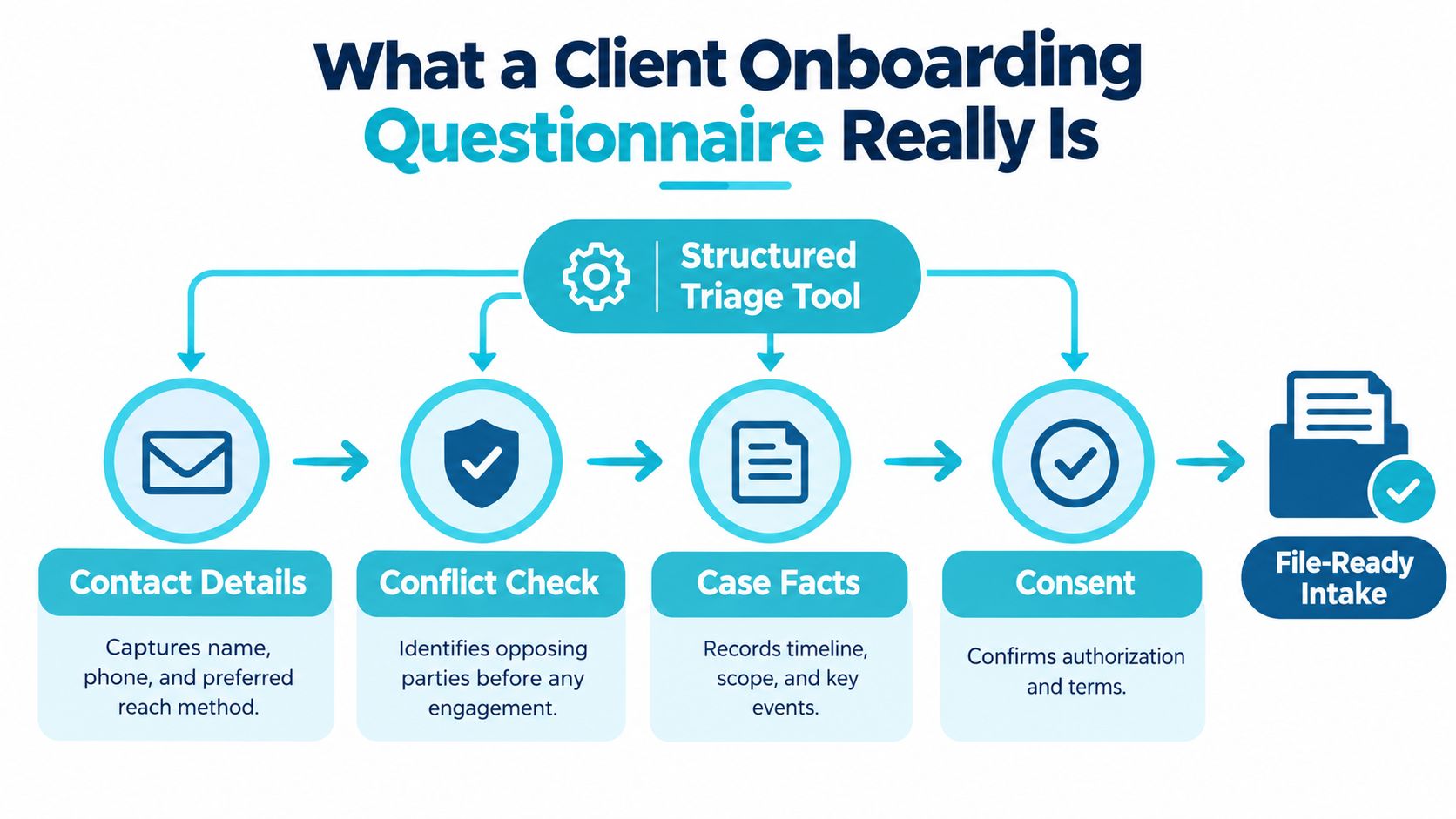
A client onboarding questionnaire is not just a digital version of a blank intake sheet. It’s a structured triage tool. Its job is to collect the minimum information your firm needs to decide whether it can move forward safely, open the matter correctly, and guide the client into the next step without unnecessary chasing.
That’s why I think of it more like medical intake than a general web form. A clinic doesn’t ask every possible question before someone is seen. It asks the questions needed to identify the person, spot immediate issues, and route them correctly. Legal intake works the same way.
The four jobs it has to do
A solid questionnaire usually handles four separate jobs at once:
- Identify the client: Name, phone, email, preferred contact method, and basic contact details.
- Support conflict review: Names of adverse parties, related people, employers, carriers, or entities tied to the event.
- Capture case facts: What happened, when it happened, where it happened, and whether there are immediate deadlines or urgent issues.
- Record consent and expectations: Basic acknowledgments, authorization where appropriate, and clear language about what happens next.
Those categories sound simple, but they keep your team from blending three different documents into one. A contact form is not enough. A full retainer packet is too much for the first touch. The client onboarding questionnaire sits in the middle.
What it is not
It’s not a marketing lead form with two boxes and a submit button.
It’s not the full case file questionnaire your litigation team may eventually want.
And it’s not a substitute for attorney judgment. It organizes the information needed so your team can use judgment faster and with fewer missing pieces.
Practical rule: If a question doesn’t help your team identify the person, clear conflicts, assess the matter, or move the file forward, it probably doesn’t belong in the first pass.
A 2026 benchmark report also makes clear that timing matters, not just existence. 100% of top performers completed the conflict check before the engagement letter, compared with 87% industry average. 91% collected all intake documents before the first billable hour, compared with 44% industry average. 88% got the engagement letter signed within 48 hours, compared with 52% industry average. The same report tied speed to retention, with 89% first year retention for top performers versus 74% for the industry average, according to the client intake checklist benchmark findings.
That’s why firms formalize this document. A questionnaire isn’t paperwork for its own sake. It’s operating infrastructure.
Essential and Optional Questions for Personal Injury Firms
PI firms get into trouble when they ask two bad sets of questions. One set is too thin to support a real intake decision. The other set is so broad that clients quit halfway through or start guessing. The answer is a lean first pass with conditional follow up.
Start with intake jobs, not a master list
When I build or revise a client onboarding questionnaire, I sort questions by the job they need to do.
The first job is contact and communication. You need the client’s name, phone, email, preferred contact method, and the best way to reach them if they’re getting treatment, back at work, or sharing a phone with a family member.
The second is incident triage. Ask for the event date, location, accident type, a short description of what happened, and whether police, witnesses, or emergency care were involved. Keep the narrative prompt short. You are not taking a sworn statement.
The third is conflict and representation screening. You need names connected to the matter. That may include the other driver, vehicle owner, employer, business location, insurer, or any prior attorney involved. You also need to know whether the client has already signed with another firm or spoken in depth with one.
The fourth is urgency and deadlines. In PI, some matters need faster review than others. That can include active insurer contact, recorded statement requests, a pending repair issue, preservation concerns, or an upcoming deadline the client already knows about.
The fifth is document collection. Ask for the documents that help the team move now, not every document that could exist later.
What belongs in the first pass
Here’s a practical way to separate initial questions from later follow up.
| Question Group | Include in First Pass | Trigger for Follow Up |
|---|---|---|
| Contact details | Yes | Clarify alternate contacts if primary contact is hard to reach |
| Incident basics | Yes | Ask for fuller facts after initial review |
| Injury summary | Yes | Request treatment history if matter moves forward |
| Conflict check names | Yes | Expand to additional entities if facts suggest them |
| Insurance basics | Usually yes | Collect policy details and claim numbers later if missing |
| Prior representation | Yes | Follow up if another firm or attorney was involved |
| Employment impact | Later | Ask if wage loss or work restrictions become relevant |
| Prior claims or injuries | Later | Ask if causation or damages review requires it |
| Medical records and billing detail | Later | Request after engagement or when records process starts |
| Large file uploads | Later or conditional | Trigger when the matter is accepted and instructions are clear |
A lot of teams find examples useful when they're tightening this first pass. If your form has grown over time, review a few examples of intake forms and compare them against what your staff needs to open and triage a PI matter.
Why optional questions should stay optional at first
The common mistake is asking damages questions too early. You may want detailed treatment history, wage loss specifics, prior claim history, social media issues, and every insurance layer on day one. But the client often can't answer all of that accurately in the first contact window.
That doesn't mean the questions are bad. It means the timing is bad.
The background guidance many firms rely on leaves a real gap here. Some intake advice recommends a brief 10 to 15 question first screen, while other examples describe much broader templates with 40+ questions and practice specific add ons, as discussed in this law firm intake guidance overview. The useful takeaway isn't the template itself. It's that firms need threshold design. Decide what must be known now, and what can wait until the client is engaged and the matter is active.
Ask first for what unlocks the next action. Ask later for what supports the deeper case build.
Why Shorter Smarter Forms Get Completed
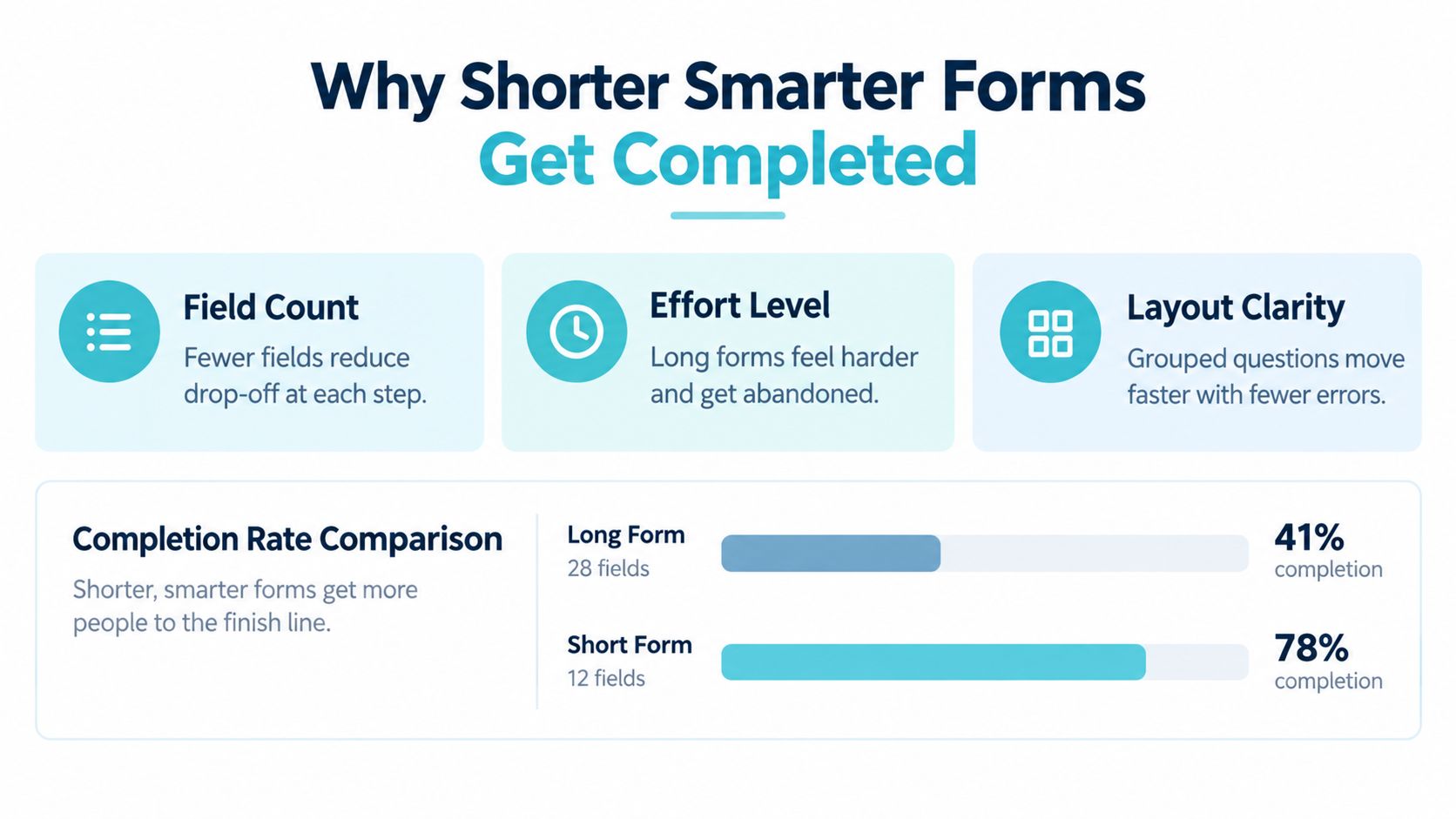
Longer forms feel thorough to the firm. They rarely feel thorough to the client. They feel like work.
That matters because completion is sensitive to both length and difficulty. A large real world study of more than 25,000 web surveys found a negative relationship between completion rate and both survey length and question difficulty, and related methodology research noted that lengthy questionnaires increase dropout while screen based layouts can reduce item nonresponse compared with scroll based layouts, according to the web survey completion research.
Every extra field has a cost
Clients don't experience your questionnaire as a legal operations asset. They experience it as a series of decisions. Every field asks them to remember, interpret, locate, or explain something.
These are the biggest friction points I see in PI intake:
- Open ended overload: Clients freeze when they see large blank boxes asking for a full story.
- Unknown answers: Policy numbers, carrier details, and treatment dates may not be available in the moment.
- Irrelevant sections: Motorcycle questions shown to a slip and fall client make the form feel careless.
- Mobile fatigue: Dense screens and long scrolling can push clients to stop and “finish later,” which often means never.
Think funnel, not form
One of the most useful mindset shifts is to stop tracking the questionnaire as a single completion percentage. Track it as a funnel.
Methodology literature distinguishes dropout rate, item nonresponse rate, and overall completion rate, which helps pinpoint whether people leave at the beginning, midway, or at specific questions. The same research base also shows that progress bars can lower completion in some contexts, while forced responses and item display choices affect outcomes, according to the survey completion funnel research.
That means your intake team should be asking practical questions like these:
- Where do clients stop most often? If abandonment spikes after insurance questions, that section needs work.
- Which fields get skipped? Blank answers often point to poor timing, not poor clients.
- Which devices struggle more? A layout that works on desktop may frustrate mobile users.
- Are you forcing answers too early? Required fields can protect data quality, but too many can kill submission.
A shorter form isn't less serious. It's more disciplined.
The goal is not to ask less forever. The goal is to ask the next best question at the right time.
Digitizing and Automating Your Questionnaire in CasePulse
A lot of firms still have the same intake problem in a different wrapper. They replaced paper with PDFs, but the workflow is still manual. Clients download a file, type into some fields, miss others, email it back, and staff chase attachments across inboxes.
That setup creates friction for everyone. Clients don't know if they submitted everything. Staff don't know what's missing until they review it manually. Intake slows down before legal work even starts.
What a digital questionnaire should actually do
A useful digital workflow should let the client complete the form from any device, upload what they have, and receive reminders if they stop halfway. Your team should be able to review what came in without leaving the normal matter workflow.
That's where a client portal is much more useful than a static form attachment. The questionnaire becomes part of an ongoing intake thread, not a one time document exchange.
A practical portal workflow
In a portal based intake setup, the sequence usually looks like this:
- Client receives an invite: They enter one place instead of bouncing between calls, text messages, and email threads.
- They complete fillable forms: The form is structured, mobile friendly, and tied to the matter.
- They upload files as needed: Photos, IDs, letters, or reports can be added in context.
- The system sends reminders: Missing items don't rely entirely on staff follow up.
- Staff stay in their existing workflow: The intake process supports the case team instead of creating another inbox to manage.
If your firm is evaluating how document steps connect after intake, this overview of document workflow automation features is a helpful companion read because it frames how reminders, routing, and follow up fit together operationally.
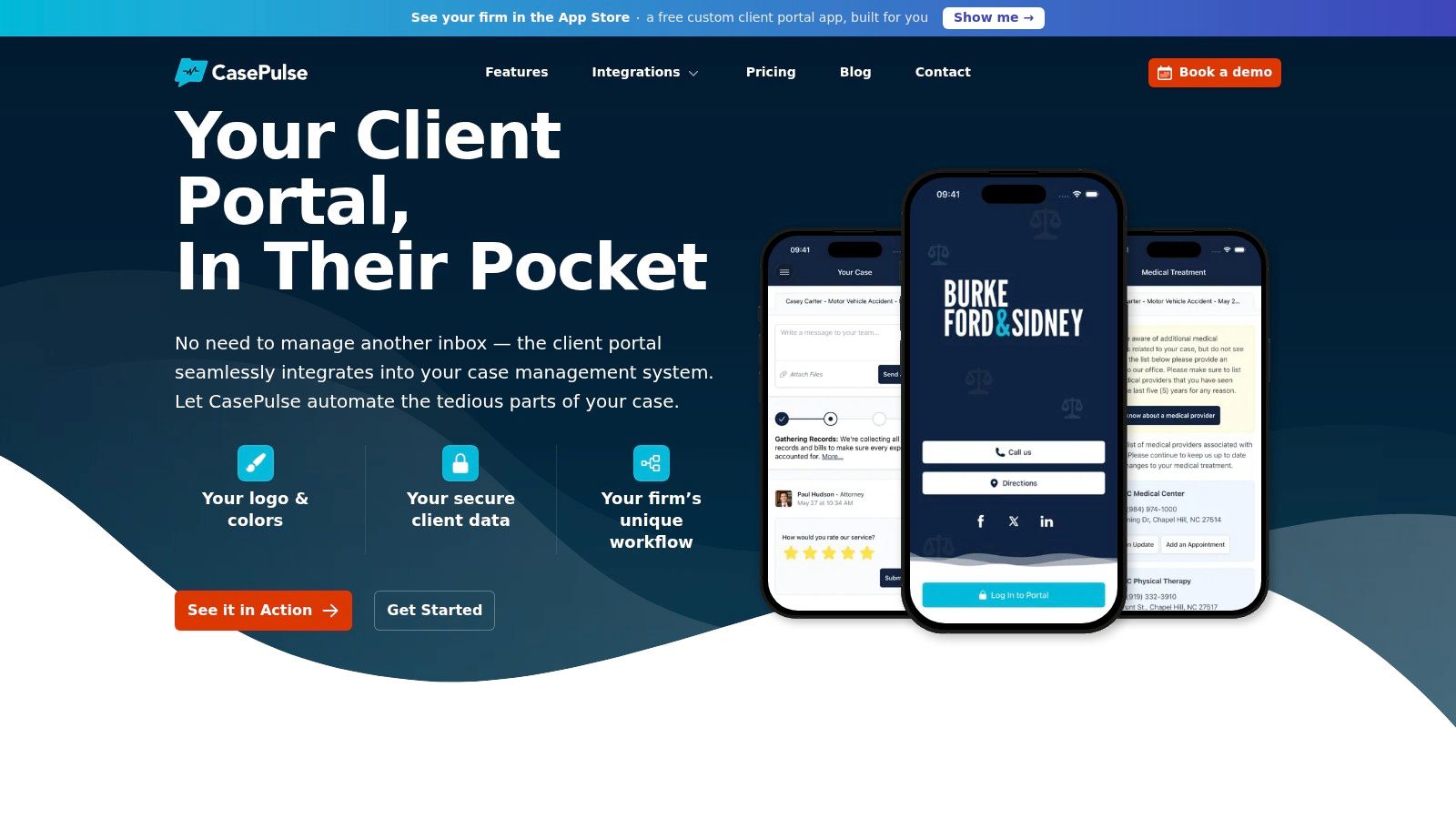
CasePulse fits this model by giving firms a client portal where clients can complete fillable forms, message the team, share files, and check case status at any time while staff continue working in their existing systems. It also supports direct integrations with Neos, Needles, Litify, and LawBase, plus custom branding and routine follow up automation. You can see more of that intake specific workflow in this guide to client intake software for law firms.
Where automation helps most
Automation is most useful in boring, repeatable moments.
It helps when a client starts but doesn't finish. It helps when required uploads are missing. It helps when the firm needs to nudge, confirm receipt, or direct the client to the next step. Those small moments create a lot of hidden labor when staff handle every one by hand.
Privacy Compliance and Trust in Every Question
PI intake asks people for sensitive information early. That can include injury details, insurance information, employment impact, and records tied to treatment. Clients will share that information more confidently when your questionnaire makes clear why you're asking and what happens next.
A good privacy approach starts with restraint. Don't collect every medical or financial detail just because the field could exist. Collect what the matter requires at that stage.
The practical privacy checklist
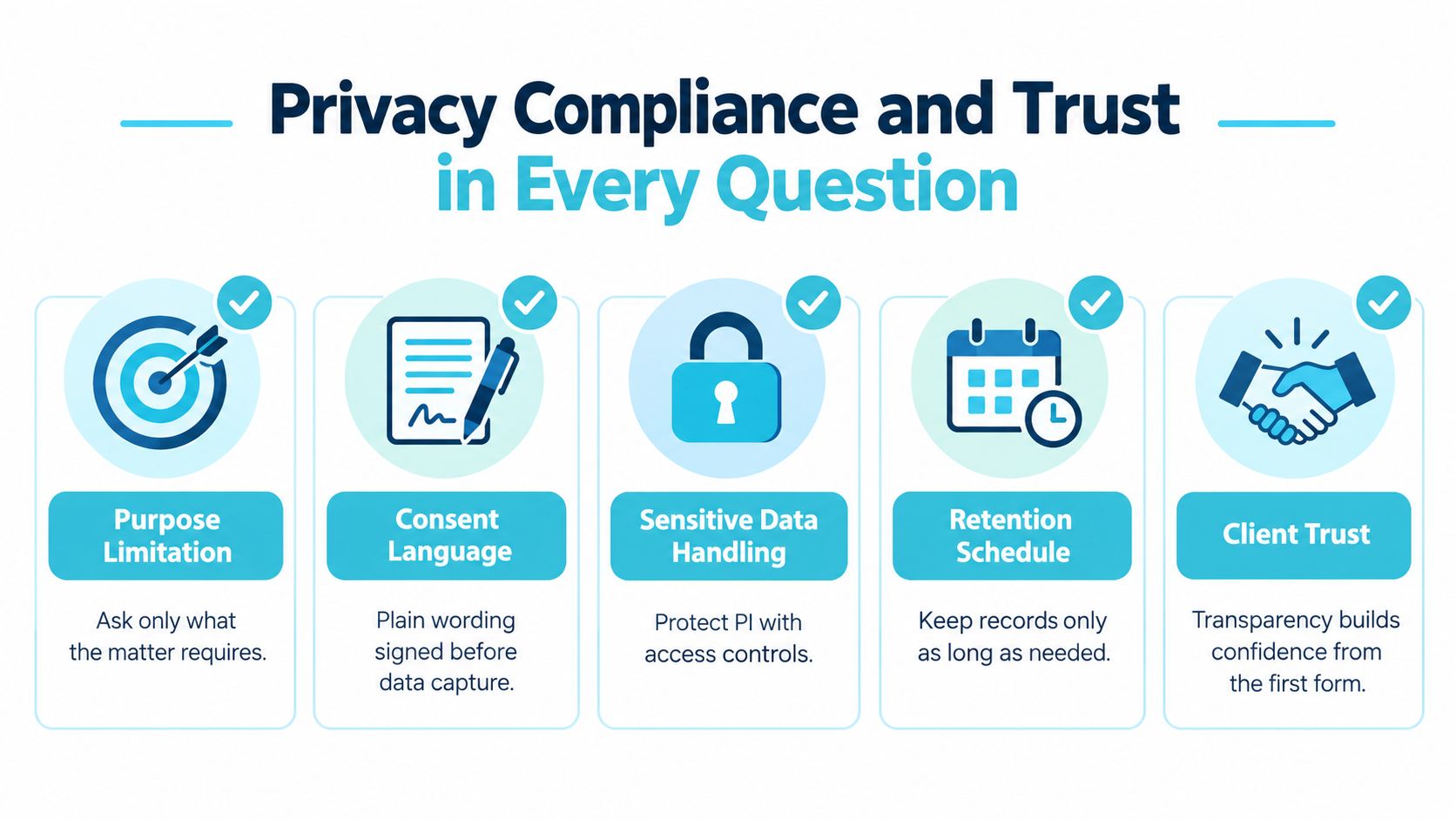
Use this checklist when you review your form:
- Purpose limitation: Each question should have a clear intake reason. If the team can't explain why it's asked now, move it later.
- Consent language: Use plain wording that tells the client how the information will be used in intake and next step review.
- Sensitive data handling: Route files and responses through the portal instead of unsecured back and forth email when possible.
- Retention thinking: Decide what your firm needs to keep, where it lives, and when it should be reviewed or removed under your policies.
- Access discipline: Limit who can see intake responses based on role, especially when the questionnaire contains health or financial details.
Clients notice clarity
Trust often rises or falls on very small moments. A short note under a question can reduce hesitation. So can a sentence explaining that a document upload is optional for now, or that the firm will follow up if more detail is needed.
Clients usually don't resist questions because they are hiding something. They resist when they can't tell why the question belongs there.
There's also a smart way to monitor intake friction without exposing more information than necessary. Track where clients abandon, which fields stay blank, and whether instructions need work, but keep analytics focused on behavior rather than unnecessary copies of sensitive response content.
Privacy isn't separate from user experience. In legal intake, clear limits and clear explanations are part of the experience.
Best Practices to Launch and Get Adoption That Lasts
A questionnaire only works if your team uses it the same way every time. That's the part many firms underestimate. They approve a new form, send one email about it, and assume adoption will happen on its own.
It won't.
Start with one PI intake team and one matter type. Let staff use the questionnaire in live conditions, then watch what happens. Where do clients stall. Which fields create internal confusion. Which mandatory flags create more follow up than they save.
Train around behavior, not just software. Intake staff need to know when to send the questionnaire, how to explain it to clients, when to override the standard path, and how to review incomplete submissions without restarting the whole process.
A durable rollout usually includes these habits:
- Use one intake path: Don't let half the team keep working from old email templates and phone notes.
- Review abandonment points: Look at where clients stop, then adjust order, wording, and follow up timing.
- Keep the first pass lean: Resist the urge to add every nice to have field after one unusual case.
- Tie success to operations: Faster conflict checks, more complete intake before work begins, and fewer inbound status calls are the signs that the questionnaire is doing its job.
The firms that do this well treat the client onboarding questionnaire as a living workflow, not a static document. That's why the top performers in the 2026 benchmark report moved faster on conflicts, intake document collection, engagement letter turnaround, and first year retention, as noted earlier in the article. Their advantage wasn't that they asked more questions. It was that they asked the right ones at the right time and built process around completion.
CasePulse gives law firms a client portal where clients can complete fillable intake forms, message the firm, share files, and check case status without forcing staff to leave their existing workflow. If your current questionnaire still depends on scattered emails, manual reminders, and duplicate entry, visit CasePulse to see how a more structured intake experience can fit the way your team already works.