
 CasePulse
 By 9:15 a.m., the intake team has already answered the same question six times. Has the demand package gone out. Did the adjuster respond. When is the next appointment. Can someone resend the paperwork. In a busy plaintiff personal injury firm, those interruptions don't feel dramatic. They just keep coming, and they chip away at the day.
Most firms don't have a client service problem. They have a communication delivery problem. The legal work may be moving, but clients can't see it, so they call. Staff know the file, but they still have to stop what they're doing, open the matter, piece together an update, and repeat it by phone, email, or text.
That cycle is why law firm client management software has become such a practical category, not just another legal tech buzzword. The market for legal practice management software, which includes client management functions, was valued at $2.9 billion in 2023 and is projected to reach $7.8 billion by 2032 according to Allied Market Research's legal practice management software market analysis. Firms are spending on this because the old way burns time, frustrates staff, and leaves clients feeling in the dark.
The Daily Grind of Client Communication in a Modern Law Firm
A typical PI office runs on two tracks at once. One track is substantive legal work. The other is reassurance. Clients want to know that something is happening, that their records were received, that treatment is being tracked, that the firm hasn't forgotten them.
The trouble is that reassurance usually lands on the desks of the same people already carrying the heaviest operational load. A paralegal starts the morning trying to move records requests forward. Then the phone rings. A client wants a status update. Two minutes later, another client needs a login to a document link that was buried in an email. Then a case manager gets pulled into a message thread asking whether a form was received. None of these interactions are unreasonable. All of them interrupt real work.
What the interruption actually costs
This isn't just about annoyance. It creates a fragmented day for the staff members who hold the firm together.
- Paralegals lose focus: They stop deadline driven work to answer questions that often have standard answers.
- Case managers repeat the same updates: They explain the same milestones over and over, often using different channels for different clients.
- Attorneys get dragged into avoidable escalations: A client who couldn't get a quick answer from the front line asks for a lawyer, even when no legal judgment is needed.
- Clients feel uncertainty: Silence, even when a case is progressing, often feels like inactivity.
Clients usually don't call because they love calling. They call because the firm's current system gives them no easier way to check what matters to them.
The result is a firm that looks busy from the outside and feels busy inside, but still struggles to make communication feel consistent. That's the gap modern client management tools are meant to close.
Beyond the Case File Defining Modern Client Management Software
A lot of firms hear "client management software" and assume it means replacing their case management system. For firms on Needles, Neos, LawBase, or Litify, that's usually the wrong frame.
Modern law firm client management software is often best understood as a client facing layer that sits on top of the firm's operational system. The case management system remains the system of record. The portal handles the parts the client should see and use, such as status updates, secure messages, file exchange, and forms.

Think of it like package tracking
Clients don't call a shipping company every time a package moves from one facility to another. They log in, see the latest milestone, upload or confirm what they need to, and move on.
A legal client portal should work the same way. It shouldn't turn a legal case into a public dashboard, but it should let clients handle the routine parts of communication without waiting on a phone call. They should be able to see the latest status that the firm has chosen to share, send a secure message, upload a document, or complete a form from any device.
That distinction matters. A portal is not the same thing as your internal case management workspace.
What it is and what it isn't
A lot of buying mistakes happen because firms compare the wrong categories.
| Category | What it does | What it should not do |
|---|---|---|
| Case management system | Runs the firm's internal matter workflow, records, notes, deadlines, and staff activity | Force clients into an internal interface built for legal staff |
| Client portal | Gives clients a controlled, secure way to get updates, send information, and complete tasks | Replace the core workflow your team already relies on |
| General CRM | Helps manage pipeline, outreach, and relationship activity in broad business contexts | Handle PI case communication needs by itself once a matter is active |
If you want a useful contrast, look at how other industries separate internal operations from external relationship management. Orbit AI's guide to sales CRMs is helpful because it shows how CRMs are built around communication workflows and visibility, not just record storage. Legal teams need the same clarity, but adapted to confidentiality, matter based work, and client service.
Why firms moved this way
Before digital tools became common, firms relied on phone calls, letters, email threads, and staff memory. That model still exists in many offices, especially firms that grew around a strong legacy CMS and never rebuilt the client side of communication.
The move toward these tools is driven by efficiency. Practice management software has been shown to reduce administrative overhead by roughly 31%, freeing up the equivalent of 12 hours per attorney each week, according to Demand Pulse's legal practice management software overview. That doesn't mean every hour comes from client messaging alone. It does mean firms get real value when routine communication and repetitive admin work stop living in inboxes.
Practical rule: If your staff still has to copy updates from one system into email by hand, you don't have a client communication process. You have a workaround.
The firms that get this right don't chase an all in one fantasy. They keep the engine they trust and add a cleaner interface for the people who need information from it.
Core Features That Drive Firm Efficiency and Client Happiness
The useful features in law firm client management software aren't the flashy ones. They're the ones that remove repeated friction for staff and repeated uncertainty for clients.
A portal earns its keep when it handles high volume, low judgment interactions cleanly. That's the work that clogs phones, fills inboxes, and causes avoidable frustration.
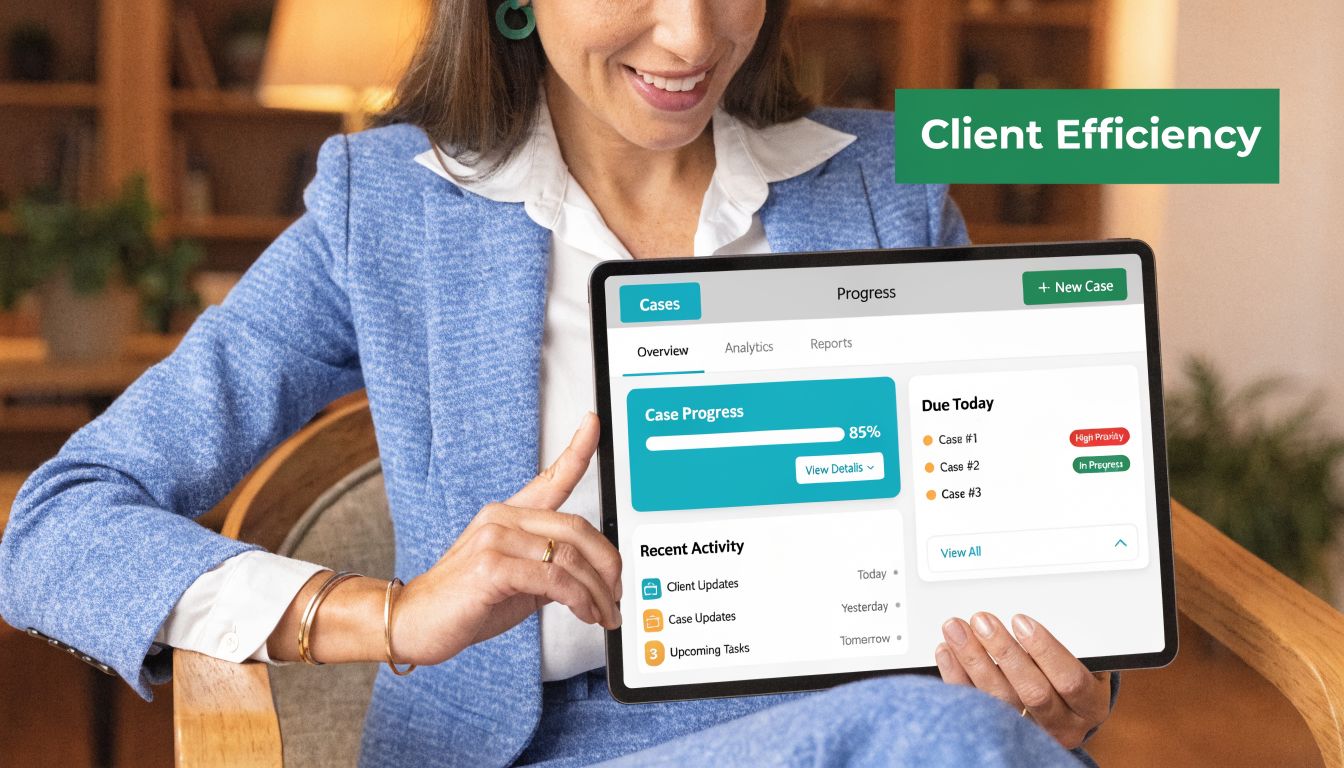
Centralized dashboards and automated workflows in legal software can boost productivity by 20 to 40% through reduced manual errors and duplicated efforts, according to Thomson Reuters on why legal case management software works. In practice, the biggest gains usually come from a few specific functions working together.
Status updates clients can check on their own
This is usually the first win firms notice.
When a client can log in and see where the case stands, staff don't have to deliver every routine update live. The portal becomes the first stop for common questions. Has the firm received records. Was a demand sent. Is the case in treatment. Is a document waiting for signature.
That doesn't replace personal contact. It makes personal contact more meaningful because staff can spend it on explanation, strategy, and empathy instead of repetitive housekeeping.
Secure two way messaging
Email is easy, but it's messy. Threads break. Attachments get lost. Sensitive information travels through inboxes the firm doesn't control well enough.
Portal based messaging works better because it keeps communication tied to the matter and visible in one place. Clients know where to send a question. Staff know where to answer it. The firm keeps a cleaner record of who said what and when.
A secure message channel also helps with tone. Clients are less likely to feel ignored when there's a stable place to check responses, rather than a chain of disconnected emails and missed calls.
A portal doesn't make clients less needy. It makes their needs easier to handle without scattering communication across five systems.
File sharing that doesn't turn into scavenger hunts
PI firms live on documents. IDs, insurance information, photos, medical records, authorizations, wage loss paperwork. The old method is a patchwork of attachments, texted images, faxed forms, and staff follow up to chase missing pages.
A client portal gives the firm a consistent intake path for those items. Clients upload directly through a secure channel, and staff don't have to wonder whether the latest version is in email, on a desktop, or in a text thread.
Many firms feel immediate relief, not because uploading files is glamorous, but because document confusion creates avoidable delays and avoidable client anxiety.
Fillable forms and task completion
Forms matter most when clients can finish them without help.
If the software supports digital forms, the firm can send the right request at the right time and let the client complete it from a phone or laptop. That reduces back and forth, cuts down on rekeying, and makes intake and follow up much more manageable.
For PI work, that can mean authorizations, intake supplements, treatment updates, or other routine information requests. The exact form varies by firm. The operational benefit doesn't.
Reminders and follow ups that happen without someone babysitting them
Many breakdowns in client service are not legal failures. They're follow up failures. A client forgets to complete a form. A document request sits unanswered. A treatment update never gets collected because nobody had time to send the second reminder.
Automation helps by turning those touches into a repeatable process. The system prompts the client, and the staff only intervene when the matter needs judgment or exception handling.
What works best in real firms
The most effective setups usually share a few traits:
- They keep the client view simple: Clients don't need a law office dashboard. They need clear next steps, current status, and a safe place to communicate.
- They avoid duplicate work: Staff shouldn't update the portal in one place and the CMS in another.
- They support mobile use: Many PI clients interact with the firm primarily by phone, not desktop.
- They match the firm's actual workflow: A perfect feature list doesn't help if the team has to invent a new process to use it.
What doesn't work
Some firms buy software that looks polished in a demo but creates more maintenance than it removes. Common failures include:
A portal that isn't tied to the case workflow
Staff stop using it because every update requires manual entry.A client experience built for power users
If clients struggle to log in, find their way around, or understand what they're seeing, call volume comes right back.Too much information with no curation
Clients don't need every internal event. They need useful milestones and clear actions.No ownership inside the firm
If nobody owns rollout rules, message handling, and content standards, the tool becomes shelfware.
The goal isn't more software. It's fewer avoidable interactions and better ones when they do happen.
The Integration Imperative Working with Needles Neos LawBase and Litify
For established PI firms, integration isn't a feature request. It's the whole decision.
Most mid sized and larger firms already have years of process design wrapped around Needles, Neos, LawBase, or Litify. That system holds the notes, workflows, matter structure, staff habits, reporting logic, and often a lot of institutional memory. Replacing it just to improve client communication is usually a bad trade.

Most guides push all in one tools and skip this reality. But many firms are locked into specialized systems and need low friction portal add ons, a gap made more important by the fact that 70% of PI firms reportedly stick with their entrenched CMS, as noted in JustVanilla's review of popular law firm software.
Why rip and replace usually fails
A full system migration sounds attractive in theory. One login. One vendor. One modern platform.
In practice, firms pay for that simplicity with disruption. Staff have to relearn core workflows. Historical data needs mapping. Reports break. Matter structures change. Custom habits that worked in the old system get lost in translation. During the transition, client communication often gets worse, not better.
That is why a portal that extends the existing environment is often the smarter move. The internal workflow stays stable. The client side improves. Staff don't have to leave the system they already know in order to answer messages, track submissions, or monitor updates.
The right portal should feel like an extension of your CMS, not a second job your staff has to remember to perform.
What good integration looks like
A useful add on doesn't just "connect." It respects how the firm already operates.
Staff stay inside the core system
If a paralegal has to swivel between the portal admin, email, and the CMS all day, friction remains. The cleaner model is one where communication and client activity land in the workflow staff already use.
Client submissions go to the right place
A form, message, or uploaded document only helps if the firm can find it without hunting. Routing and logging matter more than flashy interface details.
The portal reflects the firm's process
Needles firms often have one set of habits. Litify teams often have another. A portal has to adapt to those differences, not flatten them into a generic template. Firms evaluating Litify specific options can look at CasePulse integrations for Litify environments to understand what an add on model looks like in practice.
Security is part of the integration conversation
A lot of firms underestimate how much sensitive communication still happens through regular email and text. That's risky for reasons legal teams already understand. Messages get forwarded, devices get shared, attachments sit in inboxes, and nobody has a clean matter based record.
A purpose built portal gives the firm a more controlled channel. Clients know where to send documents. Staff know where to retrieve them. Access can be managed more carefully than with scattered messages.
The trade off firms need to accept
An integrated portal won't solve every communication issue by itself. If the firm's internal status discipline is weak, the client facing side will expose that. If nobody owns response standards, clients will still feel drift. Integration removes friction. It doesn't replace management.
Still, for firms committed to their current CMS, the practical path is clear. Add a client layer that fits the existing operation. Don't tear out the operation to get the client layer.
Your Buying and Implementation Checklist for Client Portals
Buying a client portal is partly a software decision and partly an operations project. Firms get into trouble when they treat it as only one or the other.
The buying side is straightforward. The implementation side is where results are won or lost. A portal can have the right feature set and still fail if staff don't trust it, if clients aren't introduced to it properly, or if the rollout creates duplicate work.
The selection table I use with firms
| Evaluation Criteria | What to Look For | Why It Matters |
|---|---|---|
| Integration fit | Direct compatibility with your existing CMS and workflow | Staff adoption rises when they don't have to leave familiar systems |
| Client usability | Simple login, clear navigation, mobile friendly experience | Clients won't use what feels confusing or burdensome |
| Secure communication | Controlled messaging, file exchange, and access management | Sensitive client information shouldn't live in scattered inboxes |
| Forms and reminders | Fillable forms and automated follow ups | Routine tasks move without staff chasing every step |
| Branding options | Ability to reflect the firm's identity | A branded experience feels intentional and trustworthy to clients |
| Support model | Hands on onboarding and real implementation help | Legal teams need operational guidance, not just a help center |
| Contract terms | Flexible pricing structure and clear terms | Firms should understand commitment, scaling, and total cost before rollout |
Security review deserves its own lane. If your team needs a practical primer on what to ask SaaS vendors during diligence, SOC2Auditors' SOC 2 for SaaS guide is a useful reference for framing questions around controls, audits, and vendor maturity.
Questions that separate a good fit from a bad one
I usually tell firm leaders to push past the demo and ask operational questions.
- Where will staff work day to day? If the answer sounds vague, expect adoption problems.
- How are client messages handled? You want a clear process, not a promise that the system is "flexible."
- What has to be maintained manually? Every manual step becomes a future failure point.
- How are clients introduced to the portal? Good software still needs a rollout plan.
- What happens when a client doesn't engage digitally? You need exceptions, not wishful thinking.
Implementation should happen in phases
The cleanest launches are rarely the loudest ones. They start with a narrow operational scope and expand once the team trusts the process.
Start with one workflow
Pick a high volume use case first. Status visibility, document collection, or forms are usually the best starting points because staff feel the pain every day and clients understand the value immediately.
Assign one internal owner
This doesn't have to be a full time role. It does need to be a real role. Someone should own configuration decisions, internal feedback, and launch discipline.
A portal rollout fails when everyone supports it in theory and nobody owns it in practice.
Train for scenarios, not just buttons
Staff don't need a product tour. They need to know what to do when a client sends a document, asks a question through the portal, misses a form request, or calls instead of logging in.
Roll clients in waves
Start with new matters or a defined matter segment. That lets the firm refine templates, language, and handoff rules before introducing the portal more broadly.
What to look for in a vendor relationship
The best buying signal is usually not the longest feature list. It's whether the vendor understands the constraints of a working law firm.
For firms researching options, CasePulse's client portal software guide is one example of how to evaluate portal specific criteria instead of defaulting to all in one comparisons. More broadly, I would look for a provider that can explain how its portal fits Needles, Neos, LawBase, or Litify without asking your firm to redesign itself around the software.
A strong implementation is boring in the best way. Staff know what changed. Clients know where to go. The phones get quieter for the right reasons.
Calculating the Real ROI KPIs for Client Management Success
A client portal should not be judged by whether people say they like it. It should be judged by whether it changes the firm's operating numbers in the right direction.
That means measuring the things the portal is supposed to influence. Client experience matters, but if you can't tie it to staff time, responsiveness, and workflow speed, the ROI discussion stays fuzzy.

Implemented correctly, legal workflow software can achieve 50 to 70% faster turnaround times for legal requests and tasks by structuring communication and automating routing, according to Streamline AI's analysis of legal workflow management software. That number matters because faster turnaround is not just an internal efficiency story. Clients feel it.
The KPIs that matter most
I prefer a short scorecard that a managing partner, operations lead, and frontline supervisor can all understand.
Inbound status calls
Track how many calls are simple update requests versus substantive legal conversations. This is often the cleanest operational signal that the portal is doing its job.
Message response time
A portal won't eliminate questions. It should make them easier to route and answer consistently.
Form completion lag
Measure how long it takes clients to finish requested forms once the firm sends them. Slow completion usually points to friction in instructions, usability, or follow up.
Document collection cycle time
Look at the interval between asking for a document and receiving a usable submission. When that time drops, files move faster and staff spend less time chasing paper.
Client satisfaction signals
Every firm tracks this differently. Some use surveys. Some look at complaint patterns. Some review matter closeout feedback. If you need a broader framework for tying service behavior to outcomes, SupportGPT's writeup on customer retention metrics is a useful way to think about repeatable measurement discipline.
How to connect better communication to firm economics
The financial side of ROI usually shows up in three places.
First, staff recover time that was previously spent repeating updates, resending links, and chasing routine documents. That time can go to work that moves cases forward.
Second, cleaner workflows reduce preventable delay. When communication, forms, and files move through a structured channel, fewer tasks get stranded in inboxes.
Third, client trust improves when the firm feels organized and available. That doesn't guarantee referrals or reviews, but it changes how clients describe the experience.
If a portal only makes communication more pleasant, that's nice. If it also reduces friction in status checks, routing, and form collection, that's an operational asset.
How I evaluate a portal after launch
I don't look for instant perfection. I look for directional change within a defined window and then check whether the process is sustainable.
A useful review cadence includes:
- Baseline before launch: Measure call patterns, response behavior, and key admin bottlenecks.
- Early adoption review: Check whether clients are logging in, sending messages, and completing forms through the intended path.
- Staff friction review: Ask where duplicate work still exists.
- Quarterly KPI review: Compare the post launch operating picture against the baseline.
For firms building that discipline, CasePulse's guide to law firm metrics that matter is a practical reference on choosing measurable indicators instead of relying on anecdote.
One portal option in this category is CasePulse, which is built to let clients check status, message the team, share files, and complete forms while staff keep working in systems such as Needles, Neos, LawBase, and Litify. The point of that model is simple. If the team doesn't have to leave its existing workflow, the odds of consistent use go up.
Modernizing Your Firm Without Disrupting It
Most firms don't need another sweeping technology project. They need a cleaner way to handle the communication load that's already overwhelming the staff they have.
That's why the practical answer for many PI firms isn't replacing the core system. It's adding a client facing layer that gives clients visibility and gives staff relief. When the portal fits Needles, Neos, LawBase, or Litify instead of fighting them, adoption gets easier and disruption stays contained.
The true value of law firm client management software is not novelty. It's operational calm. Fewer status calls. Fewer lost attachments. Fewer manual follow ups. More consistent client experience. Better use of skilled staff time.
Firms that approach this as a workflow decision, not just a software purchase, usually make better choices. They ask where the friction lives, which interactions repeat every day, and how to remove those points without breaking what already works.
If your firm wants a client portal that works with your existing case management system instead of replacing it, CasePulse is worth a look. It gives clients a secure place to check status, send messages, share files, and complete forms while your staff stays inside the workflow they already use.