
 CasePulse
Monday morning at a plaintiff firm usually starts with motion, not theory. Intake is stacking up from mass tort leads, a paralegal is pulling medical records from a records vendor, an attorney is negotiating a fee agreement over email, and the operations manager suddenly realizes the firm's client messaging tool has no audit log. That is where legal compliance requirements live in real life, inside intake, messaging, file access, retention, and breach response, not in a binder on a shelf.
The right way to think about compliance is simple. Each rule turns into a workflow decision, who can see a matter, where a file is stored, how long it stays, what gets logged, and who gets notified when something goes wrong. If you want a practical comparison of related risk allocation, the indemnity insurance legal rules in South Africa are a useful reminder that compliance is always tied to operational exposure, not abstract policy language.
The Compliance Reality Inside a Modern Law Firm
A firm can look “organized” and still be out of compliance. Intake staff may be collecting sensitive medical details, the litigation team may be sharing documents with outside vendors, and a client may be sending photos or records through a channel no one can audit later. That's not a minor process issue. It's a chain of decisions that creates privacy, confidentiality, and notice obligations.
What actually triggers risk
The trigger is usually not a dramatic incident. It's a normal day where someone forwards a file, uploads the wrong document, or uses a communication path that doesn't segregate matters. In plaintiff work, that matters because the firm is handling personal data, medical records, settlement discussions, and often information that needs tight access controls and short, defensible response times.
Practical rule: If a staff member can't explain who can see a file, who logged access, and how long the record stays in the system, the process is too loose.
The article's core obligation families are straightforward. Data privacy tells you what you can collect and how you can use it. Confidentiality tells you who may see or receive client information. Bar admission and unauthorized practice of law rules tell you who may act, sign, or communicate in ways that cross a legal line. Jurisdiction rules tell you which state-specific procedures apply to the matter and to your communications. Record retention tells you how long to keep files and how to dispose of them. Breach notification tells you how quickly you must move when a compromise happens.
A firm that wants to get this right needs to stop treating compliance as a policy exercise and start treating it as a systems exercise. That means the portal, the case management workflow, the records process, and the incident response plan all need to line up. For a broader IT lens on this, the IT services law firms guide is helpful because it shows how law-firm operations depend on technology choices that stay inside the rule set.
The rest of this article ties each rule to a real operational control, then shows where a client portal like CasePulse belongs in that stack. Compliance is operational, not theoretical, and every rule ends up as a workflow decision somewhere in the firm.
The Core Legal Compliance Requirements Every Firm Faces
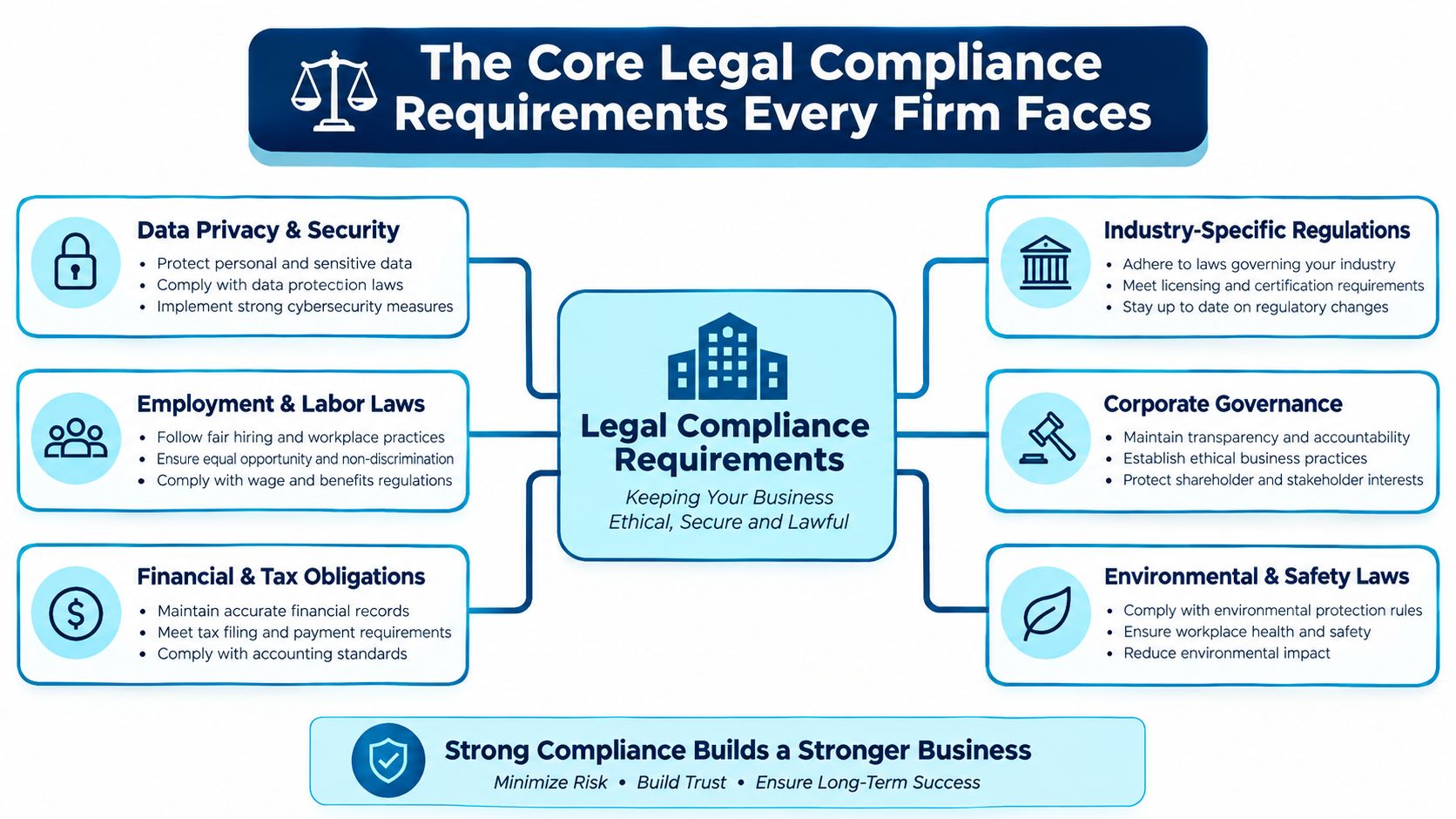
These six families are the ones administrators have to manage. If a firm gets them right, most of the day-to-day risk gets smaller. If it gets them wrong, the problems usually show up in client communications, file handling, or an ugly scramble after an incident.
The six obligations in plain English
Data privacy is the rule set that governs how personal information gets collected, used, shared, and retained. For plaintiff firms, that can mean medical information, contact details, identifiers, and documents that belong to active matters. The analogy is simple, privacy is the gate at the front desk. If the gate is too wide, everything inside the firm is exposed.
Attorney-client confidentiality is broader than a privacy policy. It covers information related to the representation and keeps it inside the relationship unless an exception applies, so the operational issue is not just storage, it's access discipline and secure messaging. Think of it as the wall around the case file.
Bar admission and unauthorized practice rules determine who can do what. A staff member can help move a file, schedule a call, or route documents, but that doesn't mean the person can act like a lawyer. This is the sign on the door, not everyone is allowed to walk into every room.
Jurisdiction-specific procedural rules are the local instructions that control filings, signatures, communications, and deadlines. They're the traffic rules of practice. If the matter is in one state and the client lives in another, the firm has to know which road it's driving on.
Record retention is the firm's own statute-of-limitations clock for records. It tells you how long to keep communications, trust records, and case files, and when deletion or archiving becomes necessary.
Breach notification is the emergency timer. Once an incident is confirmed, the firm has to sort out who needs to know, how fast, and in what order.
A firm looking at vendors or process design should map each family to a control point. The client portal, intake path, document storage, and incident workflow all need a role in the answer. A practical starting point is the best practices for information security guidance, because security controls are the foundation that makes the rest of compliance defensible.
| Jurisdiction | Confidentiality Scope | Retention Minimum | Key Portal Implication |
|---|---|---|---|
| ABA model framework | Information relating to the representation stays protected unless an exception applies | Often set by firm policy and state rule | Restrict matter access and use secure messaging |
| California | Strong duty to maintain confidences and keep clients informed of significant developments | State and matter specific | Use logged communications and strict access by matter |
| New York | Confidentiality and notice obligations are shaped by ethics guidance and electronic communication concerns | State and matter specific | Minimize untracked email and keep communications inside the portal |
| Florida | Heightened cybersecurity expectations affect how client data is protected | State and matter specific | Enforce MFA, access controls, and audit logging |
For firms that want a systems view, records management system examples is a good reference point for how retention and access controls turn into workflow choices.
ABA Rules, State Rules, and Record Retention
ABA Model Rule 1.6 is the starting line. It says a lawyer must not reveal information relating to a client's representation unless the client gives informed consent, the disclosure is impliedly authorized to carry out the representation, or another exception applies. It also requires reasonable efforts to prevent inadvertent or unauthorized disclosure or access to client information, which means the firm has to design systems that reduce human error, not just train around it. The ABA Model Rule 1.6 text makes that duty plain.
State variations change the workflow
California, New York, and Florida each add pressure in different ways. California's approach to client confidences and breach notice is strict enough that firms should assume the safer path is better documentation, tighter access, and faster escalation. New York ethics guidance treats electronic communications as a real risk surface, which means unmanaged email should not be the default for confidential exchanges. Florida's cybersecurity expectations push firms toward stronger technical safeguards, not looser ones.
The safest portal is the one that makes the right thing easy and the wrong thing hard.
Retention is where firms get sloppy. ABA commentary on file retention is commonly treated as a six-year baseline after the representation ends, but state requirements can run longer, and trust records or original client documents may need special handling. That means a firm should separate matter files, trust records, and original documents in its retention schedule instead of dumping everything into one archive bucket.
| Jurisdiction | Confidentiality Scope | Retention Minimum | Key Portal Implication |
|---|---|---|---|
| ABA Model Rule 1.6 | No revealing client-related information without consent, authorization, or exception | Policy driven, often six years by commentary practice | Use role-based access and secure messaging |
| California | Strong confidentiality and breach-focused duties | State specific | Log access, limit exports, and track file transfers |
| New York | Careful treatment of electronic communications | State specific | Keep confidential exchanges out of open email chains |
| Florida | Security-focused practice expectations | State specific | Require MFA and tighter account controls |
A portal should also support the admin side of file movement. Departing-attorney transfers need to be logged, active matters need limited access, and email outside the portal should be minimized because it's hard to supervise and harder to prove later. If a firm can't show who had the file, when they had it, and when access ended, the retention program is weak by design.
Breach Notification Timelines Across Jurisdictions
The moment a firm confirms an incident, the clock starts. The mistake most firms make is assuming there's one deadline. There isn't. Medical data, financial data, and general personal data can all create different notice duties at the same time, and the firm may need to notify clients, regulators, insurers, and sometimes other parties in parallel.
Why incident response is a triage problem
HIPAA, the FTC Safeguards Rule, California notice rules, New York's SHIELD Act, and Texas breach rules each pull the team in a different direction. That means the response owner has to classify the incident fast, preserve evidence, and decide who gets notified first. In practice, that's not a legal memo problem, it's an escalation workflow problem.
For firms handling medical records, financial records, and ordinary PII, the response team should assume parallel tracks. One track handles technical containment. One handles client communication. One handles regulator notice. One handles carrier notice. That structure is much safer than waiting for a single person to “finish investigating” before anyone else moves.
| Jurisdiction | Triggering Event | Notification Deadline | Required Recipients |
|---|---|---|---|
| HIPAA | Breach involving protected health information | 60 days for affected individuals, sooner for HHS when required | Individuals and HHS |
| FTC Safeguards Rule | Covered incident involving financial data safeguards | 30 days | FTC and affected parties as applicable |
| California | Breach notification under state consumer privacy rules | 72 hours in the cited California clock | Clients and regulators as applicable |
| New York | Breach requiring notice under SHIELD Act principles | Reasonable promptness | Affected persons and relevant authorities |
| Texas | Breach involving personal information | 60 days | Affected individuals and regulators as applicable |
If a firm wants a practical way to think about this, the question is not “Do we have a breach policy?” The question is “Can we classify the incident and notify the right people before the clock closes?” That is a workflow test, not a documentation test.
What Compliance Demands From a Client Portal
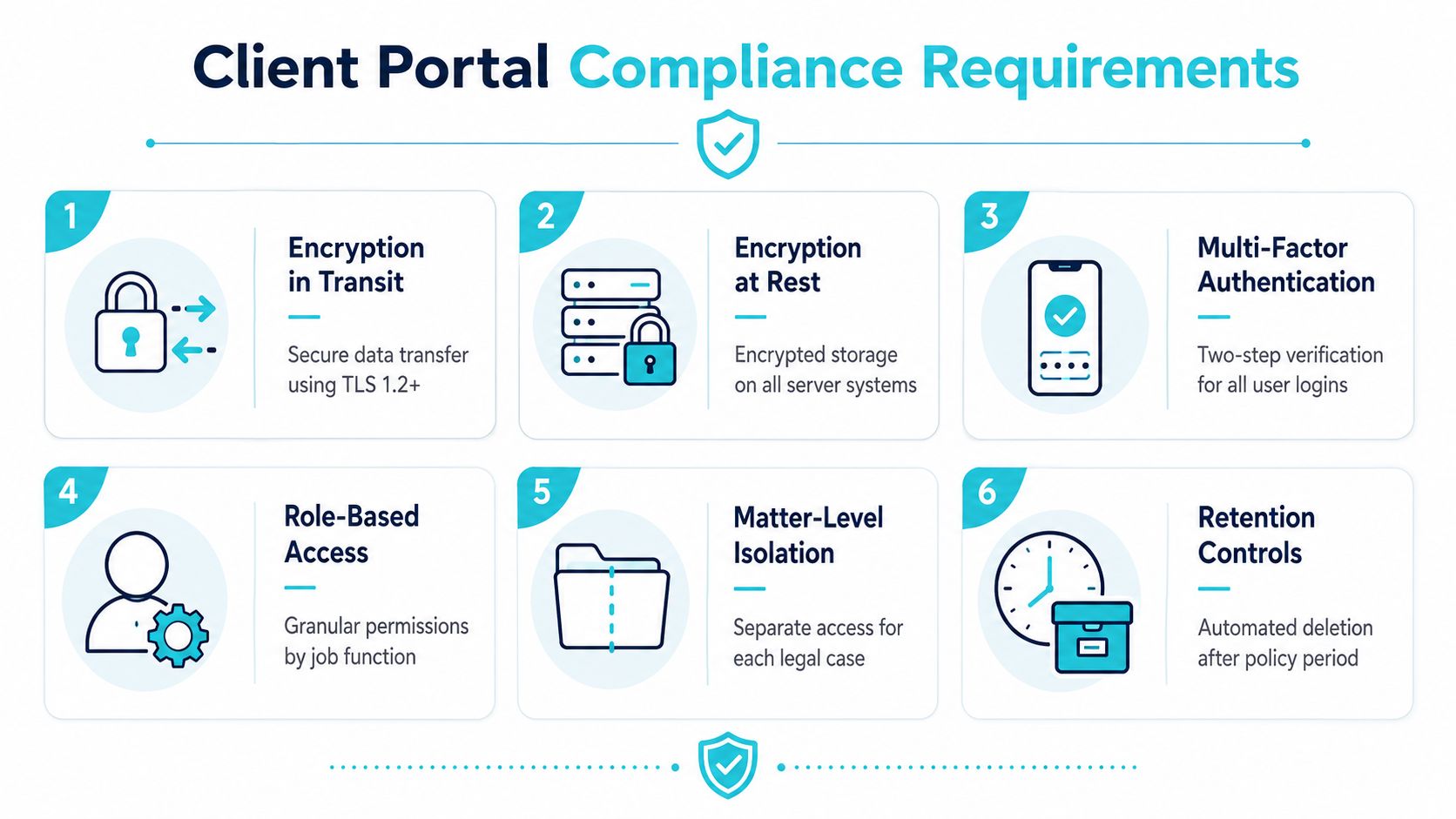
A client portal only helps if it does the control work the firm needs. The right specification is not “nice interface.” It is secure transfer, controlled access, logging, and retention discipline that maps back to confidentiality and breach readiness.
The controls that matter
Encryption in transit is essential. If data moves through the portal, it should use TLS 1.2+ so client uploads, messages, and documents aren't exposed while they travel. That supports confidentiality and privacy controls.
Encryption at rest matters just as much. Stored documents need protection on the server side so a compromised system doesn't become an open file cabinet.
Multi-factor authentication should apply to every user. That's a direct support for reasonable efforts under ABA Model Rule 1.6 because it reduces the chance of unauthorized access.
Role-based access and matter-level isolation are the difference between a portal and a leak. If users can see only the matters they're assigned, the firm cuts cross-client exposure and keeps the access model defensible.
Immutable audit logs are where compliance becomes provable. Every document view, download, upload, and share should leave a timestamped trail with user and IP metadata when available. Those logs support retention, forensics, and incident reconstruction.
Retention controls should let the firm archive or delete content on schedule instead of keeping everything forever.
For teams comparing tools, solid state drive data recovery is a useful reminder that recoverability is not the same thing as compliance. A portal needs controls, not just the ability to restore lost data.
Operational test: If a portal can't isolate one client's matter from another, it's not good enough for plaintiff work.
Use the HIPAA compliant file sharing reference as a baseline for how secure sharing should behave in practice, especially when a firm handles medical records or other sensitive attachments.
How CasePulse Supports These Compliance Requirements
CasePulse fits best as the control layer around client communications and document exchange. It gives firms matter-level isolation, role-based permissions, immutable audit trails, and retention controls, which are the exact controls operations teams need to support confidentiality and record handling. It also integrates with existing case management systems, so staff don't have to rebuild their day around a second workflow.
Where it sits in the stack
The point is not that a portal solves every legal compliance requirement. It doesn't. The point is that it gives the firm a visible place to centralize client messaging, file transfer, and access control so the team can defend how data moved and who saw it. That is what auditors, clients, and malpractice carriers want to understand.
CasePulse also helps firms document onboarding and configuration decisions, which matters because reasonable safeguards are easier to prove when the system settings are already recorded. If a firm is evaluating how to line up portal controls with the rest of its process, the screenshot of the CasePulse dashboard should be read as an operational workspace, not a marketing claim.
| Control Need | Operational Value | Compliance Link |
|---|---|---|
| Matter-level isolation | Keeps one client from seeing another client's files | Confidentiality and privacy |
| Audit trails | Shows who viewed or moved data | Retention and breach forensics |
| Role-based permissions | Limits access by job function | Least privilege and internal controls |
| Integrations | Keeps staff inside existing workflows | Reduces shadow processes and unmanaged sharing |
The practical advantage is simple. A firm can keep client communication inside one auditable system instead of scattering it across inboxes, forwarded attachments, and unsecured file links. That makes the compliance story cleaner and the day-to-day work calmer.
A Practical Compliance Checklist for Law Firms
Start with the client communication stack. The managing partner should require every engagement workflow to use a documented intake and message path, and the IT lead should verify that sensitive exchanges are not sitting in unmanaged email threads. The proof artifact is the portal configuration record plus a sample of logged communications that show access control and timestamps.
Use a 90-day cleanup rhythm
The paralegal supervisor should review closed matters for retention cleanup, separate original client documents from routine correspondence, and flag anything that should not be sitting in an open workspace. The proof artifact is the retention schedule with a signed review log. That directly supports the record-retention duty discussed earlier.
The managing partner should also confirm that every engagement letter is signed before substantive work begins. Unsigned letters are a common failure mode because they weaken the firm's record of scope and authorization. Another common failure is archived email living outside the main system, which makes access and deletion messy.
Good compliance looks boring: clear owner, clear deadline, clear log, clear archive.
For breach readiness, the IT lead should maintain an incident response plan that identifies who classifies the event, who contacts clients, and who handles regulator notice. The proof artifact is a tabletop exercise record and the final notification template set. That lines up with the notification clocks described above.
A firm can run this quarter by asking four questions. Can clients only see their own matters? Can staff prove where records live? Can the firm delete or archive on schedule? Can the team notify the right people fast if an incident hits? If the answer to any of those is no, the compliance gap is already operational, not theoretical.
CasePulse gives plaintiff firms a practical way to centralize client communication, file sharing, access control, and audit visibility in one workflow. If you want a portal that helps your team keep matters separated, logged, and easier to defend, visit CasePulse and see how it fits into your compliance process.