
 CasePulse
 A paralegal is up against a discovery deadline. The needed record might be in email, on a shared drive, inside a case management note, or in a banker box from intake. Everyone starts searching. Billable time disappears, stress spikes, and the risk isn't abstract anymore. One missed version or one premature deletion can become a real litigation problem.
For a growing plaintiff PI firm, that kind of scramble usually means the firm has storage tools, not a real records strategy. A records management system creates order around retention, legal holds, access, disposition, and the messy reality that firms still handle both digital files and paper. It also matters for downstream work like intake packets, medical records, lien documentation, and discovery responses.
The payoff isn't just cleaner filing. Research cited by Newgen says data workers spend about 30% of their weekly hours searching for, governing, and managing information. That's why this category matters operationally, not just for compliance. And when records reach end of life, secure disposal matters too. Beyond Surplus on secure data destruction is a useful reference for the destruction side of the lifecycle.
These records management system examples focus on what matters in a mid-sized plaintiff firm. Can the system control retention around matters, preserve records under hold, handle paper plus digital, and fit the rest of your stack without creating more admin work?
1. iManage Records Manager

iManage Records Manager is one of the clearest examples of a platform built around legal governance rather than generic file storage. If your firm already runs in iManage, this product makes sense because records controls sit close to the matter workspace instead of being bolted on later.
That matters in PI work. Closed files don't just need to be stored. They need retention rules, hold capability, and a defensible process for disposition when the matter lifecycle ends. iManage is attractive when the firm wants those decisions tied to legal workspaces, folder structures, and security rules that staff already use.
Where it fits in a plaintiff PI workflow
In practice, iManage Records Manager is strongest for firms that want policy enforcement without asking staff to become records clerks. Electronic and physical records can be governed together, which is useful when a file includes signed paper authorizations, medical mail, and digital correspondence in the same matter.
A few practical trade-offs stand out:
- Best fit for firms already in iManage: The value is highest when the wider iManage ecosystem is already in place.
- Useful for matter closure discipline: Retention, holds, and disposition workflows are easier to standardize when tied to matter lifecycle events.
- Less attractive as a standalone move: If your firm doesn't use iManage broadly, this can feel like buying governance first and workflow second.
Practical rule: If lawyers and staff already live in one system all day, records controls should live there too. Every separate repository creates another place to miss a hold or lose chain of custody.
For firms evaluating the broader practice stack, it's worth looking at how records controls will sit beside legal case management software. In PI, intake, treatment updates, demand prep, and discovery all touch the same matter record. Governance works best when those handoffs aren't fragmented.
2. Litera FileTrail
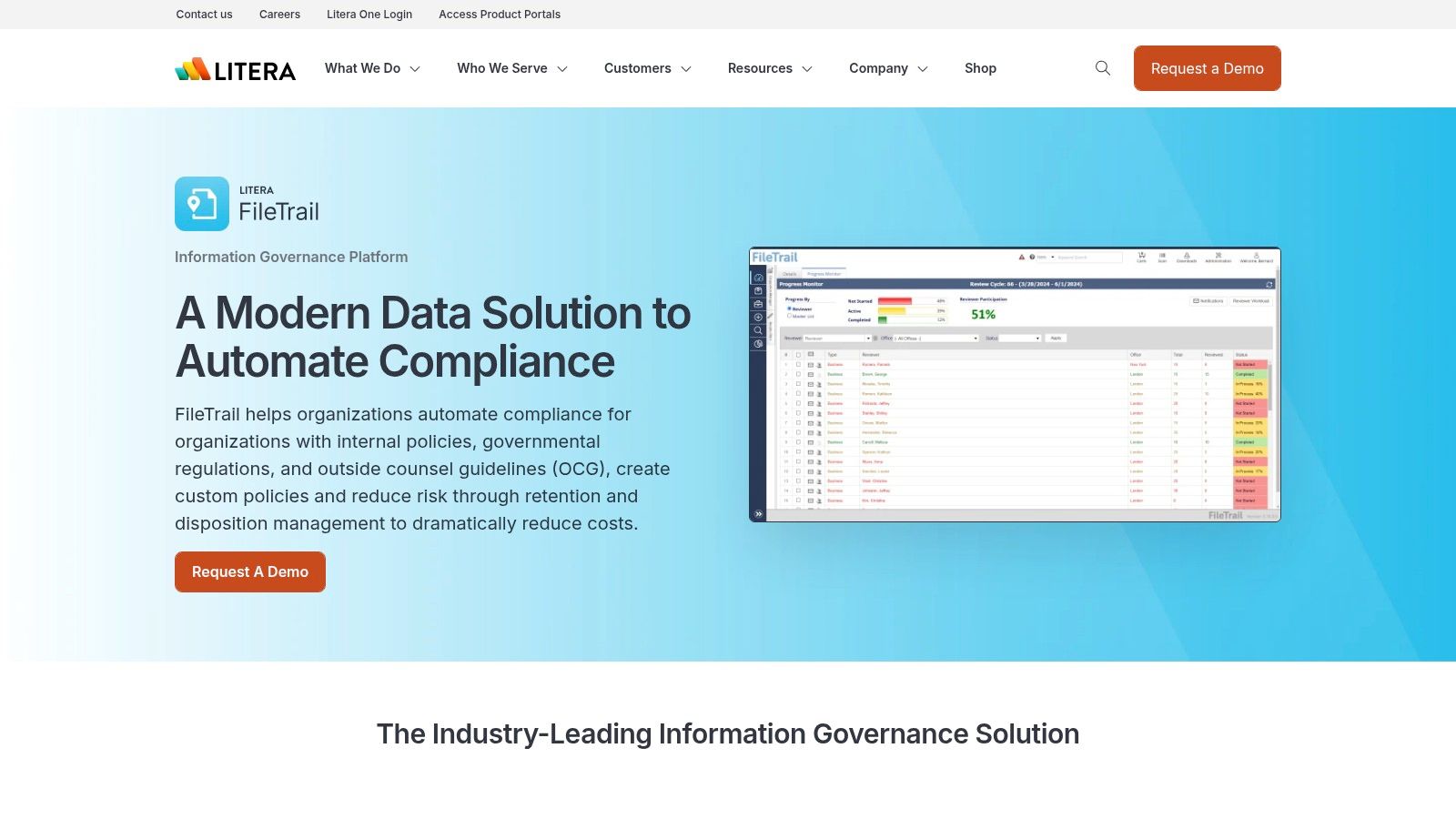
Litera FileTrail has long been associated with law firm records governance, especially where firms need stronger control over retention, legal holds, physical file tracking, and matter mobility. That's a meaningful distinction for plaintiff firms that still inherit paper from clients, providers, former counsel, and outside vendors.
Its appeal isn't flashy usability. It's lifecycle discipline. If your pain point is inconsistent destruction approvals, unclear hold processes, or poor visibility into where a physical file went, FileTrail is aimed at that problem set.
Why legal ops teams still look at it
Many records management system examples talk only about search and security. The harder legal question is whether a record will stand up as an official business record if challenged. Laserfiche's discussion of a "trusted system" and standards like DoD 5015.2 gets at that evidentiary issue in a way many buyers overlook, especially when they rely on marketing language instead of technical governance requirements in Laserfiche's records management guidance.
FileTrail tends to enter the conversation when the firm wants a more defensible posture around:
- Disposition approvals: Not just deleting old files, but documenting why and when disposition happened.
- Legal hold workflows: Preserving records across matter changes, investigations, or litigation events.
- Physical records control: Tracking cartons, folders, and transfers that still matter in hybrid environments.
A records platform isn't credible just because it can store a PDF. In a dispute, immutability and auditability matter more than a polished search bar.
If your review process also includes storage and retrieval tools, this should sit next to a review of the firm's broader content stack, including options often discussed under best document management software for law firms. FileTrail is stronger on governance than on being an all-purpose daily work hub.
3. NetDocuments
NetDocuments often comes up when a firm wants cloud delivery with legal-grade controls. For plaintiff firms, the practical appeal is simple. Staff can work from one SaaS platform while the firm still applies retention, archiving, legal holds, security controls, and ethical walls.
That combination matters if your team is spread across office, home, and court. It also matters when intake staff, case managers, and attorneys need access without creating local copies everywhere.
Best fit and likely friction
NetDocuments tends to work well when the firm wants less infrastructure burden than older on premises systems. It also plays well in environments that depend on Microsoft 365 and Adobe. For a mid-sized PI firm, that usually means a faster path to standardization if leadership wants one primary repository rather than years of living with shared drives plus email plus scan folders.
The friction usually shows up during migration and policy design. Legacy naming conventions, duplicate matter folders, and inconsistent permissions don't disappear just because the destination is cloud based.
- Strong option for distributed teams: Cloud access helps firms that don't want office file servers to remain the operational center.
- Good for security conscious firms: Granular controls and hold capabilities are useful where records access needs to track role and matter assignment.
- Migration discipline is non negotiable: Bad folder habits and weak metadata move with you unless the firm cleans them up.
One recurring mistake is buying a platform before defining retention by record type. Settlement disbursement support, lien documentation, client communications, and medical records don't always belong in the same lifecycle bucket. Firms that need a policy reset before migration should review document management best practices first, then configure the system around actual PI workflows rather than around old shared-drive habits.
4. Microsoft Purview Records Management
Microsoft Purview Records Management is the obvious contender when the firm already lives inside Microsoft 365. If Outlook, Teams, SharePoint, and OneDrive are where staff work, Purview gives the firm a way to apply retention labels, event-based retention, records controls, eDiscovery, and auditing across that environment.
For many plaintiff firms, that's the most realistic path to improvement because the tools are already familiar. The trade-off is complexity. Microsoft can do a lot, but it rarely does it with ease.
When it makes sense
Purview is strongest when leadership wants centralized compliance tooling across a Microsoft estate, not just one isolated repository. That matters if records are scattered across mailboxes, Teams chats, SharePoint sites, and individual storage areas.
The upside is broad governance reach. The downside is licensing and configuration sprawl. Capabilities vary by plan, and non Microsoft repositories may require extra connectors or separate work.
What works: Firms with a disciplined Microsoft admin team can build meaningful retention controls without forcing users into a totally new interface.
For firms in regulated sectors, Ollo's Microsoft 365 compliance guide gives a helpful outside view of why configuration matters as much as licensing. In a PI practice, the practical question isn't whether Purview is powerful. It's whether your team can reliably map records rules to real events like file closure, litigation hold, or final disbursement.
I usually don't recommend Purview as a casual add-on. I recommend it when the firm is serious about governance and already accepts that Microsoft 365 is the operational backbone. Otherwise, firms often end up with labels nobody understands and retention logic nobody trusts.
5. Laserfiche Records Management
Laserfiche Records Management is a mature option for firms that need structured control over retention schedules, file plans, holds, permissions, and reporting. It has a long track record in public sector and regulated environments, which usually means the governance model is deeper than what a plaintiff firm will use on day one.
That depth can be a strength or a burden. If your firm needs serious policy administration and hybrid records control, Laserfiche deserves a hard look. If you mainly need a simpler matter-centric user experience, it may feel heavier than necessary.
Why hybrid records still matter
Laserfiche becomes more relevant to PI than some buyers expect. Annex notes that 60% of organizations struggle with fragmented data because they lack a unified hybrid strategy. Plaintiff firms see that every day in signed intake packets, physical mail from providers, paper exhibits, and digital case files that don't line up cleanly.
Laserfiche's governance across digital and physical records is a better fit for that reality than digital-only thinking. It also helps when the firm needs documented retention schedules and exports that an administrator can defend.
- Good for hybrid firms: Useful where paper still enters the case lifecycle in a meaningful way.
- Strong admin posture: File plans, cutoffs, holds, and reporting support firms that want formal governance.
- Can feel classic: Some teams used to lighter SaaS tools may find the style more administrative than intuitive.
A lot of firms underestimate the cost of improvising around hybrid records. The result is duplicate files, uncertain versions, and staff who don't know whether the official record lives in the cabinet, the scan folder, or the case note.
6. Hyland OnBase Records Management
Hyland OnBase Records Management sits in a different lane from legal-first platforms. It's broader, heavier, and often chosen by organizations that need enterprise content services plus records controls across departments. That can still matter to a plaintiff firm, especially one that works closely with hospitals, insurers, public entities, or large referral networks that already operate with enterprise governance expectations.
OnBase handles electronic and physical records, retention, holds, approvals, and archival workflows. It also comes in cloud and on premises models, which gives firms more deployment flexibility than some legal-specific platforms.
Where OnBase earns its place
I wouldn't put OnBase at the top of the list for every PI firm. I would put it on the shortlist for firms that need records management tied to broader process automation or heavy intake and document capture workflows.
Box's overview notes that modern systems such as DocuPhase and Revver offer OCR and automated data extraction based on templates to streamline the create-or-receive phase of the lifecycle, and that organizations often see a 20% to 30% increase in operational efficiency within 12 months of implementation. That kind of improvement is relevant when a PI practice is drowning in incoming records, forms, and correspondence.
The firms that get the most from enterprise records platforms usually have one trait in common. They know exactly which intake and back-office workflows they're trying to standardize before implementation starts.
The trade-off is implementation weight. OnBase typically requires more design work than legal-specific systems. If the firm doesn't have process owners for intake, records, and operations, the platform can outpace internal readiness.
7. M-Files

M-Files approaches records governance through metadata rather than relying so heavily on traditional folder structures. That's appealing in plaintiff work because users often think in terms of client, matter, record type, provider, or stage of case rather than in terms of one perfectly maintained folder tree.
It supports records declaration, lifecycle policies, metadata-centric access control, encryption, and connectors to Microsoft 365 and other repositories. For firms with mixed environments, that flexibility can be useful.
A smart option for firms tired of folder chaos
M-Files is often easier for end users to grasp than older enterprise platforms, especially if the firm wants to reduce dependence on manually filing everything into the right place. The concept is strong for PI practices that handle recurring document classes like medical records, demand exhibits, settlement paperwork, and intake forms.
The caution is that M-Files isn't as legal-specific out of the box as iManage or NetDocuments. It may need more configuration to reflect legal matter structures, role-based security expectations, and governance language familiar to law firm administrators.
A useful real-world lesson comes from outside private practice. A World Bank case study on Singapore's National Archives describes success in electronic records management through top-budget dedication to staff training, customized preservation machinery, long-term planning, management support, and security readiness in the World Bank's records management case study. Different environment, same lesson. Technology only works when the organization funds training, planning, and policy discipline.
Top 7 Records Management Systems Comparison
| Solution | Implementation complexity | Resource requirements | Expected outcomes | Ideal use cases | Key advantages |
|---|---|---|---|---|---|
| iManage Records Manager | High, iManage-dependent, specialist services | iManage licenses, professional services, admin resources | Automated matter lifecycle and defensible disposition | AMLAW and mid-to-large law firms | Deep DMS integration; legal-focused; physical records support |
| Litera FileTrail (Information Governance & Records Management) | Medium–High, integration and scoping needed | DMS integration, implementation services, audits | Strong lifecycle/disposition controls and audit trails | Law firms needing retention, holds, and matter mobility | Law-focused; physical tracking; long legal market history |
| NetDocuments (with Records/Retention capabilities) | Medium, SaaS setup and migrations | Cloud subscription, migration support, partner ecosystem | Cloud-native governance, rapid user rollout | Legal and government orgs seeking SaaS DMS | True-cloud; broad legal adoption; strong integrations |
| Microsoft Purview Records Management | Medium, licensing and configuration complexity | Microsoft 365 licenses, connectors, admin expertise | Centralized retention, eDiscovery, enterprise-scale compliance | Organizations standardized on Microsoft 365 | Enterprise-scale compliance; integrated Purview tooling |
| Laserfiche Records Management | Medium, classic ECM deployment | Platform licenses, project scoping, admin training | Mature RM controls, auditability, retention automation | Public sector and compliance-heavy industries | Proven RM features; strong documentation and controls |
| Hyland OnBase Records Management | High, enterprise-grade implementation and design | Solution design, modules, on‑prem/cloud resources | Comprehensive RM with workflows and governance | Government, healthcare, financial services | Deep governance; combined ECM and workflow capabilities |
| M-Files (Records Management) | Medium, metadata modeling and configuration | Licenses, connectors, metadata design effort | Metadata-driven governance and automated policies | Mixed-repository environments needing usability | Intuitive UX; metadata automation; flexible deployment |
Choosing the Right System for Your Practice's Future
The best records management system examples don't point to one universal winner. They point to fit. A mid-sized plaintiff PI firm has a different operating reality than an AMLAW firm, a county agency, or a hospital network. Your system has to support how records move through intake, treatment tracking, discovery, negotiation, settlement, and closure, not just how a vendor demos search.
Start with the questions that usually get skipped. Where is the official record for each case stage? What triggers retention for closed matters? How do you place and release legal holds? How do you govern paper and digital records together? If a client changes counsel, if litigation expands, or if a discovery dispute hits, can your team show a defensible chain from creation through preservation and disposition?
One of the clearest operational lessons comes from a media conglomerate overhaul that produced a 50% reduction in retrieval times after replacing fragmented systems with a modernized records strategy. The lesson for PI firms isn't that every rollout will produce the same result. It's that fragmented systems create retrieval delays and compliance risk, and standardization fixes both when change management is taken seriously.
For firms already standardized on Microsoft 365, Purview may be the practical route. For firms in the iManage ecosystem, iManage Records Manager is the natural governance layer. For firms that want cloud legal workflows, NetDocuments stays compelling. Laserfiche, OnBase, and M-Files make more sense when hybrid records, enterprise process design, or metadata-driven governance are central needs. FileTrail stays relevant when defensible disposition and legal-grade records administration are the primary priority.
The right decision usually turns on integrations as much as records features. In plaintiff work, records don't live alone. They connect to case management, intake forms, status updates, and client communication. CasePulse notes that client portal software integrated with systems like Needles, Neos, LawBase, and Litify reduces duplicate entry and keeps staff inside their existing CMS, cutting administrative bottlenecks tied to manual cleanup in CasePulse's client portal overview. CasePulse also says firms using purpose-built portals with deep case management integration and automated reminders report measurable gains in client satisfaction and a measurable drop in non-billable admin time in CasePulse's client portal software guide.
That's the bigger point. The best records system doesn't just store files. It strengthens the whole matter lifecycle.
CasePulse helps plaintiff firms connect records-heavy workflows to better client communication without forcing staff into another inbox. If your firm uses Needles, Neos, LawBase, or Litify, CasePulse gives you a secure client portal that fits into the systems your team already uses, making intake, updates, file sharing, forms, and follow-ups easier to manage while reducing manual admin work.