
 CasePulse
A firm can have Neos, a client portal, an intake form, and a billing connection, yet still leave staff copying matter numbers into spreadsheets and chasing missing documents. The problem usually isn't the number of available connectors. It's the gap between a clean demonstration and the decisions required to make data move safely through a real plaintiff practice.
A workable Neos integration starts with a narrower question than “What can we connect?” Ask instead, “Which daily handoff should disappear, which system owns the record, and what happens when something fails?” Neos is the cloud-based successor to Assembly Software's legacy case management products. Assembly Software formed it in 2019 by bringing Needles and TrialWorks together under Ridge Road Partners, and company materials indicate that it now serves more than 1,450 firms through its cloud platform. That scale makes integration relevant, but it doesn't remove the operational work.
Understanding What Neos Integration Involves
A firm can authorize a native connection and still leave staff checking matter numbers, correcting contacts, or looking for documents that never arrived. The problem is rarely the connector alone. Custom fields, unusual intake stages, and unavailable objects can turn a clean demonstration into manual work after launch.
A practical Neos integration begins with the workflow, not the product list. Define which handoff should disappear, which system owns each record, and what staff do when a match or transfer fails. Neos' buyer materials list connections with Zapier, DocuSign, QuickBooks, Lexitas, Scorpion, CasePulse, and Microsoft 365 in its documented ecosystem. A listed connection does not guarantee that a custom workflow can use the same objects, permissions, or data direction.
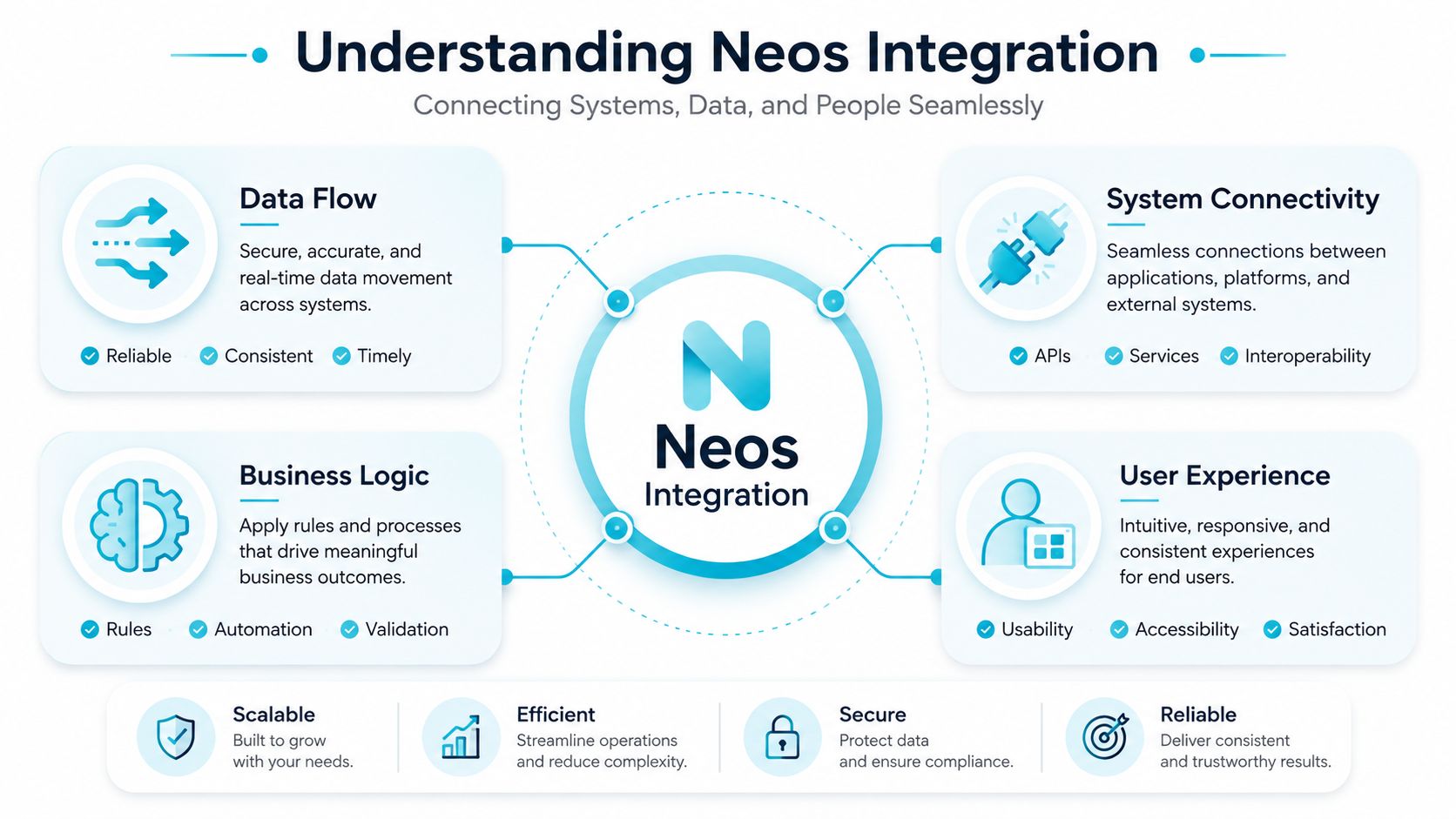
Start with the workflow, not the connector
Write the process in operational terms before selecting a technical method:
- A client submits information or a file.
- The connected system identifies the correct matter.
- Neos receives approved data.
- Staff review an exception when matching fails.
- The Activity Feed records the relevant event.
Neos describes its Activity Feed as a chronological history of case activity. Checklist completions, notes, and document uploads can create visible entries and an audit trail, as described in the buyer guide. The record helps only when integrations write understandable events rather than unexplained updates.
Platform migrations add another layer of risk. Guidance on CMS migration for non-technical founders makes the same operational point: identify dependencies and ownership before moving data. Apply that discipline to Neos, then budget for field-mapping drift, endpoint changes, credential maintenance, testing, and exception handling over time.
Practical rule: Treat every “automatic” action as a controlled business process. Define its owner, source of truth, failure path, and audit record before enabling it.
Prerequisites and Connection Methods
A workflow can fail before field mapping begins if its required Neos objects are inaccessible. Neos publishes API references and identifies form components such as Neos.Form and Neos.FormBuilder, so teams can work from documented framework and form capabilities rather than relying only on basic case records in the official API references. Treat that material as an initial check. It does not establish that every endpoint required by the workflow is available to your account.
Independent coverage describes an official API and integration program, while noting that access may be gated, documentation may not be fully public, and exports or workarounds may be needed when endpoints are unavailable in this Neos integration analysis. Confirm the actual access model before development starts. A promising connector does not remove the cost of unsupported objects, manual exports, or later vendor coordination.
Validate the connection before mapping fields
Run a focused preflight review:
- API access: Confirm whether endpoints cover matters, contacts, documents, forms, notes, messages, milestones, and billing fields. Record the answer and any restrictions.
- Authentication: Document credential issuance, token storage, expiration, and revocation procedures.
- Permissions: Test the exact Neos user or service identity used in production. Read access to a matter does not guarantee permission to upload a document or create an activity.
- Environment: Determine whether testing can avoid live case records. Without a separate test environment, use a controlled test matter and define rollback steps.
The setup path depends on the connection. A supported integration may be configurable by the firm, while a custom API connection can require Assembly or the integration provider to approve access, clarify endpoint coverage, or resolve authentication issues. Those dependencies affect delivery time and ongoing support.
Review the existing Needles and Neos login workflow before configuration so staff understand the credentials and permissions involved. Then run one complete transaction, including an intentional failure. A successful record creation alone will not expose matching errors, rejected writes, or incomplete audit entries.
Assembly's LawToolBox announcement says users can calculate thousands of deadlines in seconds after activation in its integration announcement. Readiness depends on the underlying mapping: case type, jurisdiction, milestone, and responsible staff member must each be tested. Plan for field changes, endpoint updates, credential maintenance, regression testing, and exception ownership after launch.
Core Data Sync Points and Object Mapping
A Neos integration usually fails at the boundaries between objects, not at the connection screen. Before configuring sync, decide which system creates each record, which system may update it, and what happens when both systems change the same field. Without those rules, two-way synchronization creates conflicts, duplicate records, and manual cleanup.
Cases normally serve as the anchor object. An intake tool may send a matter identifier, case type, assigned team, status, and intake milestones into Neos. Keep the operational record in Neos unless the external workflow needs the full case history. Sending only the fields required for that workflow limits duplicate ownership and reduces the maintenance burden when schemas change.
Contacts need a deliberate matching rule. Name alone is unreliable because family members, referring contacts, and repeated intake entries can appear identical. Use a stable identifier where the connection supports one. Define what happens when no match exists, and send ambiguous matches to review rather than creating another client record automatically.
Documents need separate handling. Specify whether the connection sends a file once, updates an existing file, or creates a new version. Set the destination folder, naming convention, metadata, and failure notification. A document upload can fail after case data succeeds, leaving staff with a matter that appears synchronized until they look for the missing attachment.
Messaging and notes carry more context than structured fields. A status can be overwritten under a clear ownership rule, while a client message or staff note needs chronology, authorship, thread context, and audit visibility. Neos' Activity Feed records case events as described in its product materials, but the integration still must define which events are written and how staff should interpret them.
Common Neos Data Objects and Sync Patterns
| Data Object | Typical Sync Direction | Key Considerations |
|---|---|---|
| Matter or case | External intake to Neos, with selected status updates outward | Define the source of truth for case type, owner, status, and identifiers. |
| Contact | Often two-way, with controlled updates | Use matching rules, duplicate review, and clear consent handling. |
| Documents | External system to Neos, or Neos to an approved destination | Define versioning, folder placement, naming, and failed upload handling. |
| Messages and notes | External system to Neos, with selected replies outward | Preserve authorship, timestamps, thread context, and audit visibility. |
| Milestones and deadlines | Neos to connected workflow, with calculated results returned where supported | Validate case type, jurisdiction, trigger date, and responsible team. |
| Billing fields | Neos to accounting connection, with limited return updates | Decide which system owns balances, expenses, and billing status. |
Field-mapping drift deserves a scheduled review. A renamed status, new required field, or changed picklist value can stop writes or place incorrect data in Neos without breaking the connection itself. Record each mapping, its transformation rule, and its owner so someone can update it when the intake workflow or Neos configuration changes.
The right mapping supports the firm's client intake process instead of making staff re-enter information after submission. Start with the smallest useful object set, test exceptions such as duplicates and failed uploads, and expand only after the first workflow remains reliable in production.
Mapping Patterns That Support Real Workflows
A technically valid mapping can still fail the people using it. Staff don't experience an integration as an API call. They experience it as a matter that opens correctly, a file that appears in the expected place, or a client update that doesn't require a separate inbox.
Begin by separating direct mappings from transformed mappings. A direct mapping works when the source and destination use the same meaning, such as a client email address or a matter identifier. A transformed mapping is necessary when one system uses “New Lead,” another uses “Prospective Client,” and the firm's internal process requires a controlled conversion.
Four decisions prevent avoidable rework
- Identify the source field. Record the field name, allowed values, owner, and whether it can be blank. Don't map a display label without checking the underlying meaning.
- Define the destination schema. Choose the Neos field or object that staff use. If the destination has no safe equivalent, keep the source value in a clearly labeled custom field or leave it outside the sync.
- Apply transformation rules. Use lookup tables for status, case type, jurisdiction, and other controlled values. Direct copying is faster to configure, but it can create invalid or inconsistent Neos data.
- Validate the output. Test new matters, existing contacts, duplicate contacts, missing documents, changed statuses, and rejected forms. Confirm both the visible result and the Activity Feed entry.
Forms deserve special attention because they often contain optional answers, repeated household details, and documents submitted at different times. A mapping that assumes every field is present will behave badly when a client saves a partial intake or submits a later correction.
Document exchange also benefits from explicit transformation rules. Map document type to a defined Neos destination, preserve the original filename where useful, and add enough context for staff to identify the submission without opening every file. If the process involves legal document automation, keep generated outputs distinct from source uploads so staff can tell what the client supplied and what the firm produced.
A field map is a living operating policy. It tells staff which system owns meaning, not just where one value is copied.
Client communication exposes weak mappings quickly. If a status update triggers a message, define which statuses are client-safe, who approves the wording, and what happens when the matter lacks a valid contact channel. The best workflow removes status chasing without turning every internal change into an external notification.
Planning for Long-Term Maintenance and Evolution
The demo ends when the connection works once. Operations begin when someone changes an intake form, renames a status, adds a custom field, or asks for a new document workflow. That is where many Neos integration projects become expensive, because the original field map no longer describes the firm's actual process.
Independent commentary on Neos highlights the underreported costs of maintaining connected systems, including mapping drift, training, error handling, and governance in this legal technology coverage. An open API can make a connection possible, but it doesn't make ownership, testing, or support automatic.
Treat mapping drift as a controlled change
Create a simple integration register with:
- Field ownership: Which platform is authoritative for each value?
- Transformation logic: Which lookup, default, or validation rule applies?
- Failure handling: Who receives an alert, and what can they safely retry?
- Change history: What changed, when, and which workflows were retested?
- Access responsibility: Who manages credentials, permissions, and vendor requests?
The register should live somewhere the operations team can maintain. Technical documentation that no one can update becomes obsolete as soon as the firm changes its intake design.
Design for the month after launch
Monitoring should show more than whether a connection is technically online. Track missing matches, rejected writes, failed uploads, duplicate creation, and events that arrive without the context staff need. Review those exceptions with the people who work the matters. They can distinguish a harmless formatting issue from a failure that risks a missed follow-up.
Training also needs an exception path. Staff should know how to identify a failed sync, where to record the issue, when not to retry, and how to continue work without creating duplicate records. When several tools write to Neos, governance becomes essential because a change made for one workflow can affect another.
The practical test is resilience. If a new field is added, can the firm identify the impact before launch? If a vendor changes its connection, can staff see which records were affected? If the answer is no, the integration isn't finished, regardless of how smooth the original setup looked.
Troubleshooting Common Integration Issues
Troubleshooting starts with the transaction, not the assumption that “the integration is down.” Identify the affected matter, record the timestamp, and compare the source event with the result in Neos.
- Sync failures: Review provider logs, response details, and retry behavior. Confirm whether the event was rejected, delayed, or never sent.
- Data conflicts: Compare source and destination values. Check field ownership, lookup tables, defaults, and mapping changes before correcting the record.
- Authentication errors: Verify that credentials remain valid and that the user or service identity still has the required permissions.
- Document failures: Test the file separately from the case record. Check its type, size, destination, and write access to the intended Neos location.
- Performance lags: Review query frequency, polling, and batch behavior. Frequent polling can add load, while infrequent polling can make staff assume a workflow failed.
If the failure suggests a missing endpoint, confirm the required Neos object is supported before building a workaround. API coverage constraints can turn an apparent configuration defect into a design limitation.
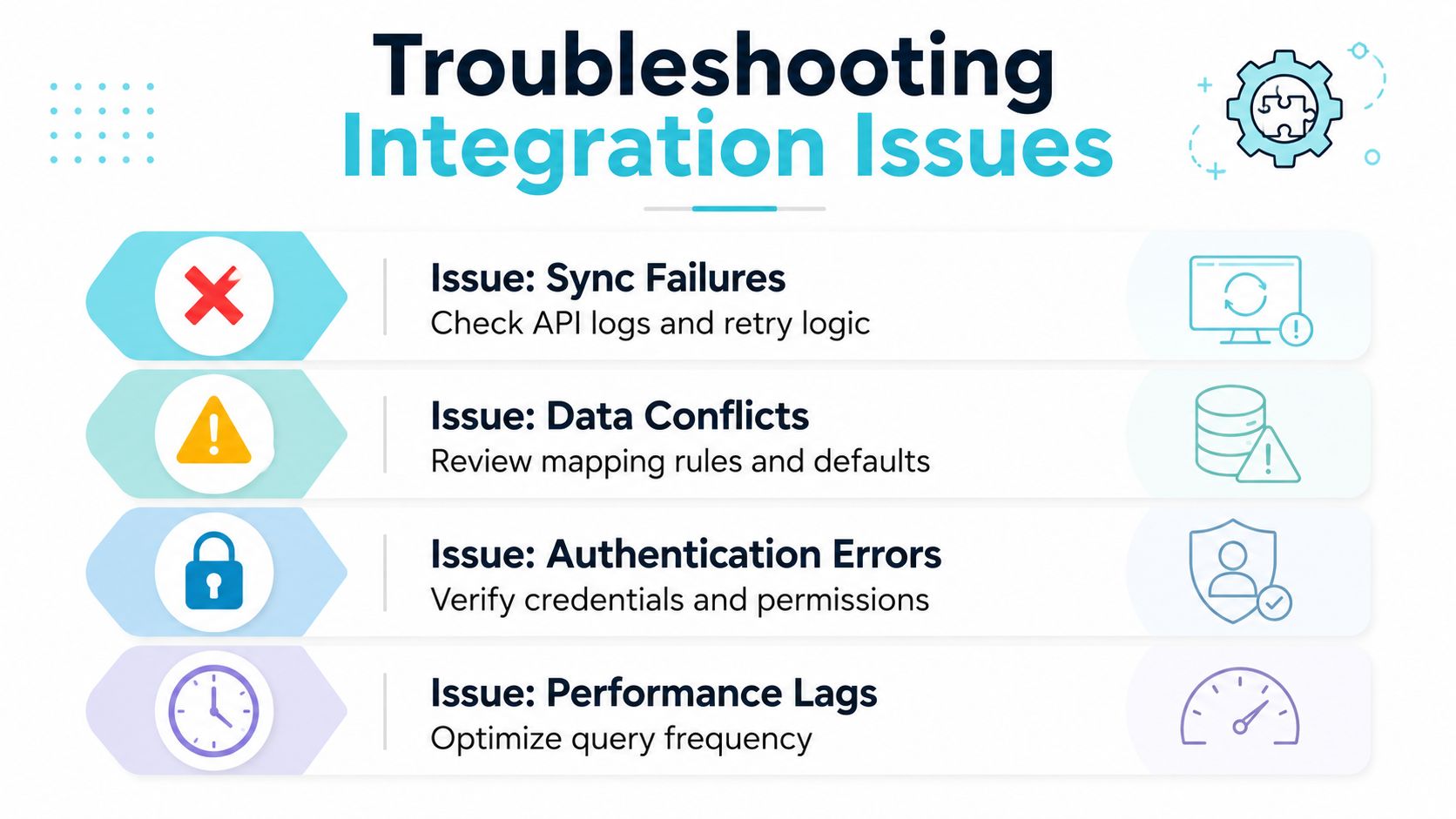
Keep an incident log covering the matter, event, error, corrective action, and prevention step. Review recurring entries for field-mapping drift, authentication changes, and maintenance work that should be scheduled rather than handled as emergency support.
CasePulse offers a Neos connection that sends client-uploaded files into the Case Docs section and supports case updates, two-way messaging, forms, and feedback workflows from the Neos environment. Firms can visit CasePulse to assess whether that connection fits their intake and client communication process.