
 CasePulse
 A managing partner usually notices the communication problem before they name it. Clients call for updates because they don't know where to look. Staff text from personal phones because it feels faster. Sensitive details end up scattered across inboxes, voicemails, and message threads that were never designed for legal work.
That creates two problems at once. First, your firm loses time every time someone has to re answer a status question, chase a document, or reconstruct who said what. Second, you create risk when confidential information moves through channels that don't give you much control, visibility, or proof of delivery.
Secure messaging matters because it addresses both. For a law firm, it isn't just a private way to send a note. It's a structured way to communicate with clients and staff around confidential matters, with better control over who can see messages, how those messages are tracked, and how they fit into the rest of the firm's workflow.
Beyond Email What Is Secure Messaging for Law Firms
A familiar scene plays out in many firms before lunch. A client leaves a voicemail asking whether medical records were received. Another sends a text to a paralegal's cell phone. Someone else replies to an old email thread and includes personal details the firm would rather keep inside a controlled system.

That's usually where the question starts. What is secure messaging, really, when you're running a law firm and not a consumer app?
In plain terms, secure messaging is a way to send confidential information with protections for privacy, identity, and message integrity. In regulated environments, it's become a foundation for communication because it reduces re keying and transcription errors, fits more cleanly into workflow, and creates an audit trail of successful delivery, as described in this overview of secure messaging and regulated use cases.
Why firms outgrow ordinary channels
Email and SMS still have a place in business communication, but they often fall short for case specific conversations. A client may use a shared family email account. A lawyer may forward a message to keep work moving. A staff member may need to copy details from one system into another because the communication itself doesn't live where the case work happens.
That's why many professional organizations move toward a secure client portal model instead of relying on loose message threads. The portal becomes the controlled environment where clients can check status, send messages, and share information without forcing staff to juggle disconnected tools.
Practical rule: If a message contains confidential client information, the firm should know where it lives, who can access it, and whether it was delivered.
What makes the law firm context different
Law firms don't need messaging for casual convenience. They need it because communication touches privilege, deadlines, client expectations, and documentation. A message about treatment progress, settlement authority, intake details, or upcoming filings isn't just chatter. It's part of the representation.
This is the difference between a consumer definition and a law firm definition. In legal practice, secure messaging isn't just “private chat.” It's a communication layer built to support confidentiality, accountability, and smoother service.
Understanding the Security Behind Secure Messaging
A managing partner usually does not need a lesson in cryptography. They need confidence that a message about settlement authority, medical records, or case strategy is protected from the moment it is sent to the moment it is opened by the right person.
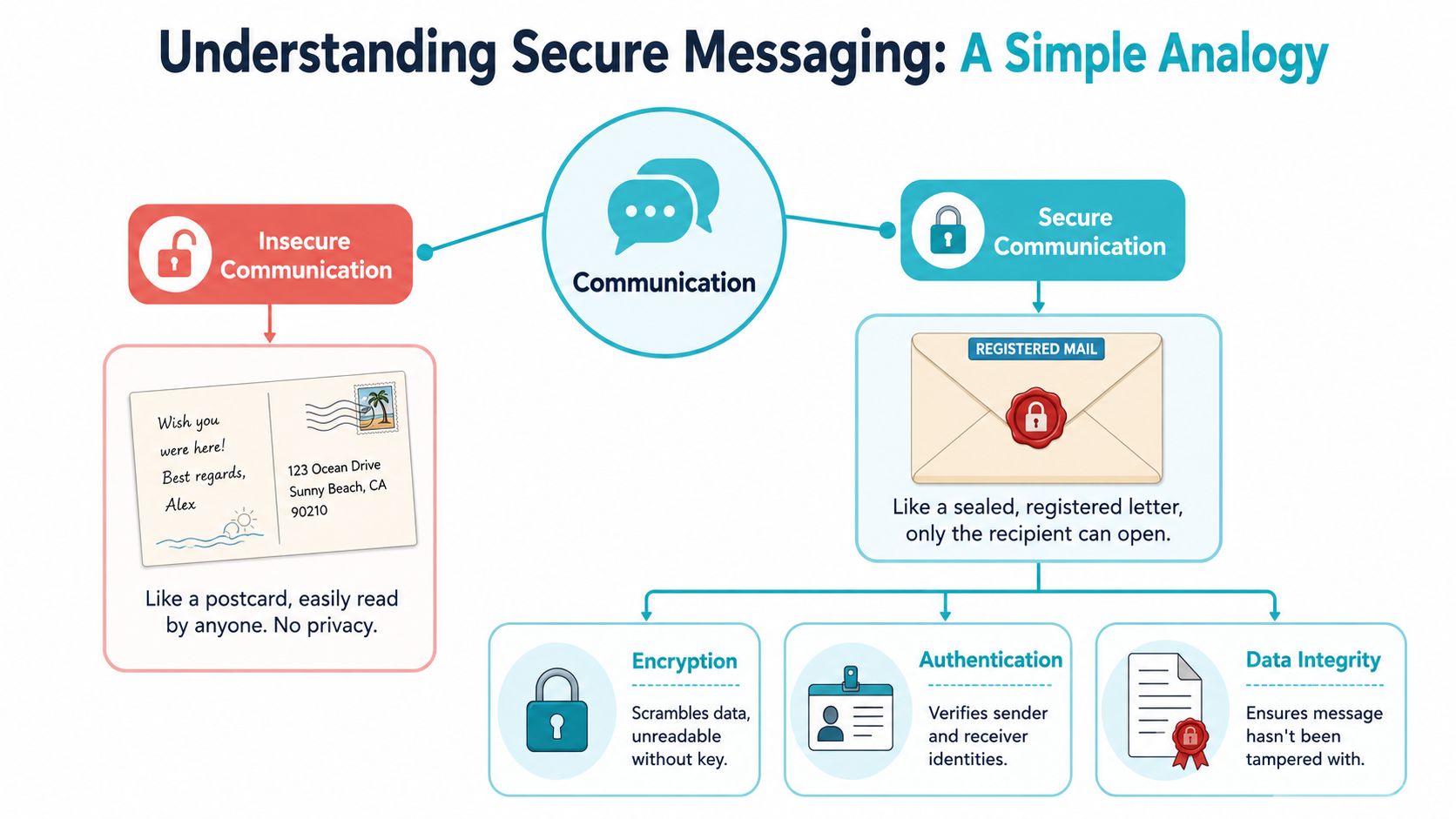
At the technical level, secure messaging depends on three controls working together: encryption, authentication, and integrity. Encryption keeps the content unreadable to anyone without permission. Authentication checks that the people on each end are who they claim to be. Integrity controls help detect whether the message was changed after it was sent.
For firms comparing products, that distinction matters. A platform can say messages are encrypted and still leave open questions about account access, identity checks, or whether staff can verify that a client received the message. If you want a plain English explanation of encrypted communications, it helps to learn E2EE from FaxZen. For the broader operational risks around client data and communication systems, this cybersecurity guidance for law firms gives useful context.
The three pillars that matter
Encryption protects the contents of the message itself. If the message is intercepted, the text and attachments should be unreadable without the proper key.
Authentication answers a different question. Did the message come from your firm, and is the person opening it really the client, co-counsel, or staff member who should have access? In legal practice, that check matters as much as the lock on the message.
Integrity protects against silent tampering. If someone alters a message or attachment in transit, the system should flag that change rather than pass it along as if nothing happened.
These controls are built with established cryptographic methods such as encryption keys, hash functions, and digital signatures. Your attorneys do not need to know the mathematics behind them. Your firm leadership does need to know whether the platform uses these controls in a way that supports client communication, auditability, and responsible access.
Where firms often get confused
The common mistake is treating “encrypted” as a complete answer. It is only one part of the answer.
A secure messaging system for a law firm should also answer practical questions about who can log in, what happens if a device is lost, whether access can be limited by role, and whether the firm can confirm delivery or review message history later. Those details shape whether the system helps protect client information in real practice, not just in a product demo.
Here is a simple way to evaluate it:
| Question | Why it matters to a law firm |
|---|---|
| Who can read the message? | This addresses confidentiality and privilege. |
| How is identity verified? | This affects whether the right client or staff member sees the information. |
| Can the firm prove delivery and access? | This matters for follow up, accountability, and record keeping. |
Secure messaging protects legal communication only when the surrounding controls are as reliable as the encryption itself.
That is why professional systems look different from ordinary chat tools. For a law firm, secure messaging is not just private conversation. It is a controlled communication record that helps protect the client, the lawyer, and the firm.
Meeting Your Ethical and Compliance Obligations
A law firm doesn't adopt secure messaging just to look modern. It adopts it because client communication is part of the firm's risk profile every day.
When lawyers discuss case strategy, personal facts, medical details, settlement issues, or intake information, they're handling material that deserves more than convenience based communication. A casual text thread or uncontrolled email chain may feel efficient in the moment, but it can leave the firm with weak identity checks, unclear retention, and very little confidence about who saw the message.
What serious secure messaging looks like
For regulated deployments, secure messaging is often implemented as a server based secure transport with identity verification. Strong assurance depends on verifying sender identity, understanding who controls the encryption keys, and using a FIPS 140-2 certified cryptographic module when compliance requires it, as described by Direct Secure Messaging guidance from DirectTrust.
That language matters because it separates professional grade communication from improvised workarounds. A secure system isn't just one that hides the text. It's one that gives the firm a defensible process around identity, key control, and access.
Why this matters for privilege and professional duty
Managing partners usually ask a practical question here. Is ordinary email automatically forbidden? The better question is whether the communication method matches the sensitivity of the information and the firm's obligations to protect it.
A purpose built secure messaging environment helps the firm do several things ordinary channels struggle to do well:
- Verify identity more reliably so staff know who is on the other end of a message.
- Control access so case related communication stays inside the right environment.
- Preserve an audit trail so the firm can review what was sent and when.
- Support more consistent retention practices instead of leaving important conversations spread across personal devices and inboxes.
That doesn't eliminate the need for policy. Staff still need to know when to use the secure channel, how to onboard clients, and when to avoid side conversations in text or personal email. Firms looking at the broader technology and governance picture may find this law firm IT guide 2026 useful as a planning resource, especially alongside a review of email practices for lawyers.
Risk check: If your firm can't easily answer where client messages are stored, who can access them, and how identity is confirmed, you probably don't have a communication process that matches legal work.
The compliance issue is often operational
Many compliance failures don't begin with bad intent. They begin with friction. Staff use the wrong channel because it's faster. Clients reply to the last message they have. A sensitive update goes wherever the conversation already exists.
That's why firms should treat secure messaging as an operational control, not just a technical safeguard. The easier it is to use the right channel, the more consistently people will use it.
Improving Firm Efficiency and Client Satisfaction
Security gets the budget conversation started. Workflow is what makes the investment pay off.
A secure messaging system helps only when it fits the way the firm already works. If lawyers and staff have to monitor another disconnected inbox, copy notes by hand, or chase clients through multiple channels anyway, the platform may be secure but still frustrating.
Encryption alone doesn't solve the firm's real problem
Sector specific guidance makes this point clearly. Secure messaging systems are valued not only for encryption, but also for role based access, audit trails, deliverability, message archiving, and integration with existing systems. Without those features, basic encryption alone may not solve the operational problem. The key value comes from governance, interoperability, and workflow integration, as explained in Updox's discussion of modern secure messaging.
That translates neatly to legal practice.
A plaintiff firm may need clients to ask routine questions without flooding the front desk. A larger litigation team may need role based access so the right staff can respond while maintaining control over the record. Intake teams may need secure forms and follow ups tied to a matter instead of floating in email.
What changes when messaging fits the workflow
When secure messaging works well in a firm, a few practical changes usually happen:
- Clients stop guessing where to ask questions. They have one place to check status and send updates.
- Staff spend less time hunting for context. Messages stay connected to the matter rather than buried in separate tools.
- Supervisors gain visibility. Audit trails and archived communication make review easier.
- Routine follow up gets more consistent. Reminders and repeat outreach don't depend entirely on manual effort.
Those improvements matter because client satisfaction often has less to do with dramatic legal milestones and more to do with communication. Clients want to know the firm is responsive, organized, and easy to reach. A secure portal can support that without pushing sensitive communication into unsecured channels.
A law firm example
Consider a personal injury practice. Clients often want updates on records, treatment, insurance communication, and next steps. If every question turns into a phone call, paralegals spend the day repeating information and documenting conversations after the fact.
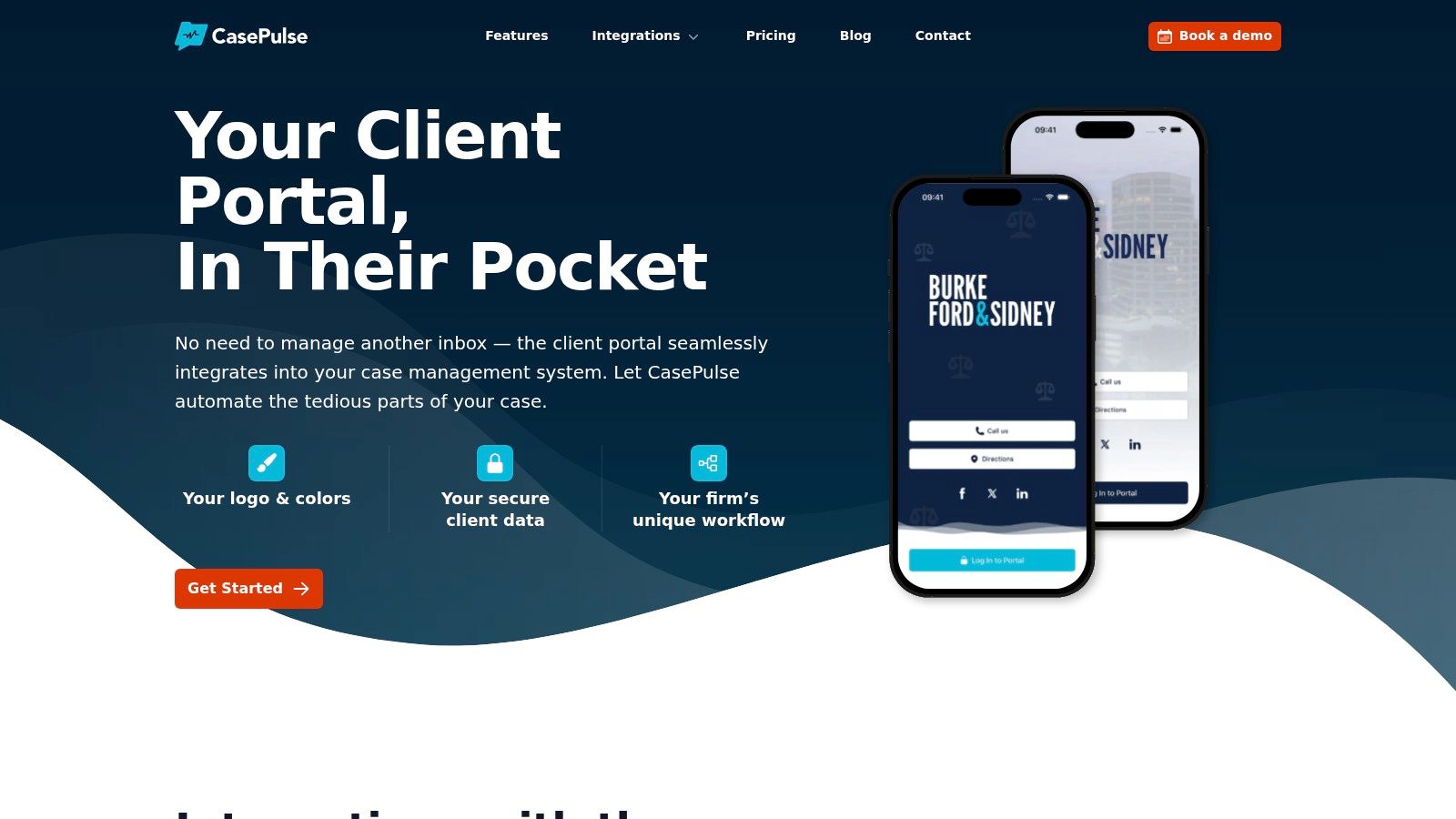
A secure client portal changes the rhythm. Clients can check status, send a message, share files, and complete forms in one place. On the firm side, staff can stay inside the existing workflow instead of chasing conversations across tools. One example is CasePulse, which is built for law firms and integrates with systems such as Needles, Neos, LawBase, and Litify while letting clients message the team, check case status, share files, and complete forms from any device.
Better client communication usually comes from less friction, not more messaging volume.
That's the part firms often miss. The best secure messaging setup doesn't just protect information. It reduces avoidable work.
How to Choose the Right Secure Client Portal
The market has matured. Secure messaging is no longer a niche feature. In healthcare alone, one market estimate values the global secure messaging market at US$701.1 million in 2024 and projects it will reach US$3,501.6 million by 2034, according to FactMR's market analysis. For law firms, that matters because mature markets usually produce more specialized tools, clearer expectations, and better implementation options.

The wrong buying approach is to ask only whether a platform is “secure.” Most vendors will say yes. The better approach is to ask whether the tool supports the way your firm serves clients.
Questions worth asking vendors
Start with workflow, not the feature list.
- Does it integrate with your current case management system? If it doesn't, staff may end up managing another inbox and duplicating work.
- How are clients invited and onboarded? Adoption rises when the first step is simple and the interface is easy to use on any device.
- What controls exist around access and visibility? You want clarity around who can view messages, files, and updates.
- How are communications tracked? Auditability matters for both supervision and record keeping.
- Can clients do more than send messages? In many firms, the primary value comes from secure forms, file sharing, and status updates in the same place.
A simple comparison lens
| What to evaluate | Weak answer | Strong answer |
|---|---|---|
| Staff workflow | Separate portal to monitor | Works within existing tools |
| Client experience | Multiple logins and confusion | Simple access from any device |
| Governance | Limited visibility | Clear tracking and controlled access |
| Long term fit | Generic messaging tool | Platform shaped around legal workflows |
A purpose built legal portal should reduce friction for both sides of the relationship. Clients shouldn't need technical training to ask a question securely. Staff shouldn't need a new daily routine just to keep communication organized.
If your firm is comparing options, review examples of secure client portal software for law firms with these practical questions in mind rather than treating every portal as interchangeable.
What managing partners should prioritize
The final decision usually comes down to three things.
First, pick a platform your staff will use. Second, make sure clients can adopt it without frustration. Third, favor systems that fit the legal workflow you already have instead of forcing the firm into a detached communication process.
A secure portal should feel like part of the representation process, not an extra layer of administration.
A Practical Plan for Successful Implementation
Rollout succeeds when it feels easy. If the new system adds complexity, people drift back to email, text, and workarounds.
Start with one client communication policy. Decide which types of messages belong in the secure portal and train staff to steer clients there consistently. If clients receive mixed signals, adoption drops fast.
Keep the launch simple
Use a small internal group first. Let a few paralegals, intake staff, or case managers work through real client scenarios before the whole firm switches over. That gives you a chance to refine templates, invitations, and handoff language.
Then focus on client onboarding:
- Use a clear invitation message that explains where to check status, send updates, and share information.
- Keep first use simple so clients can log in and take one obvious action.
- Reinforce the habit by replying through the secure channel instead of splitting conversations across tools.
Reduce friction for staff
The strongest setup is one that lets staff work where they already work. If your team has to bounce between systems all day, adoption will be uneven. If messages and client actions fit the existing case workflow, secure messaging becomes part of the job instead of an extra task.
Launch the process your staff can repeat on a busy Tuesday, not the one that looks good in a demo.
Support matters too. Firms usually benefit from a provider that helps with setup, branding, and early use questions so the launch doesn't stall after the first week.
Modern client communication doesn't need to be complicated. It needs to be controlled, practical, and easy enough that both staff and clients will use it.
If your firm wants a secure client portal that works inside existing case management workflows, CasePulse is one option to review. It's built for law firms, supports secure client messaging, status updates, file sharing, and forms, and is designed to fit tools such as Needles, Neos, LawBase, and Litify without requiring staff to manage a separate inbox.