
 CasePulse
 For law firms, managing an ever growing volume of documents is more than an administrative task; it is a core function critical to case success and firm integrity. Disorganized files, version control nightmares, and security vulnerabilities can lead to missed deadlines, compliance issues, and irreparable damage to a firm's reputation. Finding the best document management software for law firms is not just about digital storage; it is about implementing a secure, central hub for every pleading, contract, email, and piece of evidence. This transition from scattered folders to a structured system directly impacts efficiency, profitability, and client trust.
This guide provides a comprehensive roundup of the top platforms designed to solve these exact challenges. We will evaluate leading solutions based on the criteria that matter most to practices like yours: robust security protocols, seamless integrations with case management software like Needles, Neos, LawBase, and Litify, and essential collaboration features. A critical component for any robust document management system is efficient document indexing, which enables quick retrieval and organization, a feature we consider throughout our analysis.
We will explore both dedicated document management systems and all in one practice management platforms with powerful document handling capabilities. Each entry includes detailed pros and cons, screenshots, direct links, and insights into how these tools support real world legal workflows. We also consider how platforms like CasePulse can integrate with your chosen DMS to automate client communication and updates, closing the loop between internal document handling and external client service. This article is your roadmap to selecting the right document hub for your firm's specific needs.
1. NetDocuments
NetDocuments is a cloud native document management system (DMS) purpose built for the legal industry. It stands out as one of the best document management software for law firms by embedding security and compliance directly into its DNA. Rather than adapting a general purpose tool for legal use, NetDocuments was designed from the ground up with matter centric workspaces, robust governance, and the specific confidentiality needs of law practices in mind. This legal first approach makes it a trusted platform for mid to large firms managing sensitive client information.
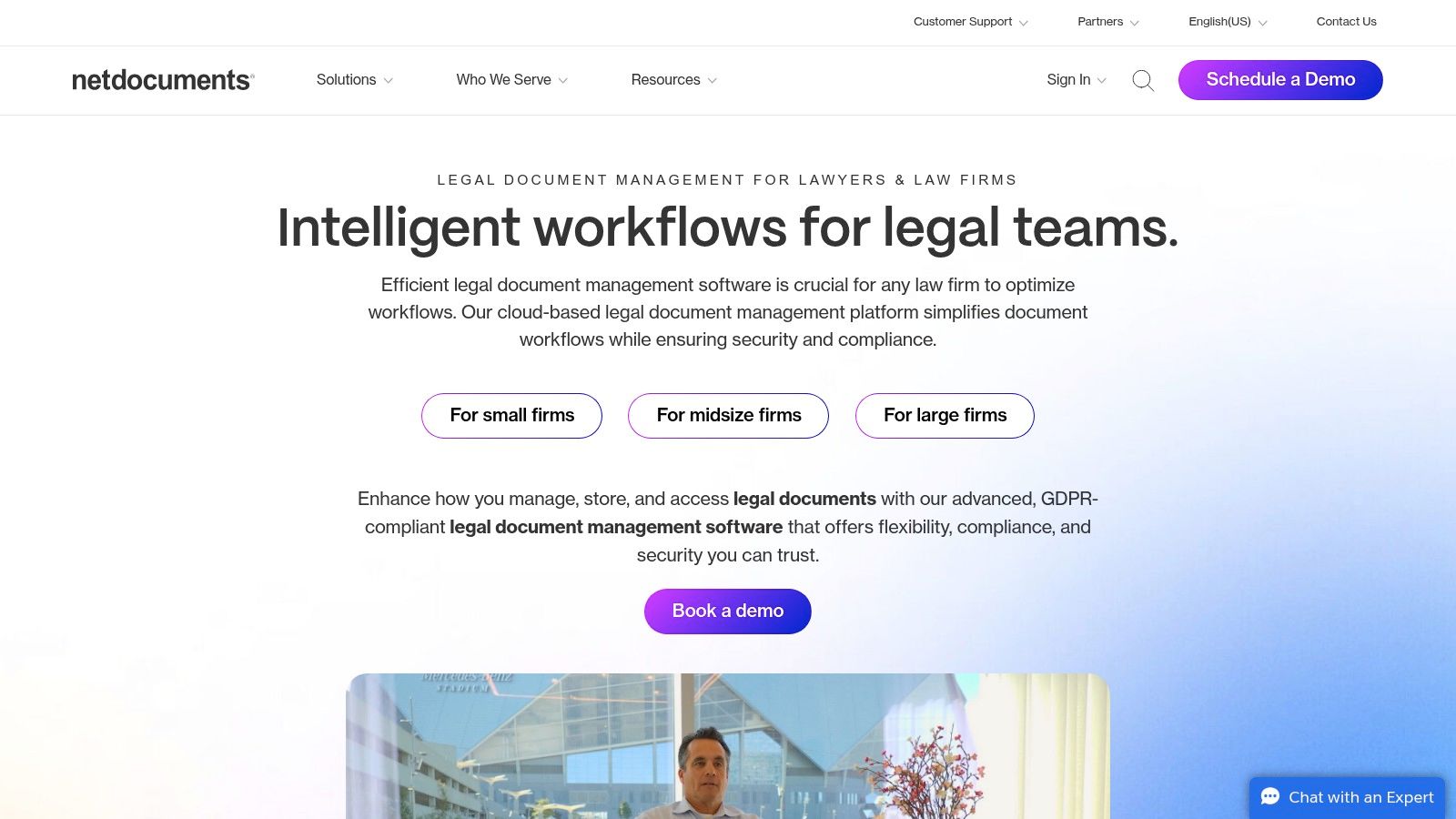
The platform’s core strength lies in its ability to organize all case related documents, emails, and notes into a single, searchable matter workspace. This structure, combined with deep integrations into Microsoft 365, Teams, and Outlook, allows legal teams to work within familiar applications while maintaining a single source of truth for every document.
How NetDocuments Works for Law Firms
NetDocuments excels in environments where strict version control and audit trails are non negotiable. Its architecture ensures that every action, from viewing a document to making an edit, is tracked and logged. This level of detail is critical for compliance and discovery.
- Real World Scenario: Imagine a complex litigation case with a team of attorneys and paralegals collaborating on thousands of discovery documents. Using NetDocuments, the lead attorney can set granular access permissions for each team member. When a paralegal drafts a motion, it's saved directly into the matter workspace. The senior attorney can then review it, and the system automatically saves the new version while preserving the original. The complete version history and audit trail provide an unchangeable record of who did what and when, which is invaluable for eDiscovery and internal audits.
Key Features and Pricing
NetDocuments offers a suite of features tailored to legal workflows:
- Matter Centric Workspaces: Organizes all files, emails, and notes by client and matter.
- Microsoft 365 Integration: Allows users to save, open, and edit documents from within Word, Outlook, and Teams.
- Built in eSignature: Includes native integration with DocuSign for streamlined electronic signatures.
- Security and Compliance: Provides robust controls to meet HIPAA, GDPR, and other regulatory requirements. These controls are a key part of any strategy for secure file sharing with clients.
Pricing is provided on a quote based model, tailored to a firm's size and specific needs. Implementation is a key consideration; while you can manage it internally, the platform's complexity means most firms achieve the best results by working with a certified implementation partner.
Pros & Cons
- Pros:
- Mature, legal first security and governance features.
- Excellent Microsoft integrations reduce context switching.
- Large partner network for support and training.
- Cons:
- Pricing is not publicly available and requires a custom quote.
- Implementation is often complex and benefits from partner services, adding to the overall cost.
Learn more at NetDocuments for Law Firms
2. iManage Work
iManage Work is an enterprise grade document management system (DMS) deeply entrenched in the legal industry, particularly among Am Law 100 firms and large corporate legal departments. It excels at managing the high volume of documents and emails that define modern legal practice. iManage’s core philosophy is to provide a single, secure platform for all knowledge work, making it one of the best document management software for law firms that require robust control over their intellectual property and client data. Its platform is built to handle complexity, offering advanced security and governance features on a cloud native architecture.
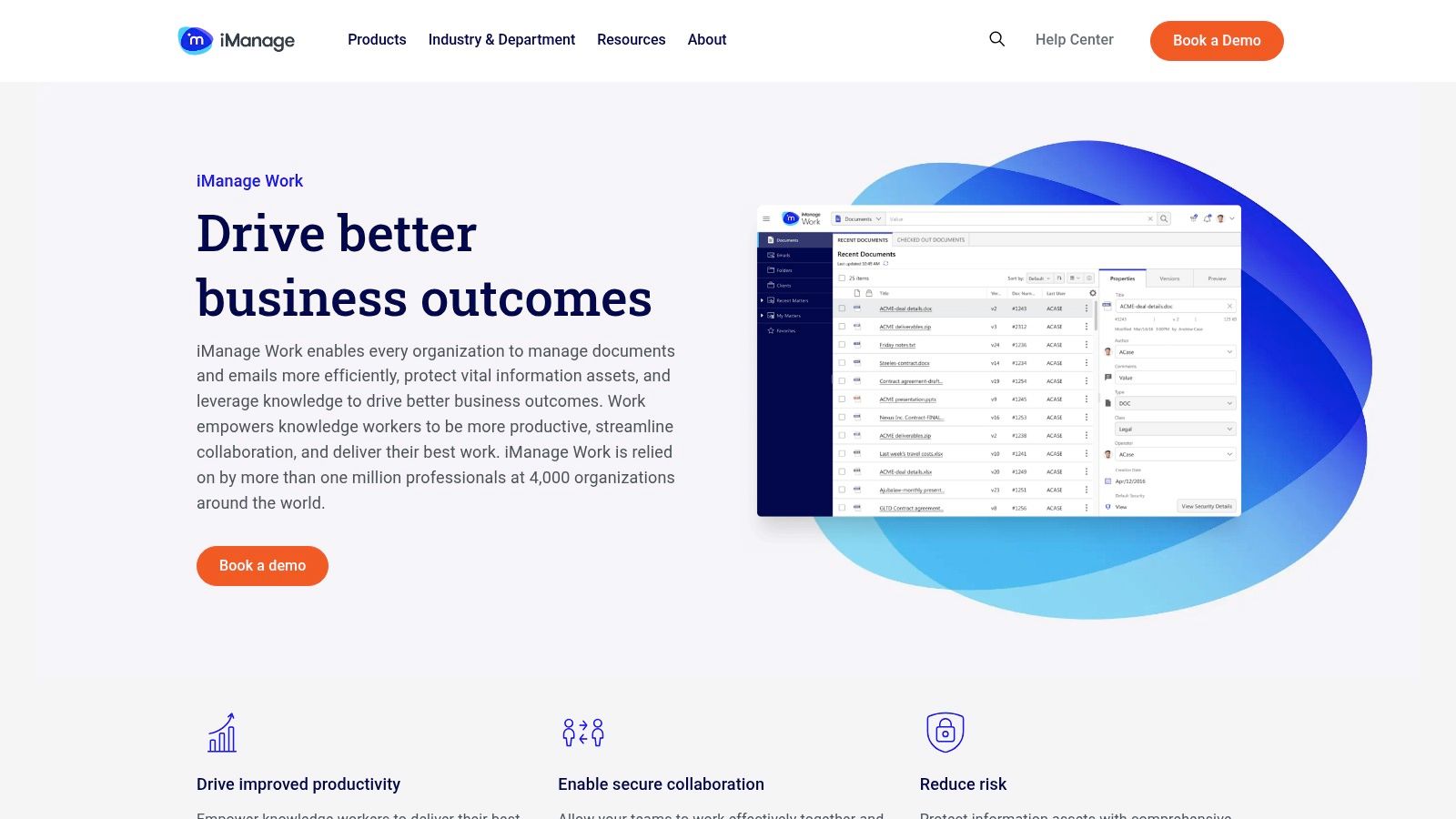
The system’s power comes from its seamless integration with the tools attorneys use every day, most notably Microsoft Outlook and Word. This allows legal professionals to file, find, and collaborate on documents without leaving their primary applications. By centralizing both documents and critical email correspondence into matter centric files, iManage Work creates a unified, searchable repository for every case.
How iManage Work Works for Law Firms
iManage Work is designed for firms where email management is as critical as document management. Its powerful Outlook add in allows for intelligent and efficient filing of emails directly into the correct matter file, reducing administrative burden and ensuring the case record is always complete. The platform's advanced search capabilities can then instantly find relevant documents or emails, a crucial function during litigation or client inquiries.
- Real World Scenario: A corporate law firm is handling a major M&A deal involving dozens of lawyers and stakeholders. Using iManage Work, the entire deal room is managed within a secure workspace. The lead partner uses the Outlook add in to file every critical negotiation email directly to the matter. Associates use the co authoring feature in Word to draft agreements in real time, with all versions automatically tracked. The system’s zero trust security model, hosted on Microsoft Azure, ensures that only authorized individuals can access sensitive deal documents, whether in the office or working remotely.
Key Features and Pricing
iManage Work delivers a feature set designed for high stakes legal environments:
- Matter Centric File Structure: Consolidates all documents and emails related to a specific client matter into one organized workspace.
- Strong Outlook/Word Add ins: Enables users to manage documents and file emails without leaving their Microsoft applications, including real time co authoring.
- Advanced Search and Versioning: Provides powerful search to quickly locate information and maintains a complete history of all document changes.
- Litify/Salesforce Integration: Offers native integrations for firms using Salesforce based case management systems like Litify.
Similar to other enterprise systems, iManage pricing is quote based and tailored to the firm's size, user count, and specific module requirements. Deployments, especially for larger firms, often require the expertise of certified partners to ensure a smooth transition and full adoption.
Pros & Cons
- Pros:
- Market proven with exceptional email management capabilities.
- Rich integration options, especially for Salesforce and Litify.
- Extensive partner ecosystem for specialized deployment and support.
- Cons:
- Pricing is not public and requires a custom quote.
- Implementation can be complex, and partner services are often necessary, increasing the total cost.
Learn more at iManage Work for Legal
3. Clio (Clio Manage)
Clio Manage is a comprehensive, all in one practice management platform where document management is a core, integrated component. Unlike standalone DMS solutions, Clio positions itself as the central operating system for a law firm, combining document storage with billing, intake, and client communication. This makes it one of the best document management software for law firms, particularly for small to mid sized practices seeking a single, easy to use system to run their entire operation.
The platform’s strength is its user friendly, unified approach. By bundling document management with case management and billing, Clio eliminates the need for multiple disparate systems. Its large app marketplace, featuring over 250 integrations, allows firms to connect essential tools like Dropbox and QuickBooks, creating a seamless workflow without leaving the Clio environment.
How Clio Manage Works for Law Firms
Clio excels for firms that prioritize speed of deployment and ease of use over the deep, enterprise level governance of dedicated DMS platforms. It provides robust document capabilities, including versioning and matter centric organization, within a familiar practice management interface.
- Real World Scenario: A growing personal injury firm wants to streamline its document processes and client communication simultaneously. With Clio Manage, they can create matter specific folders to store all client documents, medical records, and correspondence. Using document templates, a paralegal can quickly generate a standard retainer agreement, send it for e signature via a DocuSign integration, and have the signed copy automatically saved back to the client's matter file. All of this is tracked within the same system used for time tracking and invoicing.
Key Features and Pricing
Clio offers a feature set designed to be an all in one solution for law firms:
- Integrated Document Storage: Unlimited cloud storage for all case related documents and files.
- Client Portal and Templates: Provides secure document sharing through a client portal and allows for the creation of document templates to automate drafting. Explore a deeper comparison of the best client portal software to see how this feature stacks up.
- Extensive Integrations: Connects with over 250 legal tech applications, including DocuSign, Dropbox, and QuickBooks.
- AI Assisted Drafting: Offers an optional add on, Clio Draft, to help automate the creation of legal documents.
Clio offers transparent online pricing with several tiers and free trials available. This makes it easy for firms to understand costs and try the platform before committing, which is a significant departure from the quote based model of many enterprise systems.
Pros & Cons
- Pros:
- Transparent online pricing with free trials.
- Strong adoption among U.S. SMB law firms with extensive training resources.
- Fast and simple setup compared to enterprise grade DMS platforms.
- Cons:
- Document management features are less robust than dedicated systems like NetDocuments.
- Some advanced features, like AI drafting, require higher priced tiers or add on purchases.
Learn more at Clio Pricing
4. MyCase
MyCase combines practice management, client communications, payments, and document management in one unified platform. It stands out as one of the best document management software for law firms by providing a built in client portal and desktop style file access through MyCase Drive. This approach lets firms handle heavy document workflows without juggling separate tools.
How MyCase Works for Law Firms
MyCase Drive installs on each user’s computer, creating a local folder that mirrors the cloud repository. Paralegals and attorneys can open, edit, and save files directly from their desktop while MyCase synchronizes changes in real time. The integrated client portal lets firms share documents securely, request signatures, and send automated case updates without leaving the platform.
Real World Scenario: A mid sized plaintiff personal injury firm handles dozens of new intake packets each week. When medical authorizations arrive, the paralegal drops scanned PDFs into the MyCase Drive folder. The system auto syncs those files to the central matter workspace and notifies the attorney and client through the portal. Clients review and sign retainer agreements with the e signature feature, and all signed documents are stored under the correct matter instantly.
Key Features and Pricing
- Built in Client Portal: Secure file sharing, two way messaging, and automated notifications
- MyCase Drive: Desktop syncing and local editing for large document batches
- E Signature & Full Text Search: Available in upper tier plans for seamless workflows
- Native Payments: LawPay integration lets clients pay statements online
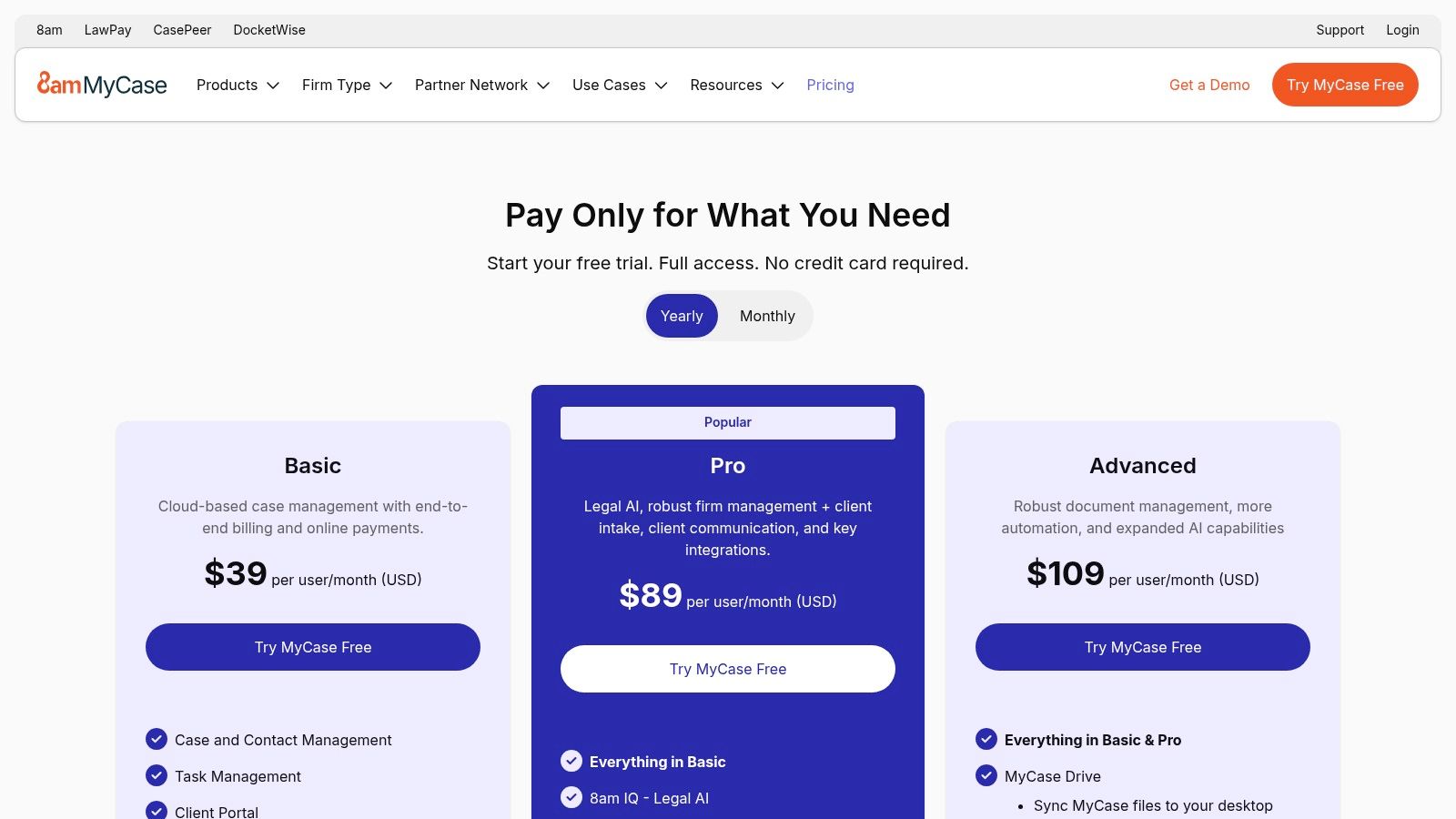
- Tiered Pricing:
- Basic: Core practice management and DMS
- Essential: Adds Time & Billing, full text search
- Advanced: Includes MyCase Drive and e signature
- 10 Day Free Trial: Online signup, no credit card required
- Starting Rates: From $39 per user per month, tiered by feature set
Pros & Cons
- Pros:
- Clear, tiered pricing for U.S. firms
- End to end practice management plus DMS in one vendor
- 10 day free trial with instant online signup
- Cons:
- Advanced features require higher level plans
- Governance controls less mature than dedicated enterprise DMS
Learn more at MyCase Pricing & Plans
5. Filevine
Filevine is a comprehensive, cloud based case and matter management platform designed primarily for plaintiff focused law firms. It distinguishes itself by bundling a powerful document management system directly within its core case management framework. Instead of treating document storage as a separate function, Filevine integrates it into customizable workflows, making it one of the best document management software for law firms that prioritize process automation and a single stack solution. Its architecture is built to handle the entire lifecycle of a case, from intake to settlement, with documents acting as central components in every stage.
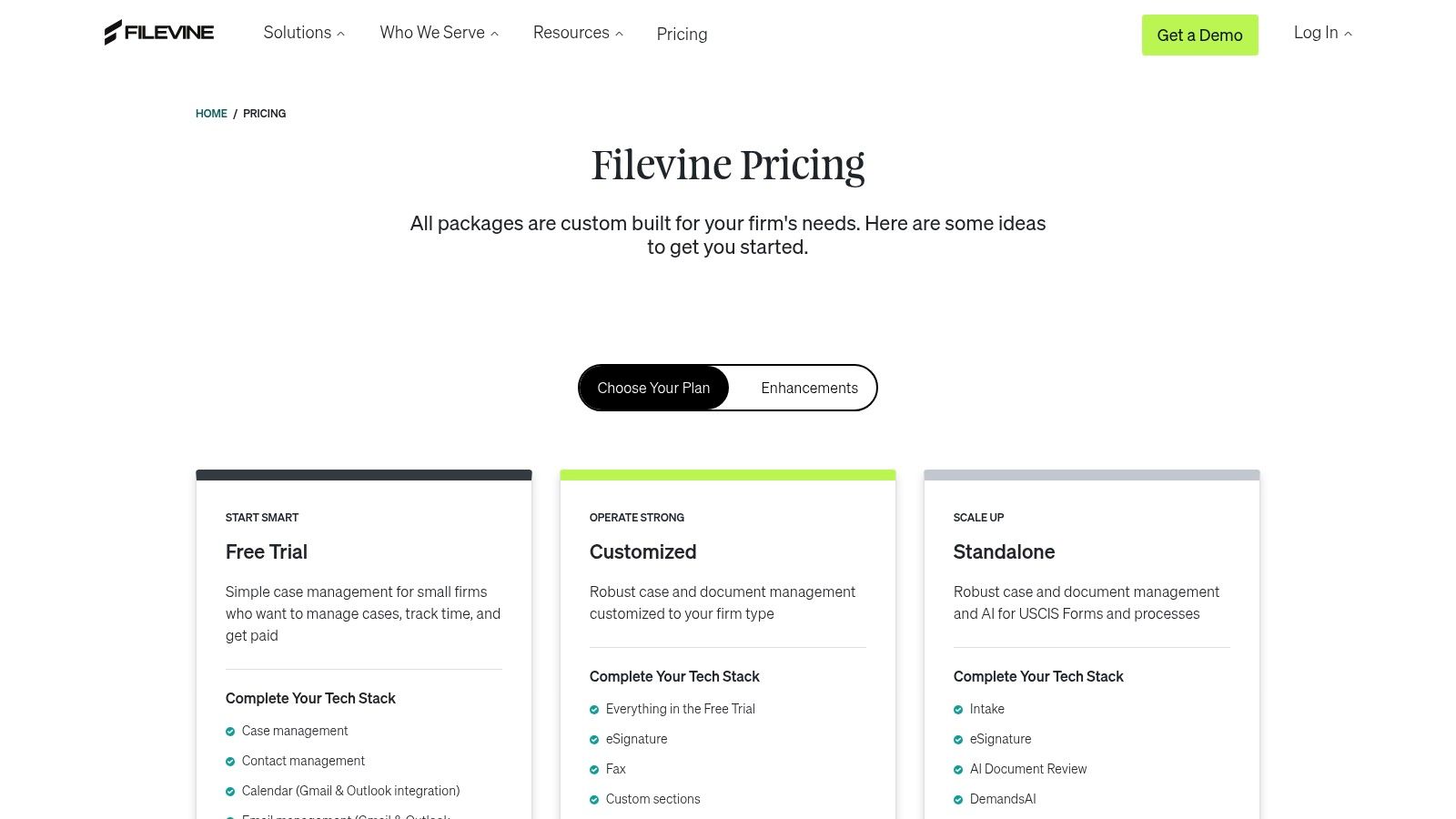
The platform’s key advantage is its all in one nature, which eliminates the need for separate systems for document storage, task management, and client communication. For personal injury firms, this means every police report, medical record, and demand letter is not just stored but actively tied to case milestones and automated tasks, creating a highly efficient, context aware environment.
How Filevine Works for Law Firms
Filevine thrives in fast paced, high volume practices like personal injury, where standardized processes are crucial for profitability and client service. The system uses "projects" for each case, where documents, deadlines, notes, and tasks are organized and automated. This structure transforms document management from a passive filing system into an active part of case progression.
- Real World Scenario: A personal injury firm is handling a multi vehicle accident case. Using Filevine, the paralegal creates a case project with a predefined workflow template. As medical records arrive, they are uploaded to the "Medical Docs" section, which automatically triggers a task for a legal assistant to review and summarize them. Later, the attorney uses the document generation tool to auto populate a demand letter with client information and medical expense totals pulled directly from case data fields. Finally, the letter is sent for signature using the integrated Vinesign tool, and the entire sequence is logged in the case activity feed.
Key Features and Pricing
Filevine offers a robust feature set tailored to modern legal practice:
- Built in DMS: Includes unlimited document storage, versioning, and full text search capabilities within each case file.
- Document Generation & E signature: Automates the creation of complex legal documents and integrates with Vinesign for secure electronic signatures.
- Workflow and Task Automation: Allows firms to build custom, trigger based workflows around document related events.
- PI focused AI Tools: Offers optional add ons like DemandsAI to streamline the creation of demand letters and other specific legal work products. This moves it beyond a simple DMS into a full featured platform, which is a key element of what a case management system is.
Pricing for Filevine is quote based and tailored to the firm's size, practice area, and selected feature set. Implementation is a significant consideration, as optimizing the platform's powerful customization options often requires dedicated time or assistance from a certified consultant.
Pros & Cons
- Pros:
- Highly configurable for plaintiff side workflows and case management.
- All in one platform reduces the need for multiple software subscriptions.
- Growing ecosystem with extensive training resources and AI powered tools.
- Cons:
- Pricing is not transparent and requires a custom quote.
- Implementation can be complex and time intensive to fully optimize.
Learn more at Filevine Pricing
6. G2 (Legal Document Management category)
While not a document management system itself, G2’s Legal Document Management category is an indispensable resource for any law firm evaluating new software. It functions as an aggregated marketplace, providing current user reviews, detailed rankings, and vendor information. This makes it one of the best research tools when searching for document management software for law firms, as it allows you to validate vendor claims with real world user sentiment.
G2’s primary value lies in its structured comparison grids and unfiltered user feedback. Firms can filter potential solutions by firm size, feature sets, and user satisfaction scores, creating a data driven shortlist of platforms like NetDocuments, iManage, and Clio. This peer review approach provides critical insights into the day to day user experience, implementation challenges, and quality of customer support, which are often difficult to gauge from a vendor's website alone.
How G2 Works for Law Firms
G2 helps firms move beyond marketing materials to understand how a platform actually performs in a legal setting. It helps answer key questions about usability, integration capabilities, and overall return on investment based on the experiences of other legal professionals.
- Real World Scenario: A mid sized personal injury firm is deciding between two leading DMS platforms. The managing partner uses G2 to compare them side by side. They filter reviews specifically from other mid market law firms and discover that while one platform has more features, users consistently report a clunky user interface and a complex migration process. The other platform receives high marks for its intuitive design and responsive support team, helping the firm make a more informed decision that prioritizes user adoption and a smoother transition.
Key Features and Pricing
G2's platform is free to use for research and offers several powerful features for buyers:
- Category Specific Grids and Filters: Allows firms to narrow down options based on size (SMB, Mid Market, Enterprise) and specific needs.
- Recent User Feedback: Provides up to date pros and cons from verified users, offering a balanced perspective.
- Pricing Indicators: Often includes "entry level" pricing information or indicates if a vendor uses a quote based model.
- Direct Vendor Links: Easy access to vendor websites for requesting demos or starting free trials.
There is no cost to browse reviews and compare products on G2. The platform is supported by vendors who can claim their profiles and purchase sponsored placements.
Pros & Cons
- Pros:
- Current, reviewer driven insights help create an objective shortlist.
- Easy to compare user experience scores and sentiment across vendors.
- Helpful for building internal consensus among partners and staff.
- Cons:
- Sponsored placements can appear and should be verified on vendor sites.
- Reviews may focus more on current use than the nuances of the initial implementation process.
Learn more at G2 Legal Document Management
7. Capterra (Legal Document Management directory)
Capterra is not a document management system itself but rather a comprehensive online marketplace that allows law firms to research and compare hundreds of software options. It earns its spot as one of the best resources for finding document management software for law firms by offering a broad market overview, complete with user reviews, feature filters, and pricing snapshots. Instead of providing a single solution, Capterra empowers firms to explore the entire landscape, from established leaders to niche players, ensuring they find a tool that perfectly matches their specific needs and budget.
The platform’s strength is its structured, data driven approach. It aggregates product information, verified user reviews, and buyer's guides into a searchable directory. This allows legal professionals to quickly shortlist vendors based on critical criteria like deployment type (cloud or on premise), feature set, firm size, and integration capabilities, saving countless hours of manual research.
How Capterra Works for Law Firms
Capterra excels as the starting point for a firm’s software evaluation journey. Its filters are particularly useful for narrowing down a vast market to a manageable list of contenders. The platform’s verified review system also provides candid insights from other legal professionals, highlighting real world performance and potential pitfalls.
- Real World Scenario: A mid sized personal injury firm using Litify wants to upgrade its document management process. The managing partner is tasked with finding a cloud based DMS that integrates with their existing case management software, offers robust OCR capabilities, and has excellent version control. Using Capterra, they can apply these specific filters to the legal document management category. This instantly narrows hundreds of options down to a dozen relevant solutions. They can then read reviews from other law firms of a similar size, compare pricing guides, and directly link to vendor websites to request demos for their top three choices.
Key Features and Pricing
Capterra provides powerful research tools rather than direct software features:
- Large Directory with Filters: Allows firms to search by specific features (e.g., OCR, version control), deployment, and firm size.
- Buyer’s Guides: Offers articles and cost ranges to help firms understand the market and frame their budgets before engaging with vendors.
- Verified Review Program: Collects and displays authentic user reviews, offering transparency into a product’s real world performance.
- Direct Vendor Links: Provides quick access to vendor websites, free trials, and demo request forms.
Capterra is free to use for software buyers. Its revenue comes from software vendors who pay for placement and lead generation, so users should remain mindful of sponsored listings.
Pros & Cons
- Pros:
- Excellent breadth helps firms discover niche and boutique tools they might otherwise miss.
- Transparent filtering by features, deployment, and free trial availability.
- Great for initial price sensitivity checks across different software tiers.
- Cons:
- Sponsored placements can influence search results; vendor details should always be confirmed directly.
- Some product listings may lag behind the very latest feature updates or pricing changes.
Learn more at Capterra Legal Document Management Software
Top 7 Document Management Solutions for Law Firms
| Item | Implementation complexity | Resource requirements | Expected outcomes | Ideal use cases | Key advantages |
|---|---|---|---|---|---|
| NetDocuments | Medium–High partner services often required | Moderate–High vendor/partner implementation, training, MS365 integration | Secure, matter centric DMS with strong governance and search | Mid to large law firms, regulated practices using Microsoft 365 | Legal first security, deep MS365/Teams integration, partner ecosystem |
| iManage Work | High complex deployments and admin training common | High implementation partners, admin resources, Azure platform ops | Enterprise grade document and email management with advanced search | Am Law and mid market firms, Salesforce/Litify environments | Proven legal email handling, rich integrations, advanced search/governance |
| Clio (Clio Manage) | Low quick online purchase and deployment | Low–Moderate subscription tiers, optional add ons (e sign, AI) | Fast all in one practice platform with basic DMS, billing and portals | Small to mid firms wanting quick setup and integrated practice tools | Transparent pricing, large app marketplace, fast setup |
| MyCase | Low–Moderate basic setup easy; advanced features require higher tiers | Low–Moderate subscription with tiered features; Drive needs higher tier | Integrated practice management with client portal and desktop sync | Small firms and solo practitioners needing client communication + file sync | Built in payments/portal, clear pricing, desktop sync (MyCase Drive) |
| Filevine | High custom configuration and optimization often required | Moderate–High expert configuration, custom pricing and onboarding | Highly configurable case platform with unlimited docs and automation | Plaintiff practices (PI) needing document generation and workflow automation | Unlimited storage, PI focused AI add ons, robust workflow automation |
| G2 (Legal DMS) | Low web research tool, easy to use | Low time to review listings and ratings | Current user driven comparisons and sentiment to inform shortlist | Buyers validating user feedback and comparing vendor UX/scores | Up to date reviewer insights, category grids, easy side by side comparison |
| Capterra (Legal DMS) | Low directory and filters for discovery | Low time to explore listings and guides | Broad market view with pricing snapshots and verified reviews | Buyers exploring many vendor options and price sensitivity | Large directory, buyer’s guides, filtering by features and price |
Making Your Final Decision and Connecting Your Systems
Selecting the best document management software for law firms is a critical decision, not just a technical upgrade. It’s a strategic investment in your firm's efficiency, security, and ability to deliver exceptional client service. We've explored leading solutions like the enterprise grade NetDocuments and iManage, and the integrated practice management platforms like Clio, MyCase, and Filevine. Each offers a distinct approach to organizing the lifeblood of your practice: its documents.
The right choice hinges entirely on your firm’s unique operational DNA. A large firm with complex compliance needs might gravitate towards iManage's robust security protocols, while a smaller, agile practice could find the all in one convenience of Clio Manage more suitable. Your decision matrix should be a direct reflection of the evaluation criteria we discussed: security, integration capabilities with your core case management system like Needles or Litify, and the user experience for your team.
Your Actionable Evaluation Checklist
Before you sign any contract, distill your research into a final, practical evaluation. Move beyond feature lists and focus on the real world implementation and day to day impact.
- Migration Realities: Ask potential vendors for a detailed migration plan. Who is responsible for data extraction and validation? What are the projected timelines and potential for downtime? A smooth transition is just as important as the software itself.
- True Cost of Ownership: Look past the initial subscription fee. Factor in costs for data migration, mandatory training sessions, ongoing support packages, and potential fees for exceeding storage limits.
- Integration Deep Dive: "Integration" can mean many things. Push for specifics. Does the DMS offer a true two way sync with your case management software, or is it a more limited, one way data push? How does it handle custom fields?
- Team Adoption Potential: Schedule live demos with the paralegals and attorneys who will use the system daily. Their buy in is non negotiable. A powerful system that no one wants to use is a failed investment.
Bridging the Gap Between Internal and Client Facing Workflows
A powerful internal DMS is only one half of the equation. The other is managing the constant, critical flow of information to and from your clients. This is where a dedicated client portal becomes an essential complement to your document management strategy. While your DMS acts as your secure internal library, a tool like CasePulse serves as your secure, automated client communication hub.
Think of the workflow: your team drafts, reviews, and collaborates on documents within NetDocuments or your chosen DMS. When a document needs client review, signature, or input, instead of relying on insecure email, you share it through the CasePulse portal. This portal integrates directly with your existing case management system, whether it's Needles, Neos, LawBase, or Litify. Your team never has to leave their primary workspace.
This dual system approach leverages the strengths of each platform:
- Your DMS: Manages internal version control, complex permissions, and long term archival with maximum security.
- CasePulse: Automates client updates, securely collects information and documents from clients, and provides a transparent, on demand communication channel that dramatically reduces inbound calls and administrative overhead.
By connecting these systems, you create a seamless operational loop. This efficiency doesn't just save time; it enhances the client experience and reinforces your firm's professional image. As you consider selecting and integrating your firm's document management systems, remember that efficient operations also significantly contribute to your overall efforts, such as implementing effective Winning Law Firm Marketing Strategies. The best document management software for law firms is the one that not only organizes your files but also integrates intelligently with the tools that power your client relationships.
Ready to bridge the gap between your internal document management and your client communication? See how CasePulse integrates with your existing case management system to automate updates, securely collect documents, and give your clients the modern experience they expect. Visit CasePulse to learn how you can reduce administrative tasks and empower your team.