
 CasePulse
 The phone rings. A client wants an update. Two minutes later, another client calls because they emailed yesterday and haven't heard back. A paralegal stops what they're doing, opens the case record, checks notes, sends a quick reply, then gets pulled into the next interruption.
That pattern looks small in isolation. Across a plaintiff firm, it eats the day.
Most firms that hit this point start searching for complaint management software because the underlying problem feels like complaint volume, client frustration, and staff overload all at once. That instinct makes sense. Client communication has become structured enough that businesses now treat it as its own software category. In fact, the global complaint management software market was valued at USD 1.9 billion in 2018 and was projected to reach USD 8.28 billion by 2026, a projected 11.2% CAGR, according to Allied Market Research's complaint management software market release.
Law firms should pay attention to that shift. But they shouldn't copy what call centers and retail support teams buy.
Moving Beyond Endless Client Phone Calls
In a busy personal injury practice, the issue usually isn't that clients are filing formal complaints. The issue is that they don't know what's happening, so they call to ask. Then they call again because the person they need is in a meeting, at a mediation, or buried in work.
A lot of managing partners see those calls as a staffing problem. Most of the time, it's a workflow problem.
The real cost of status update calls
When clients can't see their case status, every routine question turns into a manual task. Someone has to answer the phone, verify identity, review the file, summarize the next step, and often send follow up material. That work is repetitive, but it still demands attention from trained staff.
The result is familiar:
- Paralegals lose focus: They bounce between substantive case work and update requests.
- Clients get uneven communication: One client gets a fast callback, another waits.
- Partners get dragged into noise: Escalations happen because nobody had a simple, reliable way to keep the client informed.
A lot of firms try to patch this with email templates, shared inboxes, or a receptionist script. Those measures help at the margin, but they don't solve the root issue. The client still depends on your staff for information they should be able to access on their own.
The firms that handle communication best usually reduce friction before a client feels ignored.
Why firms start looking at complaint systems
Once leadership sees the pattern, the search often starts with intake software, helpdesk platforms, or client tracking tools. That search is directionally right. You do need structure around client communication.
What matters is choosing the right structure for a law firm.
A generic support platform is built to manage tickets. A law firm needs to manage client relationships inside the case lifecycle. That's a different job. If you're evaluating options, it helps to think in terms of a legal communication layer tied to the matter record, not a standalone support queue. A useful place to start is this overview of client tracking software for law firms, because it reflects the actual operating problem firms are trying to solve.
What Complaint Management Means for Law Firms
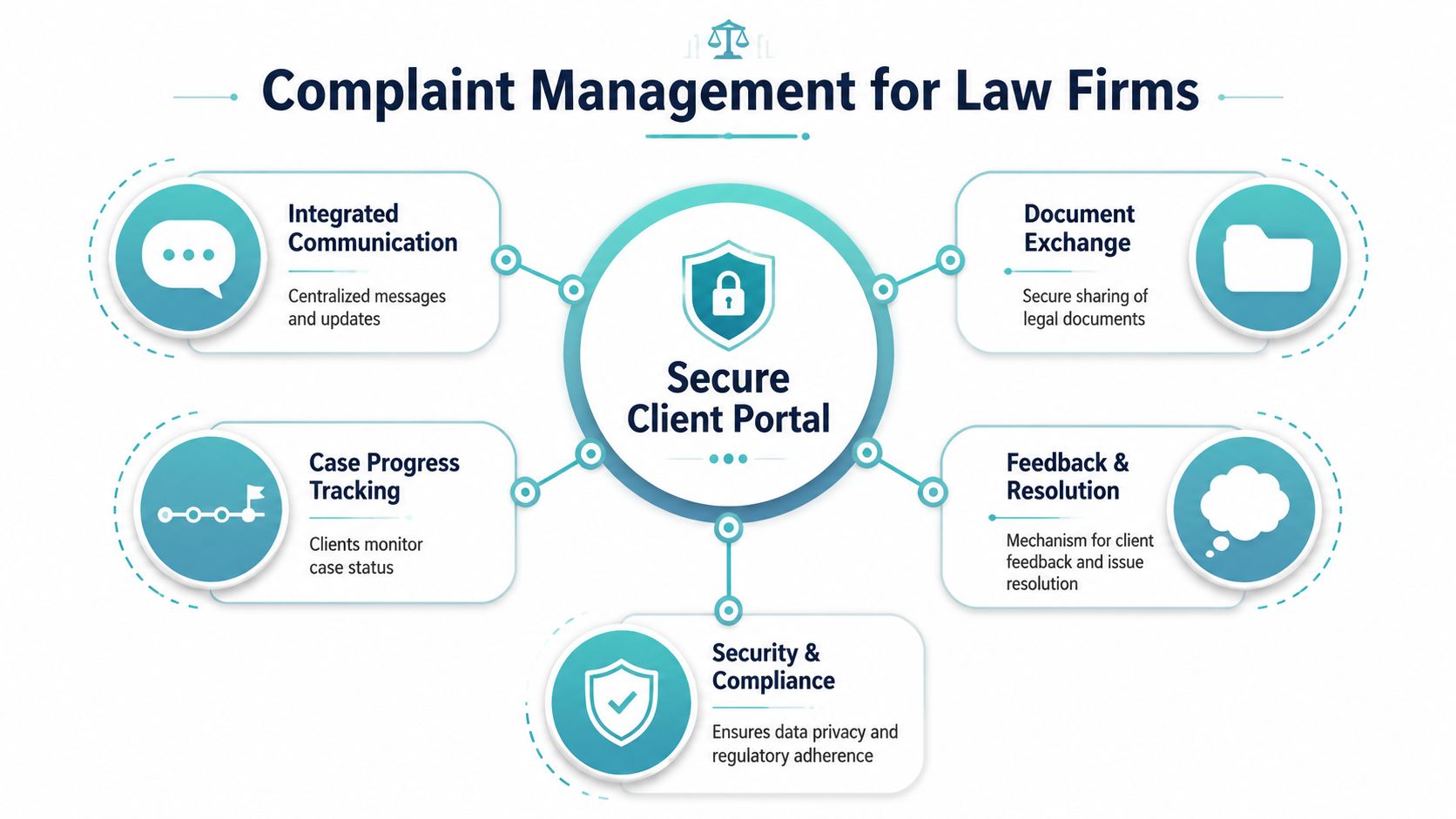
In a legal setting, complaint management software shouldn't mean a generic helpdesk with ticket numbers and canned replies. It should mean a secure client portal that sits on top of the firm's existing case management system and gives clients one place to check status, send messages, share files, and complete forms.
That distinction matters. A helpdesk creates another workspace for staff to monitor. A portal connected to the case record keeps communication attached to the work already happening.
One case record, one communication record
Effective systems work best when they act as a single system of record, taking in messages from email, forms, phone, chat, and other channels, then standardizing them into one workflow. That's the core principle described in HappyFox's guide to complaint management systems. In a law firm, the practical version is simpler to state: every client message, form, and file should tie back to the case inside the system your team already uses.
That changes daily operations in a few important ways.
- Duplicate handling drops: Staff don't waste time asking whether someone already responded.
- Context improves: The message lives beside the case history, not in an isolated inbox.
- Handoffs get cleaner: Anyone covering the file can see the latest client communication in context.
Think of it as a private extension of the case file
The strongest legal portals function like a digital front desk attached directly to the matter. Clients log in and see what they need. Staff keep working where they already work.
That's why I don't like the usual software comparison of “ticketing versus no ticketing.” The better comparison is this:
| Approach | What the client experiences | What the staff experiences |
|---|---|---|
| Generic helpdesk | A support queue | Another inbox to manage |
| Secure legal portal | A guided case communication hub | Case based communication inside existing workflow |
This is also where firms often improve client satisfaction without adding headcount. Clients don't always want to talk to someone. Often they just want confirmation that the case is moving and a simple place to send what's needed. That's the communication standard people now expect in other service businesses, and it's why firms increasingly measure whether clients feel informed. This discussion of how to measure client satisfaction in law firms is useful because it focuses on communication clarity, not just service recovery after something goes wrong.
Practical rule: If the software pulls your staff away from the case management system, it's probably adding friction, not removing it.
Core Features That Streamline Client Communication
The right platform shouldn't impress you with a long feature list. It should remove the exact points of friction that create avoidable calls, missed follow ups, and scattered communication.
In a plaintiff practice, that usually comes down to a short set of capabilities that clients use and staff can support without extra administrative work.
Status visibility that cuts routine interruptions
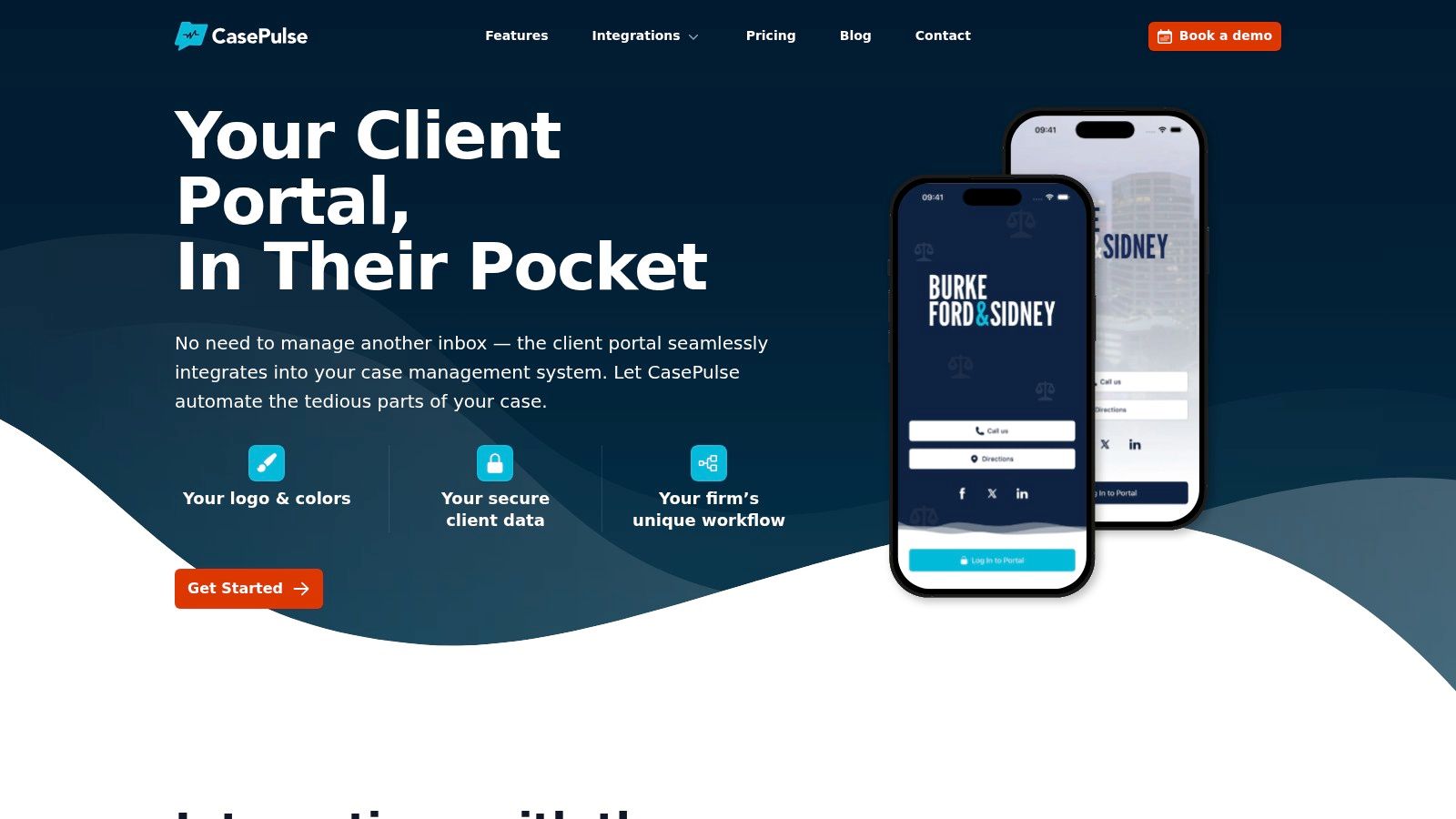
The most valuable feature is often the least flashy. Clients need a place to check their case status at any time without calling the office.
When that's available, the repetitive questions start to change. Instead of “What's going on with my case?” the client sees the current stage and asks a narrower, more useful question when one arises. That protects staff time and reduces the frustration that builds when clients feel they have to chase the firm for updates.
A strong setup usually includes:
- Case status updates: Clients can log in and see where things stand.
- Recent communication history: They don't have to search old emails to remember what happened last.
- Clear next steps: The client can tell whether the firm is waiting on them or moving the matter internally.
Secure messaging that beats email chains
Email is familiar, but it's easy for legal communication to become fragmented. Threads split. Attachments get buried. Staff get copied inconsistently. Texting introduces its own problems, especially when messages live on personal devices or outside the formal case workflow.
A secure messaging layer works better because the conversation stays attached to the matter and visible to the right team members. That gives clients a direct path to communicate without forcing staff to monitor a general support inbox all day.
If a client message requires someone to hunt through Outlook, notes, and the case file just to reconstruct context, the system is doing too little.
There's also a practical deliverability angle here. Even when a portal handles most communication, firms still rely on email for notifications and prompts. If those notices land in spam, portal adoption suffers. This guide on How to Improve Email Deliverability is worth reviewing because it addresses the operational side of getting those client notifications seen.
Forms and file sharing that move the case forward
The portal shouldn't just answer questions. It should help collect what the legal team needs.
That usually means two things. First, clients should be able to complete fillable forms from their phone or computer. Second, they should be able to upload requested files without back and forth confusion about where to send them.
In practice, that helps with:
- Intake completion when a signed form or missing detail is still outstanding.
- Follow up requests for records, photos, insurance information, or supporting materials.
- Ongoing case maintenance when clients need a simple path to provide updates during treatment or litigation.
The point isn't convenience for its own sake. It's reducing delay created by fragmented communication. The easier it is for a client to respond correctly, the fewer manual reminders your staff has to send.
The Business Case for a Modern Client Portal
Managing partners usually don't need another lesson on client service. They need a clear answer to a harder question. Does this reduce administrative drag without making the practice more complicated?
A modern client portal can, because it addresses labor waste at the point where it starts. Routine updates, reminders, and follow ups stop depending on manual outreach every time.

Better communication is an operations issue
When firms talk about communication problems, they often frame them as a soft issue. In reality, this is an operations problem with measurable workflow consequences.
Performance in complaint handling is commonly measured through resolution time, first response time, SLA compliance, and escalation rate. Guidance summarized by Front's article on complaints management software emphasizes that automated reminders, SLA monitoring, and workflow triggers are what keep those measures under control. For a law firm, the language may differ, but the principle is the same. Follow ups need structure or they slip.
What leadership should track
You don't need a complicated dashboard on day one. Start with the metrics that reveal whether communication has become easier to manage.
- Inbound call pressure: Are fewer staff hours being consumed by status update calls?
- First client response time: Are new client messages getting answered faster because the right person sees them in context?
- Form completion speed: Are intake packets and follow up requests coming back with less chasing?
- Escalation volume: Are fewer “I haven't heard from anyone” issues reaching attorneys or supervisors?
Those indicators tell you whether the system is changing behavior, not just adding software.
Firms feel the gain first in paralegal capacity. Staff spend less time repeating updates and more time moving files.
A portal also improves the client experience in a way generic service software often doesn't. It gives clients access on their schedule, not only during office hours. For firms evaluating options, it helps to review how client portals for law firms are positioned around workflow continuity, because that's where the operational return usually comes from.
How to Choose the Right Software for Your Firm
The biggest mistake I see is evaluating legal communication tools the way a retail support team would. A generic complaint platform may look strong in a demo because it has queues, routing rules, and reporting. That doesn't mean it fits a law firm.
For legal teams, the underserved part of the market is client communication tied directly to active matters. General software guides rarely focus on portal based self service or continuity inside systems like Needles, Neos, LawBase, and Litify. That gap is one reason the better answer for a firm often isn't classic complaint software at all, but a secure portal layer built around legal workflows, as discussed in monday.com's overview of complaint management software.
The decision criteria that actually matter
If I were helping a managing partner sort options, I'd narrow the list quickly with a few non negotiables.
- Case management integration: If staff have to rekey information or switch screens constantly, adoption will stall.
- Client self service: The system should let clients get updates, send messages, and complete requests without calling.
- No extra inbox burden: Staff shouldn't have to babysit a separate support queue all day.
- Security and controlled access: Sensitive communication has to stay in the right environment.
- Low friction rollout: If the setup feels like a major IT project, most firms will delay it and lose momentum.
For firms comparing the broader software market, this 2026 guide to legal practice management is a useful companion read because it places communication tools in the context of the firm's core operating systems.
Generic Helpdesk vs Law Firm Client Portal
| Feature | Generic Complaint Software | Law Firm Client Portal |
|---|---|---|
| Primary design | Ticket handling across service teams | Client communication around active legal matters |
| Staff workflow | Separate queue or inbox | Works with existing case workflow |
| Client experience | Support request model | Ongoing case visibility and communication |
| File sharing | Usually available, but not matter centered | Tied to the case and client interaction |
| Forms | General intake forms | Matter specific client forms and follow up requests |
| Fit for Needles, Neos, LawBase, Litify | Often indirect or limited | Should be a core requirement |
| Adoption risk | Higher if staff must monitor another system | Lower if communication stays within current process |
The table looks simple, but the operational difference is large. Generic tools are fine when the work starts and ends with service tickets. A law firm's communication burden is continuous, matter specific, and relationship driven.
Implementation and Driving Firm Wide Adoption
A portal rollout succeeds when it feels like a workflow improvement, not a technology initiative. If staff think they're being handed another platform to learn, resistance shows up immediately. If they see fewer calls, fewer duplicate questions, and fewer manual reminders, adoption comes much faster.
The practical approach is to start small, build one repeatable process, and make the portal visible everywhere clients already hear from you.
A low friction rollout plan
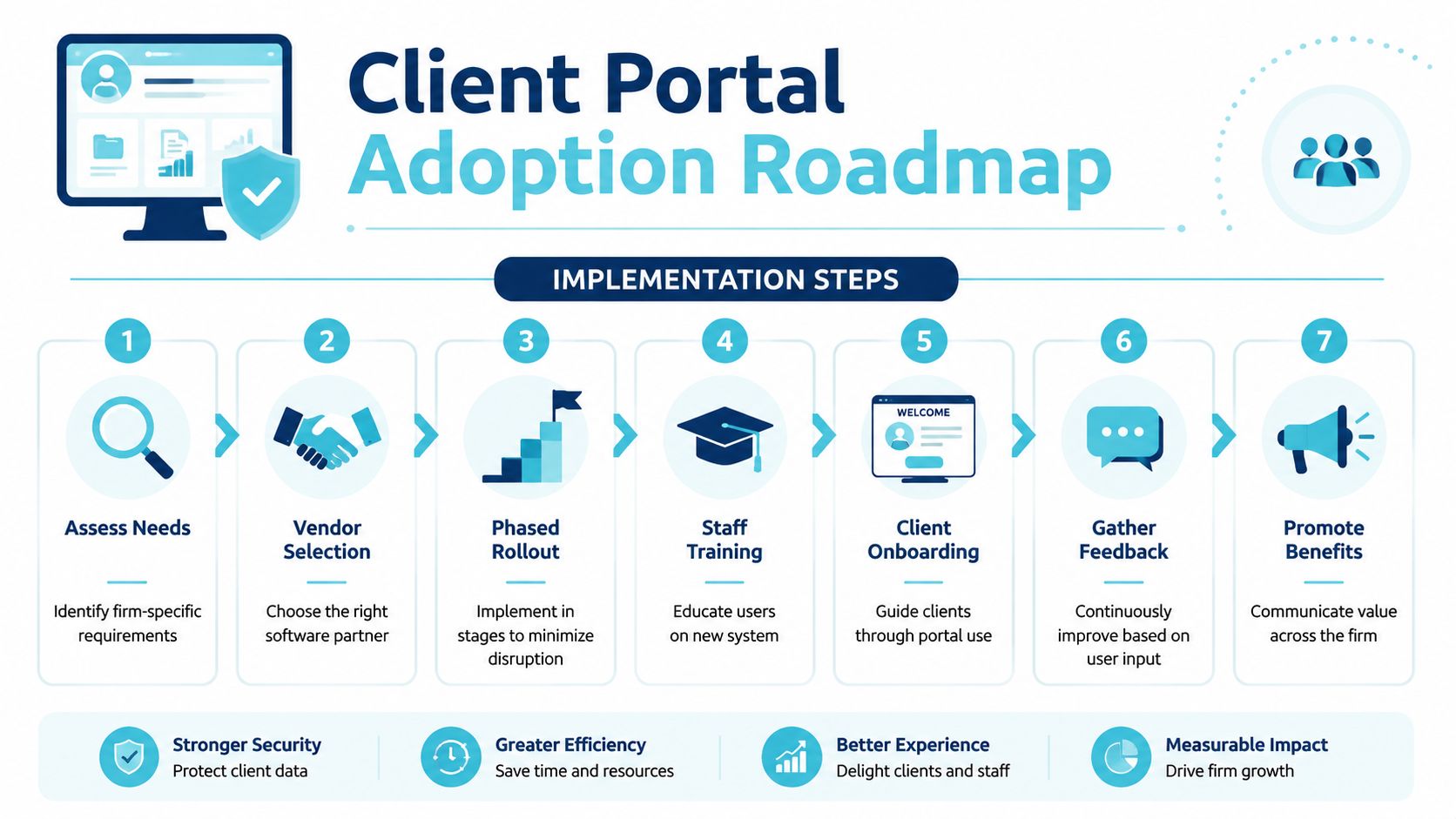
Use a staged approach instead of trying to redesign every communication path at once.
- Pick one workflow first. Start with case status updates, intake follow up, or document requests.
- Define what clients should do in the portal. Keep the initial use case obvious.
- Train the front line first. Paralegals and case managers need to see how this reduces their interruptions.
- Introduce it early to clients. Add it to welcome emails, intake packets, and signature blocks.
- Standardize staff language. Everyone should explain the portal the same way.
What gets adoption moving
Clients use portals when the value is immediate. “You can check your case status here anytime” works better than a vague announcement about a new communication tool.
Staff adopt it when the benefit is personal. If the portal means fewer voicemail piles and less manual chasing, they'll use it. If it feels like extra data entry, they won't.
Start with the communication points your team repeats every day. That's where you'll see traction first.
It also helps to appoint one or two internal champions. Not formal project managers. Just respected users who can answer practical questions and show others how the workflow works in real life.
Frequently Asked Questions from Law Firms
Do we really need complaint management software if clients mostly just want updates
Yes, but not in the traditional helpdesk sense. The need is real because client frustration often starts with communication gaps, not formal disputes. In a law firm, the better solution is usually software that manages updates, messages, forms, and file exchange inside the matter workflow.
Won't this create another inbox for staff to monitor
It shouldn't. That's one of the main reasons generic tools disappoint legal teams. If the platform sits outside the case management process, staff end up checking one more queue. A law firm should look for a system that keeps communication tied to the case so the legal team isn't jumping between disconnected workspaces.
Is the market mature enough to support legal specific options
Yes. The market is large enough that specialization is now more realistic. One forecast projects the complaint management software market at USD 3.11 billion in 2026 and USD 5.83 billion by 2033, with North America expected to hold 38.5% of the market in 2026, according to Coherent Market Insights' complaint management software market forecast. For law firms, that matters because a mature category tends to support more specialized solutions instead of one size fits all platforms.
What should we ask vendors before making a decision
Ask practical questions, not marketing ones.
- Where do staff work day to day: inside the case system or in your platform?
- How do clients receive updates: by logging into a portal, by email, or by waiting for staff replies?
- How are messages, forms, and files tied to the case: automatically or manually?
- What does onboarding look like: guided setup or self service only?
- How much burden falls on the firm: configuration, training, and client rollout all matter.
How should we judge success after launch
Watch for operational changes first. Are update calls dropping. Are routine questions getting resolved with less staff effort. Are clients completing requested actions more consistently. Are attorneys seeing fewer escalations tied to silence or confusion.
Those are the signs that communication has moved from reactive to structured.
What support should a law firm expect
Hands on support matters more than firms sometimes realize. The best vendor support usually includes setup guidance, help aligning the portal to your existing workflow, and practical advice on how to introduce it to staff and clients. In legal operations, software adoption fails less from missing features than from weak rollout discipline.
If your firm is tired of endless update calls and disconnected client communication, CasePulse is worth a close look. It gives law firms a secure client portal that integrates directly with systems like Needles, Neos, LawBase, and Litify, so clients can check status, message the team, share files, and complete forms without forcing staff into another inbox. For firms that want a smarter alternative to generic complaint management software, it's a practical fit.