
 CasePulse
A managing partner usually doesn't discover the communication problem in a dashboard. They hear it from intake staff, who spend the morning answering status questions, chasing missing records, and forwarding the same attachments to different people. Meanwhile, paralegals retype information that already exists in the matter record, clients wait for updates, and attorneys wonder why the firm's caseload feels heavier than it should.
A custom client portal can fix that pattern, but only when it's built around client behavior and connected to the firm's existing workflow. A portal that merely stores files or adds another inbox won't change much. The useful version gives clients a clear next step, routes their activity into the correct matter, and makes routine communication available without requiring staff intervention.
The market direction supports that shift. One market summary places customer portal software at $2.18 billion in 2024 and projects $3.65 billion by 2030, implying a 7.8% CAGR. The same summary reports 34% adoption among small businesses, showing why secure, low-friction portals remain a strategic upgrade for firms that want self-service, messaging, and document exchange in one place (market summary).
The Daily Call Flood at a Personal Injury Firm
At a mid-sized plaintiff firm, the intake team starts hearing the same questions before the first attorney meeting ends. “Is my case moving?” “Did you get my MRI?” “Why hasn't the offer come?” Each question sounds reasonable. The problem is that the answers live in different emails, file notes, document folders, and staff members' memories.
A paralegal answers one call, opens the matter, checks for a recent medical upload, and explains the current status. Then another client asks the same question. By afternoon, the team has spent hours providing information that clients needed, but that the firm had no efficient way to present proactively.
That pattern creates more than inconvenience. Status anxiety drives call volume, and each call pulls a paralegal away from medical-record follow-up, demand preparation, lien work, or client onboarding. The firm may still appear busy and responsive, but its capacity shrinks because experienced staff keep switching between substantive work and routine explanations.
A centralized portal can give clients a place to check case status, send messages, share files, and complete forms without searching through old email threads. Legal industry guidance describes portals as a way to centralize client communication and collaboration, reducing scattered exchanges and duplicate status requests (client communication guidance).
Operational rule: If a client has to call to find out what the firm already knows, the workflow is incomplete.
Some firms respond by telling staff to answer faster. That treats the symptom as the system. The better question is not “Do we need a portal?” It's “What client behavior do we want, and what friction prevents it?” If the desired behavior is checking status, uploading a document, responding to a request, or sending a matter-specific message, the portal must make those actions easier than calling.
For firms evaluating ways to reduce routine status calls, the starting point isn't a feature catalog. It's a map of the questions clients ask, the information staff retrieve to answer them, and the point where each answer should become visible to the client.
What Makes a Client Portal Custom for a Law Firm
A custom client portal isn't just a branded login page. It's a case-aware client experience connected to the firm's matter record. The portal should know which client, matter, attorney team, case stage, documents, forms, and messages belong together.
That distinction separates a legal workflow from a generic extranet or shared folder. A shared folder can hold files, but it usually can't explain whether a matter is awaiting records, under review, ready for demand, or waiting for a client response. A generic workspace may offer messaging, but it can still leave staff copying conversations into the case file.
The signals of real customization
Look for these practical indicators:
- Matter-aware access: The client sees only the cases, documents, forms, and updates assigned to that person.
- Firm branding: The portal reflects the firm's identity, language, and client-facing terminology instead of presenting a generic software interface.
- Case-stage visibility: The experience changes as the matter progresses, so clients see relevant next steps rather than internal notes or unnecessary detail.
- Connected forms: Intake and follow-up forms can use existing matter information instead of asking clients to repeat facts the firm already has.
- Matter-filed messaging: Conversations attach to the correct matter and remain available to the staff members responsible for that case.
- Controlled document exchange: Uploads route to the appropriate case record instead of arriving as unidentified email attachments.
The strongest test is simple. Ask a vendor to show what happens after a client submits a form, sends a message, and uploads a medical record. If those actions land in a general queue that staff must manually sort, the portal is only partially customized.
A law firm needs the portal to reflect its process without exposing its internal complexity. Clients should see the information required to move forward, while staff retain the matter structure, permissions, and records needed to manage the case.
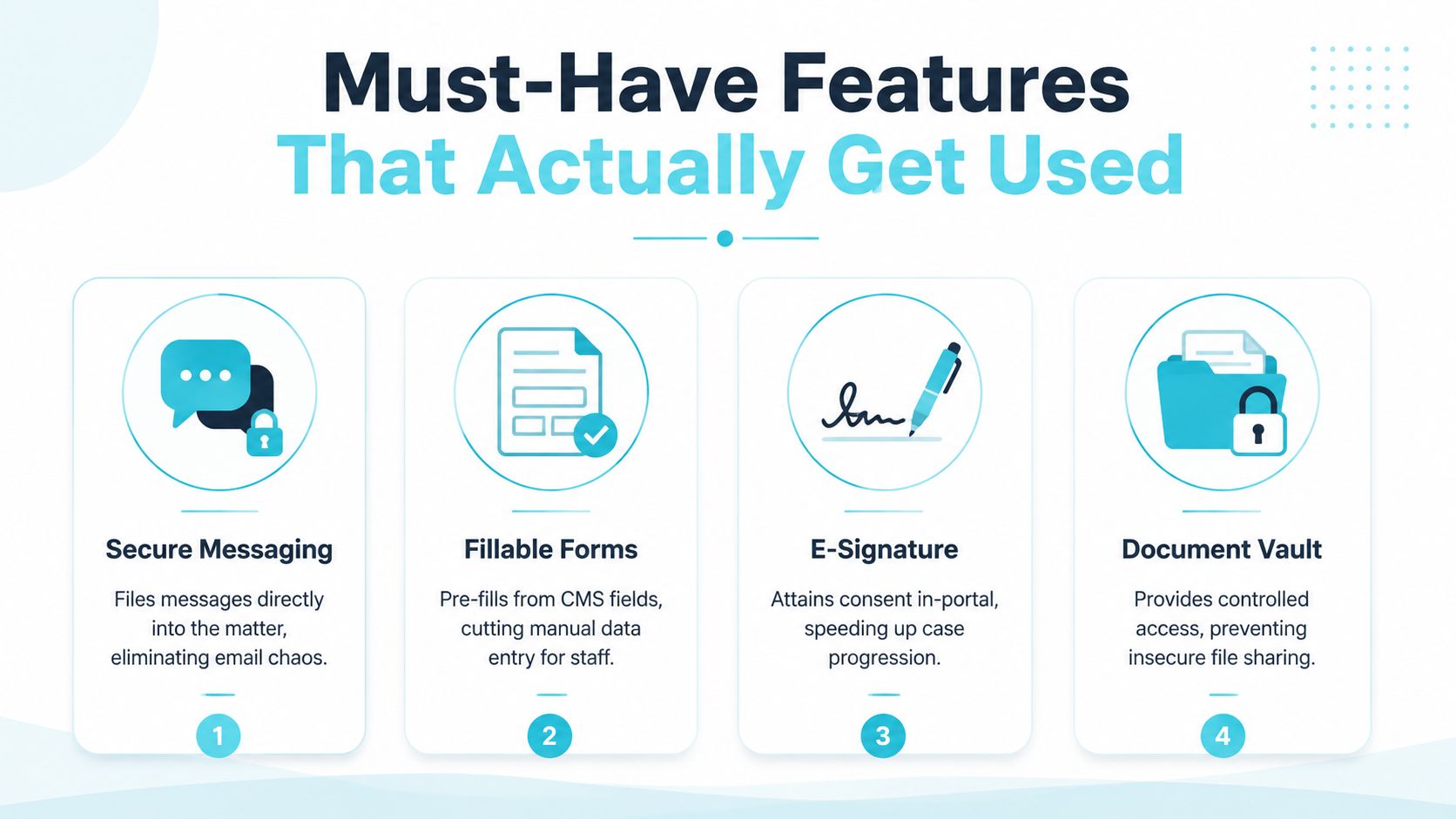
Must-Have Features That Actually Get Used
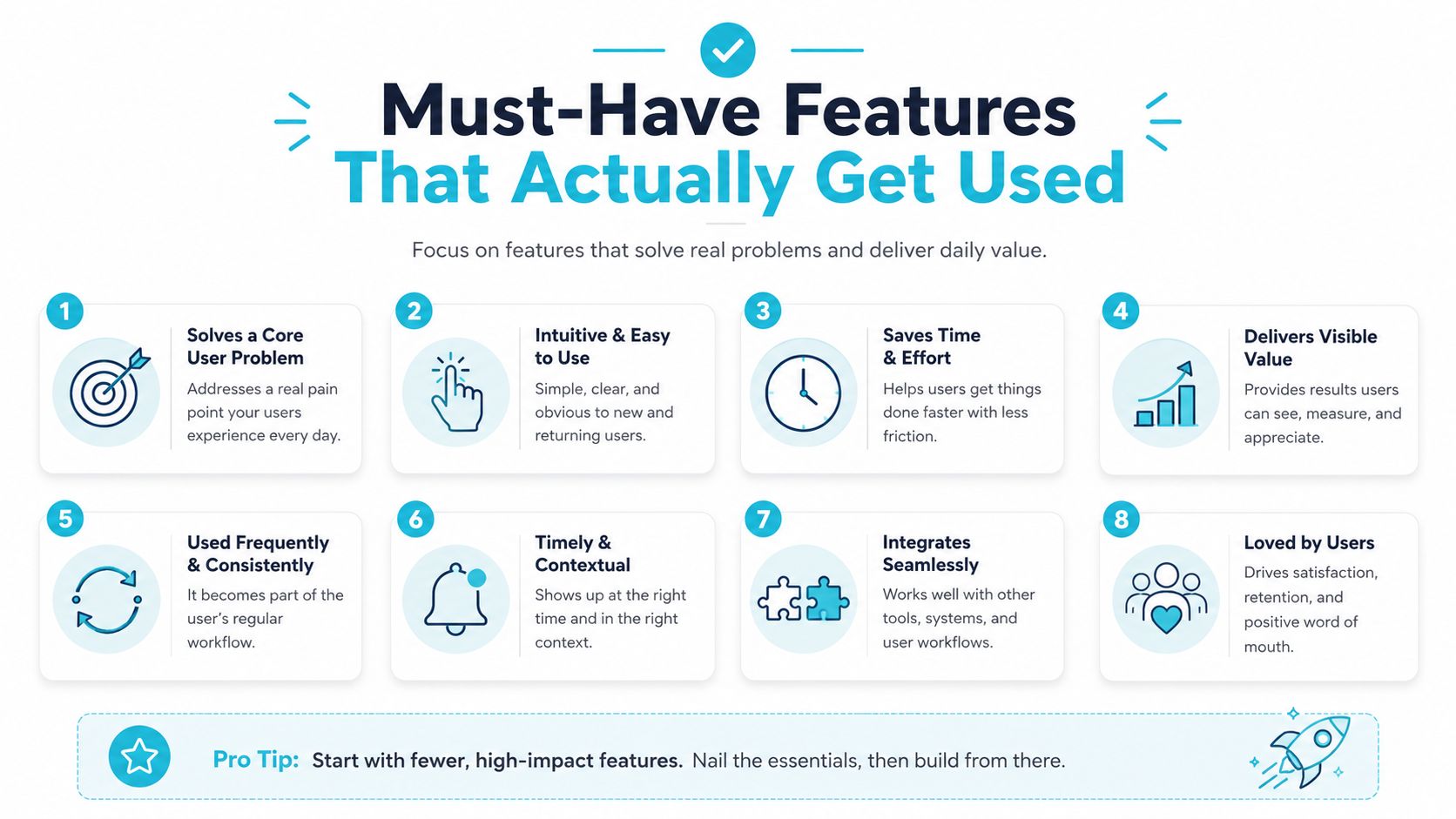
A portal feature earns its place only when it changes client behavior or removes staff work. In plaintiff firms, the priority is clear: fewer status calls, fewer repeated questions, and fewer manual steps between a client action and the matter record. A long feature list does not create those results.
Secure messaging belongs to the matter
Messaging should file against the correct matter instead of creating another inbox. If a client asks about a medical appointment or replies to a document request, the responsible team needs that exchange in the case context, with access controls and activity tracking that support confidentiality and traceability.
The payoff is practical. Clients have a direct channel for questions, while staff can review the conversation without searching individual email accounts. The firm also retains a clearer record of what was communicated and when. Require vendors to demonstrate this workflow with a real matter, not a mockup.
Forms should remove rekeying
A portal form that asks clients to repeat their name, address, incident date, or provider information creates avoidable work. Use available matter data where appropriate, then ask only for changes or information the firm still needs.
Conditional logic keeps clients from answering irrelevant questions, especially during complex intake and follow-up. Review multi-step legal intake forms when structuring questions around each client's answers. The standard is simple: every question should support a decision, a document request, or the next case task.
File exchange needs structure
Secure upload alone is not enough. Staff must be able to identify the file, associate it with the right matter, and tell whether it replaces or supplements an earlier version. The workflow should also define who can access the document and what happens after submission.
A portal that turns uploads into unidentified attachments has only changed the appearance of the problem. Test the complete path from client submission to staff review and matter filing before approving the feature.
Status views should answer “What happens next?”
Clients rarely need raw case notes. They need plain-language status information that explains where the matter stands and whether they must act. “Needs information” gives direction. An internal label that provides no next step does not.
A systematic review of portal adoption found 52% mean adoption overall, with 23% in real-world experiments compared with 71% in controlled studies (portal adoption review). The difference reinforces a practical rule: availability does not create use. Clients activate a portal when it fits an action they already need to complete.
Prioritize activation and workflow fit before expanding the feature catalog. A focused portal tied to client tasks will outperform a feature-rich destination that sits outside daily case operations.
Integrating With Needles, Neos, LawBase, and Litify
A portal earns its keep only when activity flows into the firm's existing matter record. If staff must open a second inbox, download files, copy messages, and re-enter form responses, the firm hasn't removed administrative work. It has relocated it.
The integration method varies by platform. Needles environments may use SQL views or a certified API partner. Neos commonly relies on REST API and webhook patterns for documents and activity. LawBase can use SDK or connector frameworks to map custom fields to portal forms. Litify runs on Salesforce, so a portal should write through the Litify object model rather than bypassing it.
The implementation detail matters less than the result. A client submission should create useful activity in the right matter, with the correct document type, status, and permissions.
Integration patterns by case management system
| Platform | Integration Method | Sync Direction | Common Failure Point | Pre-Sign Test |
|---|---|---|---|---|
| Needles | SQL views or certified API partner | Portal to matter record and matter record to portal | Form submissions wait in a manual queue | Submit a document and verify the correct matter receives it |
| Neos | REST API and webhook pattern | Two-way activity and document synchronization | Uploads appear outside the matter activity feed | Confirm the upload and message appear in the matter timeline |
| LawBase | SDK or connector framework | Mapped fields and matter updates in both directions | Custom fields don't map cleanly to forms | Submit a form and verify field placement |
| Litify | Managed package behavior through the Salesforce and Litify object model | Portal activity into governed matter objects | The portal writes around the object model | Verify the record, permissions, and activity history |
Integration test: A client submits a document, and that document appears in the correct matter within sixty seconds with the right tag.
Firms assessing a headless integration marketplace should still demand a live demonstration using their own field map and matter workflow. An integration label on a sales page doesn't prove that the connector handles real production data.
CasePulse provides an example of a portal designed to connect with these environments, including Neos integration. The evaluation standard remains the same for every vendor. Test the full path, not just the presence of an API.
Security and Compliance Across Integrations
A portal isn't secure merely because its login screen looks professional. Security belongs to the integrated system, including the portal, case management platform, authentication provider, cloud storage, API credentials, permissions, logs, and vendors that touch the data.
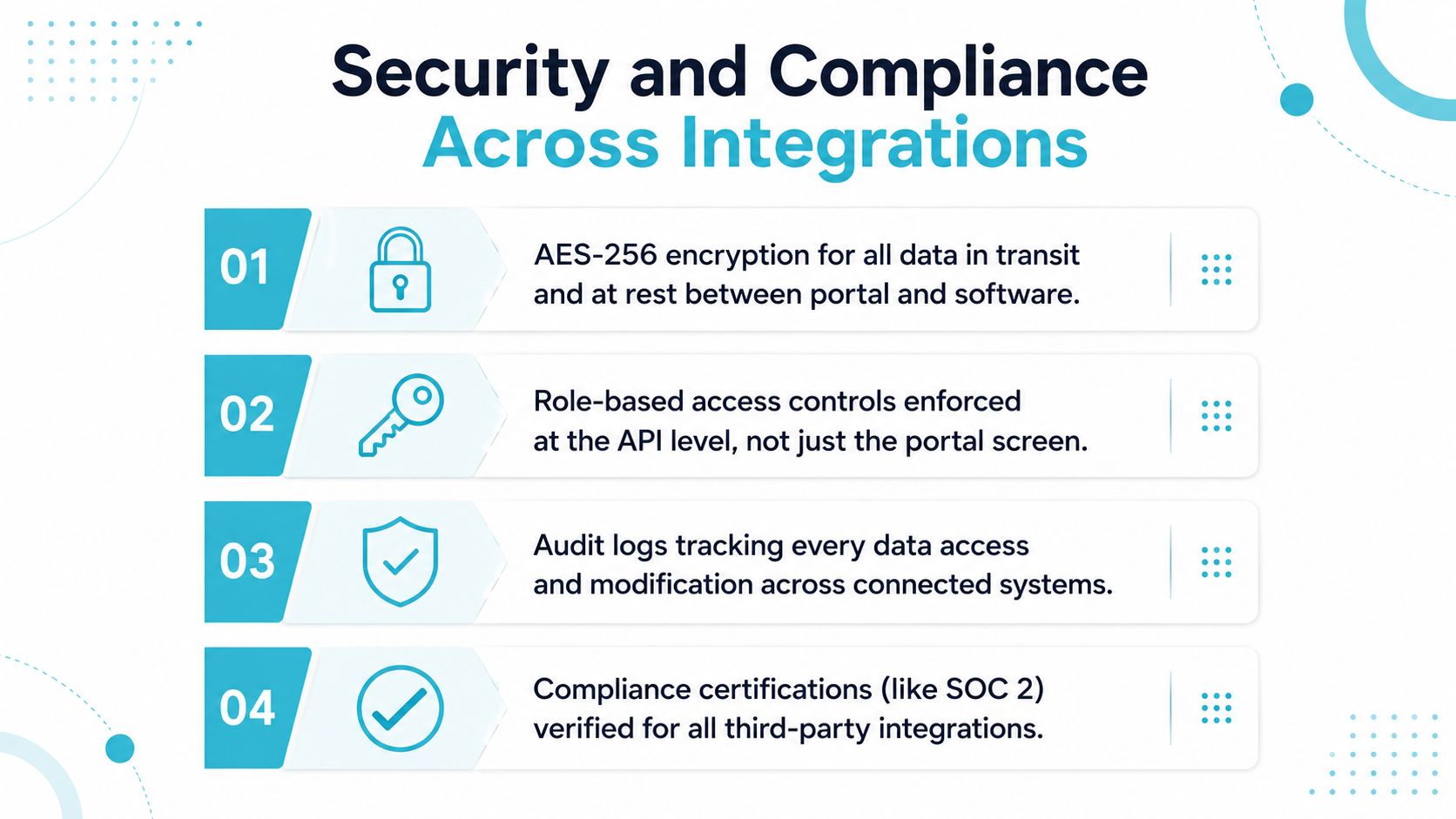
A legal client portal may handle medical records, financial information, signed forms, and privileged communications. Industry guidance emphasizes encryption, activity tracking, strong identity controls, least privilege, MFA, SSO, and audit logs for portal environments (legal portal security guidance).
Controls worth testing
- Encryption: Require AES-256 for data at rest and TLS 1.2 or higher for data in transit, including connected systems and file exchanges.
- Role-based access: Permissions should mirror the matter-team structure and apply at the API level, not just the visible portal screen.
- Identity lifecycle: SSO through Okta or Azure AD can make onboarding and offboarding consistent, while MFA protects against stolen credentials.
- Audit history: Logs should capture logins, downloads, messages, and modifications with timestamps and IP addresses, and the firm should understand retention.
- Data residency: Confirm where U.S. plaintiff data is stored and whether the configuration supports the firm's governance requirements.
- Vendor oversight: Review every third party that hosts, authenticates, stores, or transfers portal data.
Demos often conceal the weak points. A vendor may encrypt the portal while exposing API keys in plain text, or record client actions while retaining logs for only a short period. Breach reporting has also shown that sensitive legal data can be exposed through vendors and misconfigured cloud storage, not only through the portal application itself (law firm breach reporting).
For medical records, ask how the environment supports HIPAA-grade encryption. For message threads, ask how access controls protect attorney-client privilege. For incidental disclosure, review the firm's safeguards against the principles discussed in ABA Formal Opinion 477R.
Use this platform integration overview to frame the conversation, then ask the vendor to show the last ten access events on a test matter, unredacted.
Implementation Timeline and Adoption Best Practices
Most firms don't fail because the portal can't launch. They fail because staff launch it without changing how they communicate. The result is a technically live system that clients rarely use, while paralegals continue answering the same calls.
A practical rollout takes eight to twelve weeks, with each phase tied to a decision or behavior change.
A workable rollout
- Weeks one and two, discovery: Map client questions, matter stages, forms, documents, permissions, and integration requirements.
- Weeks three through five, build: Configure the client experience and connect the portal to the case management system.
- Week six, closed pilot: Test ten matters across two practice areas, including active document requests and status questions.
- Week seven, revision: Fix confusing labels, permissions, notifications, and routing errors found during the pilot.
- Weeks eight and nine, staff training: Teach attorneys, paralegals, and intake staff how to respond through the portal. Change call scripts so staff direct clients to the portal first.
- Week ten, staged rollout: Release the portal by attorney team rather than sending every client an invitation at once.
- Weeks eleven and twelve, activation push: Use SMS invitations, recorded status videos, email signatures, and personal onboarding to encourage first use.
The invitation alone won't create adoption. Put the portal link in every outgoing email signature, and train intake staff to onboard clients during the first call instead of promising a later follow-up. A structured invitation and support process matters because legal technology coverage identifies onboarding design as a major influence on activation, with implementation guides citing roughly 70% to 85% first-week activation for structured workflows versus about 30% to 45% for default invitations with limited follow-up (legal-tech adoption coverage).
Track activation weekly. A sensible internal target is above 70% within sixty days of full rollout, but the metric should reflect clients who log in and complete a useful action, not merely registered accounts.
A warning sign appears when hundreds of users are registered but fewer than 30% log in monthly. That usually means the firm invited clients without changing the surrounding workflow, or the portal doesn't show a compelling next step.
ROI Metrics That Prove the Portal Is Working
Treat the portal as an instrumented workflow, not a technology project. The managing partner should be able to see whether client communication is becoming more predictable, whether staff are recovering capacity, and whether documents move through the case faster.
Start with a baseline covering 60 to 90 days before launch. Pull the information from phone logs, case management timestamps, staff time records, portal analytics, and client feedback.
The four operating measures
- Status-call volume per active matter: Count routine calls asking where the case stands. Separate genuine legal questions from requests the portal should answer.
- Document turnaround: Measure the time from a request to a client upload or completed signature. This reveals whether the portal is helping clients finish tasks.
- Paralegal hours reallocated: Track time moved from repetitive status handling to medical records, demand work, lien resolution, or other substantive tasks.
- Client satisfaction: Use post-settlement or quarterly surveys to ask whether clients understood the case status, knew their next step, and could communicate with the team.
For plaintiff firms, also watch medical-record completeness and missed communication events. A portal can make missing information visible earlier, but only if requests are tied to the matter and staff follow up through the same workflow.
A one-minute dashboard might show current status-call volume, open client tasks, overdue document requests, activation, and satisfaction. The numbers matter only when someone changes behavior because of them.
What to investigate first: Untagged matters, missing intake hooks, and staff who answer portal questions by phone can stall ROI even when usage appears healthy.
Don't confuse registration with adoption. A client who accepts an invitation but never checks status, sends a message, uploads a file, or completes a form hasn't changed the firm's workload. Measure completed actions and connect them to the work staff previously handled manually.
Vendor Evaluation Checklist and Next Steps
A vendor demo shows the polished path. Your evaluation must expose the daily workflow. Ask each vendor to demonstrate a matter-specific client journey from invitation through status viewing, document upload, messaging, and form completion. The portal should reduce staff intervention because it fits the case management system, not because it offers the longest feature list.
Customization depth is the first test. The firm should be able to manage branding, intake language, matter-type templates, and case-stage content without opening a developer ticket for every routine change.
Integration discipline carries equal weight. Require proven connectors for Needles, Neos, LawBase, or Litify, with two-way synchronization of matter records. CSV exports and manual uploads move work between systems. They do not create an integrated workflow.
Support quality determines how quickly the firm resolves a production issue. Ask for a named onboarding specialist, support hours that match the firm's operating schedule, and a documented escalation path.
Migration and data handling require specific answers. Confirm who transfers existing client files, how legacy email threads are treated, what happens to archived material, and how the firm retrieves its data after leaving the platform.
Review commercial terms before procurement. Clarify the pricing model, implementation charges, renewal language, user or matter assumptions, and data portability provisions. Vague answers at this stage become operational problems later.
Vendor evaluation scorecard
| Dimension | What to Score | Weight |
|---|---|---|
| Customization | Branding, matter templates, intake language, case-stage views | High |
| Integration | Two-way synchronization with the firm's case management system | Highest |
| Support | Named implementation contact, support coverage, escalation process | High |
| Migration and data | File transfer, legacy records, export and exit procedures | High |
| Commercial structure | Pricing model, implementation terms, renewals, portability | Medium |
Give the operations lead a concrete 30, 60, 90 plan. Start by building the vendor shortlist. Conduct reference calls with firms that use comparable matter workflows. Complete the security review, field mapping, and integration test before the pilot. A pilot launch around week eight leaves time to test client invitations, document routing, permissions, and staff scripts before expansion.
Reject any vendor that cannot demonstrate the workflow on a real matter structure, explain who owns the data, or define its integration responsibilities. A future promise does not support a production rollout.
CasePulse provides a secure client portal for firms whose clients need to check case status, message the team, share files, and complete fillable forms while staff continue using their existing workflow. Visit CasePulse to evaluate an approach centered on matter integration, client activation, and practical rollout support.