
 CasePulse
At 8:47 AM, the phones are already competing with the day's first deposition. A receptionist fields case status questions, appointment changes, settlement check requests, and messages that could have been handled without a live conversation. Attorneys lose focus, paralegals repeat the same updates, and clients wait longer for answers because the firm's people are busy answering questions the system should have handled.
Learning how to stop phone calls from overwhelming a law firm starts with a distinction many firms miss. Robocalls and scam calls require carrier filtering, device controls, and regulatory reporting. Routine client calls require better access to case information, scheduling, documents, and messaging. The most effective operational plan addresses both problems, in the right order.
Why Your Law Firm Phones Never Stop Ringing
It's 8:47 AM at a mid-sized plaintiff firm. The first deposition isn't until 10:00, yet the receptionist has already answered fourteen calls. Six clients want case status updates. Three need to reschedule appointments. Two are checking whether a settlement check has arrived. The remaining callers have questions that could have been answered by an email, a form, or a current case dashboard.
That pattern creates more than an annoying morning. Each interruption forces a person to recover context, locate the right file, check with a case manager, and return to unfinished work. When an attorney or senior paralegal takes the call, the cost includes delayed legal work. When reception handles it, the client may still need a second conversation with the person assigned to the matter.
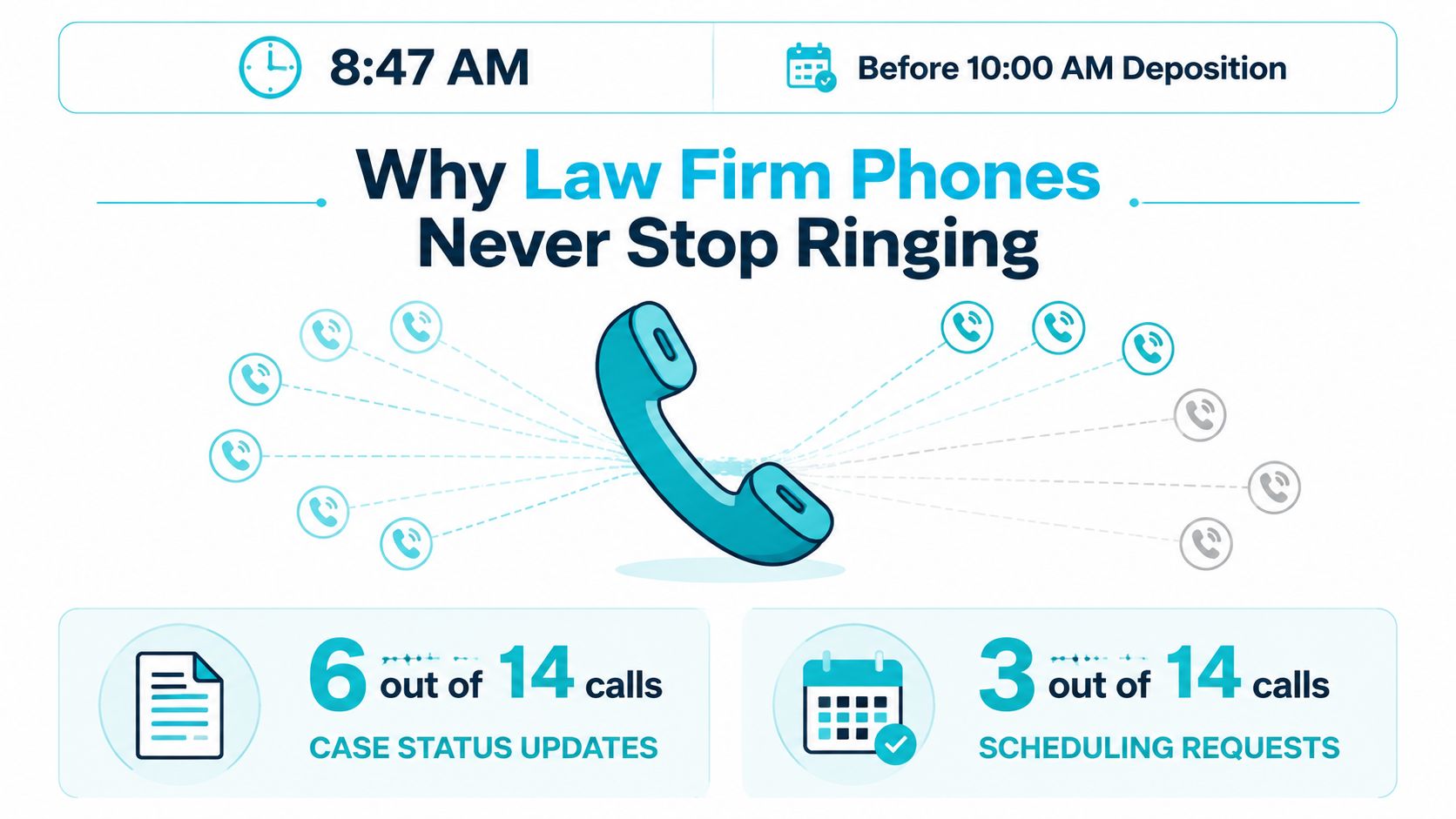
The hidden cost is context switching
Hiring another receptionist, adding phone lines, or expanding a hold queue can increase capacity for a while. None of those measures changes why clients are calling. If clients can't see the latest status, upload a requested document, confirm an appointment, or send a nonurgent question through another channel, the telephone remains the easiest path.
The result is a ceiling created by human repetition. A firm can keep adding staff, but each new employee may inherit the same unclear processes and fragmented information. More people answering the phone doesn't necessarily produce faster answers. It can produce more handoffs, more voicemail, and more opportunities for inconsistent information.
Operational rule: A call should reach a live employee because the matter needs judgment, empathy, or legal interpretation, not because the client has no other way to check a routine update.
A separate category involves unwanted calls from outside the firm. In the United States, the regulatory framework developed in layers. Congress passed the Telephone Consumer Protection Act in 1991, the FCC implemented rules in 1992, the National Do Not Call Registry was created in 2003, and the FCC tightened consent rules in 2012. The FCC later permitted network-level blocking for certain invalid or unused numbers and expanded default blocking based on reasonable analytics, while Congress passed the TRACED Act in 2019. The FCC's telemarketing regulation timeline shows why stopping nuisance calls isn't a single-switch task.
For firms researching staffing alternatives, an overview of cómo reemplazar una recepcionista can help frame which conversations need a human and which can be routed through structured self-service. The same principle applies to client communications. Reduce repetitive access requests first, then reserve staff time for work that requires staff judgment.
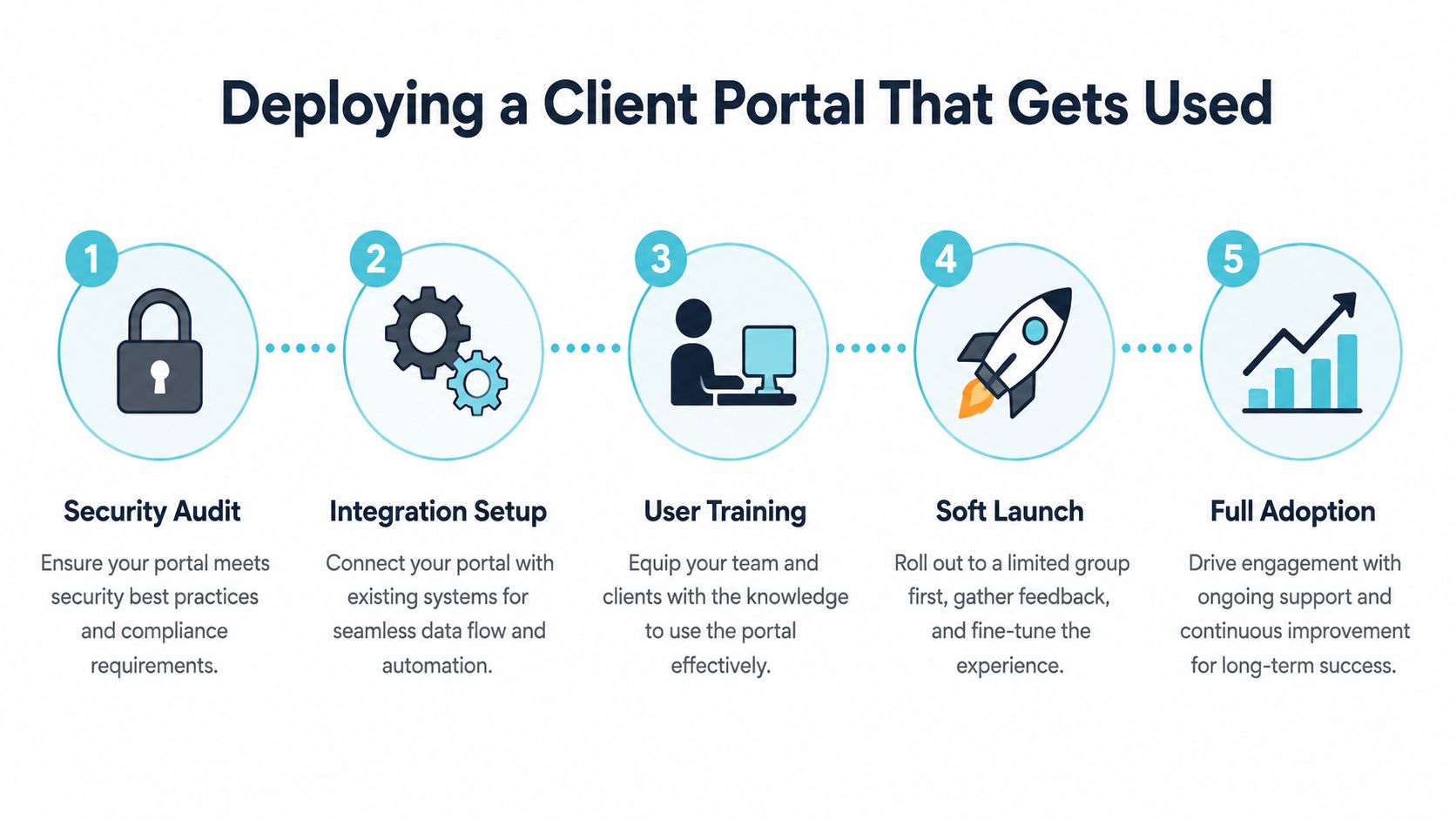
Deploying a Client Portal That Actually Gets Used
Adoption is where CasePulse has focused: clients get a branded portal — or the firm’s own mobile app — where case status is always current, so checking the portal genuinely replaces calling. Because it connects to Neos, Needles, LawBase, and Litify, updates come from work your staff already do, not from a new update-writing chore. Firms using it consistently report the drop in status calls as the first visible change; automated updates and text notifications do most of that work. The walkthrough shows the client side.
A portal reduces calls only when clients use it. Adoption depends less on adding features than on making the first experience obvious, timely, and connected to the information clients already request by phone.
Start with the call log
Review recent inbound calls and group them by reason. The useful categories usually include:
- Case status: What happened, what happens next, and whether the firm is waiting on someone else.
- Scheduling: Appointment confirmations, changes, locations, and attendance questions.
- Documents: Requests for upload links, missing forms, signatures, and copies.
- Messages: Nonurgent questions that don't require a live conversation.
- Financial or settlement updates: Questions that need a clear internal owner and carefully controlled language.
Build the portal dashboard around those needs. A client should be able to find case status, upcoming deadlines, document uploads, and secure messaging without navigating through unrelated material. If the dashboard doesn't answer the questions that drive calls, clients will return to the phone.
Integration matters because staff shouldn't have to maintain a second, disconnected record. CasePulse is designed to integrate with case management systems used by law firms, including Needles, Neos, LawBase, and Litify. Its portal lets clients check case status, message the team, share files, and complete fillable forms from a device, while staff work within their existing workflow. Firms evaluating implementation patterns can review this client portal guidance for law firms before choosing an integration approach.
Remove friction before launch
Password problems can undermine an otherwise useful portal. Use the lowest-friction access method the platform supports, such as single sign-on or a magic link, and test the experience with clients who have limited technical confidence. The first login should feel like opening a message, not configuring a new enterprise system.
Invite clients at moments when they're already paying attention. Useful triggers include:
- Retainer signed.
- Complaint filed.
- Deposition scheduled.
- A document request created.
- A meaningful case stage change.
The welcome email should include a short walkthrough, ideally a 60-second video, showing how to view status, send a message, upload a file, and complete a form. Staff should also explain what belongs in the portal and what requires an urgent phone call.
Adoption depends on repetition: Every employee should redirect routine status and document questions to the same portal location, rather than answering by phone and leaving the client unaware of the self-service option.
Run a soft launch with a manageable group of active clients. Watch where users abandon the process, record questions staff still answer manually, and revise the dashboard or welcome message before inviting the broader caseload. A portal becomes part of firm operations when the team treats it as the default communication channel, not an optional add-on mentioned only when the phone queue is full.
Automating the Updates Clients Call About Most
Routine client calls usually reveal a missing event notification. The client isn't necessarily asking for a conversation. They're asking whether something changed, what they need to do, or when the next interaction will occur.
Three workflow types address those requests directly. Each should be tied to a case management event, assigned an owner, and reviewed for accuracy before activation.
Status changes
Create a trigger for a meaningful case stage change. When a matter moves from discovery to a scheduled mediation, for example, the system can send a concise message explaining the new stage, the next expected action, and whether the client needs to respond.
A useful template avoids promises the firm can't control:
Case update: Your matter has moved to [stage]. The next scheduled event is [event]. Please review the portal for documents and contact instructions.
The message should link to the relevant client-facing information rather than forcing the recipient to search. Keep internal strategy, privileged analysis, and uncertain timing out of automated text.
Appointment reminders
Scheduling calls often happen because confirmation information is scattered across email, calendars, and staff notes. A three-touch sequence can put the same core information in front of the client at booking, 48 hours before the appointment, and on the same day.
The final message should include the appointment time, location, parking instructions when relevant, and a clear method for requesting a change. If a client replies, the response should enter the firm's assigned queue rather than disappear into an employee's personal inbox.
Document collection
Replace phone tag with a secure form link. The workflow should identify the requested document, provide a deadline, send reminders, and allow the client to save partial work when the platform supports it. Staff need a visible completion state so they aren't calling clients who already submitted the material.
| Automation Type | Call Category Eliminated | Avg. Reduction | Implementation Time |
|---|---|---|---|
| Status notifications | Case status inquiries | Qualitative reduction in routine checks | After case stage triggers are mapped |
| Appointment reminders | Confirmation and rescheduling calls | Qualitative reduction in avoidable scheduling calls | After calendar and message rules are configured |
| Secure forms | Document requests and follow-ups | Qualitative reduction in collection-related calls | After form fields, deadlines, and reminders are tested |
The client tracking software overview is useful when deciding which events should create client-facing updates and which should remain internal. The important control is not the number of notifications. It's whether each notification answers a real question without creating a new one.
Building a Triage Messaging Workflow
A busy firm shouldn't treat every inbound message as equally urgent. A client asking for a copy of a medical record needs a different response path from a client reporting a same-day safety concern or a time-sensitive legal development.
Start by reviewing the top ten call drivers. Assign each to one of three operational tiers:
- Self-service: The client receives a portal destination for status, documents, forms, or standard instructions.
- Asynchronous response: The message enters a paralegal queue with an internal service-level expectation and matter context.
- Immediate escalation: The call or message goes to an attorney, intake specialist, or designated urgent-contact process.
Build the decision tree
A simple phone prompt can make the routing visible:
- Press 1 for a case update.
- Press 2 to leave a message for your paralegal.
- Press 3 for an urgent legal matter.
- Press 4 for scheduling or document assistance.
The exact menu should reflect the firm's actual call drivers. Don't create a long list of departments that clients can't understand. Give callers a small number of recognizable choices, then use the caller's matter number, phone number, or authenticated portal identity to attach context where the system supports it.
Text messages need the same structure. Keyword-triggered replies can recognize terms such as “status,” “documents,” or “appointment” and direct the client to the correct portal resource. The response should state when a live employee will review a message, especially if the channel isn't monitored continuously.
Keep escalation visible
Fallback logic prevents a self-service path from becoming a dead end. If the client can't resolve the issue, the system should create a staff task, preserve the prior messages, and escalate unresolved matters within 24 hours. That doesn't mean every issue receives an attorney response. It means no unresolved inquiry vanishes because a menu or auto-reply handled the first contact.
The purpose of triage isn't to eliminate human contact. It's to deliver the right human response with the right context.
Teams that need help connecting messaging rules to broader automation processes can examine MarTech Do system optimization as a reference point for workflow design. For a law firm, the final configuration must still reflect confidentiality requirements, staff roles, escalation rules, and the difference between administrative information and legal advice. Guidance on secure messaging for legal teams can help define which conversations belong in an authenticated channel rather than ordinary text or voicemail.
Choosing the Right Mix of IVR and Scheduling Tools
Interactive Voice Response and online scheduling solve different problems. IVR sorts the conversation before staff answer. Scheduling tools remove the need for a conversation when the client only needs to choose, confirm, or change an available time.
A solo practitioner may need little more than a short IVR menu, a clear voicemail instruction, and a Calendly-style booking link in email signatures and the client portal. A small firm should keep the menu short and make the scheduling link visible in every routine follow-up.
A mid-sized plaintiff firm may need a more deliberate combination. An AI-powered virtual receptionist can handle basic frequently asked questions, route calls by matter number, and direct clients to self-service resources during peak periods. The firm still needs a human fallback for unusual facts, emotional conversations, and questions that require legal judgment.
Larger firms with dedicated intake teams can justify deeper IVR integration with the case management environment. Callers may be able to enter a client identifier and retrieve limited case status, provided the authentication and disclosure rules are appropriate. That configuration demands more maintenance, stronger testing, and careful separation between general updates and confidential information.
| Firm Size | Recommended Setup | Est. Deflection Rate | Setup Complexity |
|---|---|---|---|
| Solo or small firm | Short IVR menu, booking links, basic FAQ responses | Qualitative reduction in routine calls | Low |
| Mid-sized plaintiff firm | IVR, scheduling, virtual receptionist, portal routing | Qualitative reduction during peak periods | Moderate |
| Larger firm with intake team | Case management integrated IVR, authenticated status routing, scheduling workflows | Qualitative reduction across defined call categories | High |
The trade-off is maintenance. IVR prompts become harmful when they don't match current staff roles, office hours, or client terminology. Review prompts quarterly, test every option, and remove paths that lead to dead voicemail boxes. A polished menu that routes incorrectly can create more repeat calls than a simple menu that sends the caller to one accountable queue.
Scheduling tools also need guardrails. Don't expose every calendar slot if the appointment requires file review or attorney approval. Give clients genuine options for routine appointments, but route exceptions to staff. The strongest configuration combines self-service for predictable requests with a clear escalation path for everything else.
Your 90 Day Implementation Plan and KPIs
Call reduction requires a sequence, not a single software switch. The first month should remove obvious friction, the second should establish the portal as the firm's default channel, and the third should refine automation based on actual call data.
Days 1 through 30
Start with the highest-volume questions. Publish a focused FAQ, shorten the IVR prompts, and activate appointment reminders through the firm's existing case management workflow. Track calls by category rather than recording only the total volume.
Days 31 through 60
Launch the portal with active clients in a controlled group. Send onboarding messages, demonstrate the portal during scheduled conversations, and require staff to use a portal-first response when the request concerns status, documents, forms, or routine messaging.
Days 61 through 90
Add status triggers, triage messaging, and document self-service. Review failed automations, unanswered messages, repeat calls, and client feedback. A firm can also evaluate a voice AI assistant for service businesses when it needs additional support for routine call handling, provided the escalation design keeps legal and urgent matters with qualified staff.
Measure the operation, not just the technology
Track four KPIs every week:
- Inbound call volume: Count calls by category and compare the trend over time.
- Portal adoption rate: Divide active portal users by total clients.
- Average call handle time: Watch whether routing is sending complex matters to the right staff member.
- Client satisfaction: Use short post-interaction surveys and separate phone, portal, and messaging results.
The FTC's FY2025 data reported more than 258 million active numbers on the National Do Not Call Registry and more than 2.6 million Do Not Call complaints. It also reported unwanted calls were about 48% lower than in FY2021, when it received roughly 5 million reports. Yet U.S. consumers still received about 4.2 billion robocalls in April 2026, or roughly 13 calls per person, according to the FTC's cited data, so carrier filtering and complaint reporting remain necessary alongside firm workflow improvements. The FTC's FY2025 Registry data supports a practical conclusion: registration and blocking reduce exposure, but they don't eliminate unwanted calls.
For marketing calls in the UK, the ICO directs consumers toward the Telephone Preference Service, while fraud calls should go to fraud authorities and silent or abandoned calls to Ofcom. Ofcom's enforcement guidance separates live telesales and automated marketing messages, handled by the ICO, from silent and abandoned calls, handled by Ofcom. Ofcom also found landline nuisance-call exposure fell from 73% in July 2015 to 43% in January 2019, while mobile exposure fell from 52% to 37% over that period, showing the value of coordinated network controls, identification, and complaint feedback. These distinctions matter for firms managing their own outbound calling too. A suppression list, complaint log, and documented escalation process are more reliable than relying on a single opt-out action.
If staff revert to phone-based responses, adoption will plateau. Assign an owner for portal adoption, review call categories in team meetings, and measure whether employees are using the prescribed channel. The system works when the workflow, not individual habit, determines where routine communication goes.
CasePulse gives law firms a client portal for case status, secure messaging, file sharing, and fillable forms, with integrations that let staff work within existing case management workflows. Visit CasePulse to see how a portal-first communication process can reduce repetitive inbound calls while giving clients a clearer way to stay informed.