
 CasePulse
 Nearly 80% of law firm clients feel uncared for, according to recent industry survey data. That number should reset how firms think about service.
In personal injury practices, this usually isn't about whether the lawyer cares. It's about whether the client can feel progress. A client who's hurt, out of work, and waiting on treatment records doesn't experience silence as patience. They experience it as risk. If your team has the information but the client can't see it, the law firm client experience still feels broken.
Why Your Client Experience Is a Financial Issue

Client experience affects margin.
Firms feel the impact first in labor. In a personal injury practice, every unclear next step creates work for someone. Intake has to resend forms. A case manager has to answer a status call that could have been avoided. A paralegal has to chase treatment updates because the client did not understand what to send or when to send it. Those costs sit inside payroll long before they show up on a profit and loss statement.
The revenue side is just as real. Poor communication slows signed retainer collection, drags out onboarding, and makes referral sources less confident sending the next case. Existing clients notice it too. They may not say, "your workflow is broken." They say, "I never know what's going on."
In PI firms, that gap usually comes from process design, not effort. Good people are still relying on inboxes, sticky-note follow-ups, and memory. That works for a small caseload. It breaks once volume grows or one staff member is out for the day.
What this looks like in a PI firm
A hurt client usually wants four things answered without having to ask:
- What happened on my case
- What do you need from me now
- What happens next
- When should I expect another update
If those answers only exist in a staff member's email or case notes, the firm is paying for the same communication over and over. A client portal changes the economics when it is tied to case management workflows. Status updates, document requests, intake tasks, and reminders can be triggered by case events instead of handled as one-off staff work.
That is the shift many firms miss. Client experience is not a customer-service layer placed on top of the practice. It is a system for delivering the right information at the right point in the matter, with less manual effort from the team.
Practical rule: Clients do not need more messages. They need predictable access to the right information.
That is also why discussions about service belong in budgeting and operations meetings. This piece on law firm business success gets at the trade-off firms are managing, which is improving responsiveness without turning the staff into a call center.
Measure the process, not just satisfaction
Annual satisfaction surveys do not show where experience breaks. Workflow metrics do.
In firms that struggle here, the pattern is familiar. Response times vary by employee. Form completion stalls because nobody owns the reminder process. Clients call for updates because there is no consistent place to check status. The fix is not another speech about service standards. The fix is measuring the points where communication slows down and then building those checkpoints into the workflow.
A practical starting point is to review the intake and communication metrics in this breakdown of law firm measurement habits. If your firm cannot see where contact drops, where forms sit incomplete, or where follow-up depends on one person remembering to send an email, you cannot improve the law firm client experience in a consistent, profitable way.
Define Your Client Experience Goals and Personas
A vague goal produces vague workflow changes.
If a PI firm says it wants "better communication," each role hears something different. Intake may send more reminders. Paralegals may add update calls. Attorneys may promise faster replies without changing how case information is stored or shared. None of that gives the firm a repeatable system. Clear goals do.
The target should combine two outcomes. One should describe what the client can do or understand more easily. The other should describe what the team no longer has to do by hand. In a personal injury practice, those outcomes rise or fall together. A client portal is useful because it can reduce confusion for the client and reduce status-chasing for staff at the same time, but only if the firm defines the problem before configuring the tool.
Start with the operating problem
As noted earlier, strong client experience tends to support stronger financial performance. The mistake is turning that idea into a software shopping exercise.
Start with the points where the current process creates cost, delay, or avoidable client anxiety. In PI, that usually means incomplete intake packets, repeated calls asking for status, missed documents, treatment updates that live in email threads, and clients who do not know what happens after they sign. Those are workflow problems first. Technology should support the fix, not define it.
Use goals your team can build into case management rules, portal permissions, and communication templates:
| Goal area | Weak goal | Useful goal |
|---|---|---|
| Intake | Improve onboarding | Let injured clients complete intake from a phone, in short steps, without needing to call the office for clarification |
| Communication | Send more updates | Cut avoidable status calls by giving clients one place to see matter progress, pending items, and next milestones |
| Staff workload | Save time | Automate routine follow-up for missing forms, document requests, and standard appointment reminders |
| Retention and trust | Increase satisfaction | Make sure every client knows who owns their file, what the firm is waiting on, and what happens next |
These goals are specific enough to configure around. They also force useful trade-offs. For example, a firm may want high-touch communication for serious injury cases and lower-touch self-service for smaller matters. That is a staffing and workflow decision, not a branding exercise.
Build personas your staff will remember
Personas help when they reflect case reality, not marketing language.
In PI firms, three working profiles usually cover most of the communication design work:
The anxious plaintiff
This client checks for updates often and treats silence as a warning sign. They need predictable milestones, plain-language explanations, and confirmation that the case is still moving.The overwhelmed intake client
This client is dealing with treatment, work disruption, transportation issues, insurance calls, and family logistics. Long emails and multi-document onboarding lose them fast. Mobile-friendly forms and short reminders matter more than polished copy.The low-touch but responsive client
This person does not want frequent calls. They do want easy access to messages, documents, and status on their own schedule. A portal works well for this group if the information stays current.
If your team describes every client as "wanting updates," the firm is still too generic. The core question is what kind of update reduces uncertainty for that person and how that update should be delivered.
Tie each persona to workflow decisions
At this stage, firms either build a usable system or end up with another set of good intentions.
For each persona, define four things:
- What creates anxiety or delay
- What information resolves it
- Which case moments matter most
- Which channel fits the client's circumstances
Take the anxious plaintiff in a motor vehicle case. The trigger points are predictable: retainer signed, treatment starts, records requested, demand in progress, negotiations underway. If the portal shows those milestones in plain language and the case team triggers updates from the case management system, the client gets reassurance without forcing staff into constant outbound calls.
Take the overwhelmed intake client. The goal is different. Break onboarding into short tasks, send reminders by the channel they are most likely to see, and let them upload documents from a phone. Firms outside legal operations use a similar discipline in journey design. This guide for RevOps and sales ops leaders is useful because it focuses on mapping each stage to a system action, not just describing the customer in broad terms.
A client experience strategy starts working when the team can answer a practical question: for this type of client, what should happen automatically, what should happen personally, and what should the client be able to do without calling the office?
Map Your Current Client Journey to Find Friction
Most firms don't have a communication problem. They have a visibility problem.
The client journey looks smooth from inside the office because the team knows what happened yesterday. The client sees something different. They see a signed retainer, then a stretch of silence, then a request for records, then another silence, then a call about treatment, then an invoice or settlement conversation. If nobody maps that experience end to end, the dead spots stay invisible.

Follow one PI matter from the client's seat
Take a standard motor vehicle case. The client calls after the crash. Intake gathers basic facts. The retainer goes out. Medical treatment begins. Records are requested. The client changes providers. Bills arrive. Liability is disputed. Demand is prepared. Negotiation starts.
Now map every point where the client has to wonder what's happening.
A simple journey map usually includes:
Initial inquiry
Did someone respond quickly and explain the next step in plain language?Onboarding
Were forms easy to complete from a phone? Did the client know who their contact person was?Active case work
Can the client tell whether the firm is waiting on them, waiting on records, or actively negotiating?Ongoing communication
Does the team send updates consistently, or only when a staff member remembers?Resolution and billing
Are closing steps and financial explanations clear enough that the client isn't confused at the end?Post matter follow-up
Does the relationship end with a file closed note, or does the firm ask what worked and what didn't?
Look for friction between systems
SurePoint identifies fragmented back office systems as a root cause of poor client experience in its discussion of how fragmented systems create inconsistent updates. I see that constantly in PI firms.
The case manager has one view of the file. Billing lives somewhere else. Notes sit in email. Intake history is buried in another system. The attorney knows the claim is waiting on records, but the person answering the phone can't see that quickly. The client hears, "Let me check and call you back." After the third time, trust drops.
A client doesn't care which system holds the answer. They care whether your firm can give one without delay.
Use a simple workshop format
You can map this in one meeting if the right people are in the room.
| Role | What they usually reveal |
|---|---|
| Intake staff | Where prospects stall, ghost, or submit incomplete information |
| PI paralegals | Which updates clients ask for most often |
| Attorneys | Which milestones matter legally but aren't explained clearly |
| Billing or admin | Where closing confusion or payment questions show up |
| Reception or call handlers | Which recurring questions signal missing visibility |
If your team needs a non-legal example of how journey mapping exposes handoff issues, this guide for RevOps and sales ops leaders is useful because it shows how process gaps often sit between departments, not inside one step.
Prioritize the pain that repeats
Don't start with every annoyance. Start with the friction that happens at scale.
In a PI firm, that often means:
- Repeated status calls after the initial sign-up
- Incomplete forms and document requests
- Unclear ownership of communication
- Delays caused by staff switching between systems
- No standard update cadence during long case phases
Those are the points where the law firm client experience usually fails. They also happen to be the points where workflow and technology can help most.
Implement Technology That Works With Your Firm
Technology needs to reduce staff effort in the same motion that it improves the client experience. If it adds a second inbox, a second workflow, or a second place to update case status, the firm pays for it twice. Once in software cost, and again in staff time.
That's the mistake I see most often in PI firms. A vendor demo shows a polished client app, but once the tool is live, paralegals still have to copy updates from the case management system, answer messages in a separate dashboard, and explain to clients why the portal does not match what the office is doing. That gap is what kills adoption.
Start with workflow fit, not features
For PI firms on Needles, Neos, LawBase, or Litify, the first buying question is simple. Will the portal work inside the processes the team already follows?
That matters because personal injury work already has enough friction built in. Clients send photos from their phones. Medical records arrive late. Demand timing shifts. Treatment gaps create questions. Staff do not need another system to monitor while they are chasing providers, updating adjusters, and moving files forward.
A good portal supports the case workflow your team already owns. It should pull status from the source system, route messages to the right staff member, and capture forms and documents without creating manual re-entry. If the tool cannot do that, the client experience may look better on the surface while operations get worse underneath.
What a PI firm actually needs from a client portal
The right portal is not the one with the longest feature list. It is the one that handles the routine client interactions that consume staff time.
Look for these functions:
Case status visibility
Clients can check where the case stands without calling for every routine update.Secure messaging tied to the file
Messages should land where staff already work so nothing gets lost in email or text.Mobile friendly document collection
Injured clients often upload photos, insurance cards, and signed forms from a phone, not a desktop.Forms the client can complete without staff intervention
Intake details, treatment updates, and missing signatures should be easy to submit in a few minutes.Automatic reminders based on case events
Follow-up should run from triggers in the workflow, not from memory.
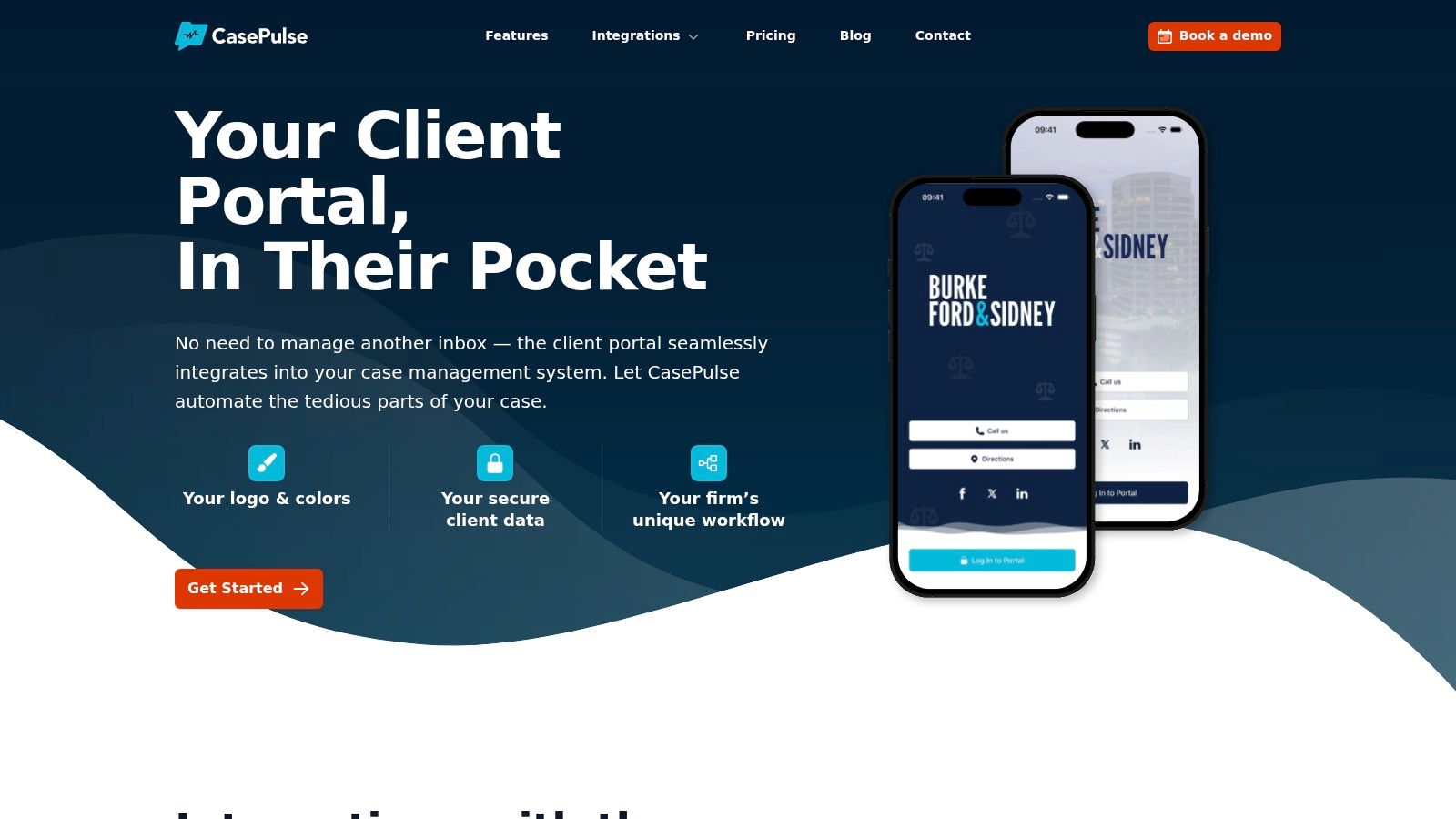
A practical example is a client portal for law firms that connects with Needles, Neos, LawBase, and Litify, so clients can view status, send messages, share files, and complete forms while staff stay in the case management system they already use.
Buy for operating reality
I have seen firms choose a portal because it looks modern in front of partners. Six weeks later, staff are doing more work than before.
The actual test is operational.
| Question | Good sign | Bad sign |
|---|---|---|
| Where does staff work day to day | In the existing case management system | In a separate dashboard that must be checked constantly |
| How are updates delivered | Through connected workflows and automation | Through manual copy and paste |
| How do clients send information | In one place from any device | Across email, text, paper, and phone calls |
| What happens after launch | Fewer routine interruptions and less duplicate work | More admin for paralegals and case managers |
In a PI practice, this trade-off is easy to spot. If a portal cuts status calls but creates a new queue that someone has to watch all day, the firm did not solve the problem. It moved it. Good technology lowers client uncertainty and staff workload at the same time. That is the standard.
Launch Your New Experience With a Clear Plan
Rollouts fail when firms assume everyone will see the value immediately. They won't.
Paralegals worry about extra messages. Intake teams worry about explaining another tool. Attorneys worry that clients will expect instant responses. Those concerns are reasonable, and they need to be addressed before launch, not after the first week of confusion.
Start with one workflow, not the whole firm
A phased launch works better than a firmwide announcement.
Begin with a single matter type or a single team. In a PI firm, that might be pre litigation auto cases with a stable intake pattern and predictable status questions. This gives you a controlled environment to test scripts, message timing, reminder workflows, and client onboarding.
Use a rollout like this:
Choose a pilot group
Pick one attorney team, one case manager group, or one office location.Standardize the opening script
Clients should hear the same explanation every time about where updates will appear, how to send messages, and when the team will still call directly.Define response ownership
Decide who monitors inbound portal communication and how it gets routed.Set update triggers
Tie updates to milestones, not good intentions. In PI, that could include signed retainer received, records requested, records received, demand in progress, demand sent, negotiation active, and settlement paperwork pending.
Train staff on what's changing for them
Staff adoption depends on whether the process feels lighter after training than it did before.
Don't train on the software menu first. Train on the before and after workflow.
| Task | Before | After |
|---|---|---|
| Status questions | Answer repeated calls individually | Direct clients to the portal for routine visibility and use messaging for exceptions |
| Missing forms | Manual reminders from staff | Automated reminders tied to the request |
| File collection | Email chains and attachments | Centralized client upload process |
| Contact confusion | Clients call whoever answered last | Named contact plus consistent communication path |
Give clients a simple reason to use it
Clients don't adopt a portal because the firm likes it. They adopt it because it saves them effort.
Your introduction should sound like this in substance: it enables you to check case status, send us what we need, and complete forms without waiting for office hours. Keep it short. Keep it practical.
Tell clients what the portal replaces, not what it is. "Use this instead of calling for routine updates" is clearer than "We have a new communication platform."
A one page client guide helps. So does a welcome message that includes three things only: where to log in, what they can do there, and when the firm will still reach out directly by phone.
Expect a short adjustment period
Even good launches have friction.
Some clients will still call out of habit. Some staff will forget to direct them to the new process. That's normal. What matters is whether firm leadership reinforces the workflow consistently.
In the first few weeks, review:
- Which questions still come in by phone
- Which clients aren't completing forms
- Which staff members are bypassing the process
- Which matter stages need clearer updates
A clean launch isn't about forcing everyone into software. It's about building one reliable path for communication and then sticking to it.
Track What Matters and Prove the ROI
If you can't prove the result, client experience gets treated like a side project. That's why the measurement plan matters as much as the rollout.
The most useful scorecard combines loyalty signals with operational signals. You need to know whether clients trust the firm more, and whether the team is spending less time on avoidable administrative work.

Start with firm level loyalty
ClearlyRated reported that the legal services NPS benchmark is 37%, slightly below the 39% benchmark for overall B2B services, and that legal clients are 9x more likely to be committed to their contact at the firm than to the firm itself in ClearlyRated's legal CX benchmark summary. That's an important warning for PI firms.
Many plaintiff firms have strong case managers and strong attorneys, but weak firm level systems. Clients trust a person, not the practice. When that staff member leaves, the relationship weakens with them. A better law firm client experience creates consistency that belongs to the firm, not just to one employee.
Build a dashboard around a few visible metrics
You don't need a giant reporting stack. You need a short list that leadership will review.
Track metrics such as:
Client satisfaction and feedback
Use short, targeted surveys after key milestones rather than broad annual surveys.Retention and repeat relationship signals
For firms with ongoing practice overlap or referral potential, watch whether clients stay engaged with the firm beyond one matter.Inbound status call volume
This tells you whether self service visibility is reducing repetitive communication.Form completion speed
If intake and follow-up forms move faster, the workflow is improving.Response handling time
Not because faster is always better, but because ignored messages destroy confidence quickly.
A practical reference point for survey design and tracking is this guide to measuring client satisfaction, especially if your firm wants to move from anecdotal feedback to a repeatable review process.
Use the Financial Assembly Line mindset
Case status, messaging, and follow-up all connect to conversion and revenue, but the connection is rarely one metric deep. The useful way to think about this is operationally.
Track the chain:
| Stage | Question to ask |
|---|---|
| Prospect | Are qualified leads entering the pipeline consistently |
| Contact | Are prospective clients getting reached quickly |
| Qualification | Are the right cases moving forward |
| Retention | Are signed clients staying engaged and responsive |
| Fee generation | Are matters advancing without avoidable administrative delay |
| Operating expense | Is staff time being consumed by repeat communication work |
What firms call "client experience" often shows up as process leakage in the middle of the pipeline.
That is why monthly review matters. If status calls drop but form completion doesn't improve, your portal may be solving visibility but not follow-through. If client satisfaction rises but intake stalls, the onboarding experience still needs work. You want a system that improves the chain, not just one touchpoint.
Report the story leadership cares about
Managing partners usually care about three things.
- Is the client happier
- Is the team doing less repetitive work
- Is the firm building loyalty to the institution, not just to individual staff
If your dashboard can answer those clearly, the investment becomes easier to defend. The return won't always show up as a single line item. It shows up in fewer avoidable calls, cleaner handoffs, better follow-through, stronger referrals, and a client relationship that feels organized instead of improvised.
CasePulse offers a secure client portal for law firms that integrates with systems such as Needles, Neos, LawBase, and Litify, so firms can give clients 24/7 status access, secure messaging, file sharing, and fillable forms while staff keep working inside their existing case management workflow.