
 CasePulse
 Your intake team is trying to move cases forward, but the day keeps getting chopped into pieces.
A client calls asking whether records were requested. Another wants to know if the demand went out. Someone emails a PDF from a phone, then texts to make sure it was received. A paralegal stops drafting a letter to answer a status question that was already answered last week. In plaintiff PI, that pattern doesn't just waste time. It creates delay, stress, and preventable client frustration.
Legal client portal software exists to stop that cycle. Used well, it gives clients one place to check status, send messages, upload files, and complete forms without waiting on your staff. For the firm, it pulls routine communication into a controlled workflow instead of scattering it across phones, inboxes, and ad hoc follow ups.
The End of Constant Client Update Calls
Most PI firms don't have a communication problem because staff aren't working hard enough. They have a communication problem because the system depends on staff repeating the same updates all day.
Clients are anxious for good reason. They're injured, they're dealing with treatment, they may be missing work, and they usually don't understand what happens next in a claim. If your firm doesn't provide a clear, easy way to see progress, they'll call. If they can't get someone on the phone, they'll email. If the email sits for a few hours, they'll call again.
A client portal changes the behavior on both sides. Clients get 24/7 access to case information, documents, forms, and messages from any device. Your team gets a central place to manage communication without bouncing between email, voicemail, and text threads. That shift matters because it turns status updates into a repeatable process instead of a constant interruption.
For firms that want to tighten up communication before they even evaluate software, these client communication best practices for law firms are a useful baseline.
What clients actually want
Most clients aren't asking for a long legal explanation every week. They want a few simple things:
- Clarity: They want to know where the case stands.
- Responsiveness: They want proof that the firm didn't forget them.
- Convenience: They want to respond from a phone, not print, sign, scan, and chase someone down.
- Confidence: They want to know their documents and messages are going to the right place.
A good portal doesn't replace human service. It removes the repetitive friction so your staff can give better human service when it counts.
What breaks the old model
The old model relies on memory and manual effort. Someone has to remember to call. Someone has to remember which version of a document was sent. Someone has to check whether a form came back. In a busy plaintiff practice, that creates a backlog fast.
Legal client portal software works when it becomes the default path for routine updates, document exchange, and client tasks. That is where firms start getting their time back.
The Transformative Benefits for Your Law Firm
Monday at 8:17 a.m., the phones are already stacking up. One client wants to know whether records came in. Another is asking if the demand went out. A third is worried because they uploaded something last week and never got confirmation. In a busy plaintiff PI firm, that traffic is expensive. It eats staff time, slows file work, and raises client anxiety at the same time.
Law firms adopting legal client portal software can cut routine communication volume sharply. Moxo reports firms see up to a 90% decrease in email volume and a 30% reduction in phone calls in its law firm client portal software comparison. For a PI practice, that change matters because the savings show up in the middle of the day, where interruptions usually do the most damage.
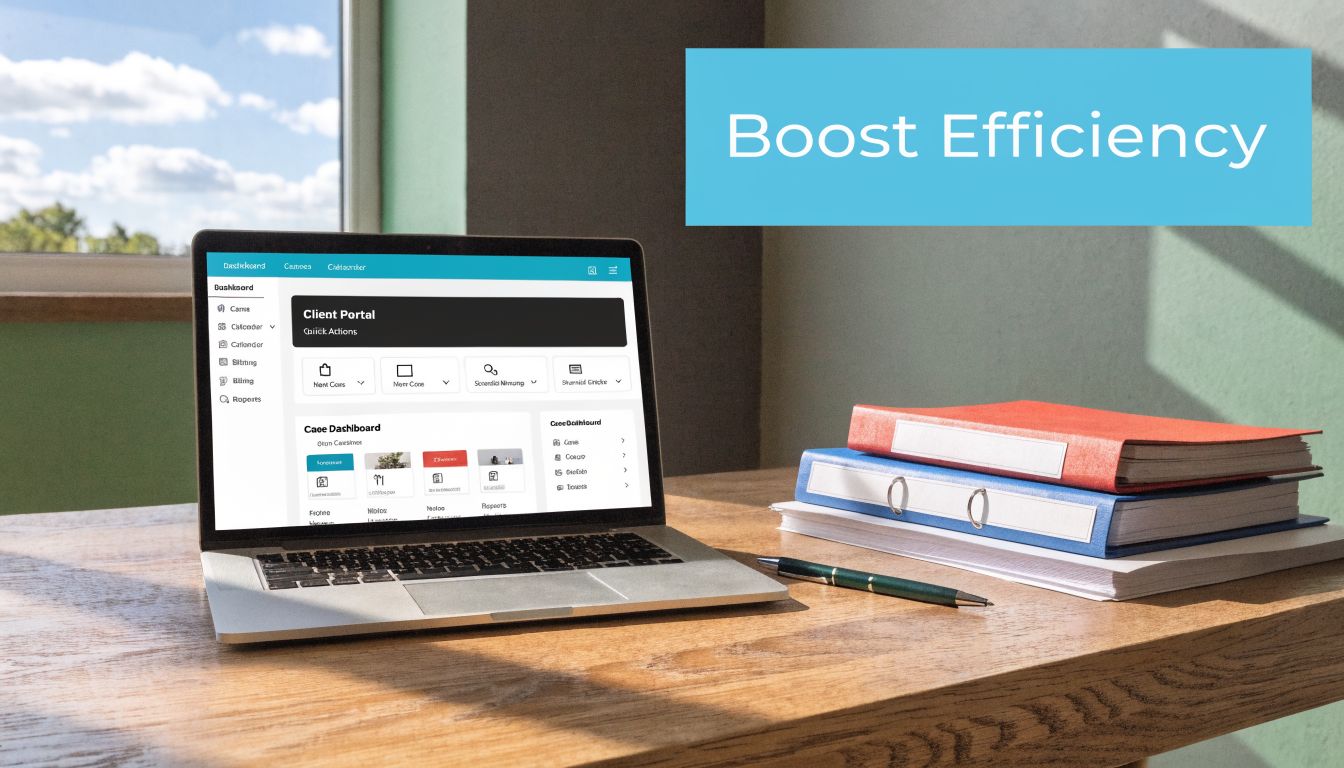
The operational gain is bigger than fewer calls. Good portal software reduces context switching. Case managers stay in the file instead of bouncing between voicemail, inboxes, and text messages. Paralegals spend more time pushing records, liens, and demands forward. Attorneys get pulled into fewer status updates that do not require legal judgment.
That only happens if the portal is tied closely to the case system your team already uses. I have seen firms buy a polished portal, then stall because staff had to enter updates twice or manually push documents into Needles, Neos, LawBase, or Litify. Adoption drops fast when the tool adds work. The firms that get results usually choose a portal that can launch quickly and sync with the matter data, documents, tasks, and milestones already living in the CMS.
Better operations without adding another admin burden
A portal should reduce work, not create a second system to babysit.
The practical gains usually look like this:
- Cleaner matter visibility: Messages, documents, and client tasks stay attached to the file.
- Faster staff handoffs: Anyone covering a case can see what the client received and what is still pending.
- Fewer dropped requests: Reminders and client task lists keep paperwork moving without repeated outreach.
- More usable attorney time: Lawyers spend less time confirming receipt of forms and more time on liability, damages, and negotiation.
That is the trade-off firms need to evaluate carefully. A standalone portal with weak integration may look fine in a demo, but it often shifts clerical work back onto staff. A tightly connected portal usually delivers value sooner because the system updates itself from the case record your team is already maintaining.
Clients stay calmer when the case feels visible
In plaintiff work, silence creates its own story. Clients assume the file is stalled, the office forgot them, or something went wrong.
A portal helps because it gives clients a place to check progress, upload documents, review prior messages, and see what the next step is without waiting for office hours. That visibility does not replace personal service. It lowers unnecessary anxiety so your staff can focus on the conversations that require a human response.
Practical rule: If your team still has to answer, "Did you get my document?" several times a day, the process is still too manual.
Better client experience shows up in reviews and referrals
The middle of a PI case shapes the client's opinion of the firm. Intake may be smooth and the result may be strong, but a confusing six-month stretch in between is what people remember.
Portals improve that part of the experience when they make it easy to upload forms, check status, and respond from a phone. Firms should also pay attention to managing client feedback, because client sentiment is often shaped by communication consistency more than by any single feature. The business impact is straightforward. Clients who feel informed are easier to work with, less likely to flood the office with repeat questions, and more likely to refer the next case.
Must Have Features for Modern Client Engagement
A portal earns its keep on a Tuesday afternoon, not in the demo. Staff are answering calls, a client is uploading photos from a phone in a parking lot, and someone wants to know whether the office received a wage loss form. The firms that get value from portal software choose features that reduce those interruptions inside the workflow they already run.
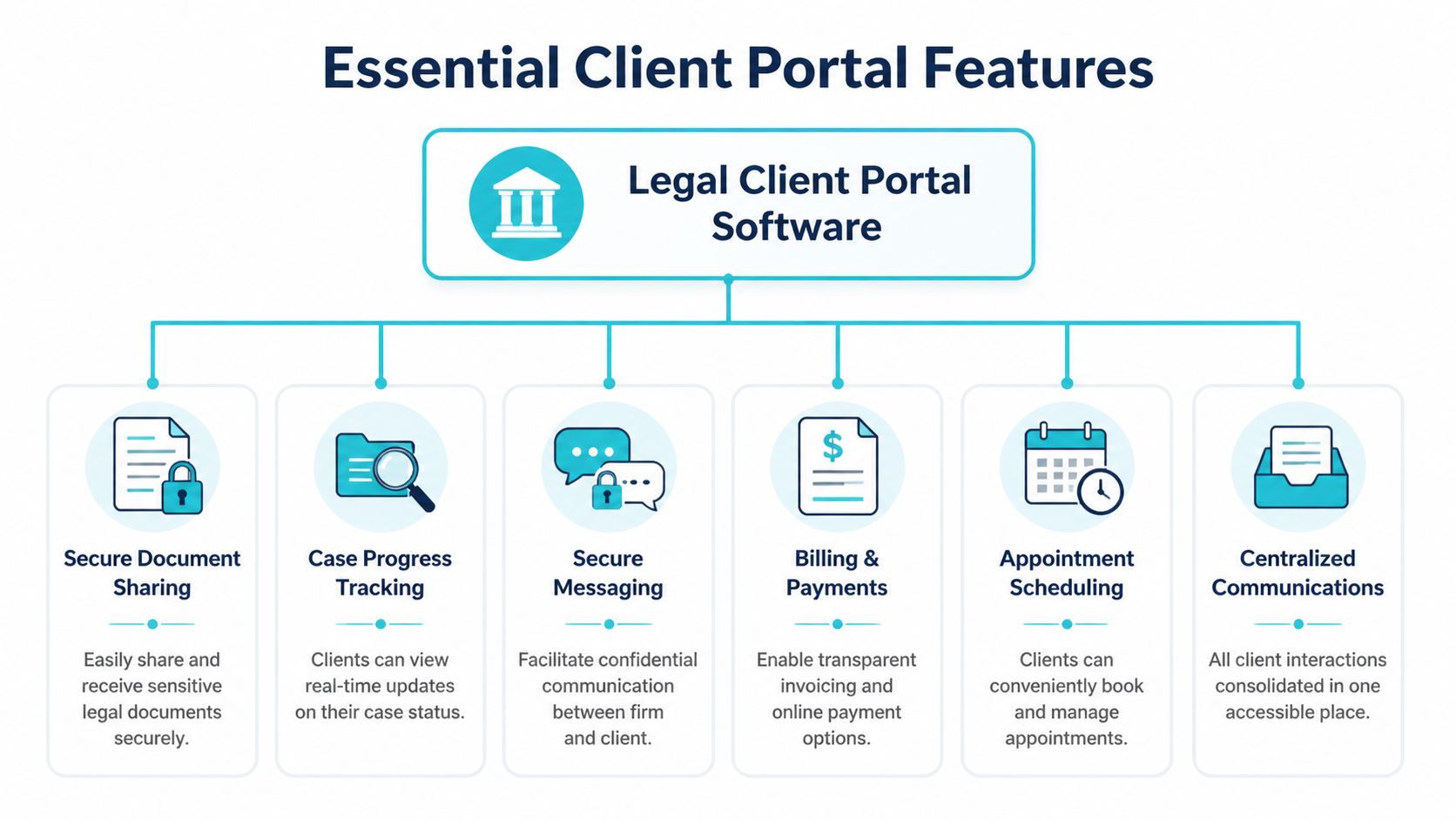
Secure messaging that keeps the matter history usable
Email creates noise fast. Texting is worse. A portal message tied to the file gives staff one place to see what the client asked, what was sent back, and what happened next.
That matters in plaintiff PI work, where communication often comes in bursts during treatment, records requests, vehicle damage issues, and settlement negotiations. If messages live outside the matter record, staff waste time reconstructing the story before they can answer the actual question.
Good secure messaging should do three things well:
- Keep the conversation attached to the correct matter
- Show clients a clear place to reply
- Preserve a usable record for the team
For firms comparing portal messaging with email-based file exchange, this guide to secure file sharing with clients is a useful reference point.
Document sharing that reduces chasing
Every PI firm says it wants fewer document delays. The real question is whether the portal makes uploads easy enough that clients will use it without calling for help.
Look for a system that handles the documents clients send during a case:
- Outgoing documents: retainers, HIPAA authorizations, medical request forms, settlement paperwork, demand drafts
- Incoming documents: insurance cards, ID photos, accident scene photos, pay stubs, wage verification, bills and records clients already have
- Simple retrieval: clients can find what was sent before, instead of asking the office to resend it
If the upload flow is confusing, clients go back to emailing attachments or sending blurry text photos. Then staff end up downloading, renaming, and re-uploading files by hand. That is where time disappears.
Forms that move the case forward
The first few weeks of a PI case can stall for avoidable reasons. Missing insurance information. Incomplete treatment history. Employment details buried in handwritten notes.
Portal-based forms fix that if they are built for phone use and tied to the matter. Staff get cleaner data, faster completion, and fewer follow-up calls to fill gaps. The practical use cases are straightforward:
- New client onboarding
- Insurance and claim details
- Medical provider information
- Employment and wage loss data
- Case-specific questionnaires
This also affects conversion and early case momentum. A client who can complete tasks from a phone that same day is less likely to drift.
Deep case management integration
Many portal projects succeed or fail at this juncture.
A portal should not become a second system your staff has to feed. If messages, forms, files, and status updates are not tied closely to the case management platform, the firm ends up paying for software and extra admin work at the same time.
For plaintiff PI firms, that means asking direct questions about Needles, Neos, LawBase, and Litify. Can the portal map to the matter correctly? Can staff trigger updates from the workflow they already use? Can client-submitted information land in the right place without manual cleanup? Can the firm go live quickly without months of custom work?
Those details get overlooked during sales calls. They decide whether adoption sticks after launch.
Mobile access that clients will actually use
Many PI clients live on their phones. They are dealing with treatment, work interruptions, transportation issues, and insurance headaches. If the portal works poorly on mobile, usage drops and the calls come right back.
The test is simple. A client should be able to read a message, upload a document, complete a form, and check the next step from a phone without staff coaching them through it.
Feature count is less important than low-friction use.
Audit trails, reminders, and branding that support daily operations
Some of the most useful features are the ones firms ignore in early demos.
- Audit logs: confirm what was sent, viewed, signed, or completed
- Automated reminders: prompt clients to finish tasks without creating another staff follow-up list
- Centralized communication history: keep anyone on the team from guessing what the client was told
- Custom branding: present the portal as part of the firm's process, not a generic third-party handoff
These details affect consistency. They also affect the client experience after major milestones, when firms often ask for reviews and referrals. If your team is also focused on managing client feedback, it helps to connect that effort to the communication process clients just experienced.
I usually give firms one rule here. If a feature looks good in a demo but adds clicks for staff, it will not solve the call-volume problem.
One option built around this PI use case is CasePulse, which integrates with Needles, Neos, LawBase, and Litify so staff can work inside their existing system while clients handle updates, messages, files, and forms through the portal.
Understanding Security Compliance and Data Residency
Security decisions around client communication get made casually in a lot of firms. Someone uses personal email for convenience. Someone texts a client because it feels faster. Someone uploads records to a general file sharing service because it was available. That kind of improvisation creates risk.
Legal client portal software should reduce that risk, not hide it under nicer design.
Why general purpose tools aren't enough
Consumer tools can seem good enough until you ask basic legal questions. Who had access to the file? Where is the data stored? Is there a record of what was sent and when? Can access be limited by role? Can the firm show a clear communication trail if there's a dispute later?
Those questions matter because legal communication isn't just about convenience. It ties directly to confidentiality obligations and defensible process.
The factors firms prioritize reflect that. In portal evaluations cited by Moxo's review of law firm client portal software, security and compliance carry 20% weight, with practice management integration at 18%. That weighting makes sense. A slick interface doesn't help if the underlying controls are weak.
What to ask vendors directly
When firms evaluate a portal, I tell them to stop asking broad questions like "Is it secure?" and start asking operational questions.
Use a checklist like this:
- Encryption: How is data protected in transit and at rest?
- Access controls: Can the firm limit who sees what?
- Auditability: Can the system show message, file, and activity history?
- Compliance posture: What support exists for firms handling sensitive medical information?
- Hosting and residency: Where is client data stored?
For a practical overview of safer document exchange practices, this guide to secure file sharing with clients is worth reviewing.
HIPAA and data location still matter
Many PI firms touch medical records constantly, even if they aren't billing like a healthcare provider. That doesn't mean every portal has identical compliance obligations, but it does mean firms should ask serious questions about how health related information is protected.
Some platforms offer HIPAA compliant capabilities as part of their security model or as an add on. Vendors should be able to explain that in plain English, along with how they handle authentication, permissions, and logging.
Data residency should get the same attention. U.S. firms need to know where sensitive client data is hosted and whether that arrangement aligns with firm policy, client expectations, and outside counsel requirements. If a vendor can't answer clearly, that's a warning sign.
Security isn't a feature you turn on after rollout. It has to be built into the way messages, files, forms, and permissions work from day one.
A Practical Guide to Integration and Implementation
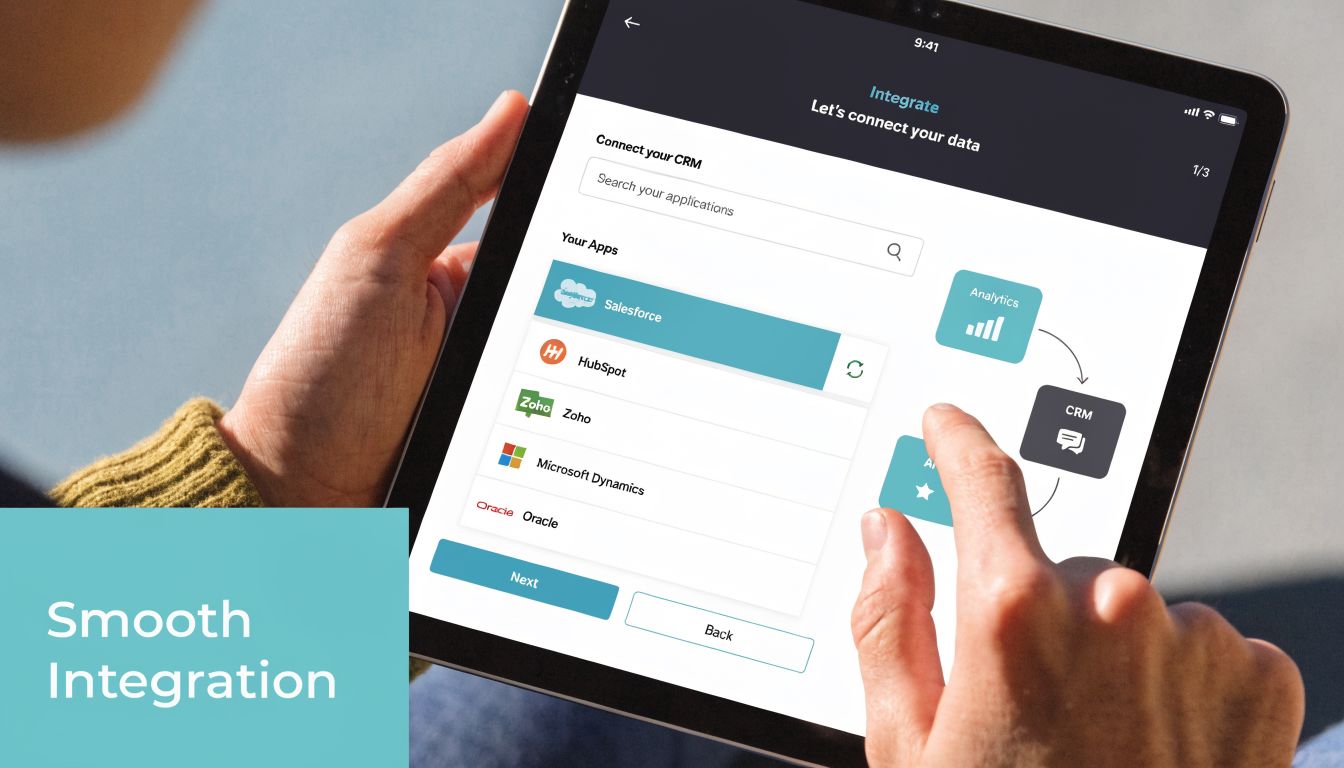
This integration question is exactly where CasePulse sits. It is not another case management system — it is the client-facing layer that connects to the system your firm already runs. Neos, Needles 4 and 5, LawBase, and Litify are supported today, and your staff keep working where they already work while clients get a branded portal with status tracking, secure messaging, forms, and file exchange.
To see it against your own workflow, the product walkthrough shows the portal step by step, and a short demo covers the integration questions specific to your setup.
At 4:45 p.m., the phones start lighting up. A client wants to know whether records were received. Another is asking if treatment notes were sent. A third says they uploaded documents last week and wants confirmation. In most PI firms, that last half hour of the day exposes whether the portal is connected to the case workflow or sitting off to the side.
Implementation succeeds when the portal is tied to the way the firm already runs cases. For firms on Needles, Neos, LawBase, or Litify, the question is usually not whether a portal sounds useful. The question is whether staff can trust it to reflect the file without extra copying, extra checking, and extra training.
Start with the case lifecycle
Before launch, map the moments that trigger the highest client anxiety. Intake. Initial document collection. Treatment gaps. Records requests. Demand prep. Settlement paperwork. Those are the stages where a portal either reduces pressure on staff or becomes one more thing staff has to maintain.
For PI firms, the implementation plan usually comes down to four decisions:
When clients get invited
Intake is usually the cleanest point. If the firm waits until the case is already active, clients are more likely to stay with phone calls and scattered email threads.Which actions happen inside the portal
Good starting points include forms, routine status updates, document upload, e-sign tasks, reminders, and common back-and-forth that does not need a phone call.Who owns rollout internally
One accountable owner matters more than a big committee. Operations managers, intake directors, or a senior case manager often handle this well because they see where communication breaks down.What needs cleanup first
Bad phone numbers, duplicate contacts, and inconsistent matter naming create confusion fast. If the source data is sloppy, the portal will expose it.
A useful outside primer on this broader topic is F1Group's overview of integrating software systems, especially for firms trying to reduce duplicate work across multiple tools.
Deep integration is the difference
I have seen firms reject a portal after 60 days when the problem was not the client interface. The problem was shallow integration. Staff still had to upload documents by hand, copy updates from the case management system, and check a separate inbox for client messages. That setup creates friction for staff and uncertainty for clients.
Deep integration changes the economics of adoption. If a document added in Neos appears in the portal without staff intervention, people trust the system. If a client message is written back to the matter record in Litify or LawBase, case teams stop treating the portal as an extra communication channel. If task completion updates sync back into the workflow, managers can measure whether the process is working.
That is why firms should ask direct product questions during demos. Does the portal read matter status from Needles, or does someone have to update it manually? Do uploads route back to the right file structure? Can portal activity trigger internal tasks? Those details decide whether implementation takes weeks or drags into a cleanup project.
For firms sorting out intake, follow-up, and handoff between systems, a dedicated CRM for lawyers can help define where communication starts and where it should shift into case management.
Low-friction rollout wins
The fastest successful launches are narrow. They do not try to publish every document type, every workflow, and every automation rule on day one.
A practical rollout usually looks like this:
- Phase one: Turn on messaging, document sharing, and a short list of high-frequency forms
- Phase two: Add automated reminders, stage-based updates, and a few client tasks tied to real case milestones
- Phase three: Refine templates, permissions, and internal SOPs based on what clients use
This matters more than many firms expect. A portal can have good features and still fail if setup is too broad, too slow, or disconnected from the CMS. Plaintiff firms do better with a rapid implementation model that gets one office, one team, or one case type live quickly, then expands after the workflow proves itself.
Train by role, then train clients
Training should match the actual work each group performs.
- Front desk and intake staff need a script for introducing the portal and resetting access
- Case managers need to know how updates, reminders, and client replies appear in their normal workflow
- Paralegals need document request, upload, and form handling procedures
- Attorneys need a clear view of what the client sees and when intervention is needed
One long generic training session rarely sticks. Short sessions tied to common tasks work better, especially in firms where turnover or team growth is a factor.
Client onboarding deserves the same discipline. Invite clients early. Show them where messages live, where files go, and what they need to complete first. In PI, clients are not judging the portal on feature depth. They are judging whether it answers the question they would otherwise ask by phone.
If the portal saves staff time inside Needles, Neos, LawBase, or Litify, adoption follows. If it creates a second place to check, staff work around it and clients go back to calling.
Calculating the ROI of a Legal Client Portal
It is 4:45 p.m. A case manager is trying to leave. Three clients call in within ten minutes asking the same question in different forms: What is the status of my case, did you get my records, and what happens next? None of those calls produce legal work, but all of them consume paid staff time and raise client anxiety if the answer is slow or inconsistent.
That is the starting point for ROI.
Managing partners do not need another abstract pitch about client experience. They need to know whether legal client portal software reduces call volume, protects staff capacity, and helps the firm move cases without adding another system for employees to babysit. In plaintiff PI, the answer depends less on the portal itself and more on how tightly it connects to the case management system your team already uses.

Where firms actually get the return
The first savings usually show up in places that firms undercount because the work is spread across reception, intake, case management, and paralegal staff.
A typical PI matter creates the same communication spikes over and over. Intake. Medical treatment. Document collection. Liability investigation. Demand prep. Settlement paperwork. Disbursement. Without a portal, each stage triggers status calls, duplicate emails, manual reminders, and repeated document sends. With a portal that is tied directly to Needles, Neos, LawBase, or Litify, much of that traffic shifts out of the phone queue and into a controlled workflow.
The return usually appears in four areas:
- Staff time recovered: fewer one-off status calls and fewer manual follow-ups
- Lower admin friction: fewer duplicate document requests, resends, and reminder emails
- Faster task completion: clients are more likely to upload forms, IDs, and signatures when requests are visible in one place
- Better case continuity: clients feel informed during long quiet stretches, which reduces frustration and escalation
Review ROI by case stage, not by software feature
The cleanest way to evaluate return is to trace one representative case from sign-up to disbursement and mark where staff is spending time on communication that does not require legal judgment.
That exercise usually exposes more waste than firms expect.
| Workflow stage | Current friction | Portal impact |
|---|---|---|
| Intake and sign up | Repeated outreach, incomplete paperwork, missed forms | Early portal onboarding, centralized forms, visible next steps |
| Treatment phase | Frequent status calls and message chasing | Posted updates, structured messaging, shared documents |
| Document collection | Slow uploads, repeated requests for IDs, insurance cards, records | One place for requests, uploads, and confirmations |
| Settlement stage | Confusion about releases, checks, liens, and timing | Shared files, message history, and clearer step-by-step communication |
This approach also forces a more honest implementation discussion. If the portal sits beside the CMS instead of inside the firm’s existing workflow, staff will spend part of the saved time checking a second system. That weakens the return. If updates, documents, and client messages sync cleanly with Needles, Neos, LawBase, or Litify, the return is easier to measure and easier to keep.
Automation has real financial value
Clio Legal Trends data, cited earlier in the article, found that every dollar invested in workflow automation can generate $4.80 in recovered billable time over three years.
Contingency firms do not measure productivity exactly the same way as hourly firms, but the point still holds. Automation creates capacity. If staff stops spending large parts of the day sending reminders, chasing signatures, answering routine status questions, and reissuing documents, the same team can support more cases with less stress and fewer client complaints.
That is why implementation speed matters. A portal rolled out in ninety days after endless configuration delays produces slower return than a portal launched quickly on one workflow that already maps to the CMS. In PI firms, fast wins matter. One office, one team, or one case type can show the economics before the firm expands adoption.
Secondary return still counts
The ROI is not limited to labor savings on a spreadsheet.
A portal also improves operating discipline in ways that affect revenue and reputation over time. Clients who can see updates and next steps are less likely to assume the firm has gone silent. Staff are less likely to miss routine follow-up when reminders and requests are standardized. Managers get a better view of where communication stalls. Referral risk drops when clients feel informed, especially in the long middle stretch of a PI case where little appears to be happening from the client’s perspective.
In practice, that matters a lot. Firms do not lose trust because one message was delayed. They lose trust because the client had to ask three times.
ROI for legal client portal software is strongest when the portal reduces incoming calls, shortens admin work, and fits the systems the staff already lives in. If a vendor cannot show how the portal will work inside your actual CMS and launch without months of disruption, the projected return is only a spreadsheet exercise.
Your Vendor Selection and Buyer's Checklist
A partner signs the contract after a polished demo. Thirty days later, intake is still texting clients because the portal does not write back to Needles, the case managers are checking a second inbox, and clients are calling anyway because they cannot find what they need on their phones.
That is how firms end up paying for two communication systems at once.
The buying mistake is usually the same. Firms shop for interface polish and broad promises about integration, then discover too late that the vendor means "we have an API" rather than "we already know how to connect your portal to Neos, LawBase, Litify, or Needles without forcing staff to change how they work."
Implementation quality belongs on the shortlist with features and price. As noted earlier, firms tend to see meaningful call and email reduction only after the portal is set up well and rolled out in a way staff and clients will use. A weak launch can waste a good product. A strong launch can make a narrower feature set far more valuable.
Questions worth asking in every demo
Ask direct questions. Vague answers here usually predict pain after signature.
- Specific integration: Which case management systems do you already support in production: Needles, Neos, LawBase, Litify? What data syncs, and in which direction?
- Workflow impact: Will staff work inside the CMS they already use, or will they need to monitor a separate inbox, task queue, or message center?
- Launch ownership: Who configures templates, permissions, intake flows, and user roles? Your team or theirs?
- Client adoption: How do you get clients enrolled early, especially clients who are anxious, older, or not tech comfortable?
- Mobile experience: What can a client do from a phone without calling the office for help?
- Support depth: After go-live, who handles mapping changes, permission issues, and workflow adjustments?
- Pricing clarity: What changes the bill. User count, matter count, storage, SMS volume, implementation hours, or support tiers?
One question matters more than firms expect: "Show me how this works with my CMS, using my intake and pre-lit workflow." If the vendor cannot do that live, the risk is real.
What usually works, and what usually disappoints
The strongest portal projects share a few patterns.
- Low-friction launch: One practice area, one office, or one workflow goes live quickly
- Real CMS integration: Messages, documents, forms, and status updates connect to the system of record
- Clear client design: Clients can upload, sign, and check status from a phone without extra instruction
- Post-launch tuning: The vendor stays involved long enough to fix adoption problems and tighten workflows
The failures are predictable too.
- Shallow integrations that turn the portal into another place to copy and paste
- Generic legal positioning with no understanding of plaintiff PI timing, staff roles, or client anxiety
- Overbuilt permission models that confuse staff and slow down rollout
- Support handoff after onboarding when actual workflow issues usually start appearing
I have seen firms forgive a plain interface. They do not forgive duplicate work.
Choose the vendor that reduces calls, lowers staff effort, and fits your existing PI workflow within weeks, not the one with the best demo theater.
Buyer's Checklist for Legal Client Portal Software
| Evaluation Criteria | Key Questions to Ask | Why It Matters |
|---|---|---|
| Integration depth | Does it connect directly with Needles, Neos, LawBase, or Litify, and what data moves both ways? | Keeps staff in the CMS and cuts duplicate entry |
| Workflow fit | Does the portal match your intake, treatment, records, demand, and settlement communication flow? | A portal that ignores PI workflow creates work instead of removing it |
| Client usability | Can clients message, upload files, complete forms, and review updates easily from a phone? | If clients struggle, they call the office |
| Communication management | Do messages, reminders, and document requests stay organized in one place with clear ownership? | Reduces status-chasing and missed follow-up |
| Security and compliance | How are permissions, audit trails, file access, and sensitive records controlled? | Protects confidentiality and limits avoidable risk |
| Implementation process | How long does launch take, what is included, and who is responsible for setup and training? | Faster, cleaner rollouts produce earlier operational gains |
| Support structure | Will support staff help with real workflow changes after launch, not just technical tickets? | Adoption often depends on fast adjustments in the first weeks |
| Branding and client experience | Can the portal reflect the firm's identity, tone, and client communication style? | A consistent experience builds trust during long case timelines |
| Pricing model | Is pricing easy to understand as usage grows? | Prevents surprises and makes vendor comparison easier |
The firms that buy well focus on operating reality. They want fewer update calls, less manual follow-up, and a portal that connects closely to the case management system they already depend on.
If your firm wants a portal that plugs into existing plaintiff PI workflows instead of creating another system to manage, take a look at CasePulse. It offers a secure client portal for law firms with direct integration into Needles, Neos, LawBase, and Litify, along with messaging, file sharing, forms, automated follow ups, custom branding, and a low friction implementation approach.