
 CasePulse
A records request has been sitting with a provider for days. Your client keeps calling for an update, the demand package can't go out, and then the provider rejects the authorization because the signature date is missing or the form says “all records” without a meaningful limit. The case hasn't changed, but a defective page has stopped the workflow.
That's why a medical authorization form template needs to be designed for execution, not just appearance. A form can contain familiar fields and still fail when a client leaves a required box blank, a representative doesn't explain their authority, or the expiration language doesn't connect to the disclosure purpose.
For plaintiff personal injury firms, the practical answer is a template that forces completion, narrows access to what the case requires, and moves cleanly from client portal to signed record. The sections below focus on the wording, expiration logic, sensitive information choices, and digital workflow details that determine whether a request gets processed or returned.
Why Your Medical Authorization Form Template Matters More Than You Think
The problem often starts with a harmless shortcut. An intake team downloads a generic release, sends it to the client, and assumes the provider will accept it because the page includes the patient's name and a signature line. The client signs, the firm sends the form with a records request, and the provider comes back asking for a clearer purpose, a date range, or a valid expiration event.
That exchange can stall medical record retrieval at the worst point in a personal injury case. A missing authorization can delay evaluation of treatment, prevent staff from confirming prior conditions, and hold up a demand package that depends on complete damages documentation. The client experiences the delay as silence, even when the paralegal is spending time on follow-up calls and corrected submissions.
The form exists because disclosure of protected health information outside treatment, payment, and health care operations generally requires authorization under the HIPAA Privacy Rule. The rule was passed in 1996, and federal guidance requires a valid authorization to use plain language and include core details such as the information covered, the recipient, the purpose, an expiration date or event, and a signature. Federal background on HIPAA authorization requirements explains the distinction between permitted disclosures and disclosures that need authorization.
Treatment consent is not the same as record release
A client may consent to treatment without authorizing a provider to send records to a law firm. Those are separate operational decisions. Treatment consent addresses permission for care, while a release authorization identifies what information a provider may disclose, to whom, and for what purpose.
A litigation-oriented release form developed in New York through collaboration among the court system, medical providers, and the bench and bar shows why standardization matters in court-related workflows. Standard language can reduce interpretation problems, but a standard form still needs case-specific scope and expiration choices.
Practical takeaway: A template should make the right action easier than the wrong one. If staff or clients must guess what “all records” means, the template has already created avoidable risk.
Firms building a broader digital intake environment may also review digital health solutions Ekipa AI for context on healthcare-facing digital workflows. That resource is separate from the authorization itself, but it reinforces the operational principle that structured information moves more reliably than free-form paperwork.
A useful template therefore does more than list fields. It gives the intake team a repeatable path from identifying the patient and provider, to choosing a narrow information scope, to capturing a valid signature and preserving the completed record. It should also support different use cases without forcing one blanket authorization onto every client.
Required Fields Every Compliant Medical Authorization Must Include
A compliant form starts with the required elements, but a usable form goes further by making each element difficult to skip. HHS requires plain language and specific identifying details, including the information being disclosed, the disclosing party, the recipient, the purpose, expiration terms, and the signer's signature and date. HHS authorization guidance sets out the federal requirement for an expiration date or an expiration event tied to the individual or disclosure purpose.
Define the information before naming the records source
Describe the protected health information precisely.
Use categories, providers, and date ranges rather than “all records.” For an auto collision, wording might identify emergency department records, imaging, operative reports, billing records, and follow-up treatment related to injuries from the incident, with a defined service period. If the firm needs an older record to evaluate causation, add that category deliberately rather than opening the entire chart.Name the person or entity allowed to disclose the information.
Identify the hospital, physician, imaging center, clinic, or other custodian. A field for “any provider” may be too broad for a single-purpose request and can create questions about who the client intended to authorize.Name the recipient.
The recipient should be the law firm, a specific attorney or department, an insurer, another provider, or another identified party. Include the recipient's address or other contact details where the workflow requires it, and don't leave the receiving party to inference.State the purpose of disclosure.
A phrase such as “evaluation and prosecution of the client's personal injury claim arising from the collision” gives the provider context. For a continuity-of-care request, say so. The purpose should match the scope, rather than serving as a generic reason attached to every matter.Add a concrete expiration date or event.
The form should require the signer to choose a date or event connected to the person or disclosure purpose. “Until the case ends” may be less useful than an event defined in language the provider can interpret consistently. Federal guidance makes expiration a required element, not an optional administrative preference.Explain revocation in writing.
The authorization should tell the signer that they can revoke it in writing, explain how to submit the revocation, and identify limits for actions already taken in reliance on the authorization. A requirements checklist for 45 CFR 164.508 discusses the revocation and representative-authority components that teams often omit.Capture signature, date, and authority.
Require the patient's signature and the date of signing. If a personal representative signs, add a required field describing the authority, such as parent of a minor or health care power of attorney. Don't let a representative select a relationship from a menu without supplying the basis for that authority.
Add the operational language providers look for
The form should also warn that information disclosed under the authorization may be subject to redisclosure by the recipient and may no longer be protected by HIPAA. That warning matters because the protection can change after the provider releases the information, making the original scope and recipient especially important.
A clear layout helps staff review the form quickly. Teams comparing formats can use an example of an application form as a general reference for organizing fields and submission logic, but the legal content still needs review for the authorization's purpose.
Use the required elements as a validation checklist, not merely as labels. A client portal form can require the scope, recipient, purpose, expiration, signature, date, and representative authority fields before submission. Firms can also compare their existing materials against CasePulse client consent forms when planning a client-facing digital workflow.

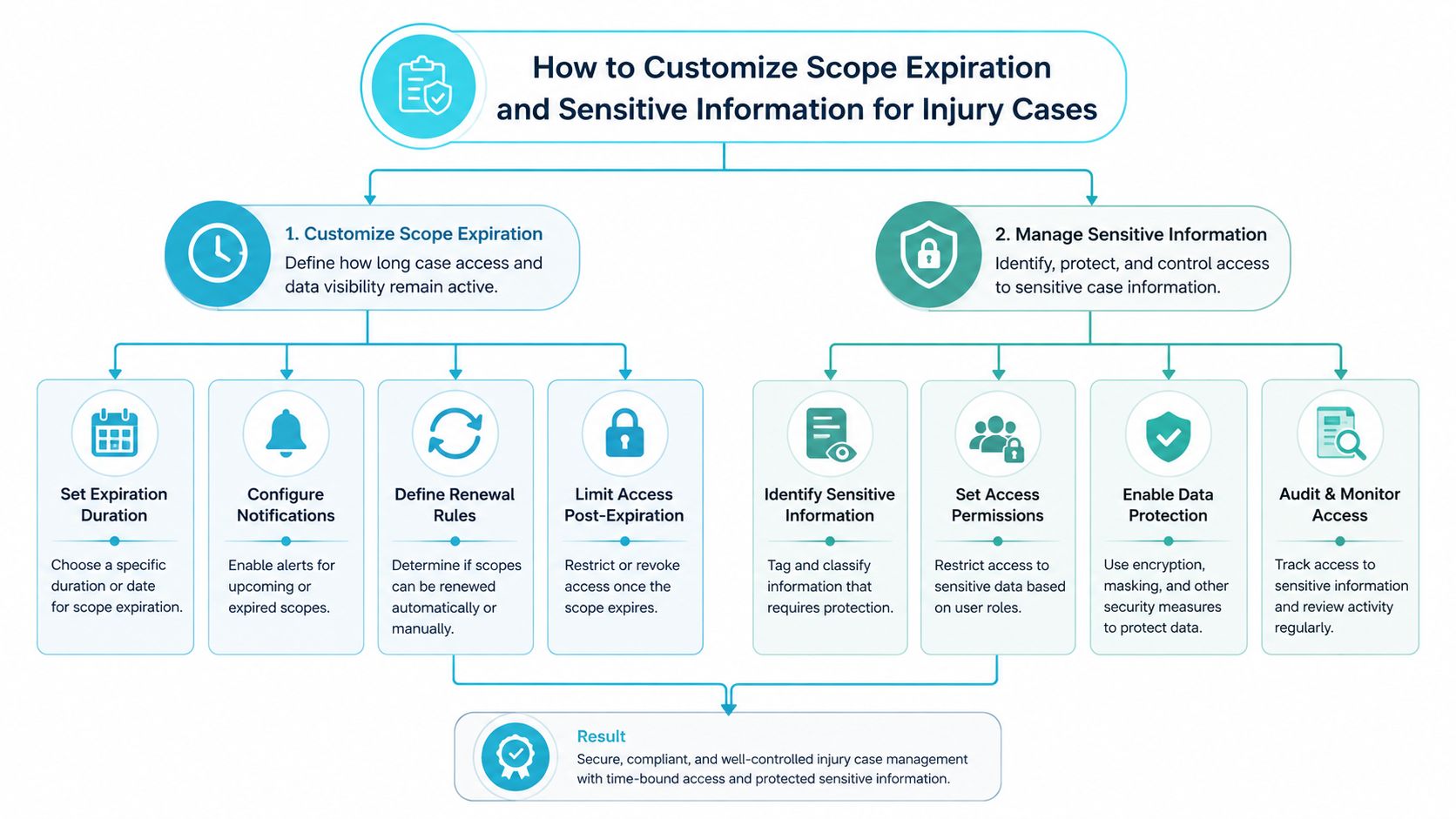
How to Customize Scope Expiration and Sensitive Information for Injury Cases
A personal injury firm rarely needs one authorization for every possible purpose. The safer approach is to start with the task, then authorize only the information needed for that task.
For an auto collision, the initial release might cover emergency treatment, imaging, specialist care, therapy, and billing connected to the claimed injuries. A slip and fall may call for records from the emergency department and treating providers, plus a narrower historical period if the defense is likely to examine a preexisting condition. A medical damages case may require more extensive treatment records, but that still doesn't mean the form should automatically authorize unrelated medical history.
Use three scope controls
Think of scope as a combination of provider, date range, and information type.
- Provider: Name the hospital, clinic, physician, imaging center, or laboratory.
- Date range: Identify the relevant treatment period or the specific incident-related period.
- Information type: Select records such as imaging, diagnoses, treatment notes, billing, prescriptions, or operative reports.
A form that forces those choices gives staff a way to spot overbroad requests before submission. It also gives the provider a clearer basis for processing the release.
Sensitive categories need deliberate handling. Template guidance commonly identifies mental health records, HIV or sexually transmitted disease records, and substance use disorder records as categories that may require clear identification in the authorization. If the case requires one of those categories, list it specifically and confirm that the wording meets the applicable jurisdiction's rules. If it doesn't, leave it out rather than relying on a blanket phrase.
Make expiration visible and intentional
Expiration logic is where many otherwise complete forms become difficult to manage. Examples from major providers include six months, one year in Maryland, and thirty months for certain research-related authorizations, as described in Cleveland Clinic's authorization form. Other sample forms use defaults of twelve months after signing or ninety days after signing when the signer doesn't specify an expiration, as shown in this sample release form.
Those examples aren't a universal deadline for every injury case. They show why a template should either require a selected expiration or state a carefully reviewed default. A blank expiration field invites rejection, while an unnecessarily long authorization can create avoidable exposure.
Caregiver and minor-child matters need separate logic. A temporary caregiver may need authority for emergency decisions during travel, while a records release may need to name particular providers and a limited purpose. A parent signing for a minor should identify the relationship and any required authority. Multi-state and cross-border matters also call for jurisdiction-aware review, especially where identity fields, language preferences, or digital communication consent are added.
A structured record-retrieval process can help staff track scope and expiration without treating every request as identical. Firms evaluating that workflow can review streamlined record retrieval as a reference point for organizing the administrative side of requests.
Building a Digital Workflow With E Signature and Client Portal Integration
A client can sign the wrong page, skip an expiration date, or enter a representative's name without proving authority. A portal workflow catches these defects before submission when the medical authorization form template uses conditional fields and completion rules instead of functioning as a static PDF.
Paper processes leave staff to inspect every returned scan. Digital forms can show only the scope questions that apply, require recipient and purpose fields, and reveal representative-authority questions when someone other than the patient signs. That setup reduces preventable rework, but only if the form logic matches the authorization language.
Compare the workflow, not just the format
| Paper or static PDF | Portal-based form |
|---|---|
| Staff find missing fields after return | Required fields can block submission |
| One version may be sent to every client | Conditional fields can reflect the matter |
| Signature and identity checks depend on review | The workflow can prompt for identity details |
| Follow-up happens through manual calls and email | Reminders can be tied to an incomplete form |
| The final document may sit in an inbox | The signed record can route into the case workflow |
The signing screen should use plain language and work on a phone as well as a desktop. Before signing, the client should see what information will be released, the recipient, the purpose, the expiration, and the revocation process. Scope, expiration, and sensitive-information choices should remain visible in the final record, rather than existing only as hidden portal settings.
Identity verification and representative authority need separate checkpoints. A typed name may be insufficient when the matter requires confirmation of the signer's identity or legal relationship to the patient. Configure the workflow to request that information when applicable, then store the completed authorization with the exact language and scope the client reviewed.
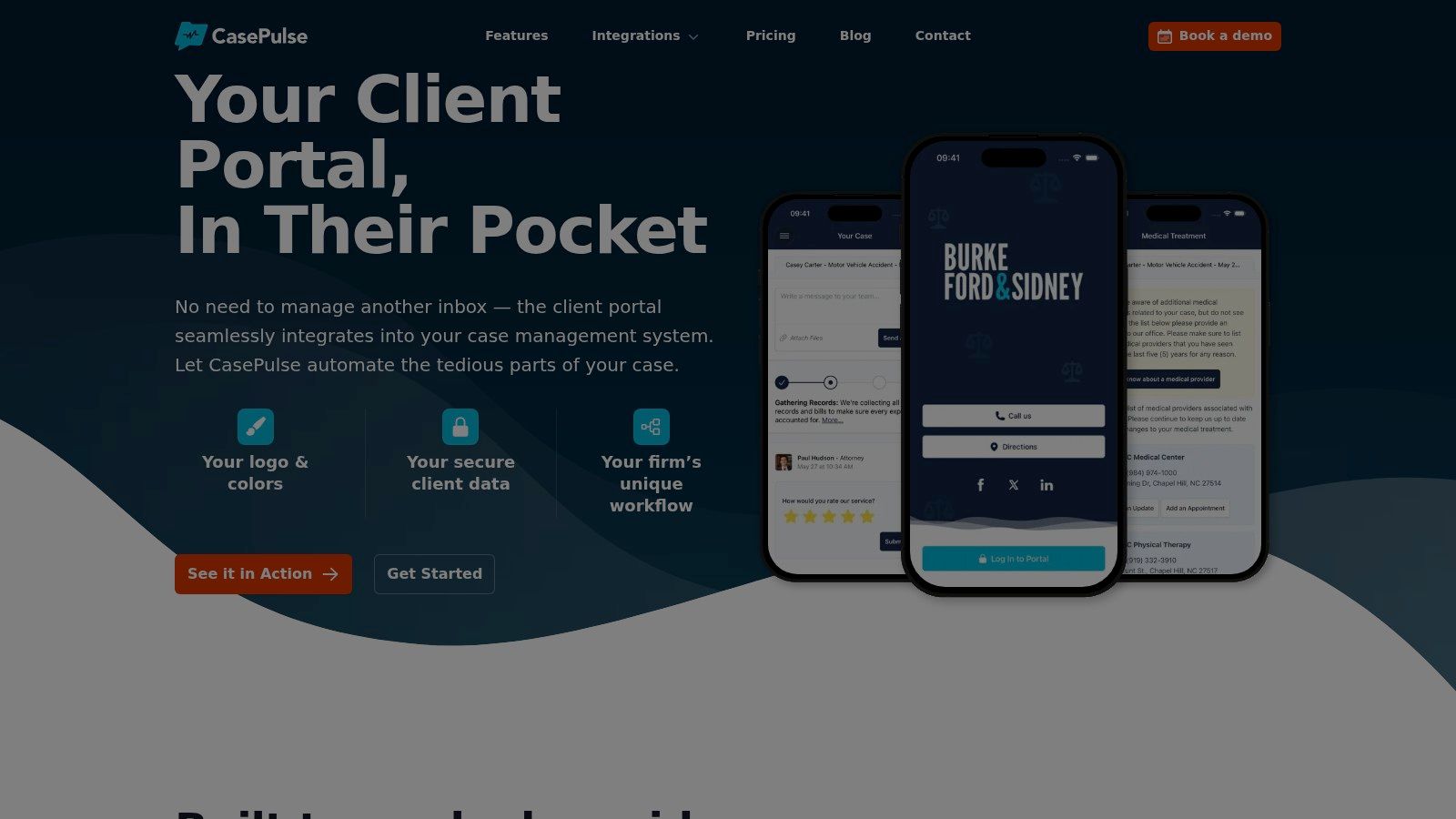
CasePulse is one portal option for firms that want clients to complete fillable forms from any device while staff continue working within an existing case management workflow. Its publisher describes integrations with Needles, Neos, LawBase, and Litify, along with automated reminders, custom branding, external document links, and month-to-month pricing with unlimited cases, messages, files, forms, and support. Firms reviewing their process can consult electronic signature legality before selecting an e-signature method.
Digitizing a defective form preserves the same rejection points. A controlled sequence should identify the client, require scope and expiration choices, explain revocation, collect representative authority when needed, capture the signature, and preserve the completed record in the case file. Configure a failed or abandoned submission to return to the client with the missing item identified, rather than allowing staff to discover it after a provider rejects the request.
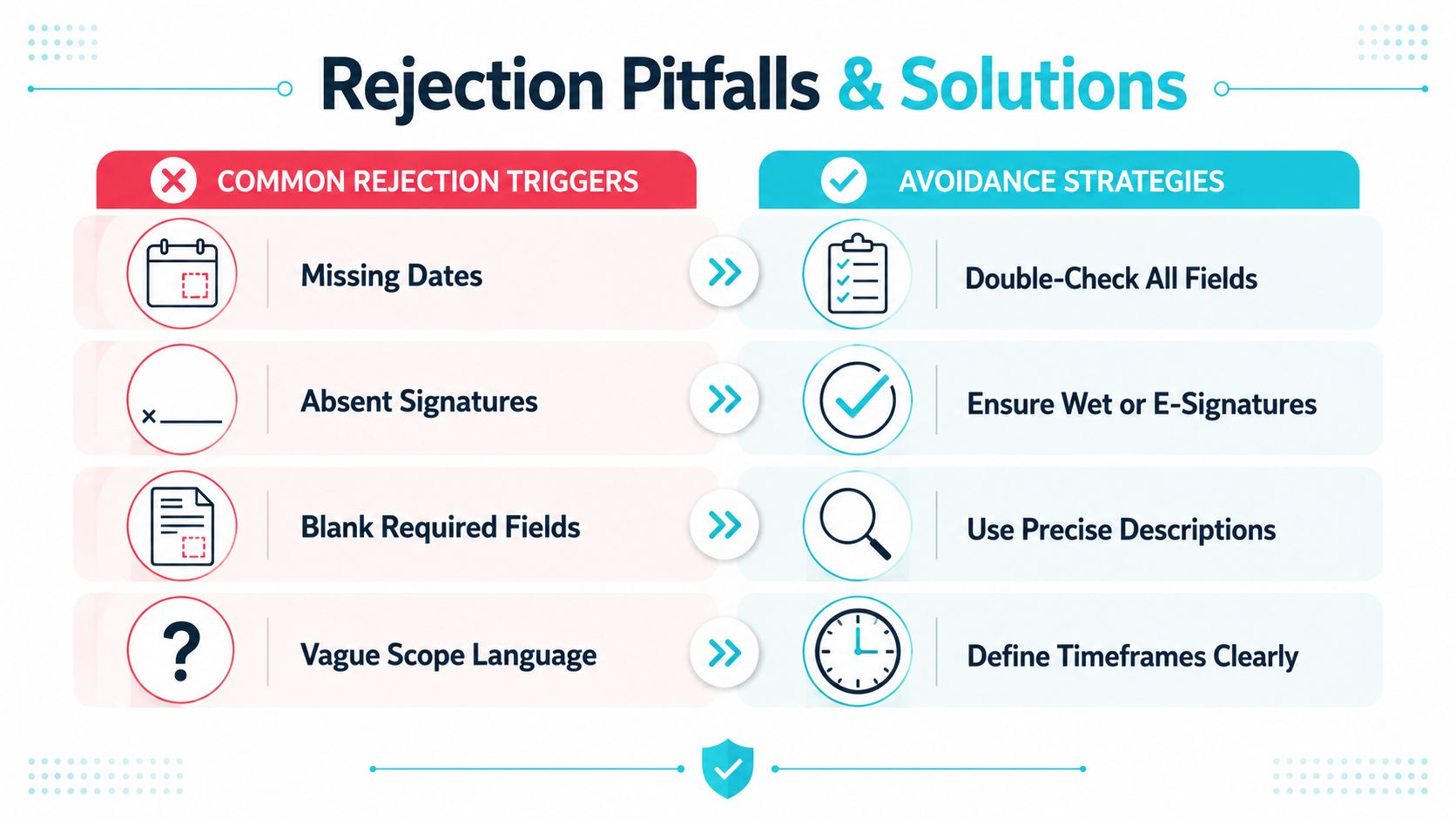
Common Pitfalls That Get Medical Authorizations Rejected and How to Avoid Them
Most rejected authorizations don't fail because the client refused permission. They fail because the completed document doesn't prove what the client authorized.
The recurring defects include missing dates, absent signatures, blank required fields, outdated versions, pre-checked boxes, blanket disclosure language, and failure to provide the patient with a copy. HIPAA authorization rejection guidance identifies these execution problems as common denial triggers in release workflows.
The defects that deserve a hard stop
Missing date: A signature without a signing date leaves the provider unable to establish when the authorization took effect.
Absent signature: A completed scope section doesn't replace the patient's signature or the authorized representative's signature.
Blank required field: A form that allows an empty recipient, purpose, or expiration field creates a preventable review failure.
Outdated form: Staff may use an old version after the firm has changed required language, provider instructions, or jurisdiction-specific fields.
Pre-checked boxes: A preselected category can suggest that the client didn't make an informed choice about sensitive information.
Blanket language: “All records” doesn't tell the provider which information the client intended to release. It can also authorize more access than the case requires.
No patient copy: Failing to deliver a copy makes it harder for the client to know what was signed and complicates later questions about revocation or scope.
Fix the workflow before rewriting everything
The first intervention is usually a validation layer. Make the system require the signature date, expiration, recipient, purpose, and selected information categories. If a client chooses a personal representative, reveal the authority field and require a description before submission.
The second intervention is a pre-submission review by staff. Verify the patient identity, provider name, scope, expiration, signature, and representative authority. Confirm that sensitive categories are selected only when the case needs them and that the copy has been delivered to the patient.
Audit rule: Review completed authorizations quarterly and retrain staff annually. A small defect in the template can create a much larger delay in the records workflow.
Redisclosure is another reason to resist broad language. Once protected health information has been disclosed, the recipient may be able to redisclose it, and the information may no longer be protected by HIPAA in the same way. The form's warning, expiration, recipient, and scope therefore work together as risk controls, not as decorative legal text.
Putting Your Medical Authorization Form Template Into Practice
A template becomes useful when the firm can deploy it consistently across intake, records retrieval, litigation support, and client communication. Start with a version reviewed by counsel for the jurisdictions and case types the firm handles. Then convert the approved language into a workflow that requires completion instead of relying on staff to repair omissions later.
Use this rollout checklist:
- Review the language: Confirm the PHI description, parties, purpose, expiration, revocation notice, redisclosure warning, signature fields, and representative-authority language.
- Create matter-specific options: Separate treatment consent, record retrieval, and litigation support choices where one blanket release would be too broad.
- Test the client experience: Complete the form on a mobile device, use a representative path, leave fields blank, and confirm the system stops incomplete submissions.
- Train the team: Give paralegals and case managers a short review checklist covering identity, scope, expiration, signature, and patient-copy delivery.
- Track corrections: Record why providers reject forms so recurring defects lead to template changes rather than repeated manual fixes.
- Audit quarterly: Review completed authorizations for scope, expiration, sensitive categories, and evidence of delivery.
- Refresh annually: Retrain staff and confirm the active template remains appropriate for each jurisdiction and workflow.
Keep the form narrow, current, and understandable. A family caregiver, a minor-child matter, and a single-purpose records release shouldn't all receive identical questions. If your firm also coordinates clinical information, practical EHR dictation integration tips can provide useful context for keeping healthcare data workflows structured, although dictation tools don't replace authorization review.
Working principle: The strongest template is the one staff can validate quickly and clients can understand before they sign.
Deploy the form in stages. Begin with one case type, review the first completed submissions, correct confusing prompts, and then extend the workflow to other injury matters. Continuous review is more reliable than treating the template as a finished PDF that never changes.
CasePulse gives law firms a client portal where clients can complete fillable medical authorization forms from any device, receive reminders, share files, and message the team while staff work within supported case management workflows. Visit CasePulse to see whether its portal-based form and communication workflow fits your firm's records-release process.