
 CasePulse
 Nearly $4.88 million is the global average cost of a data breach in 2024, and organizations still need an average of 277 days to identify and contain one, with lost or stolen credentials stretching that to 328 days (NordPass breach study). For a law firm, that is not an IT footnote, it is a business continuity problem that can sit inside client intake, case updates, settlement documents, and portal access for months before anyone fully understands the damage. Secure client data is less about buying one tool and more about controlling what happens before, during, and after information leaves your core system.
Firms that still treat security as a server-room issue miss the core exposure. Client files move through inboxes, portals, home devices, synced folders, and ad hoc follow-ups, and every handoff creates another place where confidentiality can slip. The firms that handle this well do a few things consistently: they reduce unnecessary sharing, tighten access, and make the secure path easier than the risky one.
Why Law Firms Face Escalating Data Risk
The pressure on managing partners is not abstract. A NordPass breach study shows nearly 10,000 organizations experienced breaches that led to consumer data leakage in the last four years, and the average breach cost reached $4.88 million in 2024. For law firms, that means more than lost files. It means lost time, strained client trust, and a breakdown in control over information that often sits inside privilege-sensitive workflows.
Breaches linger long after the first alert
The average incident lifecycle, 277 days to identify and contain, explains why reactive cleanup is such a weak strategy (NordPass breach study). When credentials are lost or stolen, the timeline stretches to 328 days. In practical terms, an attacker who gets into a client portal or a shared mailbox can keep reading, copying, or redirecting communications while staff still think they are dealing with a routine access issue.
Plaintiff firms and mid-sized practices are attractive because they hold concentrated records, medical documents, payment details, and settlement materials in workflows that have to move quickly. That speed helps clients, but it also creates shortcuts, especially when teams fall back on email attachments or broad folder access. The firms that get burned usually did not lack software. They lacked a disciplined way to limit exposure once normal work picked up.
Practical rule: if a workflow depends on “we'll review access later,” access is already too broad.
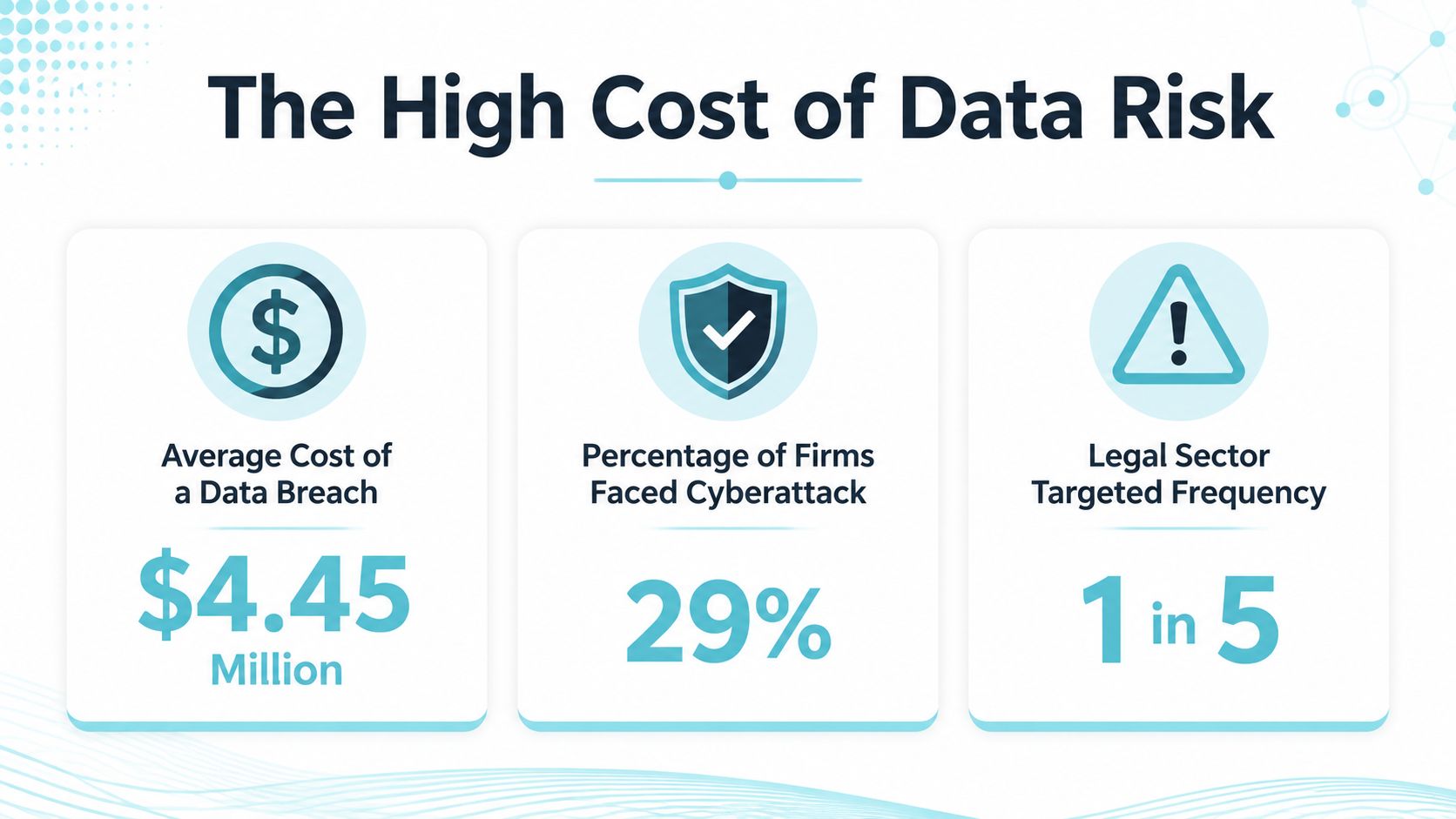
A better way to view the risk is operational. Every unstructured handoff, every shared inbox, and every downloaded attachment increases the number of places a file can be copied, forwarded, or left on a device nobody controls. The hard part is not just securing the firm's core system. It is managing what happens after client data leaves it, especially through portals, synced folders, and client devices that the firm does not fully own.
That is why firms looking for practical support often pair process cleanup with outside help. Resources such as managed IT for DFW law firms can help teams identify where data is spreading, where access is staying open too long, and which handoffs need tighter control before the next matter gets busy.
Legal and Ethical Obligations for Protecting Client Information
Law firms do not get to treat confidentiality as a nice-to-have. The FTC says a sound data security plan should take stock of information, scale down unnecessary collection, lock data, pitch what is no longer needed, and plan ahead, and it specifically warns that unencrypted email is not a secure way to send sensitive personal data (FTC business guidance). That is a direct challenge to firms that still use inboxes as their primary client communication channel.
Match the control to the obligation
If the case involves health-related records, the HIPAA Security Rule requires reasonable and appropriate administrative, physical, and technical safeguards for ePHI, along with protection of confidentiality, integrity, and availability (HHS HIPAA Security Rule). For firms handling personal data outside HIPAA, the same underlying logic still applies. Client information must be protected against reasonably anticipated threats, unauthorized disclosure, and workforce mistakes, which means policy alone is never enough.
Professional responsibility also pushes firms toward tighter controls than many general businesses use. Lawyers sending confidential information by email should encrypt attachments or use a third-party encrypted email service, and ACTEC's guidance points to 128 bit or 256 bit AES encryption with a strong password as a benchmark for confidential client information (ACTEC paper). That aligns with the broader ethical expectation that firms should choose the least risky channel available for sensitive exchange.
A practical governance role often gets overlooked here. Someone has to own the rules, enforce the review cycle, and keep the firm from drifting back to convenience-based behavior. For firms formalizing that responsibility, a role profile such as nexus IT group DPO recruitment can be a useful reference point for defining accountability around privacy and security oversight.
Translate rules into day-to-day controls
The best firms turn obligations into habits their teams can follow without debate. They encrypt sensitive records, limit who can see them, and avoid sending files in ways that create permanent exposure across multiple devices. They also treat retention as a compliance issue, not an archive-management task, because keeping data longer than needed expands the blast radius of any future mistake.
Confidentiality breaks most often where policy and convenience collide, not where security teams are absent.
Technical Controls Every Firm Should Implement
A secure baseline starts with encryption at rest and in transit, but the control only works if the firm applies it to the places data lives. That means servers, databases, object storage, backups, portable devices, and the links used for client-server traffic and API communication. Expert guidance specifically calls out AES-256 for sensitive records, TLS 1.3 as the minimum communications standard, and HSM-managed keys for stronger backup protection (client-data security guidance).
Build the access model around need, not convenience
Encryption helps, but broad permissions still create avoidable exposure. Least privilege and role-based access control keep sensitive records visible only to people with a real business need, while MFA reduces the value of a stolen password (NJCPA guidance). That combination matters because many breaches start with credentials, and once a username and password are compromised, loose access rules turn one account into a much bigger incident.
Auditability is the next layer. If a firm cannot answer who accessed what and when, it cannot reliably investigate misuse or satisfy compliance review. Tamper-resistant logs also help leadership spot odd access patterns before they become a full breach. Zero-trust thinking fits naturally here, because it assumes no account or device should be trusted by default.
The internal controls only work if the workflow itself supports them. Secure messaging gives firms a controlled channel for sensitive exchange, which is materially different from ordinary email even when both feel equally easy to use. A concise reference on what is secure messaging helps clarify why that distinction matters in daily practice.
Use a layered control stack
A useful evaluation sequence looks like this.
- Encrypt everything that should never be readable in transit: This covers confidential files, portal traffic, and any system connecting to client data.
- Limit who can reach the data: Role-based permissions should mirror actual job functions, not broad department membership.
- Require MFA at every sensitive entry point: If one credential fails, the account should still be hard to use.
- Log access in a way you can review: Security events need to support investigation, not just fill storage.
- Verify users and devices before granting access: Zero-trust habits are especially useful when staff work across offices and remote locations.

The hard part is not choosing one control. It is making sure the controls reinforce each other so a single failure does not expose the whole file set. That becomes even more important when firms need to support business private investigations, where sensitive matter data often moves between internal teams, portals, and client devices.
The Hidden Risk of Data Leaving Your Firm
Most security programs protect the core system well enough, then lose discipline the moment a client downloads a file or forwards a message. That is the true weak spot. Once a document reaches a personal phone, a home laptop, or a synced cloud folder, the firm no longer controls the full chain of custody.
The portal is not just a storage problem
Portal security is really a distribution and lifecycle problem. The issue is not only whether the file is encrypted on a server, it is whether the same file can live on a firm laptop, a client device, and an unmanaged backup at the same time. Guidance on client-data security already points out that firms need to think beyond office systems and account for remote work, BYOD, and home networks, because the data surface expands the moment staff or clients move outside controlled environments (client-data lifecycle guidance).
Decide what happens after the first download
Firms need operational answers for the moments most guides ignore. Can a client message be expired after a set period. Can a file link be revoked. Can upload access be limited to a specific matter. Can a team member see when a document has been downloaded, forwarded, or re-shared. These are the controls that reduce exposure after a case file leaves the firm's core system.
If the same document can be opened in five places, the firm needs a plan for all five places, not just the original repository.
That is where email falls apart as a primary channel. It spreads copies across inboxes, archives, mobile devices, and search indexes in ways that are difficult to unwind. A controlled portal gives the firm a single workflow to manage access, timing, and visibility, which is exactly why the secure-file exchange question should be treated as a lifecycle issue rather than a storage issue. Secure file sharing with clients is only useful when the firm can define what happens after the file is sent.
Operational Policies That Strengthen Your Security Posture
Technical controls fail when firm habits work against them. That is why vendor due diligence, retention, incident response, and training need to live inside ordinary operations, not in a separate compliance binder. The firms that do this well make security part of vendor selection, matter setup, and staff onboarding, not a rescue project after something goes wrong.
Set vendor standards before the rollout
Third-party tools matter because they often become the path through which data leaves the firm. Before adopting any portal, intake platform, or collaboration tool, ask how it handles encryption, authentication, logging, and deletion. If a vendor cannot explain those basics clearly, it probably should not be storing client records.
Retention is equally important. Keep what you need for the matter, purge what you do not, and make sure the rules are enforced. The point is not to delete evidence you are required to keep, it is to avoid preserving stale copies that increase the damage from any future breach.
Make incident response real
Most firms say they have a response plan, but the plan often lives in a document nobody rehearses. A useful plan assigns who isolates accounts, who notifies leadership, who contacts vendors, and who handles client communication. It also needs a checklist for evidence preservation, because hasty cleanup can destroy the information needed to understand the incident.
Training should be specific to the work people do. Partners need to recognize risky sharing. Paralegals need to know when not to send attachments. Intake teams need to know how to move prospective client data into the right workflow without keeping copies in email. If the training does not change behavior, it is just a policy recital.
Operational rule: if staff can't explain the approved path for a file in one sentence, the process is too fragile.
How a Secure Client Portal Simplifies Compliance
A secure portal reduces the number of separate controls a firm has to stitch together. Instead of sending updates through email, attaching files to inboxes, and manually tracking who saw what, a portal centralizes messaging, file sharing, and form completion inside one controlled environment. CasePulse is one option in this category, and it integrates with systems such as Needles, Neos, LawBase, and Litify so staff can keep working in their existing case-management workflow while clients use the portal for updates and uploads.
Compare portal workflows with email workflows
Email is fast, but it scatters client data across multiple endpoints. A portal keeps communication in a defined space, which makes access control, audit trails, and client visibility much easier to manage. That matters because secure messaging is not only about encryption, it is about controlling how information is exchanged after the conversation starts. Secure client portal software becomes relevant when the firm wants one place for ongoing communication instead of a trail of message threads.
The compliance benefit is practical. When clients message the team, upload files, or complete forms in the portal, staff are not forced to bounce between inboxes and shared drives. That lowers the chance of human error and makes the approved path easier to follow than the risky one.
Make security visible without making it painful
Clients notice whether a firm has a controlled process, even if they do not use technical language to describe it. A portal can show that the firm takes confidentiality seriously while still keeping the experience manageable for staff and clients. The trade-off is that any portal has to be simple enough that people use it, otherwise they drift back to email.

The best implementation is the one that replaces scattered communication without adding another inbox to monitor. If the portal can reduce manual follow-ups, centralize uploads, and give the firm a cleaner audit trail, it has done more than improve convenience, it has narrowed the compliance surface.
Your Secure Client Data Checklist
Use this as a working audit, not a theoretical exercise. A firm should be able to answer each line clearly, ideally with one owner attached to every item.
- All client data is encrypted: Stored records, backups, and transmissions should be protected, not just the main file system.
- MFA is enforced everywhere sensitive data can be reached: If one password fails, access should still be blocked.
- Access logs are reviewed regularly: Logs should do more than exist, they need to support investigation and accountability.
- The client portal is independently certified or otherwise validated: The firm should know how the portal's controls are verified.
- The incident response plan is documented and tested: A plan nobody has practiced is not a real plan.
Then add the operational checks that often get missed.
- Vendor diligence is documented: Each third-party tool should have a security review on file.
- Retention rules are enforced: Data should be kept only as long as the matter requires.
- Staff training is role-specific: Partners, intake teams, and paralegals need different examples.
- Portal adoption is measured: If clients keep defaulting to email, the firm has not changed the workflow.
- Backup access is restricted: A backup is not secure if too many people can restore it.
The goal is not to perfect every control at once. The goal is to close the easiest gaps first, then tighten the rest in a deliberate order.
If you want a practical way to centralize client communication, file sharing, and form completion without pushing staff out of their existing workflow, review CasePulse. It gives firms a secure client portal designed for law practice use, and it helps replace scattered email threads with a controlled place for updates, uploads, and follow-up.