
 CasePulse
A client calls for a routine update. A paralegal searches three inboxes, checks a text thread, asks a case manager for the latest file, and then discovers that the document was sent from a personal address several days earlier. The client calls again because nobody can tell whether the message was received or opened.
That pattern is familiar in growing personal injury practices and mid sized firms. Staff want to keep clients informed, but communication spreads across phone calls, email, text messages, file attachments, and case notes. A secure messaging portal can bring those conversations into a controlled client experience, but security features alone won't make clients use it. The portal has to fit the firm's existing work, or it becomes another inbox nobody checks.
The Communication Bottleneck in Modern Law Firms
The problem rarely begins with bad intentions. A case manager sends a quick email because the client needs a form. A paralegal replies by text because the client is more likely to see it. Someone calls the office for a status update while another staff member is already preparing the same response. By the end of the day, the firm has communicated, but the matter history is scattered across channels and people.
Routine questions create much of this pressure. Clients want to know whether records arrived, whether a demand package is being prepared, what happens next, and whether the firm needs another document. These questions matter, but they don't always require a live conversation. When the only reliable route is a phone call, case managers spend time repeating information instead of moving the matter forward.
The operational answer isn't to eliminate personal contact. It's to reserve staff attention for conversations that need judgment, empathy, or urgency. A controlled digital channel can handle ordinary updates while preserving a clear route to the legal team.
Practical rule: If clients must call to discover whether anything has changed, the firm is making the phone its status system.
Consumer habits have changed the baseline
Secure messaging is already familiar in professional communication. Blackberry's 2026 State of Secure Communications report says WhatsApp was viewed as the most commonly used app for important, sensitive conversations by 83% of respondents, followed by personal email at 54%, Microsoft Teams at 50%, Telegram at 39%, iMessage at 38%, Slack at 25%, WeChat at 18%, and Signal at 11%. The figures appear in the report summary on secure messaging adoption.
The same report indicates that 46% regard secure communications as an essential expectation in modern work. For law firms, that creates a practical challenge. Clients are accustomed to quick digital communication, but consumer channels don't give the firm matter based organization, defined permissions, or a dependable record of access.
CasePulse is designed for this specific workflow. Clients can message the team, share files, and complete forms from any device, while the firm's staff can work within the existing case management process instead of building a separate communication routine. The value is not another destination. It's a more orderly way to handle the communication the firm is already receiving.
If your team is trying to reduce avoidable calls, start by documenting the most common requests and building a workflow that stops unnecessary phone calls. The portal should answer those requests proactively, not just move the same delays into a new interface.
Why Standard Email Falls Short for Client Updates
Email is convenient, familiar, and useful for many ordinary exchanges. Its weakness appears when a firm needs to prove what happened after sending a sensitive message or attachment. Standard email usually confirms delivery, but it doesn't necessarily show which person accessed the file, when they opened it, or whether the attachment was downloaded and redistributed.
That distinction matters in legal work. A message may contain medical records, financial information, settlement material, or a document requiring a signature. Once it leaves the firm's controlled workflow, staff may have limited control over access. Revoking access after delivery can be difficult, and different people may keep separate copies in different systems.
A dedicated portal treats communication as part of the matter rather than as an isolated message. A firm can invite the appropriate client or contact, organize exchanges around the case, and maintain a central record instead of relying on personal inboxes. The portal also gives the firm a defined place to direct clients when they need an update.
Email creates operational ambiguity
The issue isn't that every email is unsafe. The issue is that email makes responsibility and visibility inconsistent. A client may reply to one staff member while another person handles the case. An attachment may sit in an inbox without being added to the matter. A forwarded message may omit the context that explains why the document was sent.
Text messaging creates a different problem. It encourages speed, but it can separate the conversation from the case record and make retention or review harder. Staff then reconstruct the history manually, often from screenshots or memory.
A portal should support a clear division:
| Communication need | Controlled portal workflow | Standard email or text |
|---|---|---|
| Matter updates | Connected to the client relationship and case context | Often spread across personal or shared inboxes |
| File exchange | Central location for client uploads and firm responses | Copies can remain in multiple places |
| Access review | Activity can be recorded through portal tracking | Delivery doesn't establish who opened an attachment |
| Follow up | Updates and reminders can follow defined milestones | Staff often rely on manual reminders |
The firm’s confidentiality process still matters. A portal doesn’t excuse careless recipient selection, weak passwords, or poor internal handling. Teams should also review their email confidentiality clause guidance so the portal and any remaining email communication follow the same documented standards.
The best replacement for email isn’t a more complicated channel. It’s a channel that gives clients a familiar, simple way to communicate while giving the firm control, context, and accountability.
Core Features of a Reliable Legal Portal
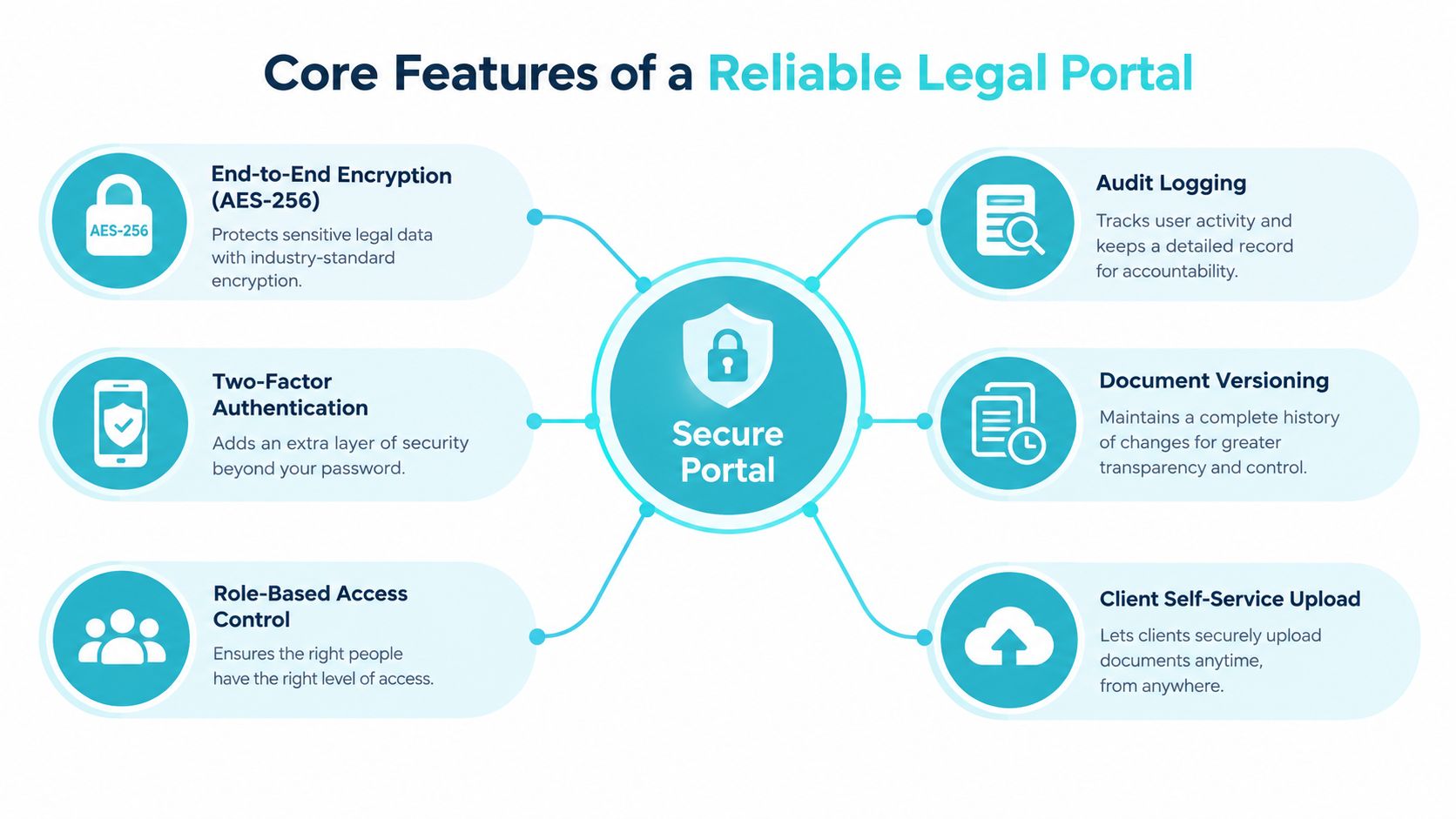
A reliable legal portal needs more than a login page and a file upload button. It should protect information, limit unnecessary access, and give the firm enough visibility to investigate what happened when a matter becomes sensitive.
Encryption is part of that foundation. Legal-security guidance describes protection for data in transit and at rest as a baseline, not a complete security program. Encryption helps protect information while it moves between systems and while it is stored, but it doesn’t prevent an attacker from using a stolen password.
Layered controls matter more than isolated features
A secure messaging portal should combine several controls that address different failure points:
- Multi factor authentication: An additional verification step makes a stolen password less useful to an unauthorized person.
- Role based access: Staff and clients should see only the matters, messages, files, or forms relevant to their role.
- Audit logging: The firm should be able to review sign in timestamps, authentication methods, message access, attachment views, downloads, replies, and forwards.
- Encrypted storage and transmission: Information needs protection while moving between users and systems, and while retained by the service.
- Administrative discipline: Password hygiene, software updates, device controls, staff training, and least privilege keep technical safeguards from being undermined by daily habits.
Microsoft’s encrypted message audit logging documentation explains that portal tracking can record external user sign ins, authentication methods, message and attachment reads, downloads, and replies or forwards. That changes the portal from a simple transport mechanism into an evidentiary record. If a client says a document wasn’t accessed, or if the firm suspects an account compromise, the team has more than a sent timestamp to review.
Security principle: Encryption protects the channel. Authentication and permissions protect the account. Audit logs explain what happened afterward.
Evaluate the controls in context
Technical vocabulary can make security reviews sound complete before the operational details have been tested. Managers should ask who receives alerts, who reviews unusual access, how quickly permissions are removed, and how the firm handles a departing employee or changed client representative.
For teams that need a refresher on the relationship between protected connections and network security, SSL, TLS, and VPN technology explained offers useful background. The important point for a legal operations team is practical. No single security layer can compensate for poor access decisions or an unmanaged workflow.
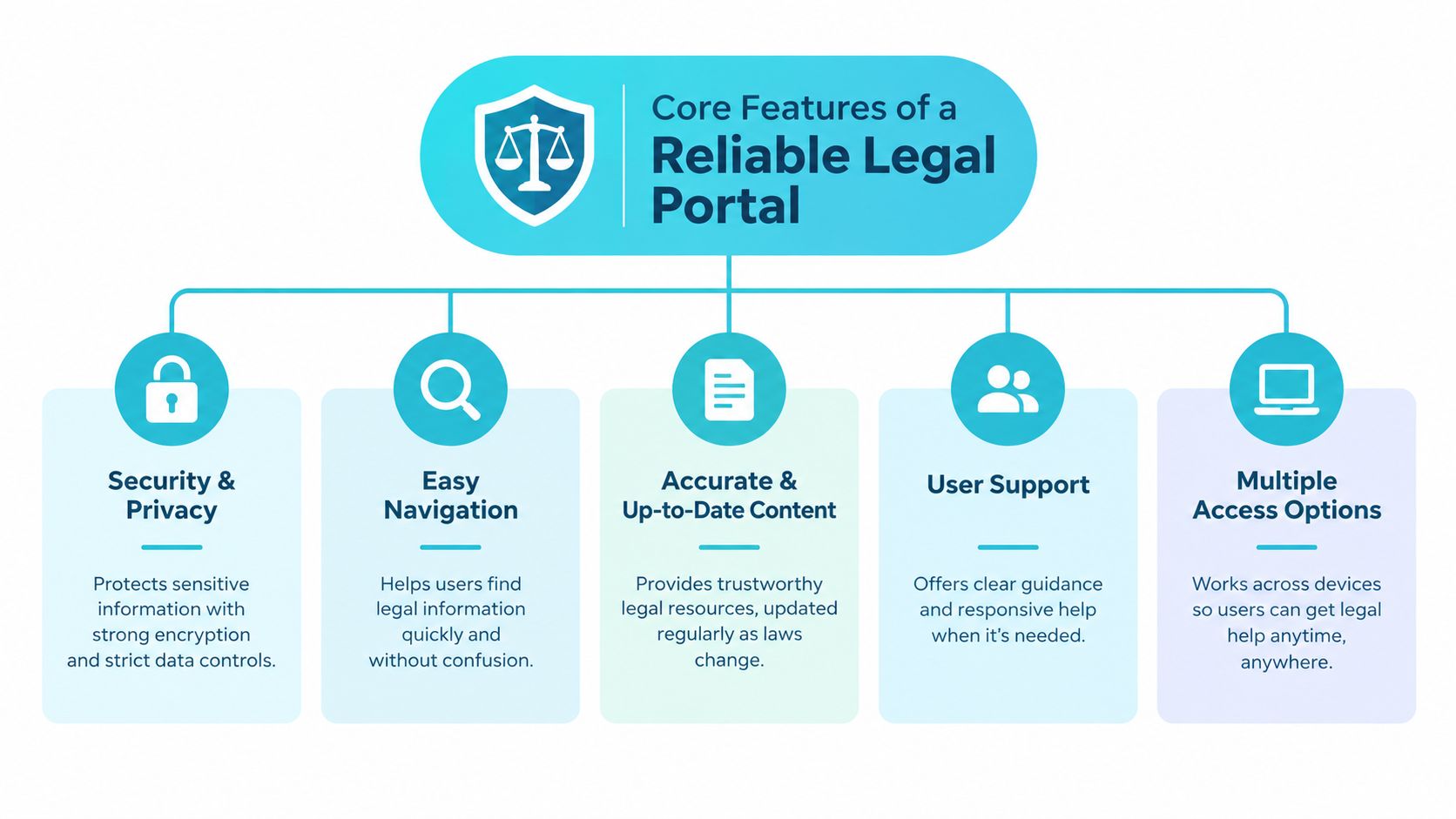
A portal also needs usable navigation, dependable file exchange, and client access from ordinary devices. CasePulse’s secure client portal capabilities are relevant to firms evaluating a system that combines client messaging, file sharing, and form completion with the existing case process. Those functions should be assessed alongside security, not treated as optional extras, because a control clients avoid won’t protect the communication they continue to send through less controlled channels.
Navigating Compliance and Privacy Requirements
A firm can purchase encrypted software and still fall short of its compliance obligations. Encryption addresses one part of the technical environment. Compliance also depends on contracts, policies, permissions, retention, training, and consistent staff behavior.
This distinction matters for firms handling health information in personal injury matters or supporting other regulated workflows. HIPAA-oriented guidance identifies requirements beyond encryption, including a signed business associate agreement, audit logs, role-based access, device controls, retention policies, and documented staff procedures. Treat these requirements as an operating model, not a feature checklist.
Build the internal framework first
Before inviting clients into the portal, the firm should decide:
- Who may access each matter: Define roles for attorneys, paralegals, case managers, administrators, and external contacts.
- What belongs in the portal: Set rules for messages, attachments, forms, notifications, and urgent requests.
- How long information is retained: Align portal retention with the firm’s matter and ethical obligations.
- Who responds to alerts: Assign responsibility for unusual sign-ins, repeated downloads, failed authentication, or permission changes.
- What staff must do: Train employees on identity verification, device use, password practices, escalation, and prohibited channels.
Document the process for a changed email address, a newly added representative, a closed matter, or a request to remove access. The portal can enforce permissions, while firm staff must decide which permissions fit the matter and when they should change.
Adoption also affects privacy outcomes. A control that requires staff to leave the case workflow, re-enter information, or monitor a separate inbox may be bypassed under deadline pressure. Integration with the existing case management process therefore supports compliance by making the approved channel practical to use.
Compliance requires evidence
A managing partner should be able to answer more than whether a message is encrypted. The firm should know who accessed it, whether staff followed the approved workflow, whether the vendor agreement remains current, and whether the retention policy was applied.
Operational analytics can help leadership identify bottlenecks, but reports become useful only after the firm defines the question the data must answer. Teams can review these successes with Snowflake analytics for broader context on using structured data to support operational decisions. The legal workflow still requires its own policies, ownership, and review process.
A portal supports compliance work. It does not perform the firm’s governance duties. Building those duties into implementation helps prevent a secure tool from becoming another system that staff use inconsistently. Review access rules, retention settings, training, and workflow records together, then adjust them as the firm’s matters and client relationships change.
Overcoming Adoption Friction Through Integration
A client needs a case update before a hearing, while staff are already managing deadlines, documents, and calls. If checking the portal requires a separate inbox or duplicate entry, the approved channel becomes another task to postpone. Adoption improves when communication follows the matter instead of creating a parallel process.
Integration with the firm’s existing case management system reduces that friction. Staff should not have to copy a message, download a file, rename it, upload it, and then update the case manually. Each extra handoff creates an opportunity for delay or error, especially during busy periods.
Keep staff in the workflow they already know
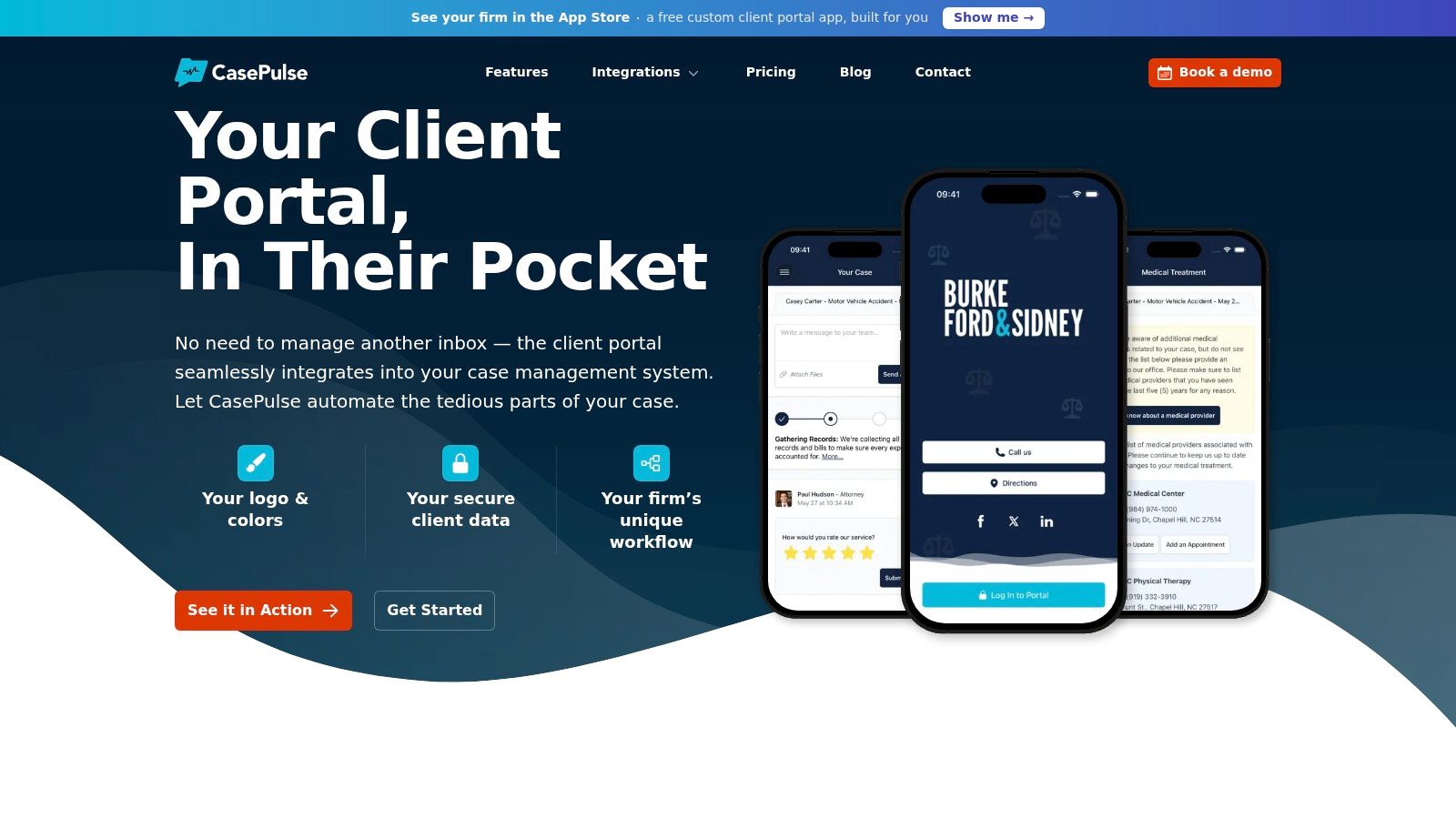
CasePulse connects directly with Needles, Neos, LawBase, and Litify. Its site describes a setup with no rip and replace, no duplicate data entry, and no extra team login. The practical benefit is a client-facing experience that fits the firm’s established operating process rather than requiring every staff member to learn a separate system.
The client experience also needs a short path. CasePulse says clients can send messages, share files, and complete forms from any device. When those actions connect to the matter workflow, staff can handle them where they already manage case activity, without searching through unrelated channels.
Automate the predictable questions
Status communication is a practical first use because its triggers are often clear.
Automation changes the staff task from remembering every client update to defining the event and reviewing exceptions. A milestone alert can confirm that a known step occurred, while the case team focuses on questions requiring legal analysis or personal attention.
Portal adoption remains uneven across the legal market. An independent summary of ABA technology survey findings reports that 35% of firms offered clients access to a secure client portal in the 2023 ABA Websites & Marketing TechReport, while ABA-related summaries indicate use rose from 35% in 2016 to 58% in 2021 among responding firms. The same summary says 68% of firms in the 2021 survey were using or planning to implement portals within the following twelve months. These figures appear in this summary of client portal adoption findings.
Firms need a workflow clients can understand and staff can maintain; integration is what makes that workflow survive a busy week.
Evaluating and Implementing Your Portal Solution
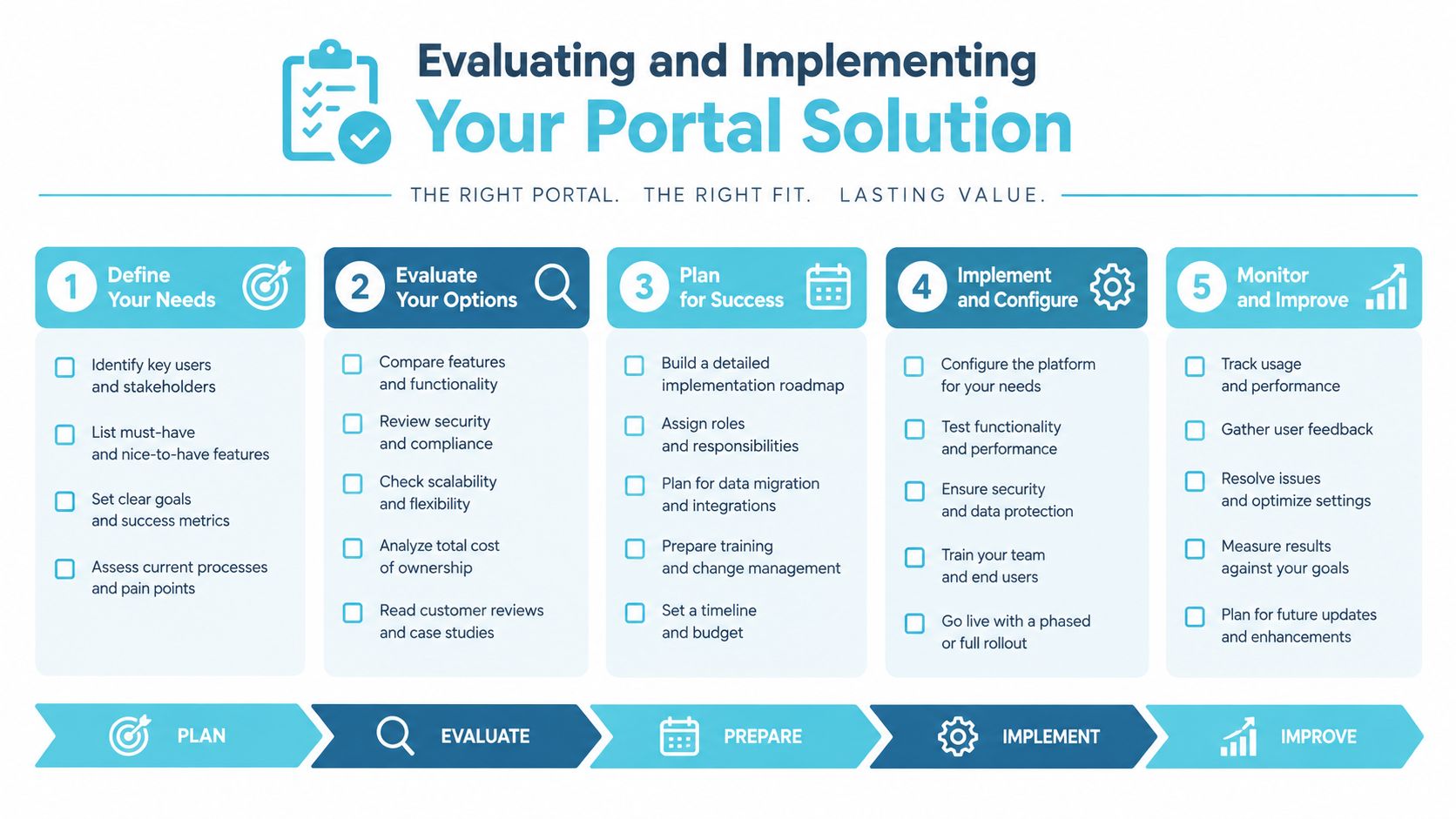
Implementation should begin with the firm’s communication inventory, not a product demonstration. Review the calls, emails, file requests, status questions, and forms that consume staff time. Then select a small group of repeatable workflows for the first rollout.
Ask operational questions
A useful evaluation covers five areas:
- Integration: Does the portal connect to the case management system already in use, or will staff re-enter information?
- Client access: Can clients message, upload files, and complete forms from a phone, tablet, or computer?
- Identity and permissions: Can the firm control who sees each matter and review access activity?
- Firm identity: Can the portal use custom branding so clients recognize the firm’s digital environment?
- Implementation support: Will a hands-on team help configure workflows, train staff, and resolve onboarding problems?
Quick deployment can reduce disruption, but speed shouldn’t replace testing. Invite internal users first, confirm notification behavior, test a form from a mobile device, and verify that a client can find a recent update without staff assistance.
Make onboarding part of the service
Clients need a short explanation of what the portal is for, what belongs there, and what requires a phone call. Staff should use consistent language when sending invitations and should demonstrate the workflow during an ordinary interaction.
Start with matters where routine updates and document exchange create obvious friction. Measure adoption qualitatively at first by asking whether clients can find updates, upload requested material, and understand when staff will respond. Then adjust instructions, notification timing, and internal ownership before expanding the rollout.
A portal succeeds when it disappears into the firm’s normal work. If implementation leaves staff with duplicate entry or clients with confusing instructions, the technology isn’t solving the original bottleneck.
Transforming the Client Experience Long Term
Clients judge legal service through more than legal outcomes. They notice whether predictable questions get answered, documents stay organized, and the next step is clear.
A portal that exists is not the same as one that answers the client’s real question, and the size-gap figures show how rarely the two coincide. Long-term adoption depends on meaningful updates, simple document exchange, and a workflow connected to the firm’s case management system. Integration matters because staff can maintain the client experience without entering information twice or shifting work between disconnected systems.
Leadership should identify one communication bottleneck this month, assign ownership, and test whether a connected portal removes unnecessary calls without weakening personal service.
CasePulse gives law firms a secure client space for messages, files, forms, and case status updates while staff continue working through their existing case management workflow. Visit CasePulse to review the integrations and discuss a practical rollout for your firm.