
 CasePulse
A busy plaintiff personal injury firm can feel like a relay race where the baton keeps dropping. One paralegal is answering a new client's voicemail, another is digging through email for a photo of an accident scene, and a case manager is trying to confirm whether a signed form ever came back. Clients don't see the internal scramble, they only notice that updates are late and questions keep repeating.
That friction is exactly why communication software matters. It gives firms a structured way to move information across text, voice, video, portals, and internal workflows without making staff manually chase every reply. The market itself shows how central this category has become, with communication software valued at USD 11.44 billion in 2025 and projected to reach USD 26.58 billion by 2031 at a 15.08% CAGR (Mordor Intelligence market overview).
For plaintiff firms, the practical question isn't whether communication tools exist. It's whether the firm can keep clients informed, collect what it needs, and avoid turning every routine update into a phone call.
Introduction to Communication Software
A client calls after a crash, leaves a voicemail, sends an email, and then texts the office to ask whether the claim was opened. If the firm handles each message in a separate place, the team starts duplicating work and clients start feeling ignored. That turns a simple intake into a chain of repeated follow-ups, missed context, and avoidable delays.
Communication software gives the firm a system for moving information instead of letting it scatter across inboxes and devices. It helps people send and receive messages, files, voice, and video in an organized way across different channels. In plain English, it is software that exchanges files and messages in text, audio, or video formats between users or computers and can support remote access to systems (communication software definition).
For a plaintiff personal injury practice, the software works like a digital receptionist that keeps the office from treating every message as a separate event. A new intake question, a request for medical records, a quick update on a lien, and a reminder about a signed form can all move through the same system, each to the right person or workflow. That matters because client communication is usually not one conversation, it is many small exchanges over time.
Practical rule: if a message can be routed, tracked, and answered without someone copying it into another system, communication software is doing real work for the firm.
The broader market reflects that shift. Communication software now covers messaging, voice, video, and collaboration in a wider set of business settings, which is why it has become a core software category instead of a side tool.
For a plaintiff firm, that means fewer gaps between intake, case status questions, medical record requests, and settlement updates. It also means the firm can give clients one consistent experience instead of making them remember which staff member handles which topic.
Understanding the Key Concepts
A plaintiff personal injury firm can treat communication software like a front desk with several doors. One client needs to send a photo of an accident scene, another wants a quick case update, and a paralegal needs to move a signed form to the right attorney. The software keeps those exchanges organized so the firm is not forcing every message through the same path.
What it actually does
Communication software moves information between people or systems in text, audio, or video form. A broad definition also includes tools that support remote access to systems, which is why the category reaches beyond chat and video calls (communication software definition). It covers the way information is carried, not only the way people talk.
That detail matters in a plaintiff practice. A generic task app can help a team remember what to do next, but communication software helps the firm send a client's intake note, a medical record request, or a settlement update to the correct person through the correct channel. In other words, it handles the movement of the message itself.
Simple way to read it: communication software is the pathway, not the message.
Why channels matter
Confusion often starts when every exchange is treated the same way. One helpful breakdown separates asynchronous communication, where there is a delay between sending and receiving, from synchronous communication, which happens in real time or close to it (CDW communication software guide). Email and file exchange fit the first pattern. Instant messaging and video conferencing fit the second.
For a law firm, that split is practical. A question about a doctor visit can sit in a portal thread until staff review it. A quick intake clarification may move faster through text. A strategy conversation with a client often works better live, especially when the team needs immediate feedback or a clearer tone.
Simple way to think about it: synchronous tools handle conversation now, asynchronous tools handle exchange over time.

Why structure matters
Security and structure matter just as much as speed. Plaintiff firms deal with sensitive facts, document sharing, deadlines, and repeated client questions, so the communication system has to preserve context and keep information flowing to the right place. A tool that only sends messages is not enough if staff still have to copy details into another system or hunt for the latest version of a file.
That is why teams often connect communication software with case management and client-facing tools. A client portal can give people one place to ask questions, send updates, and review next steps, which reduces confusion for both the client and the staff. A firm that wants clients to discuss PDF content easily can also reduce back-and-forth around forms, records, and other attachments.
For firms evaluating client portal options for law firms, the key question is simple. Can the software keep communication tied to the case, so the office can respond without losing context or creating extra work?
Communication Software Types and Features
A plaintiff firm often spots the difference between communication tools at the point of pressure. A paralegal needs an answer now, a client uploads records later, and an attorney wants the full thread tied to the file. The software has to fit those different moments without creating more work.
Synchronous tools
Synchronous communication happens in real time, or close to it. Instant messaging and video conferencing fit this category, and a CDW overview of communication software types describes that split clearly. In a plaintiff firm, that can look like a quick attorney check-in, a live witness prep call, or a same-day client conversation about new treatment information.
These tools help when tone matters or a decision cannot wait. A live exchange cuts down on the back-and-forth that often happens when staff try to resolve a pressing question through email. It also helps when a client needs reassurance and the team wants to avoid a long chain of short replies.
Asynchronous tools
Asynchronous tools handle communication that does not need an instant reply. Email, file sharing, and client portals fit that pattern, and they work well when clients need to send documents or review updates on their own schedule. In personal injury work, that can mean a client uploads treatment paperwork at night, then the team reviews it the next morning.
These tools are often better for routine exchanges and for keeping a record of what was sent. That matters in law firms because the message trail often matters as much as the message itself. A thread that stays attached to the case file is easier to review than scattered notes across separate inboxes.
If your team is comparing portal-style tools, an overview of client portals for law firms can help frame the decision, especially if you want to reduce email sprawl without creating a separate inbox for every new question.
For text-heavy or document-heavy conversations, it can also help to discuss PDF content easily through a thread-based workflow, especially when a client needs to reference a file without switching tools.
The features that actually matter
The feature list should match workload, not hype. A plaintiff firm usually cares about a few practical items more than flashy extras.
- Notifications: clients and staff need clear prompts when something new needs attention.
- Group communication: multiple staff members may need visibility into the same case thread.
- File exchange: clients often need to send photos, forms, or records without email confusion.
- Branded access: the portal or messaging surface should look like the firm, not a generic app.
- Searchable history: staff need to find past messages without digging through scattered inboxes.
These features matter because they reduce friction in real cases. A client who can send a photo of a crash injury, upload a bill, or reply to a status update without calling the office is easier to support. Staff can keep the conversation attached to the claim, which lowers the chance that important details get buried in a separate thread or forgotten in a general inbox.
Benefits and Risks in Law Firms
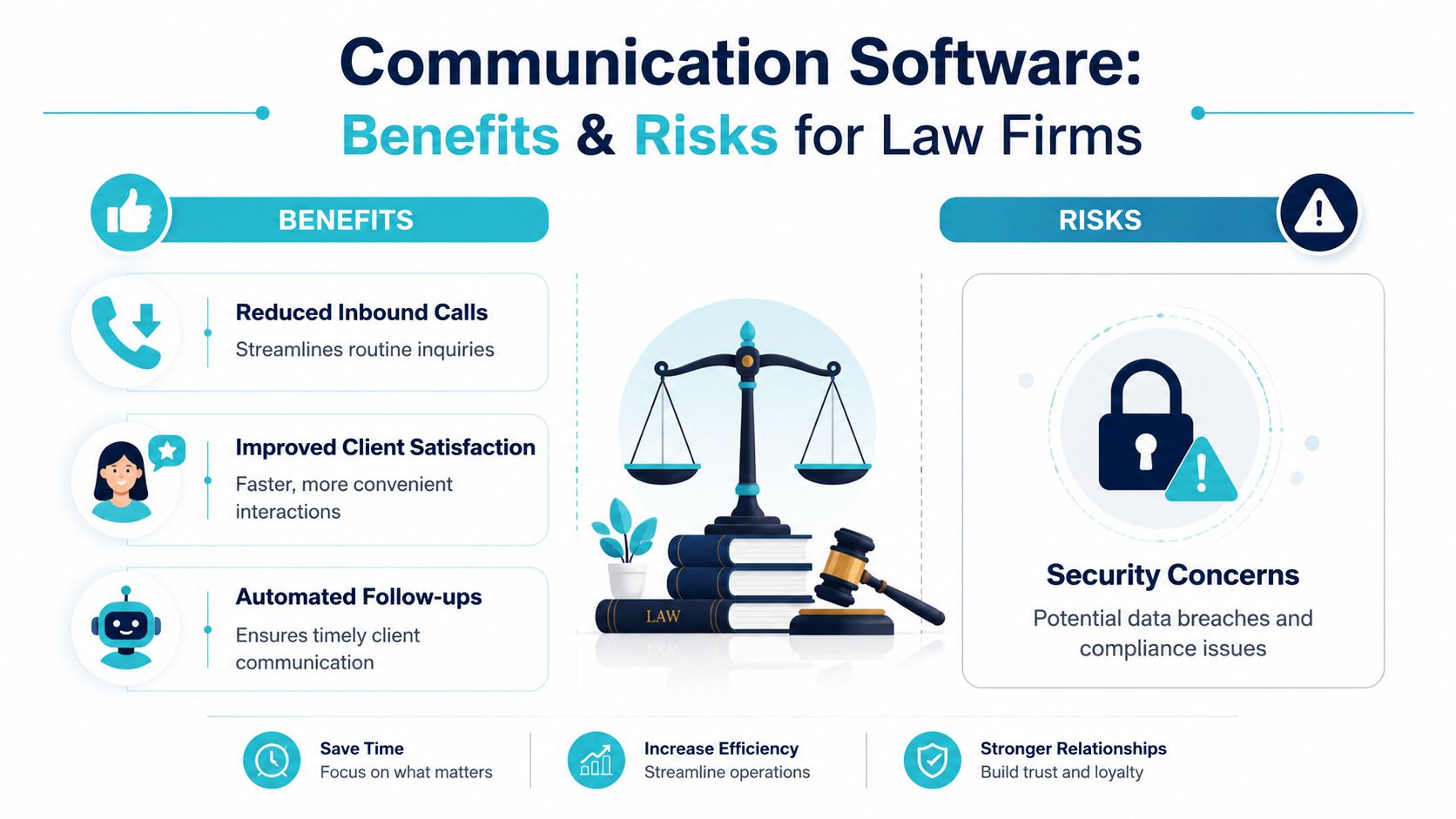
A plaintiff personal injury firm often adopts communication software for one simple reason, it cuts friction for both clients and staff. When the right people can see the right information in the right place, routine calls shrink and follow-up feels less chaotic. That is the main advantage.
A real-world example helps. A client who has just left an ER visit may need to send a photo of an injury, ask about a document, or confirm the next step without waiting on hold. Communication software gives that exchange a clear path, like a dedicated lane instead of sending every message through a crowded front desk. For a firm that handles intake, treatment updates, and settlement questions at the same time, that structure can keep the case moving without constant back-and-forth.
Why firms adopt it
The benefits are fairly direct. Client questions can be handled in a more organized way, routine updates can reach clients without a phone tag loop, and intake or follow-up tasks can move without staff manually sending the same reminder again. In a busy office, that means fewer interruptions and a cleaner path from case opening to ongoing communication.
There is also a client experience angle. A client who can send a message, check status, or upload a file without waiting on hold usually feels more informed. That matters in plaintiff work, where clients often want reassurance between milestone events and may not know which updates belong in a call, an email, or a secure portal. For firms comparing tools, it can help to understand secure messaging for law firms before deciding how client conversations should move.
Where the risk shows up
The downside is that communication volume can grow faster than the team's ability to manage it. A law firm does not just need more messages, it needs security, compliance, and high-volume handling that basic tools do not always support. If the firm adds channels without a plan, staff can end up with more places to check instead of fewer.
That risk gets bigger when messages are separated from the rest of the case record. A tool that is not tied to existing workflows can create duplicate work. A tool that does not respect access control can create compliance problems. A tool that is hard to use can slow adoption and send staff back to old habits.
Best safeguard: choose software that fits the firm's communication rules first, then the workflow second, and the interface third.
For teams that already rely heavily on email, it also helps to understand email list compliance requirements, even if email is not the main client channel. The same basic idea applies, clear consent, access rules, and message discipline keep communication from turning into a recordkeeping problem.
How to reduce the downside
Start with limited use cases. Intake questions, case status updates, and document collection are easier to standardize than everything at once. Then define who can send, who can see, and what belongs in the system versus what should stay in case management.
Adoption also goes smoother when the firm treats the new tool like a new workbench, not a separate universe. If staff can move a client message into the case record without retyping it, they are more likely to keep using the system. If the workflow feels like extra clerical work, they will tend to revert to old habits. That is why firms should favor tools with clear message history, practical permissions, and a simple handoff between communication and case tracking.
Integrating Communication Software with Case Management
For a plaintiff firm, communication software works best when it doesn't become another island. If client messages live in one tool and case notes live in another, staff still have to copy information by hand. Integration is what turns communication into a working part of the case process.
What integration should expose
A good system should make its protocols, interfaces, and data flows clear. Practical architecture guidance recommends documenting containers and components, authentication flows, and the interfaces between modules, with common communication interfaces such as HTTP, WebSocket, and AMQP (technical architecture guidance). That's the difference between a tool that “connects somehow” and one the firm can support long term.
For plaintiff firms, the primary question is not whether the software can send a message. It's whether that message can move into the case workflow without staff rekeying it. The cleaner the integration, the less likely the firm is to create duplicate records or missed updates.
A practical comparison
The table below uses a simple lens, not a fantasy benchmark. Setup time and depth depend on the firm's current configuration, but the pattern is useful for evaluation.
| Case Management System | Integration Method | Setup Time | Key Benefit |
|---|---|---|---|
| Needles | Direct portal connection or workflow-linked integration | Usually quicker when the firm already standardizes case fields | Keeps client communication close to the case record |
| Neos | Web-based integration tied to firm workflows | Depends on how much process mapping the firm wants upfront | Helps staff stay in one operating flow |
| LawBase | Structured connection through data exchange and access rules | Often moderate because firms usually align permissions carefully | Supports controlled communication around active matters |
| Litify | Workflow-driven integration with portal access | Varies with how customized the firm's stack is | Fits firms that want communication tied to broader process automation |
For a deeper look at portal architecture, this overview of integrated case management software is a helpful reference when your team is deciding how tightly communication should connect to the rest of the workflow.
How to think about the rollout
Start with the communication tasks that already happen every day. If clients are calling for status updates, that's a good first candidate. If the firm spends too much time chasing documents, that's another obvious fit.
CasePulse is one option in this category, because it's built to plug into existing case management workflows so clients can message the team, share files, and complete forms without staff leaving their core system. In practice, the value comes from reducing the handoffs, not adding another place to work.
Choosing and Implementing Software in Practice
Software selection gets easier when the firm stops asking, “What can it do?” and starts asking, “What will staff use next Monday?” A plaintiff firm doesn't need a tool that impresses everyone in a demo. It needs one that fits the work already happening in the office.
What to evaluate first
Security comes first, because client communication often carries sensitive facts. Ease of use comes next, because a complicated tool usually loses to email in week two. Support matters too, especially when an administrator needs help setting up templates or permissions.
Custom branding is worth checking if the firm wants clients to feel they're still dealing with one practice, not a third-party app. Pricing structure matters as well, but not just the monthly number. A critical question is whether the platform charges the firm in hidden labor by forcing staff to manage yet another inbox.
A rollout that doesn't overwhelm people
A low-friction rollout starts small. Pick one workflow, like client portal invitations for active matters, and let one team test it before expanding. If the tool is wired correctly, staff should keep working inside the same case system while clients use the portal to see updates and send information back.
Adoption tip: the less a firm asks staff to remember, the faster the software sticks.
That's especially true in plaintiff firms, where paralegals and case managers already juggle intake, medical updates, witness coordination, and client questions. If the new software adds steps, adoption slows. If it removes steps, people usually try it.
A simple implementation sequence
- Choose one use case. Status updates or document collection are often the cleanest place to start.
- Set the permission rules. Decide who can send messages, who can see replies, and which matters are included.
- Connect the workflow. Keep the process inside the case management system as much as possible.
- Train for one behavior. Don't teach ten features on day one, teach the one habit the team needs to build.
- Review what changed. Ask whether clients are responding more consistently and whether staff are still copying information by hand.
If you want a concrete example of how firms approach this kind of rollout, CasePulse is designed around quick client invites, branded client access, and direct use alongside a firm's existing workflow rather than outside it. That kind of low-friction structure is often what lets a mid-sized plaintiff firm move from scattered email to a more controlled communication process without a heavy internal rebuild.
Bringing It All Together
Communication software is the system that helps firms move information cleanly across text, audio, video, and portal-based workflows. For plaintiff personal injury firms, that means fewer missed updates, less call chasing, and a better way to keep clients informed without scattering work across inboxes and phones. The best results usually come from simple use cases, tight integration, and tools that fit how the team already works.
A CTA for CasePulse.