
 CasePulse
A 2024 secret-shopper study found that only 40% of law firms answered a prospective client's phone call live, while just 33% responded to a prospective client's email, down from 40% in 2019. The same research recorded a median response time of 13 minutes for online lead-form inquiries across 1,333 U.S. law firm websites. The legal intake findings expose an uncomfortable truth: the client onboarding process often breaks down before a prospect signs an engagement letter.
In plaintiff injury practices, the first thirty days create a chain of small decisions. Someone must respond, collect the right facts, clear conflicts, send the engagement documents, create the matter, explain communication expectations, and keep the client moving when records or signatures stall. A client portal integrated with the firm's existing case management system can close those gaps without forcing staff to monitor another inbox.
Why Most Law Firm Onboarding Fails Before It Starts
A prospective client doesn't experience your workflow as separate departments. They experience one firm. If a phone call goes unanswered, an email sits untouched, or a form submission receives no clear next step, the prospect may move on before intake staff ever assess the case.
The 2024 secret-shopper results make that failure measurable. Only 40% of firms answered calls live, and only 33% replied to emails, with email performance falling from 40% in 2019. The median 13-minute response time for online lead forms may sound quick in isolation, but it doesn't guarantee that the response was useful, assigned to the right person, or followed by a completed intake path. The study summary shows why speed must be paired with structure.
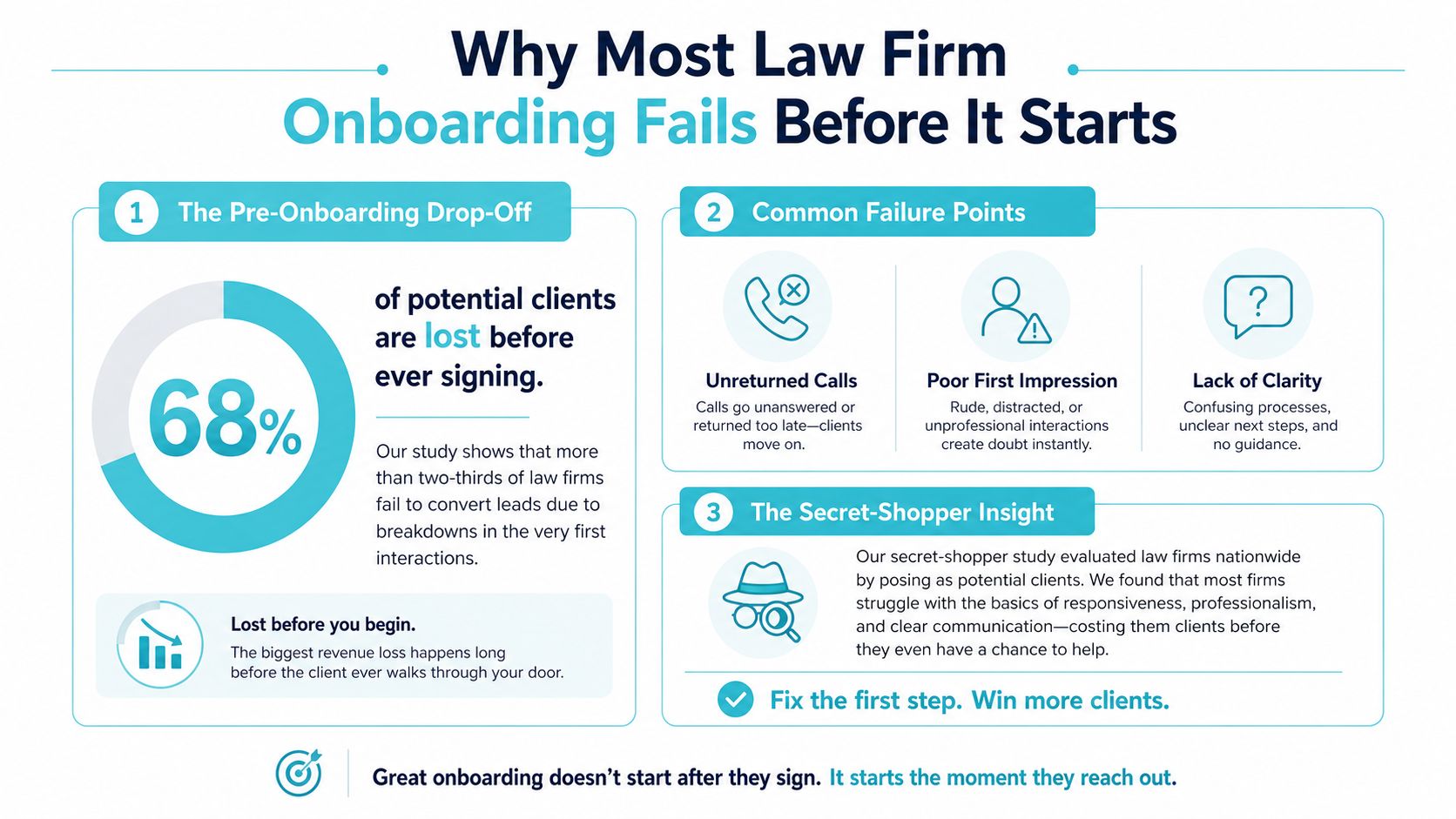
The first touchpoint is already onboarding
Many firms define onboarding as the work that begins after the engagement letter is signed. Operationally, that definition is too narrow. The first call, web form, or email establishes whether the firm is responsive, organized, and clear about what happens next.
For plaintiff injury firms, the risk is especially visible. A prospective client may be injured, uncertain about the process, and contacting several firms at once. A delayed response doesn't merely create an inconvenience. It can interrupt the path from inquiry to conflict check, consultation, signed agreement, and active matter.
Practical rule: Treat every inquiry as the beginning of the client lifecycle, not as a disconnected marketing lead.
Hiring more intake staff can help, but headcount alone won't fix an unclear process. If one person receives the call, another owns the email, and a third manages forms without a shared status, the firm still has a handoff problem. Structured routing, automatic follow-up, clear ownership, and visible task status create consistency even when individual staff members are unavailable.
Where the hidden drop-off occurs
The most common early failures aren't dramatic. A client misses one requested document. Staff assume someone else followed up. The client sends a question to an old email address. A signed agreement arrives, but matter creation waits for a separate administrative queue.
A sound process answers four questions immediately:
- Who owns the next action? Every stage needs one accountable person.
- What must the client complete? The firm should request only what is needed for the current stage.
- Where does the client respond? Multiple inboxes create fragmented records.
- What happens when the client goes quiet? Silence needs an escalation path, not passive waiting.
The objective isn't to automate every human interaction. It's to reserve human attention for judgment, empathy, and case strategy while the workflow handles predictable reminders and status visibility.
A Day by Day Onboarding Timeline for Personal Injury Matters
A useful client onboarding process gives each stage a start point, an owner, and an exit condition. The timeline below follows a structured sequence from initial inquiry through the first value delivery, while leaving room for the facts and urgency of an individual injury matter.
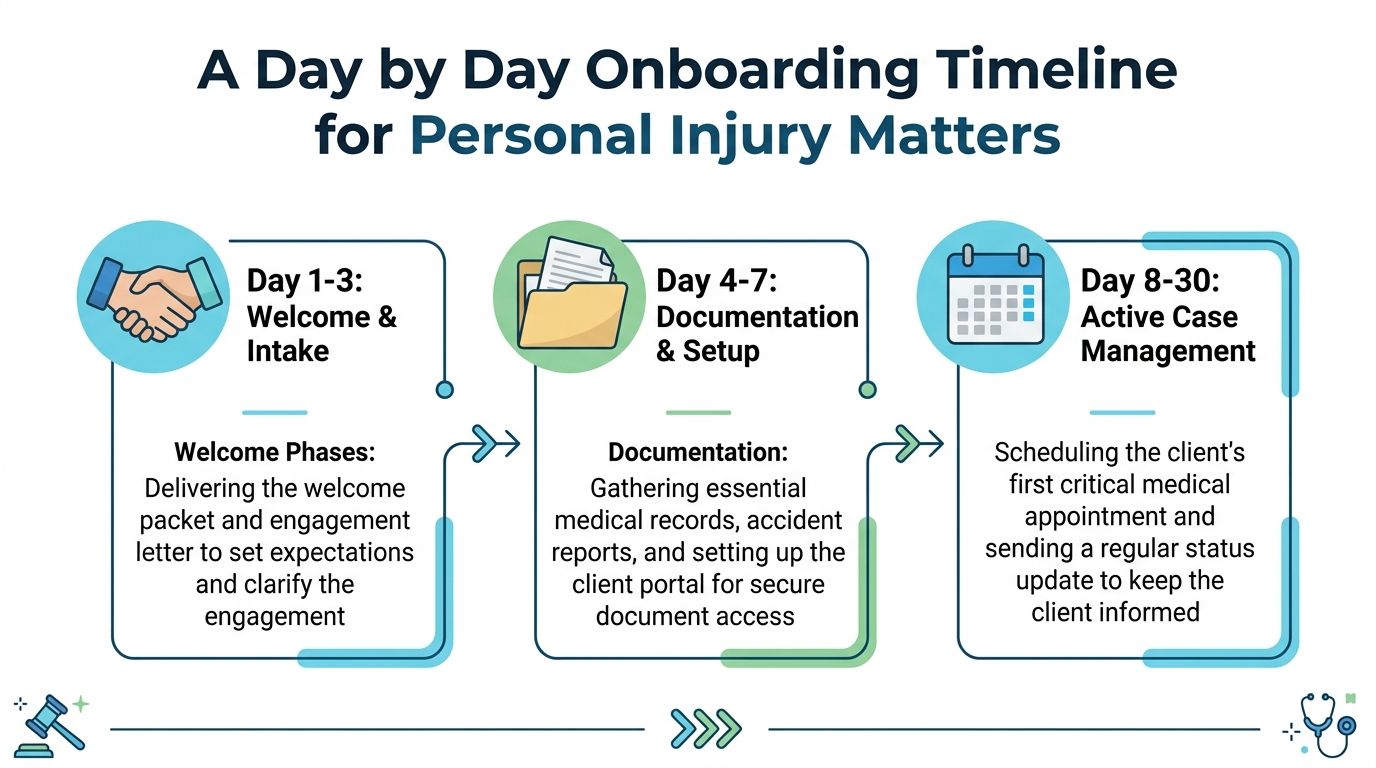
Day 0 to Day 1
The first stage covers intake and conflict check. Intake staff capture the basic incident details, contact information, opposing parties, insurance information when available, and the client's preferred communication method. The conflict team then reviews the names and entities against the firm's records.
Ownership matters here. Intake should know whether it can move a matter forward, whether attorney review is required, and how a potential conflict is escalated. The client shouldn't have to repeat the same facts to several people because the handoff wasn't documented.
Day 1 to Day 3
Once the conflict is cleared, the firm sends the engagement letter and retainer request, where applicable. This stage should include a concise explanation of what the client needs to sign, what information remains outstanding, and where to submit questions.
A portal invitation works best when it arrives with a clear purpose. The client should know that this is the place to review documents, complete requested forms, and communicate with the team. A short response window gives staff a reason to follow up rather than letting an unsigned agreement disappear into an open task list.
Day 3 to Day 7
The next phase covers signing and matter creation. After the required documents are completed, the firm creates the matter, assigns the delivery team, confirms the responsible attorney and case manager, and checks that the initial information is available to everyone who needs it.
This is also the point where firms should verify that client-facing information matches the internal matter record. Duplicate entry creates avoidable discrepancies, particularly when contact details, incident dates, or medical-provider information change during intake.
Day 7 to Day 14
The kickoff conversation clarifies roles, communication expectations, immediate priorities, and the client's responsibilities. For an injury matter, that may include identifying outstanding medical information, explaining how the firm will request records, and setting expectations for periods when there may be no visible case movement.
The structured law firm onboarding timeline places kickoff and role clarification in this stage because clients need orientation before they can judge whether the firm is making progress.
Day 15 to Day 30
The final stage focuses on first value delivery, billing cadence where relevant, and a 30 day satisfaction check. First value doesn't have to mean a final result. It can be a clear case update, a completed intake milestone, a records request confirmation, or an explanation of the next substantive step.
The satisfaction check should ask whether the client understands what happens next, knows how to contact the team, and can find the information already provided. If the answer is no, the firm still has time to correct the process before confusion becomes a relationship problem.
Automating Touchpoints Without Adding Another Inbox
Automation fails when it creates a second communication system that staff must check separately. The design target should be the opposite: clients receive timely prompts and visibility, while staff continue working from the workflow they already use.
Start by selecting one primary communication channel. Tell clients where messages belong, how quickly they can expect a response, and whether routine updates arrive on a schedule or only when something changes. CasePulse's law firm onboarding guidance also emphasizes explaining quiet phases, because clients often interpret silence as neglect when the matter is waiting on records, an insurer, or another external party.

Build triggers around matter milestones
The most useful automated touchpoints correspond to events staff already recognize:
- Welcome trigger: Send the portal invitation and explain the client's first action.
- Document trigger: Notify the client when a form or file is ready for review.
- Incomplete task trigger: Remind the client when a required item remains unfinished.
- Status trigger: Confirm a milestone, such as matter creation or a records request.
- Quiet phase trigger: Provide a brief update when the firm is waiting on an outside event.
- Escalation trigger: Alert the assigned staff member when the client misses the defined response window.
The language should be specific. “Your case is being processed” creates uncertainty. “The firm has received your intake forms and is reviewing the next records request” gives the client a concrete point of reference without promising an outcome.
Keep the client experience simple
A client shouldn't need to remember which staff member handles documents, which address accepts questions, or whether a form belongs in an email attachment. A single portal can give clients access to case status, messages, files, and fillable forms from any device, while the team keeps its internal work in the existing matter workflow.
Firms that need additional administrative capacity can also review virtual legal assistants companies as part of a broader staffing plan. Extra support helps only when the underlying process clearly assigns tasks, response windows, and escalation responsibilities.
The automated client communications workflow should therefore be designed around ownership, not volume. Automation can remind a client, but it can't decide whether a missing medical record needs attorney review or whether a distressed client requires a personal call.
Explain what happens when nothing changes
Clients often need reassurance during quiet periods. Tell them when the next update will arrive, what the firm is waiting for, and how to ask a question if circumstances change. This reduces unnecessary inbound calls without pretending that every matter has daily activity.
The firm should also test every message from the client's perspective. Does the notification identify the matter? Does it state the next action? Does it explain where the client should respond? If not, the automation may be increasing confusion instead of reducing it.
Integrating the Portal with Your Case Management System
Integration succeeds when the firm separates internal work management from client access without separating the underlying information. Attorneys and staff need the complete matter record, task assignments, and internal notes. Clients need a clear, limited view of status, documents, messages, and forms.
A portal connected to Needles, Neos, LawBase, or Litify should support a clear division of responsibility. The case management system remains the operational source for the firm's matter activity. The portal gives clients a practical way to interact with the information and tasks the firm chooses to expose.
What belongs in each environment
The internal case management system should retain the firm's matter structure, internal assignments, case notes, deadlines, and operational decisions. Client-facing content should be filtered for clarity and appropriateness before publication.
The portal is the client's working surface for:
- Messages: Questions and replies tied to the matter.
- Documents: Files the firm sends or the client uploads.
- Forms: Fillable intake and information requests.
- Status: Updates that explain what has happened and what comes next.
- Tasks: Clear actions that the client must complete.
That separation reduces the temptation to use personal email threads or disconnected file exchanges as the unofficial record. It also gives the client a predictable place to look without requiring staff to copy every update into multiple systems.
Adoption depends on implementation, not just integration
A technically connected portal won't help if staff don't know when to invite clients, how to handle exceptions, or where to find support activity. A phased rollout gives the firm a controlled way to test invitation language, task ownership, and internal notifications before expanding use.
CasePulse supports custom branding and is designed to let firms begin inviting clients in about a week, with hands-on support from a US-based team. The operational benefit depends on configuration discipline. The firm still needs to decide which milestones appear to clients, which forms are required, and who responds when a client asks a question.
The case management integration overview is useful during implementation because it focuses the conversation on workflow fit. The right question isn't whether a portal can display information. It's whether the connection helps staff work in the existing system while clients receive timely, understandable access to what they need.
Common Onboarding Failures and How Workflow Design Prevents Them
Most onboarding failures aren't caused by a client portal. They come from unclear ownership, weak handoffs, and missing escalation rules. A portal can make a bad process more visible, but it can't compensate for a firm that hasn't decided who owns the next action.
The clearest warning concerns delay after signing. Operational onboarding benchmarks indicate that if onboarding doesn't start within 72 hours after contract signing, completion probability can fall below 50%. Completion rates below 65% indicate major revenue leakage, with roughly one in three signed clients stalling before activation.
Silence needs a workflow response
A client may go silent because the request is unclear, the form is difficult to complete, the client is overwhelmed, or the firm contacted the wrong person. Sending the same reminder repeatedly doesn't diagnose the problem.
Use an escalation sequence instead:
- Send a clear reminder naming the exact incomplete task.
- Give the client a defined response window.
- Notify the assigned staff member when that window expires.
- Switch to a personal outreach method when the issue may be urgent.
- Record the outcome and adjust the next step.
Completion should also have a firm definition. The onboarding stage isn't complete until all checklist steps are finished, all required documents are received, and delivery-team readiness is confirmed. A signed agreement alone doesn't mean the matter is ready for active work.
Pilot the process with a controlled group
A phased rollout surfaces problems before they affect the entire client base. One implementation checklist recommends starting with the firm's 20 most active clients, sending personalized invitations, checking support activity daily during the first week, and following up within 48 hours if a client hasn't logged in. The portal implementation checklist provides that practical rollout structure.
The pilot should test more than login rates. Ask whether clients understand the first task, whether staff know where to respond, and whether documents arrive in the expected place. Review the process with the people who handle intake, case management, billing, and client communication. They'll identify different failure points.
Workflow principle: Reminders ask people to act. Workflow design makes the action visible, owned, time-bound, and escalated.
Firms that want to tighten the agreement and signature side of the process can use FaxZen's guide to contract management as a general reference. In a law firm, the key is connecting contract completion to the next operational task, rather than treating signature collection as the end of onboarding.
Measuring Onboarding Success Beyond Speed Metrics
Fast responses matter, but speed alone can hide a weak client onboarding process. A firm can send immediate notifications and still have incomplete records, unclear ownership, or clients who never reach a meaningful first milestone.
Recent 2026 onboarding guidance emphasizes choosing a single activation event and a fixed time-to-value window instead of relying on broad completion language. The same benchmarking source reports best-in-class teams achieving time-to-first-value under 14 days and completion rates above 80%. The onboarding benchmarking guidance is useful because it shifts measurement from activity volume to evidence that the client has entered active engagement.
Track a small set of operational indicators:
- Activation: Has the client completed the defined event that marks an active matter?
- Time to first value: How long does it take to deliver the first meaningful update, completed milestone, or tangible case-service outcome?
- Completion quality: Were every required document, form, and readiness check completed without duplicate or conflicting records?
- Response health: Are clients responding within the firm's stated windows, and are silent matters escalating correctly?
- Thirty day experience: Does the client understand the process, know where to communicate, and feel informed about the next step?
The final measure should connect onboarding quality to ongoing client confidence. Use a structured client satisfaction measurement process that captures feedback while the experience is still recent, then compare recurring issues against specific workflow stages.
Automation should improve auditability and follow-through, not merely reduce staff effort. If a firm can't identify who requested a document, when the client received the request, and what happened after the response window expired, the process remains difficult to manage regardless of how modern the interface looks.
CasePulse gives law firms a client portal for case status, messages, file sharing, and fillable forms while staff continue working within their existing case management workflow. Visit CasePulse to see how a connected onboarding process can reduce avoidable follow-up work and give clients a clearer first thirty days.